
Paint Art / Painting App
com.nokuteku.paintart
by noku.teku software
Screenshots



Ad slot: Top Leaderboard
About this app
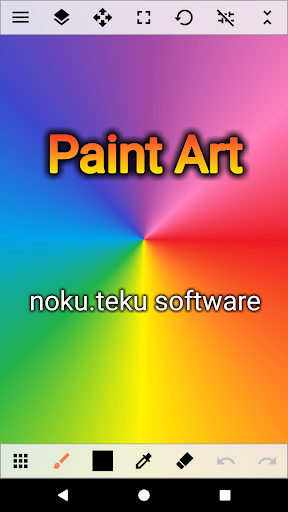
A simple and multi-functional painting app.
Designed for a wide range of users, from beginners to those familiar with illustration production.
With its intuitive operation, anyone can start drawing immediately.
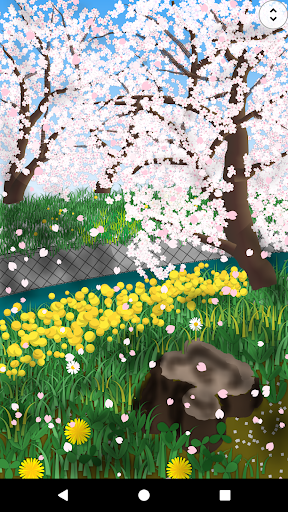
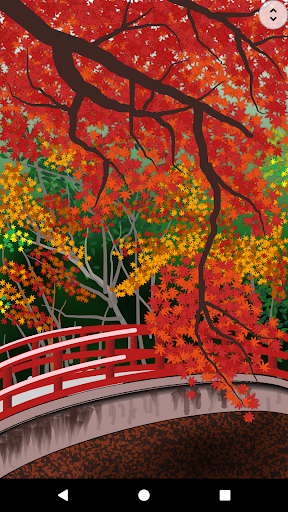
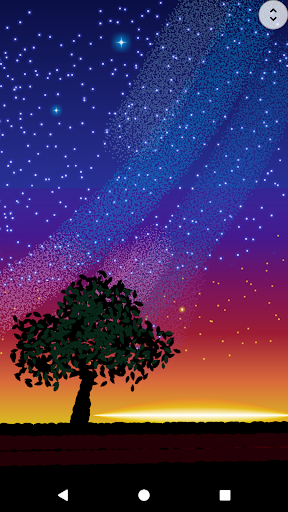
This app is recommended for those who find other apps difficult to use and those who want to draw natural landscapes.
Basic drawing functions
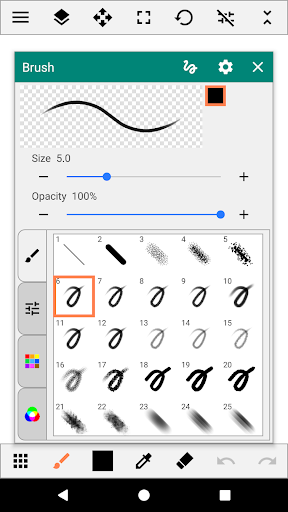
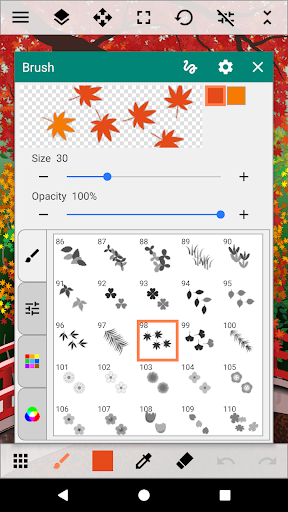
・Brush tools (pen, pencil, airbrush, wavy line, dotted line, shape, gradient, nature, flowers, rainbow, light, etc.)
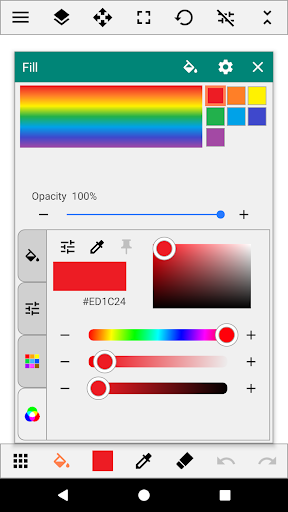
・Fill tool (solid color, gradient, border, net, design, pattern, nature, etc.)
・Eraser tool
・Straight line/shape tool (straight line, square, circle, star, speech bubble, flower, etc.)
・Range selection tool (free, square, circle, circle, circle, auto, transform, copy/paste, collection registration)
・Text tool (solid color, gradient, design, font selection)
・Blur tool
・Color palette (color picker, eyedropper)
・Layer functions (multiple layers, layer blending mode, transparency, protection/lock, hue/saturation/brightness, inversion, blur)
Auxiliary/useful functions
・Ruler
・Grid line display
・Cursor drawing
・XY interval (drawing interval setting)
・Image stabilization
・Inserting images/photos
Saving/sharing
・Pecifying where to save data
・Exporting in PNG/JPEG format
・Sharing images between apps
Pen pressure detection *If pressure sensing is supported
For pen-type brushes, the thickness of the line changes depending on the pressure applied.
Please turn on pen pressure detection in the app settings before using.
Designed for a wide range of users, from beginners to those familiar with illustration production.
With its intuitive operation, anyone can start drawing immediately.
This app is recommended for those who find other apps difficult to use and those who want to draw natural landscapes.
Basic drawing functions
・Brush tools (pen, pencil, airbrush, wavy line, dotted line, shape, gradient, nature, flowers, rainbow, light, etc.)
・Fill tool (solid color, gradient, border, net, design, pattern, nature, etc.)
・Eraser tool
・Straight line/shape tool (straight line, square, circle, star, speech bubble, flower, etc.)
・Range selection tool (free, square, circle, circle, circle, auto, transform, copy/paste, collection registration)
・Text tool (solid color, gradient, design, font selection)
・Blur tool
・Color palette (color picker, eyedropper)
・Layer functions (multiple layers, layer blending mode, transparency, protection/lock, hue/saturation/brightness, inversion, blur)
Auxiliary/useful functions
・Ruler
・Grid line display
・Cursor drawing
・XY interval (drawing interval setting)
・Image stabilization
・Inserting images/photos
Saving/sharing
・Pecifying where to save data
・Exporting in PNG/JPEG format
・Sharing images between apps
Pen pressure detection *If pressure sensing is supported
For pen-type brushes, the thickness of the line changes depending on the pressure applied.
Please turn on pen pressure detection in the app settings before using.
App Information
Version Name
3.2.3
Version Code
83
File Size
5.7 MB
Minimum OS
Android 5.0+
Target SDK
Android 33
Developer
noku.teku software
Contact
Website
Content Rating
Everyone
Package Name
com.nokuteku.paintartPermissions Required
This app may request the following permissions:
Recent Reviews

Purrfect Gaming
5.0★
Paint Art is literally the mobile version of Microsoft Paint. You can literally draw anything. And there's pretty much no ads! Also, I don't have much to recommend besides some more shapes. So, maybe add a plus sign, a minus sign, a multiplication sign, a division sign and a equals sign. But, overall this painting app is a 10/10. Definitely recommend installing.

Jona Mangaron
5.0★
I love this app, and i suggest this to EVERYONE!, Litterally NO LAG at all!, no adds showing or popping out, many kinds of features and brushes to asemble and use!, you can also add photos to edit! You can even have the feature to add as many layers/overlays you want! This is probably the best art/drawing app i've ever encountered to. 5/5! If your trying to find an app to draw and edit you should use THIS! This is the best app option in art, and in fact its easy to use.

puti coolest
5.0★
The ready-to-use brushes are really interesting even when theyre not that many but the point of the app itself is to be a pretty simple and straightforward drawing app so i dont mind it! It actually makes us more productive. Also the pens are quite smooth n theres almost no delay when youre drawing as if drawing on paper, probably bc the app is quite light for a drawing app or something. Overall its great! Thanks for making this app!

Yazhini
5.0★
I recommend this app as the best app for painting.. it consists of many kinds and different types of brushes.. you can also fill colours if you want. Shapes are also available.. Moreover, text is also a great thing available here... It is very ideal for kids.. you can even use this app to create your own logo.. it's an offline app.. you can take your own custom screen according to the width and the length.. and you can tilt and rotate the screen while you are using any equipment.. Nice app 👍..

r winters
3.0★
No way to contact dev through app. I would pay IF: -Saving was easier (1 step/ 1 button, not 2-3 steps- it's confusing as is) -Saving was automatically to jpg (w/o having to choose every time) - Saving would be at a higher resolution Pros: nice & Interesting brushes Fantastic color picker. I wish more apps would adopt this kind of color picker. Cons: Intrusive ad at bottom (can be moved to top but not closed completely) + things mentioned above

Brando Castelli
5.0★
I have installed this app on every phone I've had and even recommended it to a good many people! I still learn more about it all the time. The only complaint I have is that I've only noticed it updated once in the couple/few years I've had it!? PLEASE ADD MORE...EVERYTHING!!!! Keep up the awesome app with so many more cool features to come! [HOPING]
Ad slot: In-Content