

NOAA Weather Unofficial
com.nstudio.weatherhere.free
by Granite Apps
Screenshots
Ad slot: Top Leaderboard
About this app
This weather app is not affiliated with NOAA or the National Weather Service. Products provided by NOAA are in the public domain, and this app's use of those products is compliant with NOAA/NWS terms of use.
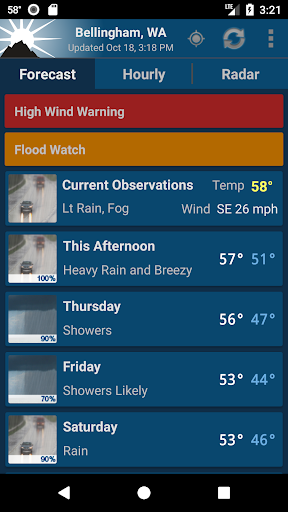
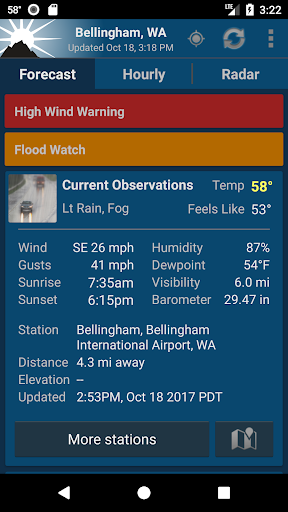
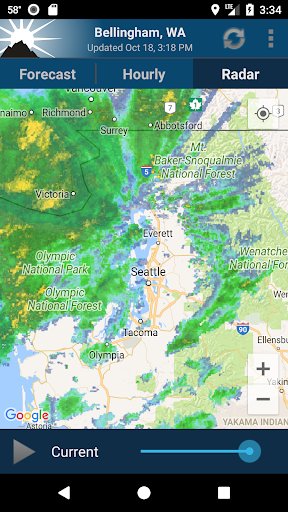
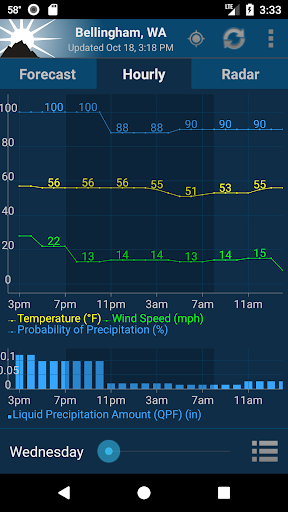
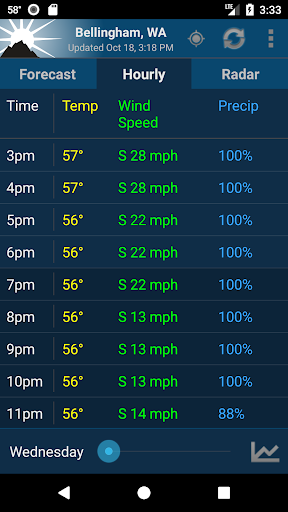
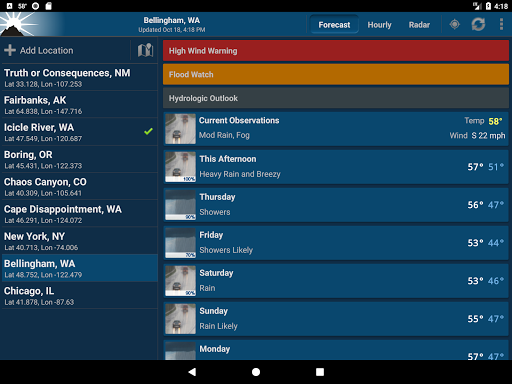
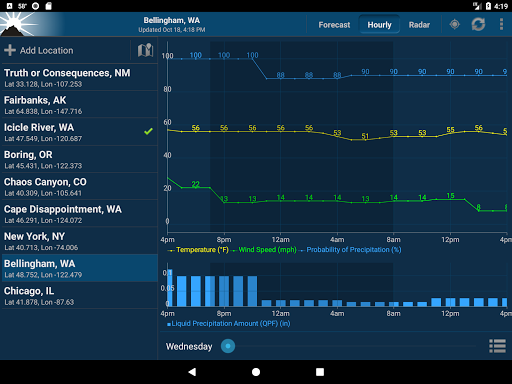
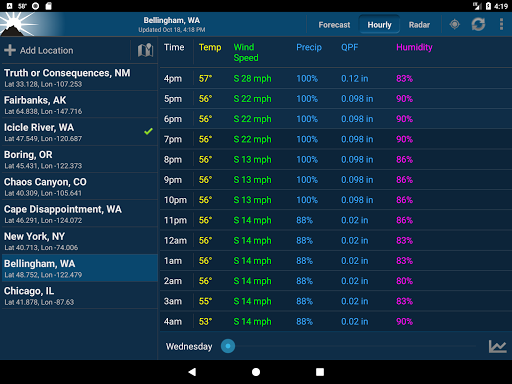
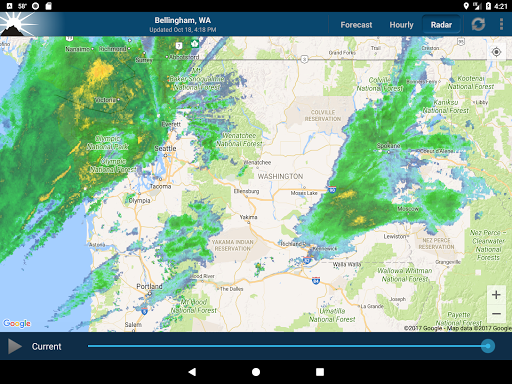
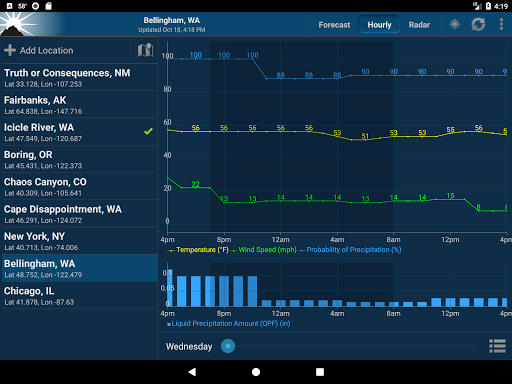
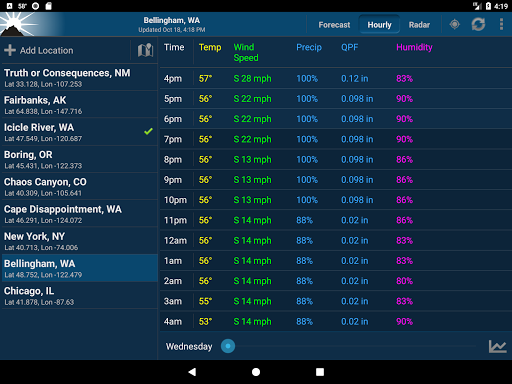
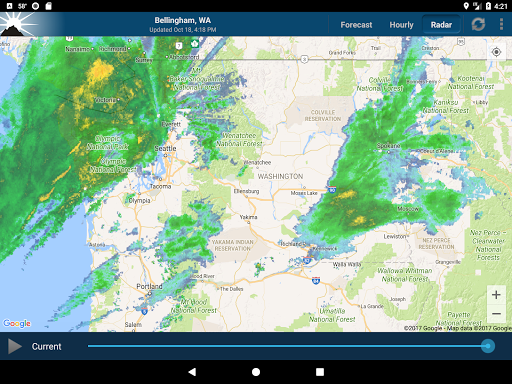
This app provides forecasts, animated radar, hourly forecast, and current conditions, all in an intuitive and easy to use interface. Just the information you need, provided accurately, quickly, and for your exact location.
★ "A no-nonsense approach to show weather data on your phone, but done well and great looking" - Android Central
This app uses NOAA point forecasts from your GPS location to get the most localized weather available. Point forecasts are great for climbing, hiking, skiing, or any outdoor activity where weather from a nearby city isn't accurate enough.
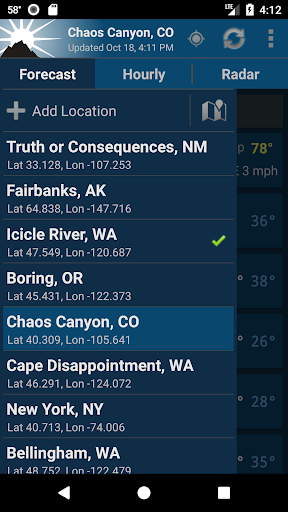
GPS on the phone will provide the most accurate location, but usually isn't needed. Nearby cell towers and Wi-Fi networks can also provide this information, and will be checked first to save time and battery. You can also enter a location manually.
To provided highly localized forecasting, this app uses point forecasts from the National Weather Service (NOAA/NWS), and is therefore only available in the US.
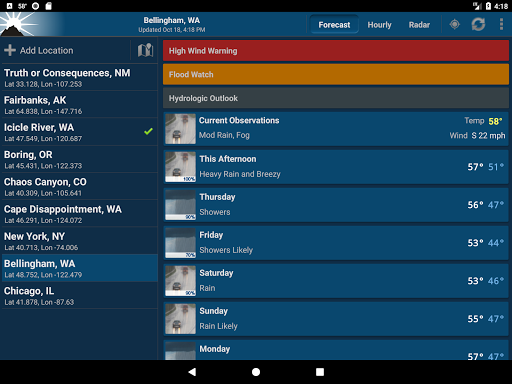
If there is severe weather this will display at the top of the forecast. This app currently does NOT support severe weather alerts or notifications. NOAA is providing this service directly through cell carriers. You can read more about the service at https://www.weather.gov/wrn/wea.
There are also several differently sized widgets available which can be placed on your homescreen to provide some basic weather information, without the need to open the app.
Forecast discussion is available through the menu button.
Permission: Location
This app requires your location to provide you with the most accurate weather. This is fundamental to how the app works. You can still add manual locations as well if you prefer.
Permission: Photos/Media/Files
This permission is required by Google Maps so that it can cache map tiles for faster loading. It sounds like the app is doing something with your photos or media, but it is not. The permission means that the app has permission to access your files (which includes photos and media), but does not mean they are actually being accessed. It is a subtle but important distinction. Contact me if you have further questions about this.
These are the non-simplified permissions as listed in the Android manifest:
android.permission.ACCESS_FINE_LOCATION" (location access listed above)
android.permission.ACCESS_NETWORK_STATE" (check for network connection)
android.permission.INTERNET" (download weather)
android.permission.VIBRATE" (for zoom feedback on old radar)
android.permission.WRITE_EXTERNAL_STORAGE" (this is Photos/Media/Files listed above)
com.google.android.providers.gsf.permission.READ_GSERVICES" (required by google maps)
FAQ (Frequently asked questions):
http://graniteapps.net/noaaweather/faq.html
Please contact me if you have any further questions or problems.
This is the ad supported free version of NOAA Weather. You are also limited to 3 saved locations. Upgrade to remove ads and this restriction.
NOAA Weather on Twitter
https://twitter.com/noaa_weather
Beta Channel (for newest features)
https://play.google.com/apps/testing/com.nstudio.weatherhere.free
This app provides forecasts, animated radar, hourly forecast, and current conditions, all in an intuitive and easy to use interface. Just the information you need, provided accurately, quickly, and for your exact location.
★ "A no-nonsense approach to show weather data on your phone, but done well and great looking" - Android Central
This app uses NOAA point forecasts from your GPS location to get the most localized weather available. Point forecasts are great for climbing, hiking, skiing, or any outdoor activity where weather from a nearby city isn't accurate enough.
GPS on the phone will provide the most accurate location, but usually isn't needed. Nearby cell towers and Wi-Fi networks can also provide this information, and will be checked first to save time and battery. You can also enter a location manually.
To provided highly localized forecasting, this app uses point forecasts from the National Weather Service (NOAA/NWS), and is therefore only available in the US.
If there is severe weather this will display at the top of the forecast. This app currently does NOT support severe weather alerts or notifications. NOAA is providing this service directly through cell carriers. You can read more about the service at https://www.weather.gov/wrn/wea.
There are also several differently sized widgets available which can be placed on your homescreen to provide some basic weather information, without the need to open the app.
Forecast discussion is available through the menu button.
Permission: Location
This app requires your location to provide you with the most accurate weather. This is fundamental to how the app works. You can still add manual locations as well if you prefer.
Permission: Photos/Media/Files
This permission is required by Google Maps so that it can cache map tiles for faster loading. It sounds like the app is doing something with your photos or media, but it is not. The permission means that the app has permission to access your files (which includes photos and media), but does not mean they are actually being accessed. It is a subtle but important distinction. Contact me if you have further questions about this.
These are the non-simplified permissions as listed in the Android manifest:
android.permission.ACCESS_FINE_LOCATION" (location access listed above)
android.permission.ACCESS_NETWORK_STATE" (check for network connection)
android.permission.INTERNET" (download weather)
android.permission.VIBRATE" (for zoom feedback on old radar)
android.permission.WRITE_EXTERNAL_STORAGE" (this is Photos/Media/Files listed above)
com.google.android.providers.gsf.permission.READ_GSERVICES" (required by google maps)
FAQ (Frequently asked questions):
http://graniteapps.net/noaaweather/faq.html
Please contact me if you have any further questions or problems.
This is the ad supported free version of NOAA Weather. You are also limited to 3 saved locations. Upgrade to remove ads and this restriction.
NOAA Weather on Twitter
https://twitter.com/noaa_weather
Beta Channel (for newest features)
https://play.google.com/apps/testing/com.nstudio.weatherhere.free
What's New
v2.16.0
* Added another observations API (aviationweather.gov) as a backup source
* API update for Satellite imagery from NOAA NowCOAST
v2.15.4
* API format update to fix barometric pressure for some locations
* Backup api updates for hazardous weather and forecast discussion
* Fixed time formating bug in one observation source
* Fixed ANR for some devices
v2.15.3
* Removed broken backup forecast discussion source and added new backup
* Added another observations API (aviationweather.gov) as a backup source
* API update for Satellite imagery from NOAA NowCOAST
v2.15.4
* API format update to fix barometric pressure for some locations
* Backup api updates for hazardous weather and forecast discussion
* Fixed time formating bug in one observation source
* Fixed ANR for some devices
v2.15.3
* Removed broken backup forecast discussion source and added new backup
App Information
Version Name
2.14.5
Version Code
190480
File Size
15.1 MB
Minimum OS
Android 4.4+
Target SDK
Android 34
Developer
Granite Apps
Contact
Website
Content Rating
Everyone
Package Name
com.nstudio.weatherhere.freePermissions Required
This app may request the following permissions:
Recent Reviews

Ben Powell
4.0★
All the wx data - none of the clutter This has been my go to weather app for years. Easy to view quickly what the forecast will be. I love the simple graphs depicting when it might precipitate, when it might get hot or cold. There aren't any irrevelant bells and whistles, just direct access to the info I need. Simple, straight forward and did I mention it has the option to flip between Fahrenheit & Celsius temperatures? Amazing.

Augres Mich
1.0★
AGAIN!! No data for days!!!! Keeps losing location setting to use saved location. Missing data...inaccurate. 0 degrees in SW Florida? Blanks and doubles and triples. Map is not as good as other apps. need future radar as well. sometimes gets stuck and doesn't update. Hazard notifications are good but need expiry notices.

MacLeod
3.0★
I'm really happy to be able to choose the weather station myself. The one that other apps chose for my home location are at a substantially lower altitude. It makes a HUGE difference! This app also has the readings that I like to have. Wind speed, direction, pressure, etc. are easy to access. Thanks to the developers! The one major drawback is that the data is US only. I flighttrack aircraft worldwide so local info isn't what I'm always looking for.

Collin Faubel
4.0★
Good app. Shows lots of details in a simple, easy to read way. Configurable graphs to show as much/little info about the weather on an hour to hour basis. The radar map is very helpful. Definitely the most consistent, easy to interpret one I've used. Wish it showed dawn/sunrise sunset/dusk times for the day, and I dislike that you can't look at the weather for another location without saving it as one and the app only allows you to save three unless you pay for premium. Otherwise great.

Kevin Murphy
5.0★
Best weather app I've found, I recently switched to an iOS device and came back here to leave a review because I miss it so much. Exactly the data you want displayed exactly the way you want, no clutter or extra nonsense. I only wish they'd release an exact copy of it for Apple Devices, I'd pay for the premium version again without hesitation.

Julie Gunter
1.0★
6/25/24: This app used to be really good for a free one; simple, easy to use. The ads were always raunchy (I never see those kinds of ads on any other apps) but easy to ignore. Now every time I try to see the weather, it either says there is no data available or it gives information, then says that the information is inaccurate. I uninstalled the app because it's unusable.
Ad slot: In-Content