

Greenify
com.oasisfeng.greenify
by Oasis Feng
Screenshots

Ad slot: Top Leaderboard
About this app
Featured as Lifehacker's Top 1 Utility in 2013 Best Android Apps (http://goo.gl/1VMwnE), Android Authority's Top 3 Best Root Apps (http://goo.gl/g0L0qZ).
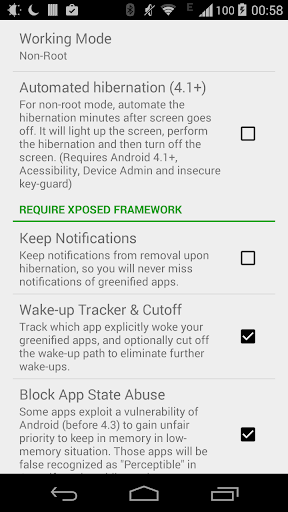
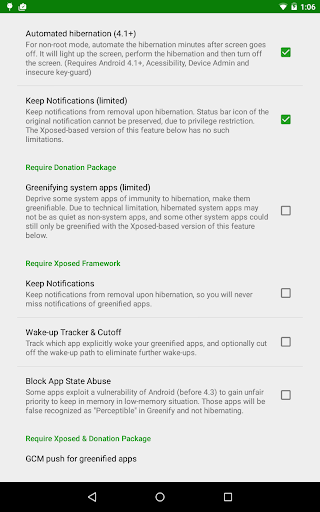
"Aggressive Doze" and "Doze on the Go" to maximize the battery saving on Android 6+, even without root! (details explained in settings)
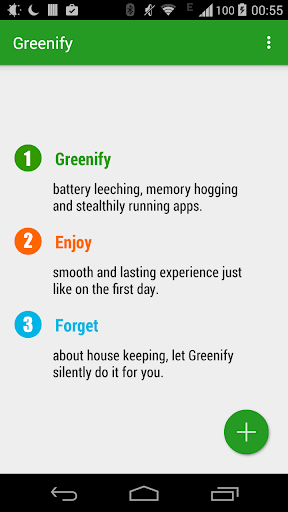
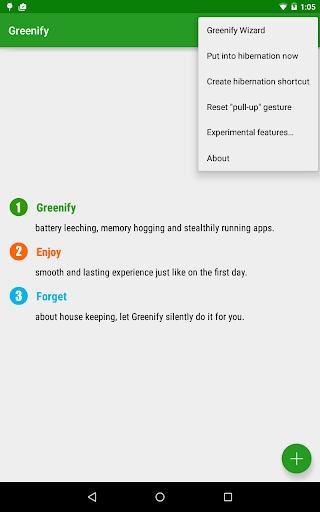
Never should your phone or tablet become slower and battery hungrier after lots of apps installed. With Greenify, your device can run almost as smoothly and lastingly as it did the first day you had it!
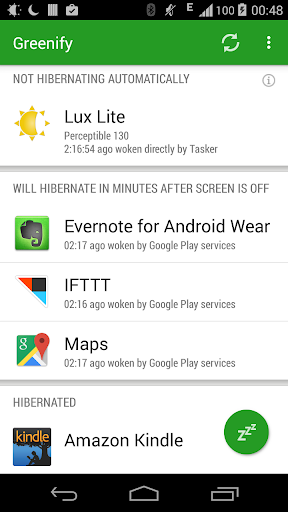
Greenify help you identify and put the misbehaving apps into hibernation when you are not actively using them, to stop them from lagging your device or leeching the battery, in a unique way! They can do nothing without explicit launch by you or other apps, while still preserving full functionality when running in foreground.
Please report bugs in the XDA forum (http://goo.gl/ZuLDnE) or G+ community (http://goo.gl/MoszF).
Greenify NEVER EVER collects your personal data despite the capability of accessibility service, it just takes advantage of it to automate the hibernation procedure.
IMPORTANT: Greenifying an app implies that you are aware that all the background functionality (service, periodic task, event receiver, alarm, widget update, push message) of this app will become out of service during the hibernation except when you are using this app.
NEVER greenify alarm clock apps, instant messaging apps unless you don't rely on them. Please do verify the impact of greenified apps on which you heavily rely.
Note: Greenify does need background running services for auto-hibernation to work. It is designed and implemented in extremely lightweight and nearly zero CPU and battery consumption.
=== PERMISSIONS ===
DEVICE ADMIN: This app uses administrator privilege to turn off the screen immediately after automated hibernation on non-root devices. This permission will be requested explicitly for your consent only if required.
DRAW OVER OTHER APP: To dim the screen during automatic hibernation when the screen is expected to be off.
DISABLE SCREEN LOCK & BIND ACCESSIBILITY SERVICE: For automatic hibernation to work on non-root devices.
GET ACCOUNTS & WRITE SYNC SETTINGS: Control the account sync of apps if its sync task is too frequent.
This app uses Accessibility services, to automate the hibernation procedure.
=== FAQ ===
* It seems that automatic hibernation is not working.
* Some of my greenified apps (e.g. Google Maps) seems not hibernating.
* I want to greenify system apps!
* De-greenified apps still got no push notification!
……
Read here: http://goo.gl/99lNYp
=== Translation ===
All translations are created by community volunteers and open for contribution: http://goo.gl/zCCDce
=== Donation ===
If you love Greenify, please consider the "donation package" (http://goo.gl/fpz5l) for extra experimental features:
* Greenify system apps
* In-depth details about how apps behave on your device
* And more
"Aggressive Doze" and "Doze on the Go" to maximize the battery saving on Android 6+, even without root! (details explained in settings)
Never should your phone or tablet become slower and battery hungrier after lots of apps installed. With Greenify, your device can run almost as smoothly and lastingly as it did the first day you had it!
Greenify help you identify and put the misbehaving apps into hibernation when you are not actively using them, to stop them from lagging your device or leeching the battery, in a unique way! They can do nothing without explicit launch by you or other apps, while still preserving full functionality when running in foreground.
Please report bugs in the XDA forum (http://goo.gl/ZuLDnE) or G+ community (http://goo.gl/MoszF).
Greenify NEVER EVER collects your personal data despite the capability of accessibility service, it just takes advantage of it to automate the hibernation procedure.
IMPORTANT: Greenifying an app implies that you are aware that all the background functionality (service, periodic task, event receiver, alarm, widget update, push message) of this app will become out of service during the hibernation except when you are using this app.
NEVER greenify alarm clock apps, instant messaging apps unless you don't rely on them. Please do verify the impact of greenified apps on which you heavily rely.
Note: Greenify does need background running services for auto-hibernation to work. It is designed and implemented in extremely lightweight and nearly zero CPU and battery consumption.
=== PERMISSIONS ===
DEVICE ADMIN: This app uses administrator privilege to turn off the screen immediately after automated hibernation on non-root devices. This permission will be requested explicitly for your consent only if required.
DRAW OVER OTHER APP: To dim the screen during automatic hibernation when the screen is expected to be off.
DISABLE SCREEN LOCK & BIND ACCESSIBILITY SERVICE: For automatic hibernation to work on non-root devices.
GET ACCOUNTS & WRITE SYNC SETTINGS: Control the account sync of apps if its sync task is too frequent.
This app uses Accessibility services, to automate the hibernation procedure.
=== FAQ ===
* It seems that automatic hibernation is not working.
* Some of my greenified apps (e.g. Google Maps) seems not hibernating.
* I want to greenify system apps!
* De-greenified apps still got no push notification!
……
Read here: http://goo.gl/99lNYp
=== Translation ===
All translations are created by community volunteers and open for contribution: http://goo.gl/zCCDce
=== Donation ===
If you love Greenify, please consider the "donation package" (http://goo.gl/fpz5l) for extra experimental features:
* Greenify system apps
* In-depth details about how apps behave on your device
* And more
What's New
Fixed accessibility-based non-root hibernation on Android 14+.
Fixed accessibility service not deactivated after hibernation (requires permission WRITE_SECURE_SETTINGS granted via ADB)
Support Android 15.
Removed Aggressive Doze due to technical restrictions.
Fixed accessibility service not deactivated after hibernation (requires permission WRITE_SECURE_SETTINGS granted via ADB)
Support Android 15.
Removed Aggressive Doze due to technical restrictions.
App Information
Version Name
4.7.5
Version Code
47500
File Size
3.9 MB
Min SDK
Android 21+
Target SDK
Android 26
Developer
Oasis Feng
Contact
Website
Content Rating
Everyone
Package Name
com.oasisfeng.greenifyPermissions Required
This app may request the following permissions:
Recent Reviews

J
5.0★
I don't care what others say, but this app has prevented me from trashing my slow phone. Always get System UI crashing errors due to low RAM, and nothing could unfreeze my phone until I used this app. Now, everytime it's slow or frozen, I just hit the power button and in a few seconds it's completely refreshed. I used to think other automatic boosters were working, but my phone would still freeze. Greenify is better!

A Google user
3.0★
Update 2/2019: Greenify has decided a number of apps that were previously automatically hibernated are now "background-free" and thus don't need to be stopped...which includes apps like Facebook (which will keep tracking & sending data like your location in the background) so I'll have to manually go and mark them for hibernate which is pretty annoying. Even if it's less useful than it used to be, it's still a decent app.

Slinger of Truth
5.0★
It's the most essential app I've used for every phone using Android. I have no idea if it's available for Apple, don't care. This app will keep your battery and phone speed at optimal levels with the push of one button, all those installed apps that start themselves, along with others, for example Amazon, that slows your phone down or bogs down your data stream, this will chill out those annoying apps. You can set it up to avoid whatever app your using from stopping and pick every app to drop.
A Google user
5.0★
A lot of apps that claim to "tune up" your cell phone do nothing except display advertisements. Not so with Greenify. Not only are there no advertisements, the app actually works. I was having a problem with too many apps running in the background and using ram memory, slowing down my phone. I uninstalled some of the apps, but Greenify help control the apps I did not want to get rid of. Apps have stopped working on their own; I have more memory, and the phone is smooth. I will buy this app.
A Google user
5.0★
UPDATE 2-1-19: Six months in and I'm still loving this app. Combine with GlassWire app and you can manage your phone much better!! I was using another hibernating and boost app, but it worked for only 30 minutes at a time. Greenify keeps the downloaded apps in hibernation until you use them or cycle the system. There is a noticeable reduction in the amount of power used and snooping. I Like It! The paided version has some interesting options. I will purchase it soon. Thanks Greenify. .

Alicia Sykes
3.0★
It works, and it's effective. I would prefer if it didn't have trackers, and if it were open source. Because the app obviously requires some intermate permissions, but I'm concerned about what it's doing in the background, and the data it's collecting, especially with Google Analytics. In the end I switched to SuperFreezZ (via F-Droid), because it's open source, has no trackers, works super well, and I just trust it a lot more.
Ad slot: In-Content