

1C Big Keyboard
com.onecwearable.keyboard
by Mahjong Brain Puzzles
Screenshots

Ad slot: Top Leaderboard
About this app
I am 58 and my vision is far from perfect. I have fingers on my hands - not matchsticks, so I designed this keyboard for myself. If you’re under 35 and have no problems with vision, please do not install. You will need it later. But maybe it will be a good lifehack for your parents now.
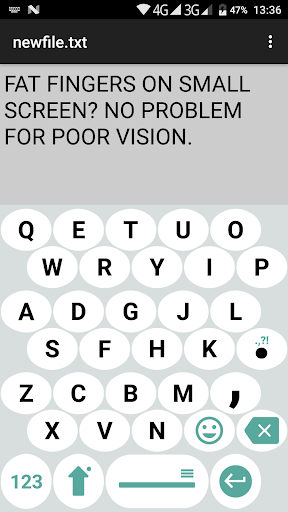
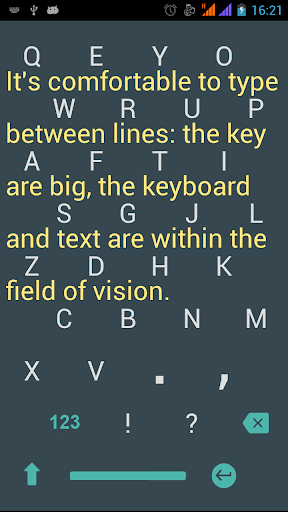
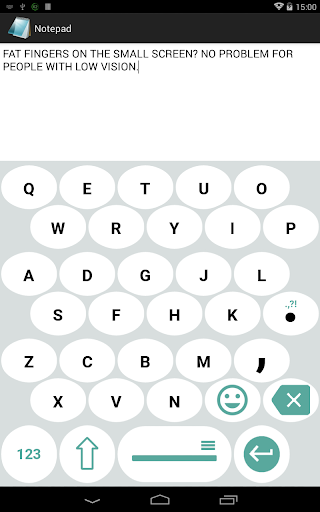
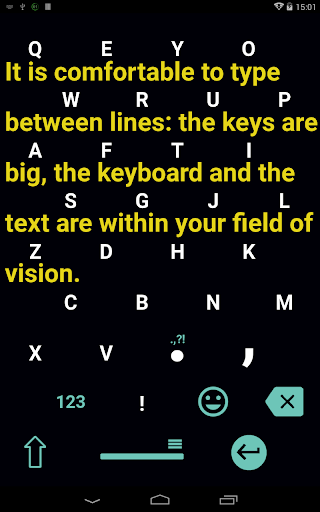
This ergonomic keyboard for Android allows using 100% of your phone’s screen for big keys making it indispensable on small screen devices and for fat fingers (100% is not an advertising slogan: it is literally 100%). Swipe up to switch into 100% display mode.
This big keyboard preserves your vision and reduces eye strain.
Big keyboard keys are easier to hit – less typos.
The layout of this large keyboard for Android is easy to learn – it’s a QWERTY keyboard smartly compressed into extra large keyboard, what makes it ideal for large hands.
This ergonomic keyboard for Android allows using 100% of your phone’s screen for big keys making it indispensable on small screen devices and for fat fingers (100% is not an advertising slogan: it is literally 100%). Swipe up to switch into 100% display mode.
This big keyboard preserves your vision and reduces eye strain.
Big keyboard keys are easier to hit – less typos.
The layout of this large keyboard for Android is easy to learn – it’s a QWERTY keyboard smartly compressed into extra large keyboard, what makes it ideal for large hands.
App Information
Version Name
1.109
Version Code
186
File Size
23.0 MB
Minimum OS
Android 5.0+
Target SDK
Android 33
Developer
Mahjong Brain Puzzles
Contact
Website
Content Rating
Everyone
Package Name
com.onecwearable.keyboardPermissions Required
This app may request the following permissions:
Recent Reviews

A Google user
4.0★
A must for us cursed with hammer thumbs. Wide keys (not merely tall) and the option to make the letters blaze orange if you like (if you have failing eyesight to go with your hammer thumbs). The ads are annoying, but then again, they're supposed to be. 10 bucks is steep, the devs know this, which is why they allow you to 'rent' it at 2 dollars for 3 months. The typing speed is a wee-bit sluggish, and some symbols are missing (like dollar signs). Yet, I've never texted quicker
A Google user
1.0★
I liked this app at first, but lm extremely disappointed ln their failure to fix some of the obvious shortcomings. One, seen above, is that it doesn't recognize contractions, so you have to go to the 123 screen to insert an apostrophe. The worst, though, is that if you enter "i", it autocorrects to "it", rather than "I". That is totally idiotic programming!
A Google user
5.0★
This big key keyboard is terrific for us people who have large hands and find the built-in phone keyboards difficult to use. Even with the largest cell phone screen the standard QWERTY arrangement is a problem. This keyboard places each normal row of keys on two rows, which allows the keys to be bigger. It is similar to the Big Key Deluxe app, which is the one I used until a problem with the screen occurred. It is customizable with key size, color, languages that can be installed. Great!

Louis Hazard
3.0★
Enjoy this keyboard, but hesitant to use it more often. Dictionary and predictive spelling not up to snuff for my daily use. Other keyboards do a much better job, with more mistakes on my part (due to smaller keys) , of suggesting what they think I meant. Because of this, I dont use it enough to warrant paying to remove ads. One ad a day currently meets my usage. Favorite feature is the customization available for the keyboard.
A Google user
5.0★
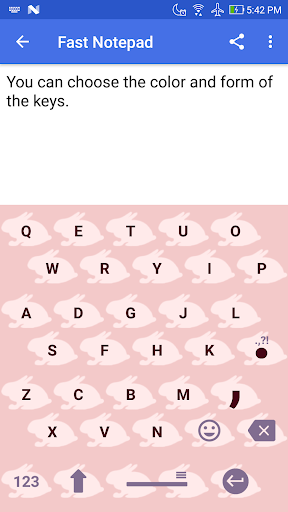
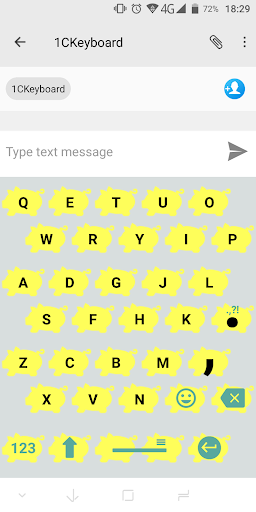
Finally there is a keyboard that works every, single time on my antique Android 5.1 phone! It has never glitched out, as so many do.There are about a zillion customizations not mentioned in the Play Store write up, so it's worth installing it & exploring. Some of my favorites include: SIZE- I like a keyboard to be as large as possible, but in some apps, a giant size will cover the words I'm typing. The developer made changing the size ultra easy. Simply long-press the spacebar, tap the Settings icon & choose Keyboard View. Cool, huh? PREDICTIVE TEXT- The word prediction in English has been spot-on so far. (I have not tested the other languages that I know.) LETTER PREDICTION- This is one of my favorite features. The app not only predicts words, but anticipates the next letter(s). It greys-out the other letters. (You can turn this off separately from word prediction if desired.) LAYOUT- The common sense layout is easy to get used to. OTHER- You can put a shortcut to the settings menu on the home screen for easy access outside of an app. I use this because I know what size works best for Messaging & what works best for Mi-Moment, so I can pre-set the size before opening the app. You can also swap languages quickly. (Download the dictionaries separately) And a fun item to mention- When the keyboard opens the animation is quite cheerful as the letter populate the keyboard. So I certainly recommend that you try this application & explore. If you dislike it, it can easily be uninstalled. For me, it is the best of the many keyboards that I have used. The only change I'd like is that I wish I could store the app & dictionaries on my SD card to save phone storage. If I put it on the SD card, it gets de-selected on every phone re-start. (This might not be an app controlled item. It might be an Android short coming.) Thank You for building this app!

Mike Cee
3.0★
Almost Real Good, but the dictionary wouldn't find the correct word too often and, numbers were difficult to type in as I had to use a different screen for them. Needs a line of numbers. Finding certain punctuation marks could be cumbersome. Loved the large letter buttons, the many keyboard styles and keyboard sizing options. Just needs more tweaking to make it an optimal app.
Ad slot: In-Content