

Opera Mini: Fast Web Browser
com.opera.mini.native
by Opera
Screenshots





Ad slot: Top Leaderboard
About this app
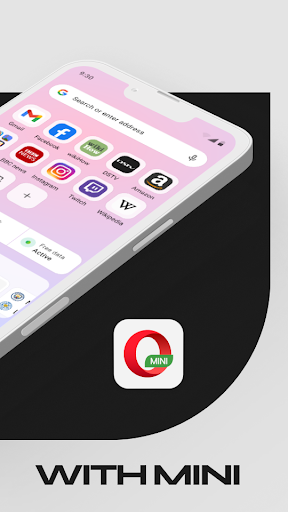
Opera Mini lets your browse fast and smoothly while on slow networks. Save up to 90% of your data when using Opera Mini.
Popular Opera Mini Features:
✔️ Data Savings Mode
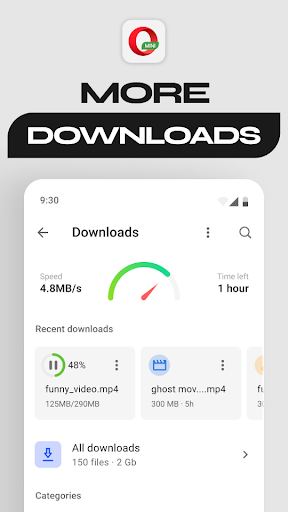
✔️ Fast Browsing & Downloads
✔️ Football Mode
✔️ Locked Mode
📶 Data Saving
Save up to 90% of your data with Data saving mode turned on. That means more browsing for you!
🚀 Browse and download faster
Opera Mini is a fast web browser! Reduce your page loading times, even on slow networks, for the smoothest browsing experience.
⚽️ Football Mode
Get the latest goals, news, and more from your favourite leagues and teams directly in Opera Mini. Get all you need for the Premier League, UEFA Champions League, and more!
🔒 Locked Mode
Secure your browsing. Keep your personal browsing to yourself, locked behind a unique PIN.
Additional Features:
✔️ Personalised Newsfeed
✔️ Free Ad-Blocker
✔️ Offline Pages
✔️ Browser Customisation
✔️ Night Mode
✔️ Video Player
We love hearing from you. Reach out to us anytime at https://help.opera.com/en/mini/
Popular Opera Mini Features:
✔️ Data Savings Mode
✔️ Fast Browsing & Downloads
✔️ Football Mode
✔️ Locked Mode
📶 Data Saving
Save up to 90% of your data with Data saving mode turned on. That means more browsing for you!
🚀 Browse and download faster
Opera Mini is a fast web browser! Reduce your page loading times, even on slow networks, for the smoothest browsing experience.
⚽️ Football Mode
Get the latest goals, news, and more from your favourite leagues and teams directly in Opera Mini. Get all you need for the Premier League, UEFA Champions League, and more!
🔒 Locked Mode
Secure your browsing. Keep your personal browsing to yourself, locked behind a unique PIN.
Additional Features:
✔️ Personalised Newsfeed
✔️ Free Ad-Blocker
✔️ Offline Pages
✔️ Browser Customisation
✔️ Night Mode
✔️ Video Player
We love hearing from you. Reach out to us anytime at https://help.opera.com/en/mini/
What's New
- Various fixes and performance improvements
App Information
Version Name
81.0.2254.71844
Version Code
818071844
File Size
43.7 MB
Min SDK
Android 21+
Target SDK
Android 33
Developer
Opera
Contact
Website
Content Rating
Everyone
Package Name
com.opera.mini.nativePermissions Required
This app may request the following permissions:
Recent Reviews

A Google user
3.0★
Opera mini is such a great browser with such a great feature that makes it stand above the rest; its compression feature that helps save you on your data is amazing. However, the ads are really getting annoying and Opera mini didnt have them for a long time. Its a shame, since I'd give it a higher score if it wasn't for the ads. Therefore, I rate it at 3 stars, slightly above average overall. In the end, I'd consider another browser.

Roni Gilbert
1.0★
Great concept, but it doesn't work in practice. Multiple people have complained of the following error when data savings mode (Automatic, Extreme, or High) is on. They receive the error message: "Web page not available. The page may have been deleted, the URL is incorrect or some other error occurred." The posted solution is to delete Mini and to reinstall it. But that doesn't work. The browser only works when data savings mode is turned off. And in that case Chrome actually works better.

Luftaly Zappino
3.0★
Opera mini is fine. Have been using it for a few years, and besides the desktop mode, most of the updates have been meh (desktop mode was great). This latest update though, now everytime I open the address bar, it shows trending Google searches, which is annoying since there's no option to disable it. It's not a deal breaker as typing anything makes it go away, I just don't see the point of adding it to the browser I can go to the website for that.

EarthBoi Productions
1.0★
You know, last time I checked, a browser that prides itself on ad-blocking shouldn't be serving you ads. Apparently, I am mistaken. Ads show up in your "news feed" (which is basically impossible to personalize), they show up full screen when you click on links, and they constantly plague your browsing with utter stupidity. The browser itself barely works, with it often not even sending you to pages when you type an address. This is utter trash. IF YOU WANT A BROWSER, USE EDGE OR FIREFOX!

Soli Deo Gloria
2.0★
I liked the idea of a mini browser. But it was a bit of the opposite of what I expected. I always turn off speed dial, news, etc. Have for years on different browsers. I don't care for extra features like that. But I do want my own search engine and I do want full control of privacy settings. If they're able to be changed, I can't see where. Even after a Google search. Uninstalled.

Larisa K
2.0★
I used to love using the app - the cross platform capabilities were great! Unfortunately, now there are ads when a page is loading (including sites like Wikipedia), and some sites are completely inaccessible (such as Twitter), or the formatting of the page is broken. Hopefully it's just a minor issue, but I'm a bit concerned at the number of issues which are popping up.
Ad slot: In-Content