

Panasonic Image App
com.panasonic.avc.cng.imageapp
by Panasonic Holdings Corporation
Screenshots
Ad slot: Top Leaderboard
About this app
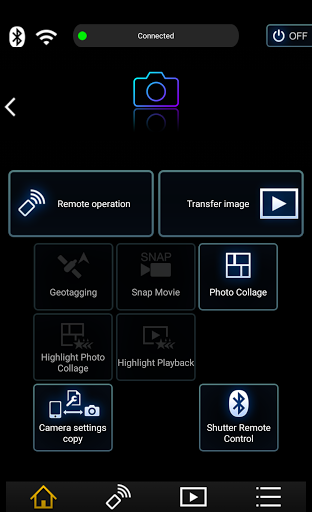
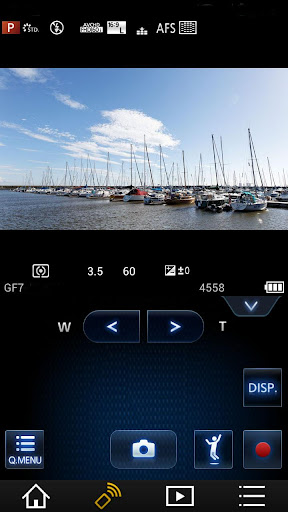
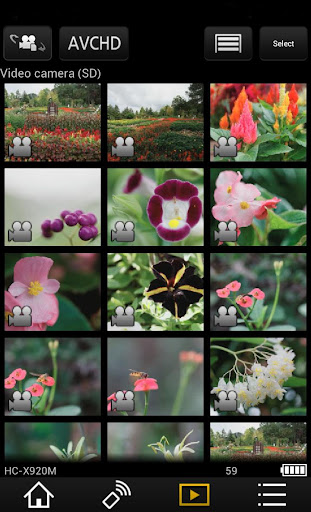
“Panasonic Image App” is an application that makes it possible to use your smartphone to remotely control the shooting and playback functions of a Wi-Fi-compatible digital camera/digital video camera, and to perform upload operations to SNS (Social Networking Service) sites.
The following major functions are available with this application.
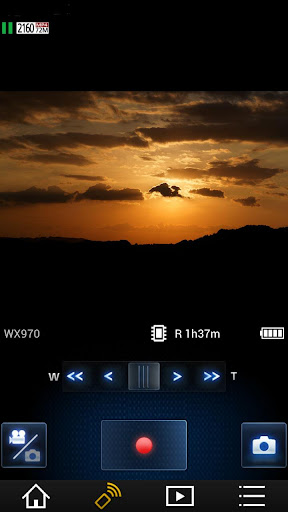
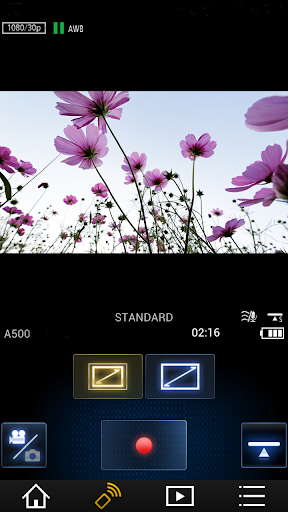
・You can watch the same image as on the Live View screen of your digital camera/digital video camera on your smartphone, and control shooting and other camera operations as with a wireless remote controller. (*1)
・You can play back still pictures and videos recorded using your digital camera/digital video camera on your smartphone. (*2) (*3) You can also copy them to your smartphone, and upload them to SNS sites. (*3)
Additional functions for digital cameras
・This app allows you to implement continuous connection with a digital camera that has Bluetooth function and make Wi-Fi connections and perform remote operation just with your smart phone. It also allows you to apply location information to recorded images and easily perform automatic transfer of images.(*4)
・You can make settings to automatically transfer still pictures recorded with your digital camera to your smartphone.
・You can add location information acquired with your smartphone to pictures recorded using your digital camera.
(*1) With DMC-SZ8 / SZ9 / SZ10 / TZ55 / TZ56 / TZ57 / TZ58 / ZS35 / ZS45, it is not possible to remotely record videos from a smartphone.
(*2) With DMC-FT5 / GF6 / LF1 / SZ8 / SZ9 / SZ10 / TS5 / TZ37 / TZ40 / TZ41 / TZ55 / TZ56 / TZ57 / TZ58 / ZS27 / ZS30 / ZS35 / ZS45, it is only possible to play back still pictures.
(*3) Not supported on HC-X1000.
(*4) This function can only be used with devices that support Bluetooth 4.0 or above (Bluetooth low energy technology).
[Compatible Operating Systems]
Android 10 - 15
[Notes]
・Bluetooth function can only be used with smart phones (Android 5.0 and above) equipped with Bluetooth 4.0 and above (Bluetooth low energy technology).
・Be aware that when using the location information recording function, continued use of the GPS function can lead to a dramatic decrease in battery capacity.
・In order to use the SNS upload functions or the Cloud Sync. Service, you must first obtain a service user ID for Panasonic’s LUMIX CLUB (free of charge).
・For information on using this app or compatible models, visit the following support page.
https://panasonic.jp/support/global/cs/soft/image_app/
・Please understand that we will not be able to contact you directly even if you use the “Email Developer” link.
・The function to transfer images to an AV device can no longer be used. (Version 1.10.7 and later)
・The function to delete images can no longer be used. (Version 1.10.15 and later)
・The function of ""Home Monitor"" can no longer be used. (Version 1.10.19 and later)
・The function of ""Baby Monitor"" can no longer be used. (Version 1.10.19 and later)
The following major functions are available with this application.
・You can watch the same image as on the Live View screen of your digital camera/digital video camera on your smartphone, and control shooting and other camera operations as with a wireless remote controller. (*1)
・You can play back still pictures and videos recorded using your digital camera/digital video camera on your smartphone. (*2) (*3) You can also copy them to your smartphone, and upload them to SNS sites. (*3)
Additional functions for digital cameras
・This app allows you to implement continuous connection with a digital camera that has Bluetooth function and make Wi-Fi connections and perform remote operation just with your smart phone. It also allows you to apply location information to recorded images and easily perform automatic transfer of images.(*4)
・You can make settings to automatically transfer still pictures recorded with your digital camera to your smartphone.
・You can add location information acquired with your smartphone to pictures recorded using your digital camera.
(*1) With DMC-SZ8 / SZ9 / SZ10 / TZ55 / TZ56 / TZ57 / TZ58 / ZS35 / ZS45, it is not possible to remotely record videos from a smartphone.
(*2) With DMC-FT5 / GF6 / LF1 / SZ8 / SZ9 / SZ10 / TS5 / TZ37 / TZ40 / TZ41 / TZ55 / TZ56 / TZ57 / TZ58 / ZS27 / ZS30 / ZS35 / ZS45, it is only possible to play back still pictures.
(*3) Not supported on HC-X1000.
(*4) This function can only be used with devices that support Bluetooth 4.0 or above (Bluetooth low energy technology).
[Compatible Operating Systems]
Android 10 - 15
[Notes]
・Bluetooth function can only be used with smart phones (Android 5.0 and above) equipped with Bluetooth 4.0 and above (Bluetooth low energy technology).
・Be aware that when using the location information recording function, continued use of the GPS function can lead to a dramatic decrease in battery capacity.
・In order to use the SNS upload functions or the Cloud Sync. Service, you must first obtain a service user ID for Panasonic’s LUMIX CLUB (free of charge).
・For information on using this app or compatible models, visit the following support page.
https://panasonic.jp/support/global/cs/soft/image_app/
・Please understand that we will not be able to contact you directly even if you use the “Email Developer” link.
・The function to transfer images to an AV device can no longer be used. (Version 1.10.7 and later)
・The function to delete images can no longer be used. (Version 1.10.15 and later)
・The function of ""Home Monitor"" can no longer be used. (Version 1.10.19 and later)
・The function of ""Baby Monitor"" can no longer be used. (Version 1.10.19 and later)
What's New
[Newly added features in Panasonic Image App 1.10.26]
New LUMIX digital camera models DC-TZ99 / DC-ZS99 are now supported.
New LUMIX digital camera models DC-TZ99 / DC-ZS99 are now supported.
App Information
Version Name
1.9.12
Version Code
1912
File Size
25.6 MB
Minimum OS
Android 5.0+
Target SDK
Android 14
Developer
Panasonic Holdings Corporation
Contact
Website
Content Rating
Everyone
Package Name
com.panasonic.avc.cng.imageappPermissions Required
This app may request the following permissions:
Recent Reviews

Carl T.
1.0★
I'm giving up. This thing has a total focus on trying to be a remote for my camera. I don't need it for that. I just want it to transfer photos to my phone when I'm not near my gear bag. I can usually manage to transfer 1 if I'm lucky. Then it force switches to remote photography. And I have to hope that the app doesn't lock up in the process. Forcing me to restart the camera and reconnect from scratch. edit: Nothing has changed.

A Google user
1.0★
Panasonic should be embarrassed that they have an app so horrible in market. The app doesn't work with the FZ1000, connecting only for remote capture but no file transfers. Fix the app!! You guys have millions of customers and many may use this app. Edit: With further research I found the app works if you put your phone in airplane mode and press cancel when the searching box comes up again. The app says its not connected but if you attempt to send the files over from the camera, it will do it.

Will House
4.0★
This app does almost everything I could ever want it to do with my GX-8. Video files aren't transferable, but I always shoot those at 4K resolution & the resulting files are too huge for my phone's memory anyway. Otherwise: ImageApp works! It doesn't inspire me to delve into all its various features but whenever I try something new the program handles its job with stability (no big lags or saddening crashes.) Photo transfer errors are quite rare & remote camera control is reliable. NICE.
Maya Lahti
1.0★
This app is useless. Cannot connect to Bluetooth without wifi. And can't transfer pictures through Bluetooth. Not everyone has easy access to wifi. Panasonic has dropped the ball here. Nikon has snapbridge that easily transfers pictures from the camera to the app on a smartphone through Bluetooth, anywhere you may be, regardless of your wifi connection. Also why is location required to make the app work? Some people don't want location data embedded into their photos. Panasonic can do better
A Google user
1.0★
Useless for GPS tracking due to two significant problems. 1. GPS sync sets camera time one hour earlier than local time, probably related to daylight savings time. Panasonic admitted to this bug in 2016, but still has not bothered to fix it. 2. GPS logging does not work in the background. So if you use your phone for anything else, logging stops. If the display times out to save the battery, logging stops. There are also problems with documentation that appears to lag by several versions.
A Google user
4.0★
So far so good with my recently purchased HC-VX981K. I tend to use an external router. Taking away a star for not being able to adjust aperture, focus, ISO, etc within the app. I would pay for a pro version if these features were made available given the lack of quick and accurate response of the camera's touch screen. I bought this camera to record my band's shows and rehearsals. Having to leave my stage position to adjust settings is inconvenient where remote operation would be ideal.
Ad slot: In-Content