

pCloud: Cloud Storage
com.pcloud.pcloud
by pCloud LTD
Screenshots







Ad slot: Top Leaderboard
About this app
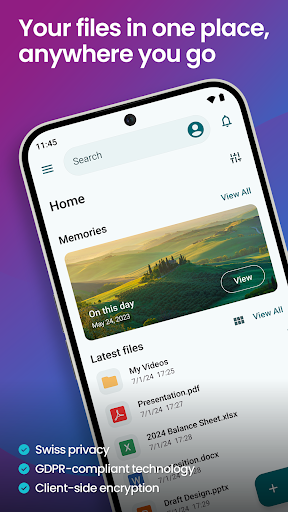
pCloud is the secure place to store, preview and share files, anywhere you go. Start with up to 10 GB free storage.
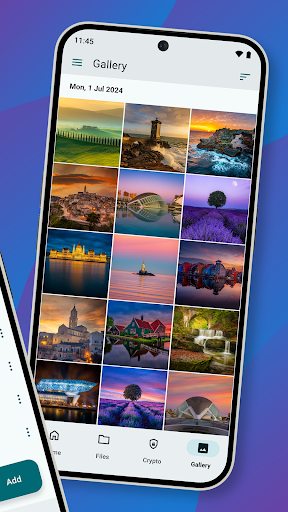
You'll be able to backup photos and videos from your device, play your personal playlists, or preview work-related documents. You'll also be able to share large files with anyone and control access with password protection and expiration dates. From your vacation photos to videos and work documents, pCloud brings all your files together.
• Start with up to 10 GB free. Extend the space on your phone with up to 2 TB
• Choose where to store your files - in the United States or the European Union.
• Scan invoices, reports or receipts with an easy-to-use document scanner.
• Backup photos and videos from your phone with the option Automatic Upload.
• Access and preview files across all your devices.
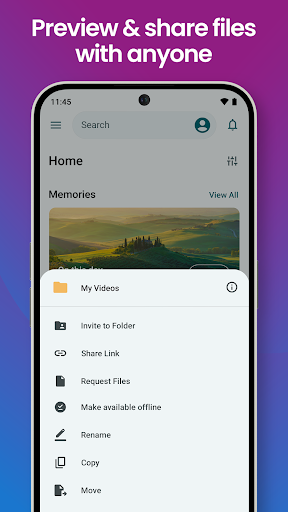
• Share large files with added security (password protection, expiration date).
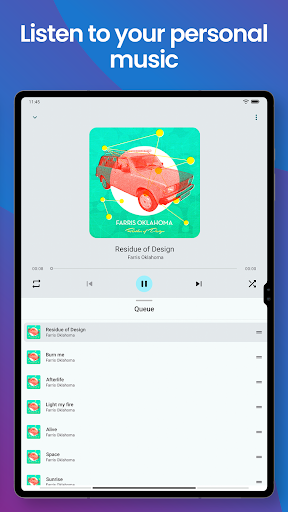
• Play your personal music collection with the built-in audio player.
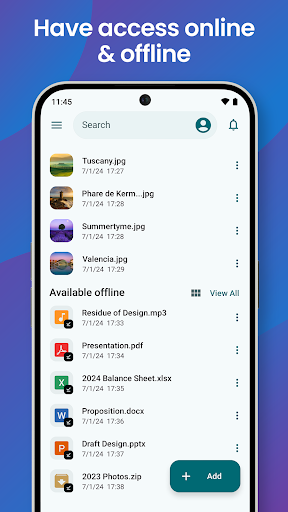
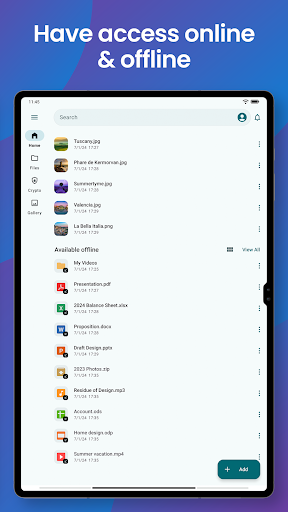
• Get offline access to important files, when you're on the go.
• Encrypt private files with client-side encryption, using pCloud Encryption.
Use pCloud Encryption as the vault for your passwords, financial reports or other sensitive documents. The files you upload to the Crypto folder will be protected with client-side encryption. This means that they will be encrypted before they get uploaded to pCloud. With pCloud's zero-knowledge privacy policy we, as a service provider, will not know what kind of data you store in the Crypto folder.
pCloud is also available for iOS, desktop (Windows, macOS and Linux) and from my.pCloud.com.
You'll be able to backup photos and videos from your device, play your personal playlists, or preview work-related documents. You'll also be able to share large files with anyone and control access with password protection and expiration dates. From your vacation photos to videos and work documents, pCloud brings all your files together.
• Start with up to 10 GB free. Extend the space on your phone with up to 2 TB
• Choose where to store your files - in the United States or the European Union.
• Scan invoices, reports or receipts with an easy-to-use document scanner.
• Backup photos and videos from your phone with the option Automatic Upload.
• Access and preview files across all your devices.
• Share large files with added security (password protection, expiration date).
• Play your personal music collection with the built-in audio player.
• Get offline access to important files, when you're on the go.
• Encrypt private files with client-side encryption, using pCloud Encryption.
Use pCloud Encryption as the vault for your passwords, financial reports or other sensitive documents. The files you upload to the Crypto folder will be protected with client-side encryption. This means that they will be encrypted before they get uploaded to pCloud. With pCloud's zero-knowledge privacy policy we, as a service provider, will not know what kind of data you store in the Crypto folder.
pCloud is also available for iOS, desktop (Windows, macOS and Linux) and from my.pCloud.com.
What's New
What’s new?
* Third-party backups are now available on Android. Easily back up your files from other apps and services directly to pCloud. Кeep everything safe, organized, and accessible in one place.
* Third-party backups are now available on Android. Easily back up your files from other apps and services directly to pCloud. Кeep everything safe, organized, and accessible in one place.
App Information
Version Name
1.13.00
Version Code
11300
File Size
10.1 MB
Minimum OS
Android 8.0+
Target SDK
Android 21
Developer
pCloud LTD
Contact
Website
Content Rating
Everyone
Package Name
com.pcloud.pcloudPermissions Required
This app may request the following permissions:
Recent Reviews

JanMarie Kelly
5.0★
I love my pcloud! I have access to all my material, photos, graphics, content from any device and any location and it's wonderful. it backs up all my stuff as well from all my devices without any thought, after set up, from me. I have plenty of space with the next time there's a sale I'm going to get more just in case because I'm going more videos etc now. can't say enough good things about it.

Doe Eyed Devil
2.0★
I loved this app for all my storage needs, and have used it for a few several years now. Unfortunately I have noticed some videos and things missing, odd. Well, another issue is I can't sign in the application, just while using my browser. I end up going around and around in circles and it's beginning to make me mad.

animefacts 72
1.0★
wouldn't let me sign into the app i tried it on a s24 fe and a s25+ plus both have the same issue. interestingly I'm able to sign in on a old s10+ so not sure what the issue is (((update))) tried changing thru different default browser's and was eventually able to login the app seemed great at first its really fast and easy to use but then they don't really give free 10gb they lock gb's behind tasks you have to complete which i didn't appreciate terabox gives a free tb so I'll go with them

Aditya
4.0★
It works fine, except for false-positive error messages that download/upload operations failed when in fact they succeeded (Android 14). Also, it would be nice if there were some photo organization and sharing features, including for people to comment on photos. The memories feature is a good start! But it should be based on the photo's metadata (the date the photo is taken), not the file creation date.

Tom Thompson
5.0★
Great for archiving, get/put your files from anywhere. Get everything on any device, even Linux. Great way to get old pictures scanned catalogued and uploaded. Just a tad slow on uploading. Downloading is faster, still a tad slow. Best to use this with a hi speed ISP, then not so noticeable. Have had for over two years now, and it had gotten a little faster, but always reliable. Have never seen downtime on Cloud! They also offer encrypted storage for sensitive documents, etc.

Bryan
4.0★
I had this app installed a long time ago and there were a lot of problems. I am so glad I reinstalled it. its now almost perfect, has an improved in every way. The only reason I gave it a 4 stars is because uploading folders. I had about 50 folders to upload. It wouldn't let me select all 50 at a time, I had to do each individual. I will be uploading a lot more folders and removing them so I've been so I really need to upload many at a time. Other than that, quick and easy.
Ad slot: In-Content