

Computer File Explorer
com.pcvirt.Computer
by Byte Mobile
Screenshots
Ad slot: Top Leaderboard
About this app
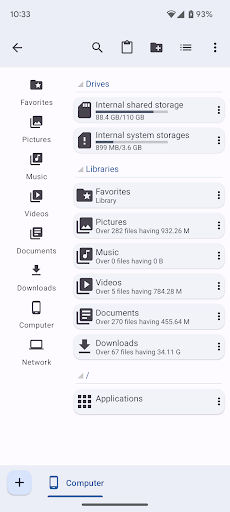
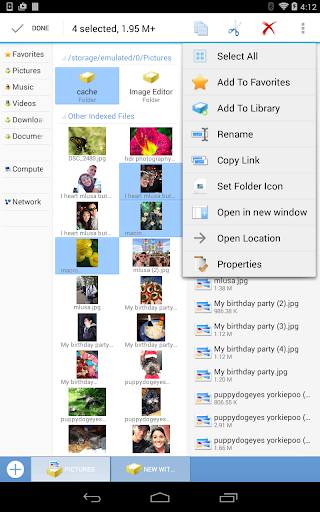
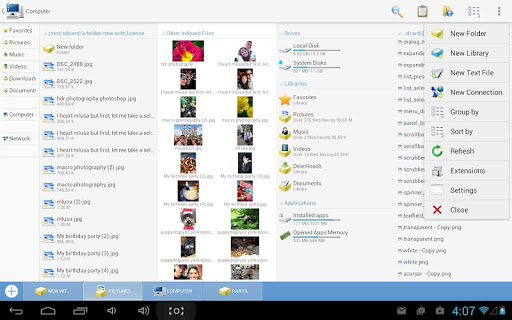
Computer is a free, full-featured file explorer, designed to support multiple tabs, so you can work with multiple folders at the same time.
This app is ad-supported to keep it free, but ads are not annoying and can be quickly closed or temporarily turned off in Settings. And there are no ads while working!
Features:
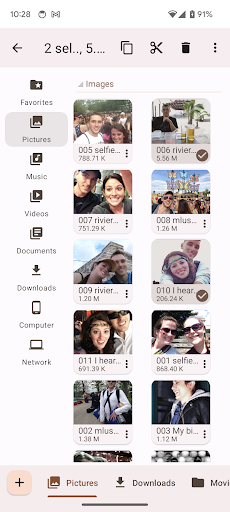
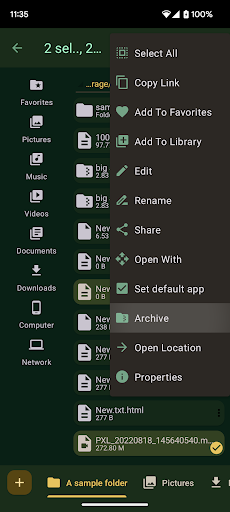
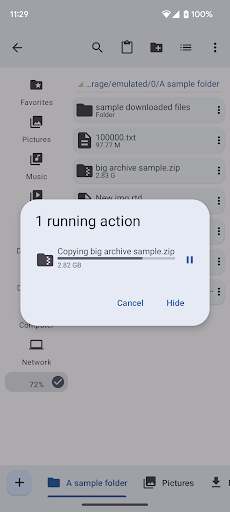
• Manage your documents like you do on your desktop: Copy and Paste files and folders;
• Application manager: open, uninstall or view any app's system management page.
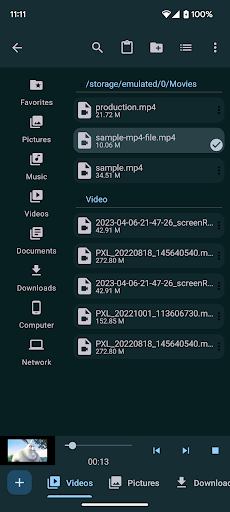
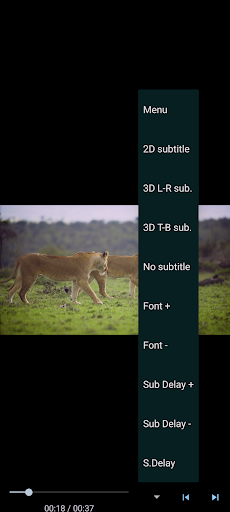
• Built-in media viewer and player for various media formats, including photos, music, and videos;
• Built-in ZIP support allows you to archive and extract ZIP files;
• Supports tabs, so you can open multiple folders at the same time;
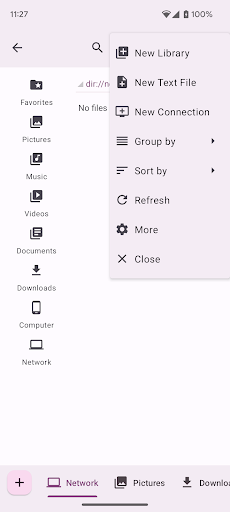
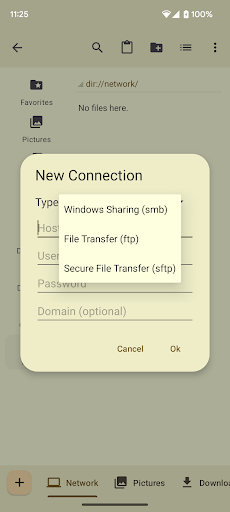
• Access shared documents with network connections: SMB (for PC), FTP or SFTP;
This app is ad-supported to keep it free, but ads are not annoying and can be quickly closed or temporarily turned off in Settings. And there are no ads while working!
Features:
• Manage your documents like you do on your desktop: Copy and Paste files and folders;
• Application manager: open, uninstall or view any app's system management page.
• Built-in media viewer and player for various media formats, including photos, music, and videos;
• Built-in ZIP support allows you to archive and extract ZIP files;
• Supports tabs, so you can open multiple folders at the same time;
• Access shared documents with network connections: SMB (for PC), FTP or SFTP;
App Information
Version Name
1.3.b70
Version Code
70
File Size
7.3 MB
Minimum OS
Android 5.0+
Target SDK
Android 23
Developer
Byte Mobile
Contact
Website
Content Rating
Everyone
Package Name
com.pcvirt.ComputerPermissions Required
This app may request the following permissions:
Recent Reviews

A Google user
3.0★
This is a pretty good file explorer. There are a couple of issues I have with it. On Android 8, when you try to access files through another app using this, it crashes and doesn't load it. Also, it doesn't allow you to zip files directly in the app like other file explorers do. If the devs can fix these, I'll gladly go up a star for each.
A Google user
4.0★
The best file explorer I found so far. It can open multiple folder simultaneously. It make moving or copying file as easy as taking a candy from baby (dont give candy to baby). Give less 1 star because I cant view folder size in properties. File size work fine. And if new removable drive plugged it not added automatically. Need to refreshed,or open other drive and exit, or open new window. And the search function need to have correct capital letter or get no result found. And my wife is pretty

Benjamin E M
1.0★
This application was so much better when it had the administration, as well as no need to pay and ad-free. Break the UNIX inherited administrations. In addition, how about a registry and configuration application? If you can make one for commands, too, awesome! -BITeC, president and redeveloper
A Google user
3.0★
this program used to just be the best and could view anything on my phone but it seems when trying to view things attached to for example a usb otg drive, it cant see it where other programs can. if there is a way then its not out in the open as id expect to find. other apps have no trouble locating those items.
A Google user
5.0★
love this app the only issue is some update caused me to lose my computers info and im not sure how to get it back up on the app. If you could post an email address for tech it would be greatly appreciated. Other than that I love this app and haven't had a single issue otherwise.

Jeremy Harrington
5.0★
This is a great app if you like pc format which I do. Makes it easy to find items that elude in the android APK format. Super easy to navigate and open items using your phone settings for default players and such... Top rate and have been using it for many years
Ad slot: In-Content