
TurboScan™: PDF scanner
com.piksoft.turboscan.free
by Piksoft Inc.
Screenshots



Ad slot: Top Leaderboard
About this app
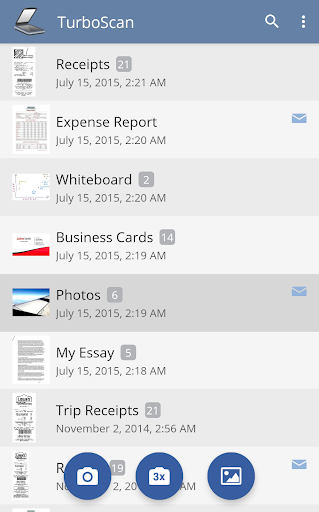
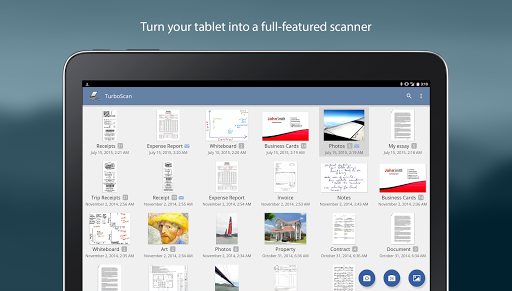
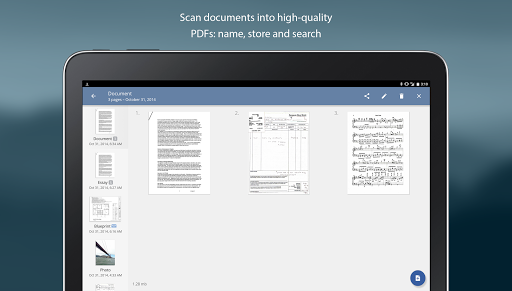
TurboScan is a one time cost for life! TurboScan turns your phone into a full-featured and powerful multipage scanner for documents, receipts, notes, whiteboards, photos, or other everyday text. With TurboScan, you can quickly scan your documents in high quality and store or send them as multipage PDF or JPEG files.
Note! You can scan and send up to three multipage documents with this free version.
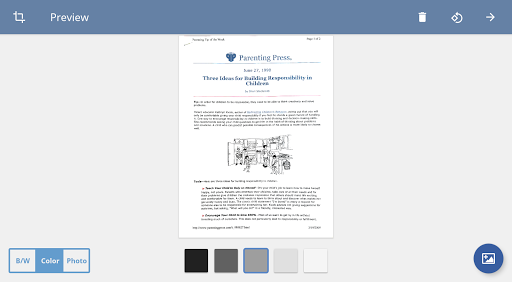
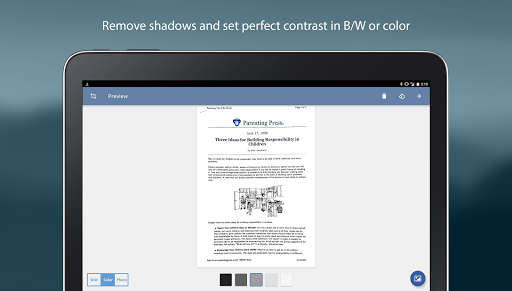
TurboScan uses advanced fast algorithms to accurately detect document edges, straighten the documents (correct perspective), eliminate shadows and set a perfect contrast - black on white.
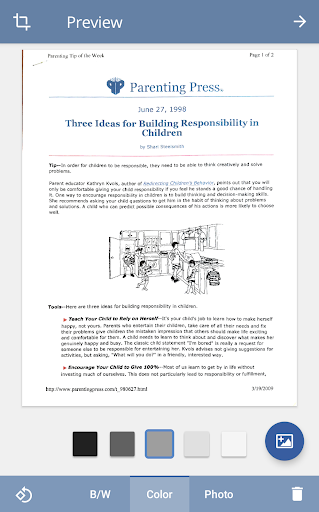
TurboScan boasts a powerful yet easy to use interface. Get instant one-tap brightness, rotation and color controls all on one screen!
TurboScan also offers SureScan, our proprietary scanning mode for sharper scans (especially useful in low-light conditions.) SureScan requires taking three pictures of the same document with the phone camera.
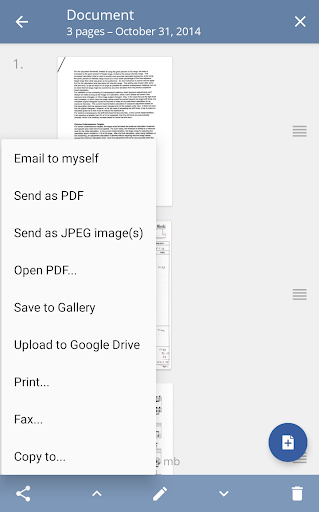
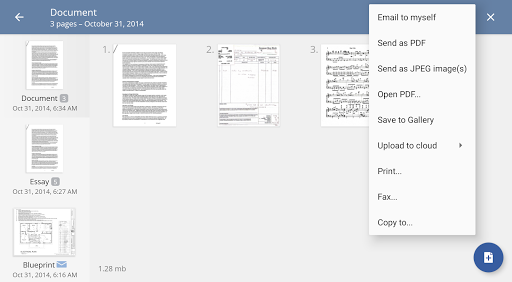
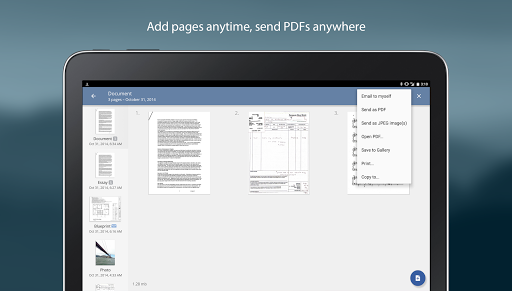
TurboScan's handy "Email to myself" feature lets you send documents to a predefined address, or even upload them to online storage sites like Dropbox, with a single tap.
All processing happens on your phone, and the confidentiality of your data is never compromised (no Internet connection needed.)
TurboScan features:
• Automatic document edge detection and perspective correction
• SureScan mode for very sharp scans
• Ultra-fast processing (under 3 seconds per page)
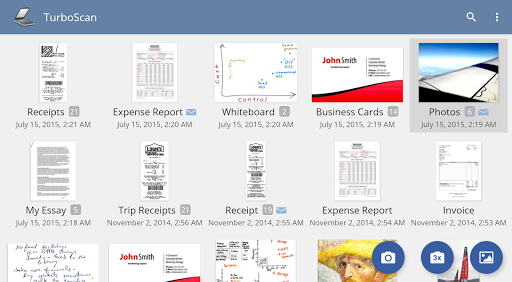
• Document naming, storage inside the app and search
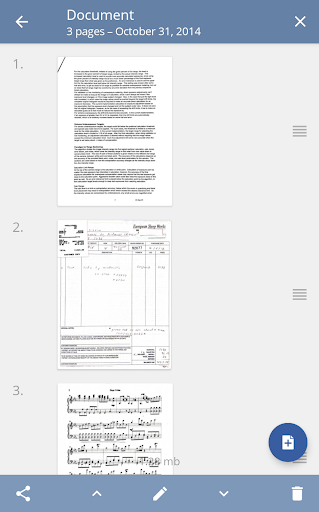
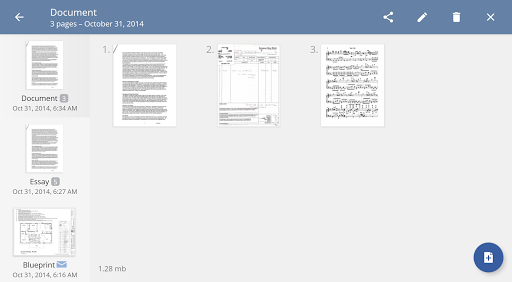
• Multipage editing: add, reorder, and delete pages
• Copy pages between stored scans
• “Email to myself” feature for quick emails
• Email document as PDF, JPEG or PNG, or save to camera roll
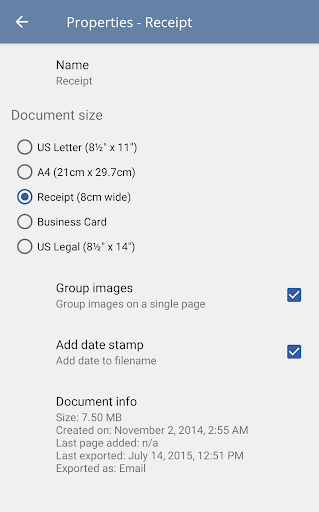
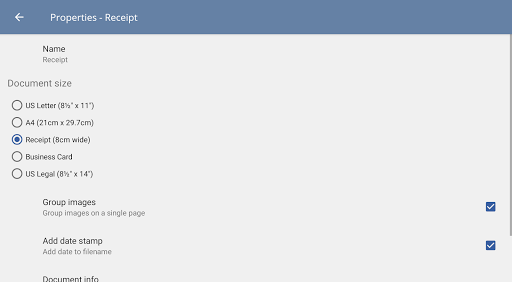
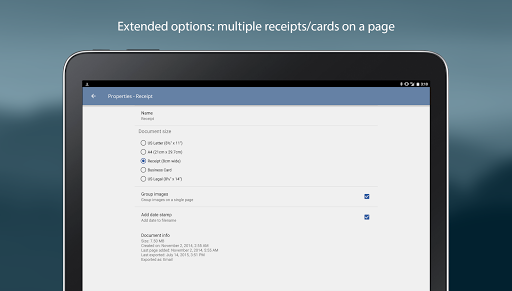
• Arrange multiple receipts or business cards on a PDF page
• Open PDFs or JPEGs in other apps like the free Dropbox app (or Evernote, GoogleDrive, OneDrive app, etc) to send to clouds, or fax apps
• Printing via Cloud Print or other print apps
• Instant one-tap brightness, rotation, and color controls
• Compact attachments with adjustable size
Tips on scanning
• Make sure your document is flat and well lit.
• For best edge detection, include some margin around your document while shooting.
• Use flash in low light conditions, but avoid glare with glossy documents.
• If your flash over-saturates images or makes them blurry, please change the flash option in app Settings
We're constantly improving TurboScan, and we value our customers' opinions and feedback. If you want to send us your feedback or have a problem with our software, please contact us at [email protected] before submitting a comment to the store.
Note! You can scan and send up to three multipage documents with this free version.
TurboScan uses advanced fast algorithms to accurately detect document edges, straighten the documents (correct perspective), eliminate shadows and set a perfect contrast - black on white.
TurboScan boasts a powerful yet easy to use interface. Get instant one-tap brightness, rotation and color controls all on one screen!
TurboScan also offers SureScan, our proprietary scanning mode for sharper scans (especially useful in low-light conditions.) SureScan requires taking three pictures of the same document with the phone camera.
TurboScan's handy "Email to myself" feature lets you send documents to a predefined address, or even upload them to online storage sites like Dropbox, with a single tap.
All processing happens on your phone, and the confidentiality of your data is never compromised (no Internet connection needed.)
TurboScan features:
• Automatic document edge detection and perspective correction
• SureScan mode for very sharp scans
• Ultra-fast processing (under 3 seconds per page)
• Document naming, storage inside the app and search
• Multipage editing: add, reorder, and delete pages
• Copy pages between stored scans
• “Email to myself” feature for quick emails
• Email document as PDF, JPEG or PNG, or save to camera roll
• Arrange multiple receipts or business cards on a PDF page
• Open PDFs or JPEGs in other apps like the free Dropbox app (or Evernote, GoogleDrive, OneDrive app, etc) to send to clouds, or fax apps
• Printing via Cloud Print or other print apps
• Instant one-tap brightness, rotation, and color controls
• Compact attachments with adjustable size
Tips on scanning
• Make sure your document is flat and well lit.
• For best edge detection, include some margin around your document while shooting.
• Use flash in low light conditions, but avoid glare with glossy documents.
• If your flash over-saturates images or makes them blurry, please change the flash option in app Settings
We're constantly improving TurboScan, and we value our customers' opinions and feedback. If you want to send us your feedback or have a problem with our software, please contact us at [email protected] before submitting a comment to the store.
What's New
- Updated Google Drive backup to use the new Google Drive API
App Information
Version Name
1.7.0
Version Code
115
File Size
12.3 MB
Min SDK
Android 19+
Target SDK
Android 31
Developer
Piksoft Inc.
Contact
Website
Content Rating
Everyone
Package Name
com.piksoft.turboscan.freePermissions Required
This app may request the following permissions:
Recent Reviews

Chris Simpson
1.0★
Integration with my device's camera has recently stopped working. The page goes out of focus as soon as I hit the shutter button when I try to take a single shot. The three shot mode gets stuck on image 2 or 3 and won't complete taking the images, requiring me to close the app out completely. Since I paid for this app it is disappointing to see that it hasn't been updated in 7 months, which probably contributes to the problem.

Michael Straight
5.0★
This app saved me tons of time when I had to scan a bunch of things for a slideshow. Made it very easy to go quickly from a photo on my phone to a cleanly-cropped jpeg on my desktop hard drive with just a few taps. And the quality was excellent. I love how the cropping tool gives you a zoomed view so you can be precise without your thumbs getting in the way. Very smartly designed app.

Louis Smith
5.0★
Updating to emphasize my review of a year ago. I've been using this app to scan documents for years, and it's awesome. The 3x feature allows you to get really accurate scans, or you can opt to go more quickly. The process for touching up the scans is also great and helps when scanning documents that are oddly shaped, have curled edges, and so forth, and allows you to make corrections when you are not able to hold your camera perfectly parallel to the surface being scanned.

A Google user
4.0★
Good (85/100), could be great with some tweaks. Overall, I use TurboScan often. So much so, I have the paid version. Two things that do frustrate me. 1) it doesn't always give you the option to crop. Sometimes it does. Other times it does auto crop. It should give you the option auto/manual. 2) Emailing to myself. Sometimes it emails instantly. Other times, like today, I am waiting still and its been over an hour. This should be pretty fast under any condition with LTE or WiFi.

John Tollini
5.0★
You do have to buy the paid version, but I would buy it again in a heartbeat. You end up having a well featured scanner in your pocket. It makes cropping and dealing with angled views effortless. My favorite use was while buying a car where they have you sign 50 pages of stuff and want to give you the barely legible copy. I just laid the pages out on the desk and 'scanned the originals before passing them back across the desk.

GW C
5.0★
9/15/2025. I'm still loving this app. I've used it for years, and I am very happy with it. It is so convenient, and it keeps all of my scanned documents for future reference if ever needed later. I also always email the .pdf documents to myself and others as needed, straight from the Turbo Scan app. Works great. Very useful. Update 05/08/2024: still wonderful app. I use it quite often for many tasks. It comes in handy for many different situations. Excellent functionality!
Ad slot: In-Content