
Pioneer ARC
com.pioneer.alternativeremote
by PIONEER CORPORATION
Screenshots
Ad slot: Top Leaderboard
About this app
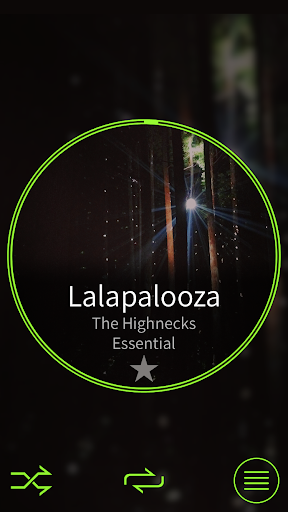
Pioneer’s Advanced Remote Control (Pioneer ARC) app converts your Android smartphone* into a powerful touchscreen remote control, which allows you to control and customize your compatible Pioneer car stereo.
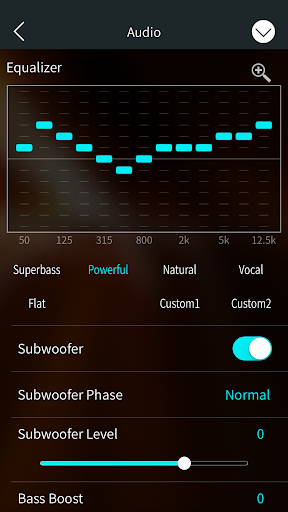
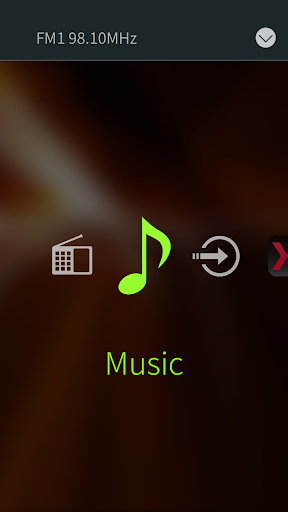
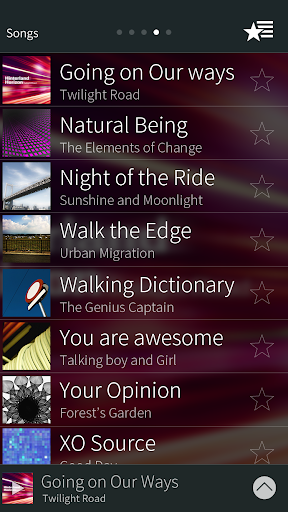
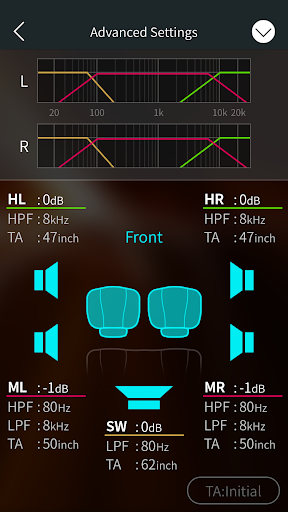
Pioneer ARC lets you browse your favorite music, switch sources (FM tuner, Bluetooth Audio, etc), launch 3rd party apps, customize the illumination colors and audio settings of your Pioneer system.
Compatible features vary by model.
*The Pioneer ARC app is compatible with Android smartphones running 4.1 and above.
For USB connections
This function is compatible with a phone that runs Android 4.1 up to 7.1.2 and also supports AOA (Android Open Accessory) 2.0, but the compatibility depends on the smartphone.
Some Android devices connected via AOA 2.0 may not work properly or emit sounds due to their own software design, regardless of the OS version.
Compatible Pioneer products:
-Source Control / Audio Settings / Illumination settings / Bluetooth management
DEH-S60*0BS
DEH-S50*0BT/DEH-X50BT/DEH-X50BR
DEH-S4080BT(Brazil)
MVH-S501BS
MVH-X30BT/MVH-X30BR
MVH-S600BS/MVH-S605BT /MVH-S61*BT
FH-S70*BS/FH-S70*BT
-Source Control / Audio Settings / Bluetooth management
DEH-S4000BT/DEH-S4010BT/DEH-S4050BT/DEH-S040BT
DEH-S30*0BT
MVH-S30*BT/MVH-S030BT
MVH-S40*BT
FH-S50*BT/FH-S51BT
-Source Control / Audio Settings
DEH-S12**UB / DEH-S12*UB
DEH-S12**UI / DEH-S12*UI
MVH-S220DAB
MVH-S21*UB / MVH-S21**UB
DEH-S400DAB / DEH-S410DAB
DEH-S20*0UI / DEH-S21*0UI/DEH-S210UI
DEH-X10/DEH-X10BR
DEH-S10**UB/DEH-S010UB / DEH-S11**UB/DEH-S11UB/DEH-S19UB
DEH-S10*UB/DEH-S10*UB* / DEH-S11*UB/DEH-S11*UB*
DXT-S106UB/DXT-S1069UB / DXT-S116UB/DXT-S1169UB
MVH-S200DAB / MVH-S210DAB
MVH-S10*UI / MVH-S11*UI/G, MVH-S11UI
MVH-S100UB/MVH-S100UB* / MVH-S110UB/MVH-S110UB*
MVH-S010UB
DEH-X49**BT/DEH-4900DAB
DEH-X39**BT/DEH-3900BT
DEH-X29**UI/DEH-X2900UI
DEH-X19**UB/DEH-1900UB*
MVH-X39*BT/MVH-390BT
MVH-290DAB
MVH-X19*UI/MVH-190UI/MVH-190UB*
- Source Control / Audio Settings / Illumination settings
DEH-S22*UI / DEH-S22**UI
FH-X830BHS
FH-X73* BT/BS
FH-X78*BT
DEH-X8800BHS
DEH-X7800BHS/DEH-X7800DAB/DEH-X7850BT
DEH-X6800BS, DEH-X6850BT
MVH-X58*BT/MVH-X580DAB
- Source Control
DEH-X68**BT
DEH-X68**DAB
DEH-X5800BT
DEH-X5800HD
DEH-X48**BT/DEH-4800BT/DEH-4800DAB
DEH-X38**UI
DEH-X28**UI/DEH-2800UI/DEH-2800DAB
DEH-X18**UB/DEH-1800UB*
MVH-X38*BT
MVH-280DAB
MVH-X18*UI/MVH-180UI/MVH-180UB*
Pioneer ARC lets you browse your favorite music, switch sources (FM tuner, Bluetooth Audio, etc), launch 3rd party apps, customize the illumination colors and audio settings of your Pioneer system.
Compatible features vary by model.
*The Pioneer ARC app is compatible with Android smartphones running 4.1 and above.
For USB connections
This function is compatible with a phone that runs Android 4.1 up to 7.1.2 and also supports AOA (Android Open Accessory) 2.0, but the compatibility depends on the smartphone.
Some Android devices connected via AOA 2.0 may not work properly or emit sounds due to their own software design, regardless of the OS version.
Compatible Pioneer products:
-Source Control / Audio Settings / Illumination settings / Bluetooth management
DEH-S60*0BS
DEH-S50*0BT/DEH-X50BT/DEH-X50BR
DEH-S4080BT(Brazil)
MVH-S501BS
MVH-X30BT/MVH-X30BR
MVH-S600BS/MVH-S605BT /MVH-S61*BT
FH-S70*BS/FH-S70*BT
-Source Control / Audio Settings / Bluetooth management
DEH-S4000BT/DEH-S4010BT/DEH-S4050BT/DEH-S040BT
DEH-S30*0BT
MVH-S30*BT/MVH-S030BT
MVH-S40*BT
FH-S50*BT/FH-S51BT
-Source Control / Audio Settings
DEH-S12**UB / DEH-S12*UB
DEH-S12**UI / DEH-S12*UI
MVH-S220DAB
MVH-S21*UB / MVH-S21**UB
DEH-S400DAB / DEH-S410DAB
DEH-S20*0UI / DEH-S21*0UI/DEH-S210UI
DEH-X10/DEH-X10BR
DEH-S10**UB/DEH-S010UB / DEH-S11**UB/DEH-S11UB/DEH-S19UB
DEH-S10*UB/DEH-S10*UB* / DEH-S11*UB/DEH-S11*UB*
DXT-S106UB/DXT-S1069UB / DXT-S116UB/DXT-S1169UB
MVH-S200DAB / MVH-S210DAB
MVH-S10*UI / MVH-S11*UI/G, MVH-S11UI
MVH-S100UB/MVH-S100UB* / MVH-S110UB/MVH-S110UB*
MVH-S010UB
DEH-X49**BT/DEH-4900DAB
DEH-X39**BT/DEH-3900BT
DEH-X29**UI/DEH-X2900UI
DEH-X19**UB/DEH-1900UB*
MVH-X39*BT/MVH-390BT
MVH-290DAB
MVH-X19*UI/MVH-190UI/MVH-190UB*
- Source Control / Audio Settings / Illumination settings
DEH-S22*UI / DEH-S22**UI
FH-X830BHS
FH-X73* BT/BS
FH-X78*BT
DEH-X8800BHS
DEH-X7800BHS/DEH-X7800DAB/DEH-X7850BT
DEH-X6800BS, DEH-X6850BT
MVH-X58*BT/MVH-X580DAB
- Source Control
DEH-X68**BT
DEH-X68**DAB
DEH-X5800BT
DEH-X5800HD
DEH-X48**BT/DEH-4800BT/DEH-4800DAB
DEH-X38**UI
DEH-X28**UI/DEH-2800UI/DEH-2800DAB
DEH-X18**UB/DEH-1800UB*
MVH-X38*BT
MVH-280DAB
MVH-X18*UI/MVH-180UI/MVH-180UB*
What's New
Minor bug fixes
App Information
Version Name
2.4.3
Version Code
17
File Size
39.5 MB
Minimum OS
Android 4.1+
Target SDK
Android 31
Developer
PIONEER CORPORATION
Contact
Content Rating
Everyone
Package Name
com.pioneer.alternativeremotePermissions Required
This app may request the following permissions:
Recent Reviews

A Google user
1.0★
This app is crapp. After installing the head unit and doing nothing to it but setting the time, I tried to install ARC on my phone. So far, it refuses to recognize the wired connection (despite what the salesman said, the head unit does not support Bluetooth) even though I set the head unit to use the wired connection. The app insists on shutting down and waiting for the Bluetooth connection and there is no way to override this in ARC. USB debugging has nothing to do with this because I mistakenly assumed that some other poster's suggestion to enable USB debugging would somehow fix everything. Wrong. Pioneer needs to stick with making electronics. They do a fantastic job with that. Producing apps or putting their names on third party apps? Not such a good idea.
A Google user
1.0★
My old reciver didn't need an app, I just connected it via Bluetooth and I could stream what ever I wanted. This one works somtimes while connected with usb. As soon as I activate Bluetooth on the mobile, the app is waiting for Bluetooth connection. My reciver doesn't even has Bluetooth! At least provide settings where I can deactivate Bluetooth. If I had known that before, I would've bought another one. No update after 3 years, still nothing changed. Never buy a pioneer, disapointing!!!

Monica Pace Nakayama
1.0★
Does not work. I had to download this app on my Android in order to use a new car radio. Even though I followed the instructions carefully, the app keeps spamming my screen nonstop with pop up notifications asking for permission. The pop ups usually disappear too quickly before I can click on them, but once or twice my timing was right to give permission for the app to connect with my device. Not that it mattered. The result is the same, endless pop up notification 地獄. I regret buying the radio.
A Google user
3.0★
Important for getting app to connect via Bluetooth or USB. A bug in the arc software prevents connection via the source button. EVEN IF YOU TRY TO USE THE RECONNECT BUTTON. To get this working, you need to force the stereo to start the app on your phone, Make sure you are on any source but "APP" and then hold down the volume knob button for 5 seconds to start the pioneer app on your phone. You will now be connected! Hope this helps! Original post from "Hensperformance"
A Google user
1.0★
App works great for control of my head unit. 1 star, because when im not connected to anything, and not using the app, it randomly starts playing some weird symphony sounding music on my phone. This happens randomly at all hours (12:45 a.m. this time). i only figured out it was this app after closing all running apps, and then force stopping apps until the music stopped, when I forced ARC to stop. It happened again, i went straight to forcing this app to stop, and the music stopped.
A Google user
1.0★
It's still terrible! You can't play tidal unless you are happy to let it play without skipping any songs.... As soon as you skip a song it goes back to playing local music files. It used to be plug and play with older androids but now it is ruined. Please avoid pioneer USB!!! Update: 1 year later and it stilll does this... (yes I'm selecting tidal as a source through the app....) now using a new phone MOTO G7 and it doesn't work at all! zero stars..
Ad slot: In-Content