

Pixilart - Make Pixel Art
com.pixilart.app
by Pixilart
Screenshots
Ad slot: Top Leaderboard
About this app
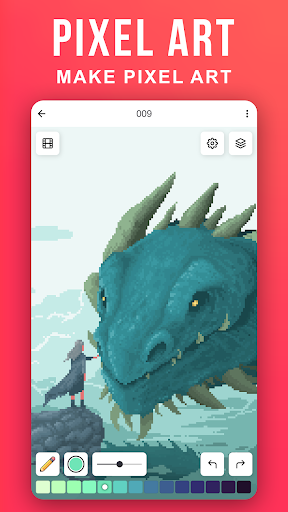
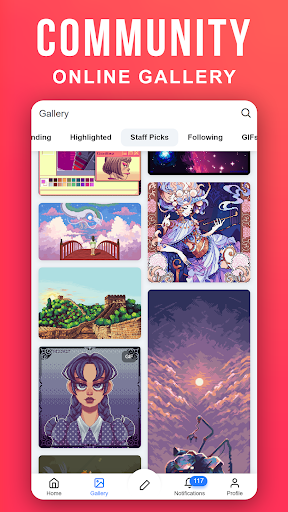
Create pixel art on the go. Pixilart is a community of passionate art enthusiasts who enjoy pixels. Easily make pixel art, and then share your art and even follow others who have created their own pixel art creations.
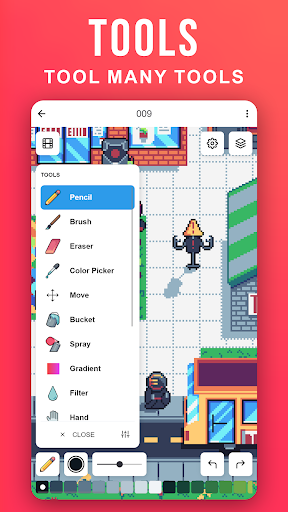
Become part of the largest pixel art community and understand why Pixilart is a growing community for feedback, sharing, art and more! It's fun and easy to create pixel art on the go with Pixilart. Simply move your finder across the screen to move the cursor and click on draw to lay pixels. Use blank canvases or choose from a variety of bases created by other users.
KEY FEATURES
• Create pixel art on the go with our easy-to-use drawing feature
• Create from bases or blank canvases
• Create profiles to upload drawings in the cloud for easier access on different devices
• Upload drawings in private, or in public so others can see
• Share drawings with others for feedback or simply to show off!
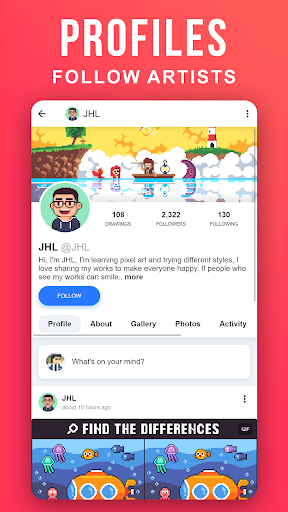
• Receive notifications from likes, comments, mentions, and new followers
• Follow your favorite artists on activity feeds
PARENT INFORMATION
Pixilart is a social platform for all ages. There is no private messaging system. All conversations are public. Swearing filters are enabled by default. Spam filters are enabled by default. Users can easily block/un-follow others. All drawings are monitored.
SUBSCRIPTIONS
There are no subscriptions
Become part of the largest pixel art community and understand why Pixilart is a growing community for feedback, sharing, art and more! It's fun and easy to create pixel art on the go with Pixilart. Simply move your finder across the screen to move the cursor and click on draw to lay pixels. Use blank canvases or choose from a variety of bases created by other users.
KEY FEATURES
• Create pixel art on the go with our easy-to-use drawing feature
• Create from bases or blank canvases
• Create profiles to upload drawings in the cloud for easier access on different devices
• Upload drawings in private, or in public so others can see
• Share drawings with others for feedback or simply to show off!
• Receive notifications from likes, comments, mentions, and new followers
• Follow your favorite artists on activity feeds
PARENT INFORMATION
Pixilart is a social platform for all ages. There is no private messaging system. All conversations are public. Swearing filters are enabled by default. Spam filters are enabled by default. Users can easily block/un-follow others. All drawings are monitored.
SUBSCRIPTIONS
There are no subscriptions
What's New
Fixed push notifications
App Information
Version Name
1.7.0
Version Code
10700
File Size
16.3 MB
Minimum OS
Android 9+
Target SDK
Android 33
Developer
Pixilart
Contact
Website
Content Rating
Teen
Package Name
com.pixilart.appPermissions Required
This app may request the following permissions:
Recent Reviews

Luna
5.0★
I've been on the app for a few years(TheKindArtist). It's good, made some friends and it's fun to draw. It's an absolute blast, and I love the jokes users have with Bryan(CEO, I wanna say). However, the downside is the glitching I have, depending on the size of the canvas and if it's an animation, too. Not only that, very few mods and a lot of drama. Other than that, it's good, and I appreciate the hard work and the positivity from the staff. Thank you :D

LunarFlare
4.0★
honestly, there are not as many tool options as there are on the web version, the select tool is really buggy, deleting pixels, adding random stuff that had already been erased, and it is diabolically easy to just exit the drawing and loose all of your progress on what you were editing, and theres only one tracing option, like the fill, cover or contain, so I can't really edit something that you started online with a different tracing option. but other than that, its a great app.

William Dubus
5.0★
Solid app. It's finicky on a little touch screen, which is more a limit of the medium itself, but I hammered out a totally production ready sprite in about an hour. It's got a lot of room for features, like shading modes, and a grayscale filter to switch on and off for really ironing out the values, while being able to ignore the hues. I also wish you could shrink the spray paint nozzle. Those options may be there and I just haven't found them yet, but for a free app it's really quite good.

Hornet Scout
4.0★
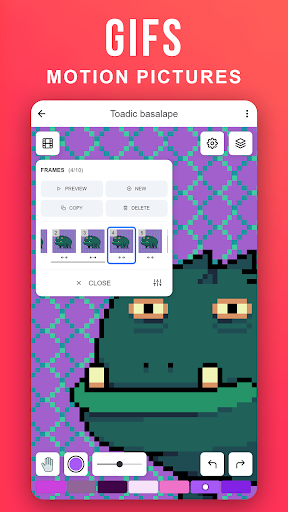
Easily the best Pixel Art app I've come across so far. There's daily challenges to creat art to keep you entertained and help you through an artist block, tons of customization options, and it can even allow you to make animations in a simple way. But it's not perfect. You can only Undo so many times, which gets annoying if you want to fix something, and more tools would be welcome.

Emmett
4.0★
I LOVE THIS APP!!! It's very simple and fast and I use it to animate. But I have one issue. I would really love to have a button to delete a layer but on every frame of animation. I was doing a little water effect where it would fill up the screen and would flow around invisible letters, I had letters there temporarily so I could know where to not put water, but now I have to delete this layer on all of my 317 frames.

A Google user
3.0★
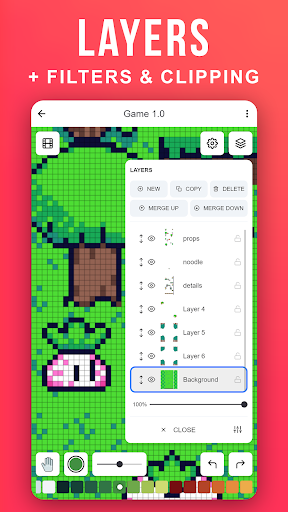
While I love the site on PC, I'm not a huge fan of it on mobile. I can't create my own palettes or edit my own drawings I've made on PC. I also can't create layers or gifs, as far as I can tell, which are both two very useful features for me as a game designer and artist. I also can't customize the size of my canvas, which is an immediate issue I had. And lastly, I can't copy and paste selections or use stamps (but this is all from my first impressions. They might be located somewhere but I can't find it.) Otherwise, it's not all that bad. I'm still just going to use it on my browser. 6/10
Ad slot: In-Content