

Pleco Chinese Dictionary
com.pleco.chinesesystem
by Pleco
Screenshots
Ad slot: Top Leaderboard
About this app
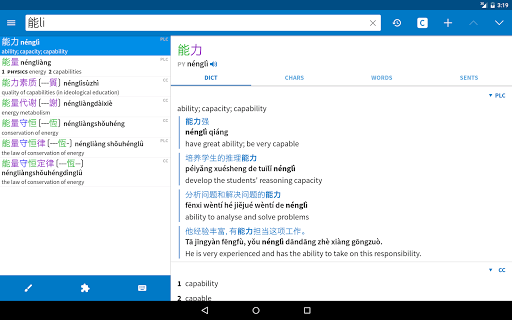
Pleco is the ultimate Chinese learning companion - an integrated Chinese English dictionary / document reader / flashcard system with fullscreen handwriting input and live camera-based character lookups, from a company with 17 years' experience making mobile Chinese learning software.
Major features: ($ = paid add-on)
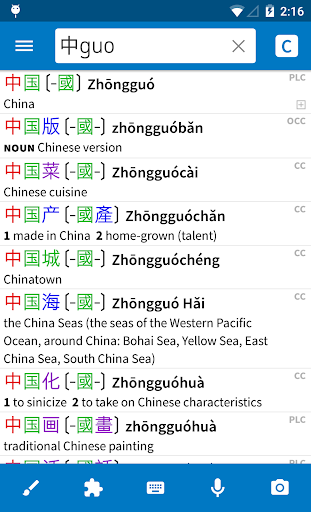
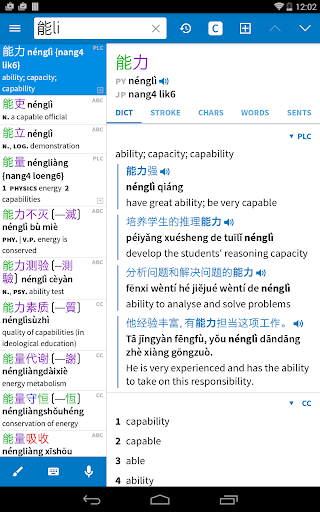
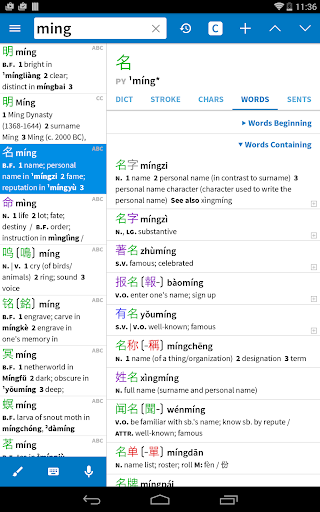
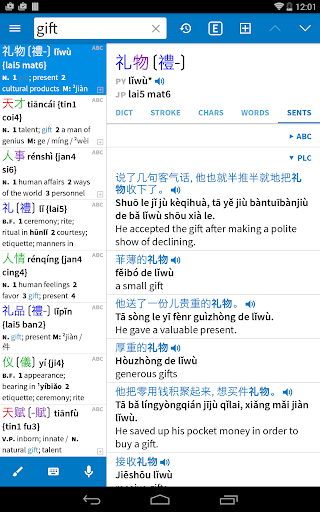
• Great dictionaries: the free app comes with two dictionaries - CC-CEDICT and our in-house PLC dictionary - which together cover 130,000 Chinese words and include 20,000 example sentences with Pinyin. We offer 8 more free dictionaries as optional downloads, including a 22,000-entry Cantonese-English dictionary, and 19 other great dictionaries are available as paid upgrades. ($)
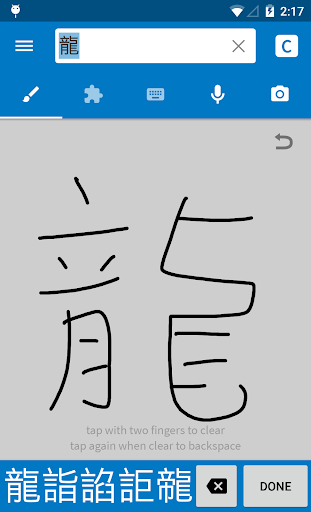
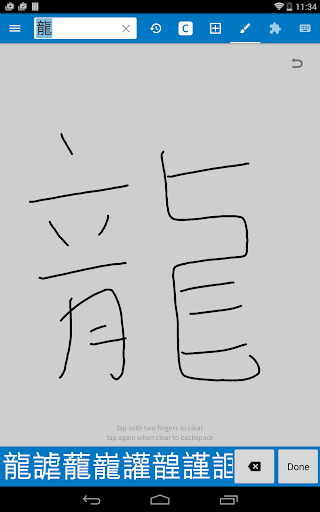
• Handwriting input: lookup unknown characters by drawing them, with a best-in-class recognition engine. (basic version free, enhanced version $)
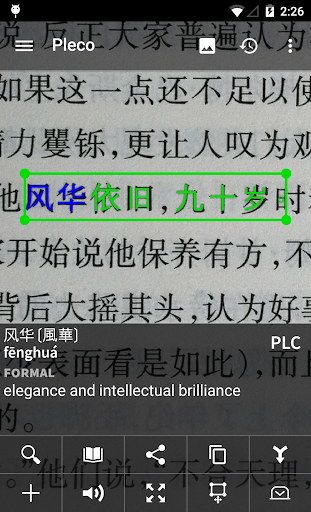
• Live Optical Character Recognizer (OCR): look up Chinese words in the dictionary simply by pointing your device's camera at them, or by scrolling around a still image. ($)
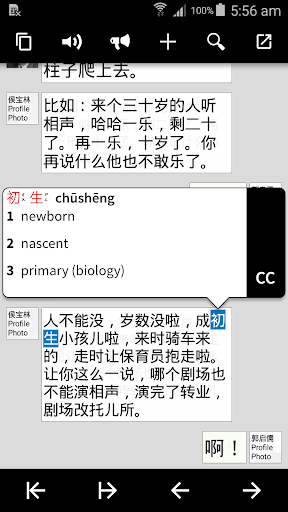
• Screen Reader/OCR: instantly tap-lookup Chinese words in other apps through a floating interface; works on Android 4.1 and later. (reader free, OCR $)
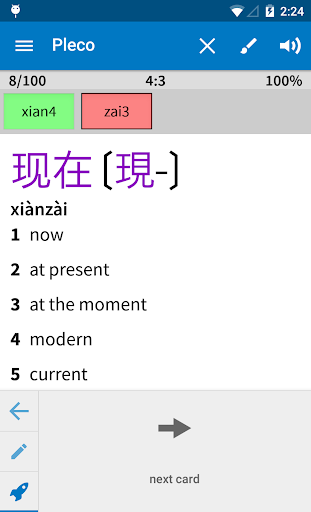
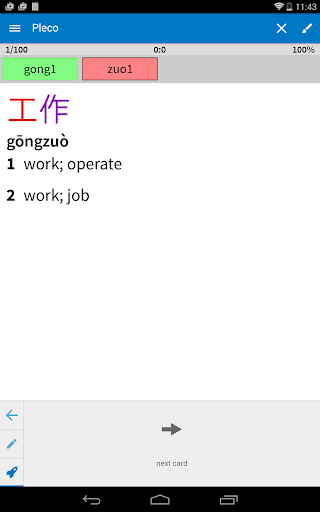
• Flashcard System: create a card from any dictionary entry with a single button tap, import premade word lists, use advanced techniques like SRS (spaced repetition), and study in a variety of modes including fill-in-the-blanks and tone drills. (simple version free, full-featured $)
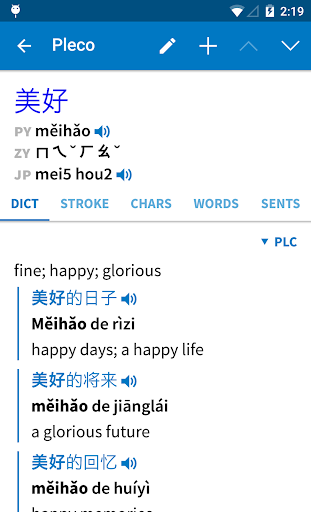
• Audio Pronunciation: instantly hear male + female native-speaker audio for Chinese dictionary headwords; recordings available for over 34,000 words. (stitched-syllable free, multi-syllable $) Or listen to example sentences with text-to-speech (system TTS free, enhanced $).
• Powerful search: look up words by Chinese characters, Pinyin (spaces/tones optional), or a combination, with support for wildcards and full-text search.
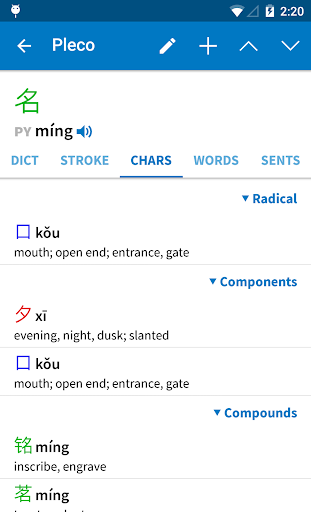
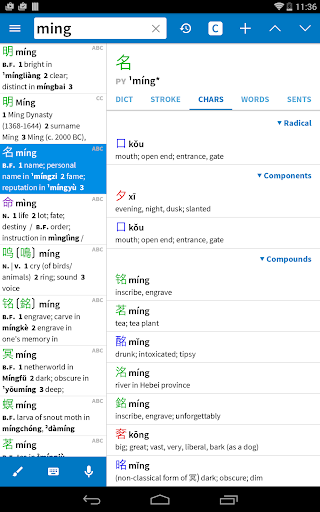
• Cross-referencing: tap on any Chinese character / word in any dictionary entry to bring up its definition.
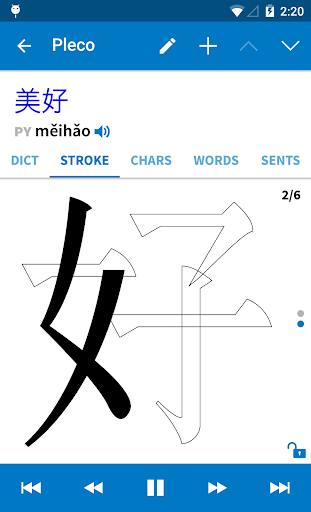
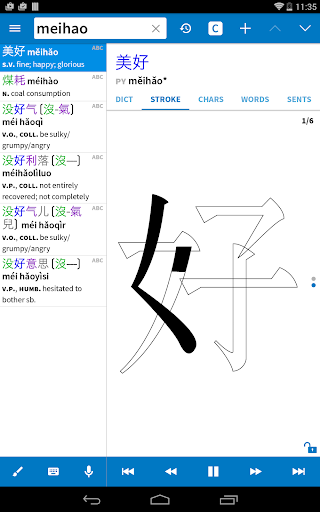
• Stroke Order Diagrams: animations showing you how to draw each Chinese character; 500 in free app, 28,000 in paid add-on.
• Voice Recognition: look up words by speaking them into your device's microphone.
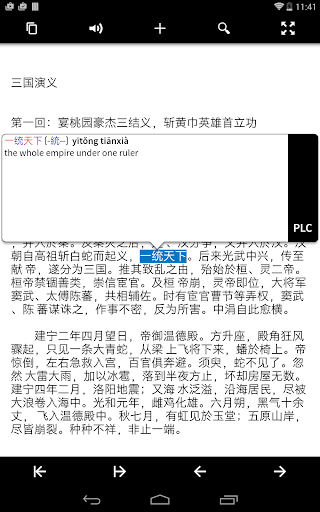
• Document Reader: open a Chinese-language text or PDF file and look up unknown words in the dictionary simply by tapping on them. ($) You can also look up characters on web pages through "Share" and in other documents through the clipboard. (free)
• PRC- and Taiwan-friendly: supports traditional and simplified characters (in dictionary definitions, stroke order, search, OCR, and handwriting), and supports Zhuyin (with ruby support) as well as Pinyin for pronunciation display.
• Cantonese: display headwords + perform searches in Jyutping/Yale romanization. We also offer Cantonese dictionary and Cantonese audio add-ons. (some $)
• No ads: we won't even nag you about buying add-ons.
We also offer excellent customer support - send us an email and see for yourself - and an active user community at plecoforums.com.
We've been making Chinese dictionary apps since 2000, and our sales and customer base have been steadily growing for 17 years across four different platforms. We take good care of our longtime users: people who bought a dictionary on a Palm Pilot in 2001 can still use that dictionary on a new Android phone in 2020 without even paying an upgrade fee.
Paid add-ons can be moved to a new device like any other paid app; just open our free app on your new device and they should reactivate.
If you already own Pleco on another OS, see pleco.com/android for migration options.
This app uses Accessibility services. (for our Screen Reader feature, which helps users to get by in Chinese-speaking regions without knowing Chinese)
Twitter/Facebook: plecosoft
Major features: ($ = paid add-on)
• Great dictionaries: the free app comes with two dictionaries - CC-CEDICT and our in-house PLC dictionary - which together cover 130,000 Chinese words and include 20,000 example sentences with Pinyin. We offer 8 more free dictionaries as optional downloads, including a 22,000-entry Cantonese-English dictionary, and 19 other great dictionaries are available as paid upgrades. ($)
• Handwriting input: lookup unknown characters by drawing them, with a best-in-class recognition engine. (basic version free, enhanced version $)
• Live Optical Character Recognizer (OCR): look up Chinese words in the dictionary simply by pointing your device's camera at them, or by scrolling around a still image. ($)
• Screen Reader/OCR: instantly tap-lookup Chinese words in other apps through a floating interface; works on Android 4.1 and later. (reader free, OCR $)
• Flashcard System: create a card from any dictionary entry with a single button tap, import premade word lists, use advanced techniques like SRS (spaced repetition), and study in a variety of modes including fill-in-the-blanks and tone drills. (simple version free, full-featured $)
• Audio Pronunciation: instantly hear male + female native-speaker audio for Chinese dictionary headwords; recordings available for over 34,000 words. (stitched-syllable free, multi-syllable $) Or listen to example sentences with text-to-speech (system TTS free, enhanced $).
• Powerful search: look up words by Chinese characters, Pinyin (spaces/tones optional), or a combination, with support for wildcards and full-text search.
• Cross-referencing: tap on any Chinese character / word in any dictionary entry to bring up its definition.
• Stroke Order Diagrams: animations showing you how to draw each Chinese character; 500 in free app, 28,000 in paid add-on.
• Voice Recognition: look up words by speaking them into your device's microphone.
• Document Reader: open a Chinese-language text or PDF file and look up unknown words in the dictionary simply by tapping on them. ($) You can also look up characters on web pages through "Share" and in other documents through the clipboard. (free)
• PRC- and Taiwan-friendly: supports traditional and simplified characters (in dictionary definitions, stroke order, search, OCR, and handwriting), and supports Zhuyin (with ruby support) as well as Pinyin for pronunciation display.
• Cantonese: display headwords + perform searches in Jyutping/Yale romanization. We also offer Cantonese dictionary and Cantonese audio add-ons. (some $)
• No ads: we won't even nag you about buying add-ons.
We also offer excellent customer support - send us an email and see for yourself - and an active user community at plecoforums.com.
We've been making Chinese dictionary apps since 2000, and our sales and customer base have been steadily growing for 17 years across four different platforms. We take good care of our longtime users: people who bought a dictionary on a Palm Pilot in 2001 can still use that dictionary on a new Android phone in 2020 without even paying an upgrade fee.
Paid add-ons can be moved to a new device like any other paid app; just open our free app on your new device and they should reactivate.
If you already own Pleco on another OS, see pleco.com/android for migration options.
This app uses Accessibility services. (for our Screen Reader feature, which helps users to get by in Chinese-speaking regions without knowing Chinese)
Twitter/Facebook: plecosoft
What's New
- Adopted new HWR + OCR libraries by default, including for live OCR, though you can revert to the old ones in settings
- Adopted better/streamlined "new OCR" interface by default for live OCR, though with the new algorithm it's a bit different (we show text above the box rather than as an overlay because ML text rects are less accurate)
- Added 'snap OCR' for quick captures of text to tap-lookup
- Switched to open-source PDF library and cleaned up some PDF reading annoyances
- Many bug fixes
- Adopted better/streamlined "new OCR" interface by default for live OCR, though with the new algorithm it's a bit different (we show text above the box rather than as an overlay because ML text rects are less accurate)
- Added 'snap OCR' for quick captures of text to tap-lookup
- Switched to open-source PDF library and cleaned up some PDF reading annoyances
- Many bug fixes
App Information
Version Name
3.2.94
Version Code
3370
File Size
135.3 MB
Min SDK
Android 21+
Target SDK
Android 33
Developer
Pleco
Contact
Website
Content Rating
Everyone
Package Name
com.pleco.chinesesystemPermissions Required
This app may request the following permissions:
Recent Reviews

A Google user
5.0★
Pleco is alone in its class for excellence and they offer many add-on features, dictionaries, and it has a good flash card system. I highly recommend it. That being said, often I find some compound words/phrases missing, but Google Translate can fill in those gaps easily. It would be nice to be able to recommend new words and phrases back to them based on experiences with native speakers (I live in China).

Brian Tom O'Connor
5.0★
This is such a great dictionary. Especially the feature that allows you to draw the character. After you use it for a while and if you find that you like it, I recommend springing for the Basic Bundle, which gives you stroke order for all characters, not just some, plus better pronunciation audios, plus the optical character reader, and a lot more.
A Google user
5.0★
This is one of the best-designed, most smoothly-performing apps of any kind that I've ever used. A fast and amazingly powerful Chinese dictionary app that lets you search and browse words and characters in every way you could imagine. The free version is optimized for searching Chinese-to-English definitions, not so great if you need to find the best Chinese translation of an English word, but you can fix that with a reasonably-priced paid English-to-Chinese dictionary add-on. I only wish there was a Windows version for my laptop (I'd pay for it). And I think the flashcard system could use some improvements - it has some benefits over Anki, but I don't seem to memorize words as fast with it.

Zhiqing 芷晴 (Kelly)
5.0★
Best app for Chinese learning. Every learner needs this app. It breaks down words to the individual characters, and the characters into the individual radicals. This makes it so much easier to remember new words and characters. I also like the smorgasbord of other features, like the fact they sell you graded readers through the app, and have a flashcard system. I like it has bopomofo in addition to pinyin. My only wish is there was also a desktop version I could use when I'm not on my phone.

Oi Lee
5.0★
I have used this app for years (since 2012/13). I love the voice to text recognition in Chinese (Cantonese). It has flashcards and categories to help you study and organize words. It also can show you stroke order of each character. Definitely best Chinese dictionary and learning app for me. Since I started using it, the app has come with a lot of add-ons (expansions) for different dictionaries. I hope this app continues to improve the quality of the software and functionality.

Alex Pawlowski
5.0★
This is one of the most well-made apps on the planet. It recognizes Chinese handwriting from my left thumb, and I'm a right handed first-year Chinese student. It has definitions and examples for everything. It has pronunciation for everything. It does OCR. The free version is probably good enough for anyone living who isn't living in China. The app links with the rest of Android, allowing you to instantly translate text from photos, text you've selected, or basically anything else. It's perfect.
Ad slot: In-Content