

PNC Mobile
com.pnc.ecommerce.mobile
by PNC Bank, N.A.
Screenshots

Ad slot: Top Leaderboard
About this app
Check balances & recent transactions – See current account activity for your checking, savings, credit card and loan accounts.
Protect your accounts – Set up fingerprint or Face Authentication to securely sign on to the app. Or, reset your password quickly and conveniently if you need to.
Send money with Zelle® – Send money simply, to people you know and trust (i) using your
mobile number or email address.
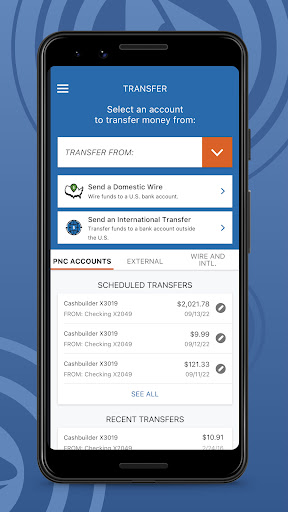
Transfer funds – Transfer funds between eligible PNC accounts and external bank accounts (ii).
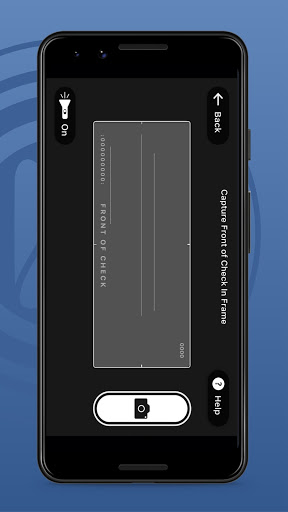
Make deposits – Deposit checks quickly and easily with your Android device (iii).
Pay bills – Add your bills and make one-time or recurring bill payments right from the app.
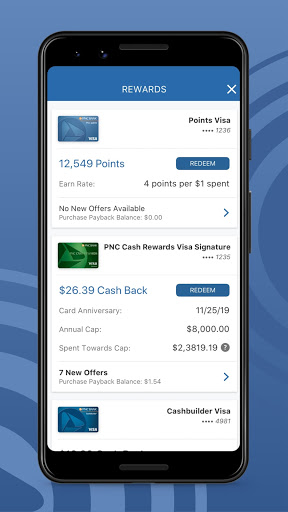
Manage your cards – View and manage your PNC credit, debit and SmartAccess® cards and make in-store payments with PNC Pay right from the app.
Lock your cards – Easily lock or unlock your PNC debit card or credit card if you misplace it.
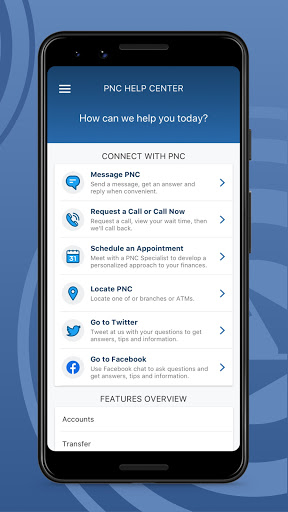
Locate PNC – Locate the nearest PNC ATM or branch using our location services, or search by zip code and street address.
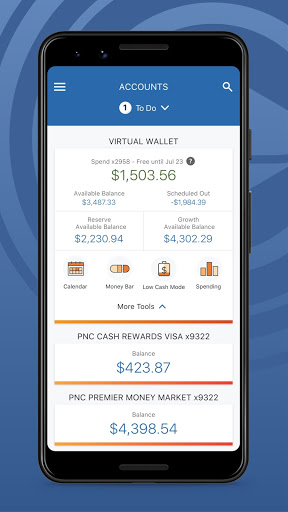
If you have Virtual Wallet®, you’ll have access to more tools and insights to help you work toward your financial goals.
See what’s free to spend – Your Scheduled Out subtracts known bills and expenses from your available checking account balance to show you what’s free to spend, which we call your Free Balance. You’ll also see potential Danger Days℠, which is when your account is at risk of being overdrawn.
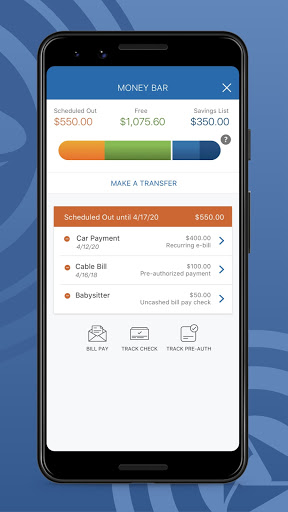
Visualize your money – Use Money Bar® to see how much is available to spend with your Free Balance, what you’ve scheduled for bills and how much you’ve set aside for goals.
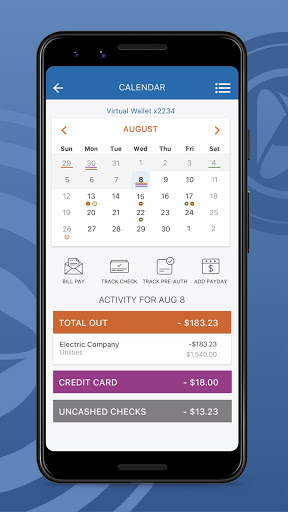
Know your activity – Use the Calendar to see upcoming paydays and payments, and view a history of your transactions. You can pay bills, schedule bill reminders, track external payments, view potential Danger Days and more.
Track your spending & set budgets – See where you're spending your money with categories like restaurants, gas and more. Then, create budgets to know if you’re staying on track.
Make saving easier – Create savings goals to work toward your goals and keep track of your progress along the way. Set up automatic rules to regularly transfer money to your savings, like once a week or when you receive a paycheck. Make saving fun using your personalized piggy bank to transfer money to your savings.
With PNC’s Security and Privacy, you can be confident that your personal and financial information will be protected while using our app.
(i) Zelle should only be used to send or receive money with people you know and trust. Before using Zelle to send money, you should confirm the recipient's email address or U.S. mobile phone number. Neither PNC nor Zelle offer a protection program for authorized payments made with Zelle. Zelle is available to almost
anyone with a bank account in the U.S. Transactions typically occur in minutes between enrolled users.
If the recipient has not enrolled, the payment will expire after 14 calendar days.
(ii) There are limits to the number of transactions you can make from a savings or money market account per month.
(iii) PNC does not charge a fee for Mobile Banking. However, third party message and data rates may apply. Mobile Deposit is a feature of PNC Mobile Banking. Use of the Mobile Deposit feature requires a supported camera-equipped device and you must download a PNC mobile banking app. Eligible PNC Bank account and PNC Bank Online Banking required. Certain other restrictions apply. See the mobile banking terms and conditions in the PNC Online Banking Service Agreement.
Virtual Wallet, PNC SmartAccess and SmartAccess are registered trademarks of The PNC Financial Services Group, Inc. ©2025 The PNC
Zelle and the Zelle related marks are wholly owned by Early Warning Services, LLC and are used herein under license.
Protect your accounts – Set up fingerprint or Face Authentication to securely sign on to the app. Or, reset your password quickly and conveniently if you need to.
Send money with Zelle® – Send money simply, to people you know and trust (i) using your
mobile number or email address.
Transfer funds – Transfer funds between eligible PNC accounts and external bank accounts (ii).
Make deposits – Deposit checks quickly and easily with your Android device (iii).
Pay bills – Add your bills and make one-time or recurring bill payments right from the app.
Manage your cards – View and manage your PNC credit, debit and SmartAccess® cards and make in-store payments with PNC Pay right from the app.
Lock your cards – Easily lock or unlock your PNC debit card or credit card if you misplace it.
Locate PNC – Locate the nearest PNC ATM or branch using our location services, or search by zip code and street address.
If you have Virtual Wallet®, you’ll have access to more tools and insights to help you work toward your financial goals.
See what’s free to spend – Your Scheduled Out subtracts known bills and expenses from your available checking account balance to show you what’s free to spend, which we call your Free Balance. You’ll also see potential Danger Days℠, which is when your account is at risk of being overdrawn.
Visualize your money – Use Money Bar® to see how much is available to spend with your Free Balance, what you’ve scheduled for bills and how much you’ve set aside for goals.
Know your activity – Use the Calendar to see upcoming paydays and payments, and view a history of your transactions. You can pay bills, schedule bill reminders, track external payments, view potential Danger Days and more.
Track your spending & set budgets – See where you're spending your money with categories like restaurants, gas and more. Then, create budgets to know if you’re staying on track.
Make saving easier – Create savings goals to work toward your goals and keep track of your progress along the way. Set up automatic rules to regularly transfer money to your savings, like once a week or when you receive a paycheck. Make saving fun using your personalized piggy bank to transfer money to your savings.
With PNC’s Security and Privacy, you can be confident that your personal and financial information will be protected while using our app.
(i) Zelle should only be used to send or receive money with people you know and trust. Before using Zelle to send money, you should confirm the recipient's email address or U.S. mobile phone number. Neither PNC nor Zelle offer a protection program for authorized payments made with Zelle. Zelle is available to almost
anyone with a bank account in the U.S. Transactions typically occur in minutes between enrolled users.
If the recipient has not enrolled, the payment will expire after 14 calendar days.
(ii) There are limits to the number of transactions you can make from a savings or money market account per month.
(iii) PNC does not charge a fee for Mobile Banking. However, third party message and data rates may apply. Mobile Deposit is a feature of PNC Mobile Banking. Use of the Mobile Deposit feature requires a supported camera-equipped device and you must download a PNC mobile banking app. Eligible PNC Bank account and PNC Bank Online Banking required. Certain other restrictions apply. See the mobile banking terms and conditions in the PNC Online Banking Service Agreement.
Virtual Wallet, PNC SmartAccess and SmartAccess are registered trademarks of The PNC Financial Services Group, Inc. ©2025 The PNC
Zelle and the Zelle related marks are wholly owned by Early Warning Services, LLC and are used herein under license.
What's New
Thank you for using the PNC Mobile app. This update includes user experience enhancements.
App Information
Version Name
4.47
Version Code
507152664
File Size
86.5 MB
Minimum OS
Android 6.0+
Target SDK
Android 33
Developer
PNC Bank, N.A.
Contact
Website
Content Rating
Everyone
Package Name
com.pnc.ecommerce.mobilePermissions Required
This app may request the following permissions:
Recent Reviews

Justin Emery
2.0★
Like many have stated, this app used to be good, but I've been getting the I've been logged out message and I need to sign back in, even though when I'm done with the app I go and sign out. it still causes me to have to log in twice. Also it randomly disables my biometrics and when I try to log in to enable them, it gets real buggy when I enter my user name then go to enter the password it clears out the username. please fix this app.

Heather
2.0★
Used to love the app but they recently did an update and now you have to click on each transaction to see where it was completed. Otherwise it just says "debit" or "reoccurring debit". Are you kidding me? Very very disappointed. Pending still shows where they occurred but the posted transaction have to be clicked on individually to show where they were completed.

Corianna Soto
3.0★
When I'm actually in the app it's perfectly fine, but logging in is becoming such a hassle. I wish I could post a picture of the login screen. It keeps deleting my biometric data and when I put my password it just bugs out. I've started needing to actually delete and reinstall the app to make it work. It's gotten worse over the last couple months. Hoping there's a fix to it soon. I usually never review, but it's getting bad.

Alegba Aleph
1.0★
This app cannot remember biometrics, refuses to show my info between midnight and 4a, especially on weekends, and has frequent issues just getting a cursor to appear in the username and password fields. Their website is not much better. I have been with this bank since 2000 and these issues started about 2 years ago with no improvement. I will be leaving this year due to these tech failings, which sucks because they are pretty good at being a bank.

Alexander Main
5.0★
Generally a good banking App. Good alerts, Zelle integration is easy. Would be nice to see more details about individual transactions the way AMEX does. I'm on a Samsung S20 in power saving mode and I don't have any of the problems others are reporting. it does seem to log me out quickly (5 minutes), but most of what I do only takes a few minutes, and I kill the app once I'm done.

Josh Jarrell
3.0★
When the app works, it does most of what you would want out of a banking app. I frequently am unable to log in due to "No Network Connection" when I am on multi-gigabit Wi-Fi or getting errors within the app when trying to deposit funds. Biometrics also frequently reset and you have to set it back up often. If they could fix those bugs, it would be a totally usable banking app. As-is, it's pretty hard to continue using PNC.
Ad slot: In-Content