

Rotation | Orientation Manager
com.pranavpandey.rotation
by Pranav Pandey
Screenshots



Ad slot: Top Leaderboard
About this app
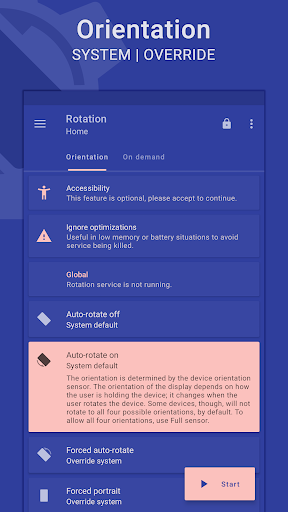
Rotation is a tool to manage the device screen orientation. It offers all the modes that Android supports and can be configured according to the apps and various events like call, lock, headset, charging and dock. Let's give it a try to explore its other features.
FEATURES
Orientations
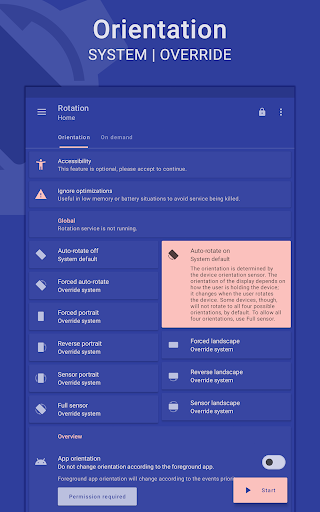
• Auto-rotate on • Auto-rotate off
• Forced auto-rotate • Sensor auto-rotate • Reverse auto-rotate
• Forced portrait • Forced landscape • Reverse portrait
• Reverse landscape • Sensor portrait • Sensor landscape
• Full sensor • Sensor left • Sensor right • Sensor reverse
• Lock Current – Lock current orientation
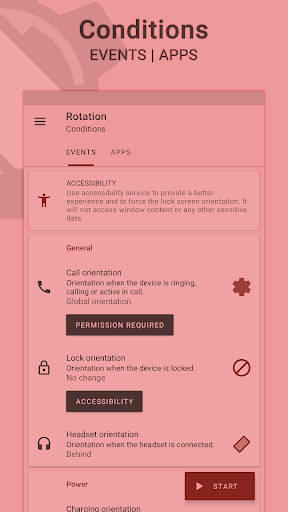
Conditions
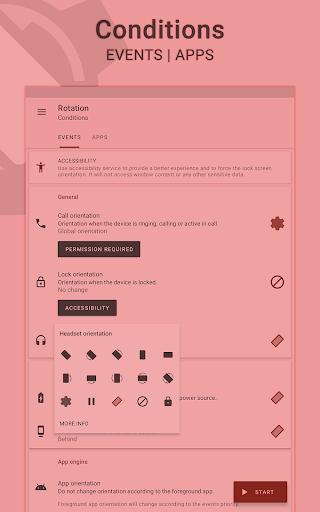
• Call orientation • Lock orientation • Headset orientation
• Charging orientation • Dock orientation • App orientation
• Events priority - Customizable events preference in case two or more events occur simultaneously.
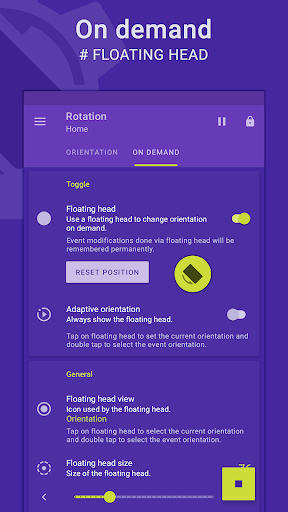
On demand
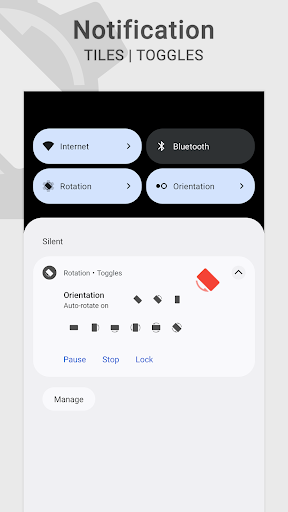
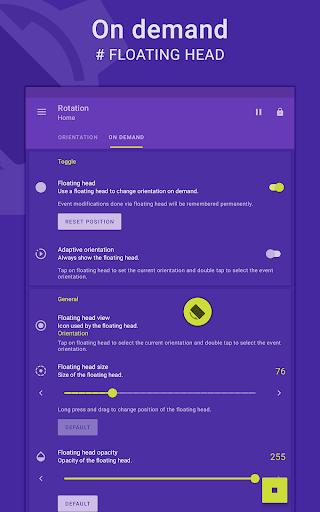
# Change the orientation of the foreground app or events with a fully customizable floating head (or notification or tile) available on the top of supported tasks.
Themes
• A dynamic theme engine with background-aware functionality to avoid any visibility issues.
Others
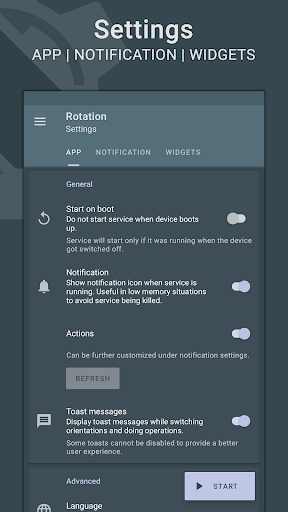
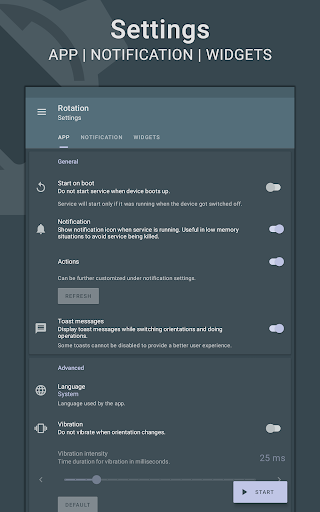
• Start on boot • Notification • Vibration and more.
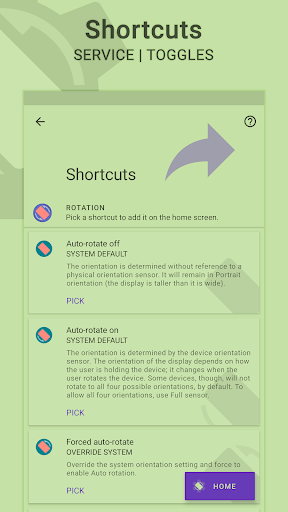
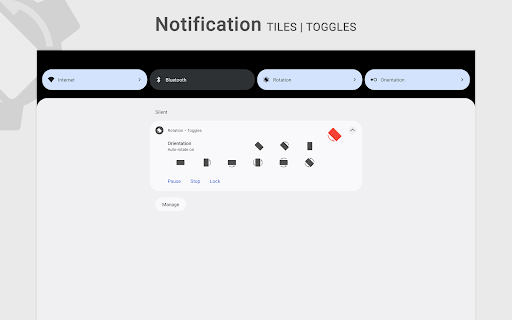
• Widgets, shortcuts and notification tiles to perform various operations.
# Rotation extension to automate over 40 actions via Locale / Tasker plugin.
Support
• Quick setup to configure major features at once.
• Dedicated support section to troubleshoot general issues.
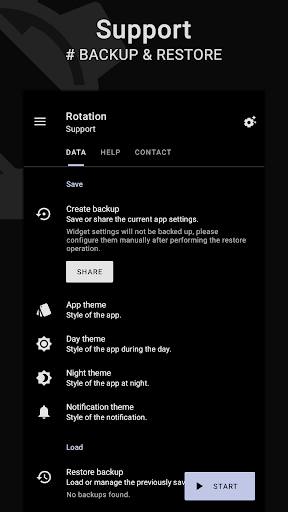
# Perform backup and restore operations to save and load the app settings.
Features marked with # are paid, and Premium is required to use them.
LANGUAGES
English, Deutsch, Español, Français, हिंदी, Indonesia, Italiano, Português, Русский, Türkçe, 日本語, 한국인, 中文 (简体), 中文 (繁體)
PERMISSIONS
Internet access – To display ads in free version.
Retrieve running apps – To detect foreground app.
Usage statistics (Android 5.0+) – To detect foreground app.
Modify system settings – To change display orientation settings.
Draw over other apps – To change foreground orientation.
Read device state and identity – To change the phone call orientation.
Run at startup – To start the service when the device boots up.
Control vibration – To vibrate device when orientation changes.
Post notifications (Android 13 and above) – To show notifications that help (and are required) in keeping the service running during various restrictions.
Modify USB storage (Android 4.3 and below) – To create and restore backups.
ACCESSIBILITY
It uses an accessibility service to provide a better experience and to force the lock screen orientation on Android 8.0+ devices. It will not access window content or any other sensitive data.
Rotation > Conditions > Events > Accessibility.
------------------------------
- Buy Premium to support the development.
- Kindly contact me via email in case of any issues.
- Some apps might not work properly when forced to work in certain orientations. Use Auto-rotate on/off from conditions to use system settings for those apps.
- Reverse portrait orientation is disabled on some Xiaomi (MIUI) devices with the default launcher. Please try other launchers (home screen) to make it work.
Android is a trademark of Google LLC.
FEATURES
Orientations
• Auto-rotate on • Auto-rotate off
• Forced auto-rotate • Sensor auto-rotate • Reverse auto-rotate
• Forced portrait • Forced landscape • Reverse portrait
• Reverse landscape • Sensor portrait • Sensor landscape
• Full sensor • Sensor left • Sensor right • Sensor reverse
• Lock Current – Lock current orientation
Conditions
• Call orientation • Lock orientation • Headset orientation
• Charging orientation • Dock orientation • App orientation
• Events priority - Customizable events preference in case two or more events occur simultaneously.
On demand
# Change the orientation of the foreground app or events with a fully customizable floating head (or notification or tile) available on the top of supported tasks.
Themes
• A dynamic theme engine with background-aware functionality to avoid any visibility issues.
Others
• Start on boot • Notification • Vibration and more.
• Widgets, shortcuts and notification tiles to perform various operations.
# Rotation extension to automate over 40 actions via Locale / Tasker plugin.
Support
• Quick setup to configure major features at once.
• Dedicated support section to troubleshoot general issues.
# Perform backup and restore operations to save and load the app settings.
Features marked with # are paid, and Premium is required to use them.
LANGUAGES
English, Deutsch, Español, Français, हिंदी, Indonesia, Italiano, Português, Русский, Türkçe, 日本語, 한국인, 中文 (简体), 中文 (繁體)
PERMISSIONS
Internet access – To display ads in free version.
Retrieve running apps – To detect foreground app.
Usage statistics (Android 5.0+) – To detect foreground app.
Modify system settings – To change display orientation settings.
Draw over other apps – To change foreground orientation.
Read device state and identity – To change the phone call orientation.
Run at startup – To start the service when the device boots up.
Control vibration – To vibrate device when orientation changes.
Post notifications (Android 13 and above) – To show notifications that help (and are required) in keeping the service running during various restrictions.
Modify USB storage (Android 4.3 and below) – To create and restore backups.
ACCESSIBILITY
It uses an accessibility service to provide a better experience and to force the lock screen orientation on Android 8.0+ devices. It will not access window content or any other sensitive data.
Rotation > Conditions > Events > Accessibility.
------------------------------
- Buy Premium to support the development.
- Kindly contact me via email in case of any issues.
- Some apps might not work properly when forced to work in certain orientations. Use Auto-rotate on/off from conditions to use system settings for those apps.
- Reverse portrait orientation is disabled on some Xiaomi (MIUI) devices with the default launcher. Please try other launchers (home screen) to make it work.
Android is a trademark of Google LLC.
What's New
Introducing subscriptions to support the development event better.
Rotation Key will remain valid to unlock features with no restrictions.
New orientation modes to support use cases like never before. Via Rotation > Support > Help.
• Sensor auto-rotate • Reverse auto-rotate
• Sensor left • Sensor right • Sensor reverse
Added support for Android 16.
Improved foldable (hinge) functionality.
Added Japanese and Korean translations.
A complete overhaul with various tweaks and design improvements.
Rotation Key will remain valid to unlock features with no restrictions.
New orientation modes to support use cases like never before. Via Rotation > Support > Help.
• Sensor auto-rotate • Reverse auto-rotate
• Sensor left • Sensor right • Sensor reverse
Added support for Android 16.
Improved foldable (hinge) functionality.
Added Japanese and Korean translations.
A complete overhaul with various tweaks and design improvements.
App Information
Version Name
6.0.8
Version Code
45
File Size
1.6 MB
Minimum OS
Android 5.0+
Target SDK
Android 22
Developer
Pranav Pandey
Contact
Website
Content Rating
Everyone
Package Name
com.pranavpandey.rotationPermissions Required
This app may request the following permissions:
Recent Reviews

A Google user
5.0★
Didn't figure it's even possible to turn the screen upside down without rooting! This app is quite well written, and can allow it on the fly when the headphone jack is attached, for example. A possible improvement, don't know if it's possible, would be if it could honor the phones default notification to lock and unlock auto rotate.

Radu Codreanu
5.0★
App is great! Very configurable, maybe not the most immediately intuitive. Also a bit strange that unlocking all the features requires another app to be installed. But it's all worth it for the functionality and the fact that no data is collected. I wish you would develop a Google TV app that can just flip orientation easily, globally. Like for a projector that doesn't support this natively. Would totally buy that for a higher price even. Thanks!

Hexagonce
5.0★
Again, there's nothing I use more and something like this could have been a feature in phone settings, but here you are! My day is easier, my apps don't randomly rotate even if my phone's auto is off and the UI is clean and straight to the point. I would have happily paid 20$ for this, as my phone should have already had it! Developer, you have solved such a serious problem I feel like you should be famous for it 🫶

Manish M
2.0★
it works 2 starts is for there is a delay.... when I lock a app it still rotates for a second and come back to portrait after 0.5 seconds... so plz fix that delay my device is rooted but there is no root permission and for covering that delay u guys can use root permission too

Chromecast
1.0★
App is not free. Asks you to buy second app to use most settings. Thanks for wasting my time, I hope you spill your coffee Edit: After writing this, the app opened again on its own and played an ad. Get a life

Panagiotis Karampatos
5.0★
When my phone screen broke leaving half of it non responsive to touch, this app came in as a life saver. 5/5
Ad slot: In-Content