

PRISM Live Studio: Games & IRL
com.prism.live
by NAVER Corp.
Screenshots

Ad slot: Top Leaderboard
About this app
PRISM Live Studio is a live streaming tool app that supports camera live, game casting, and VTubing broadcasts. Enhance your streams with various effects, videos, images, and music to deliver a unique and engaging experience for your viewers.
[Main features]
• Choose Your Live Mode
Start your live broadcast with Camera, Screen, or VTuber modes. Stream using your smartphone camera, share your gameplay, or dive into VTubing.
• Screencast Broadcasts
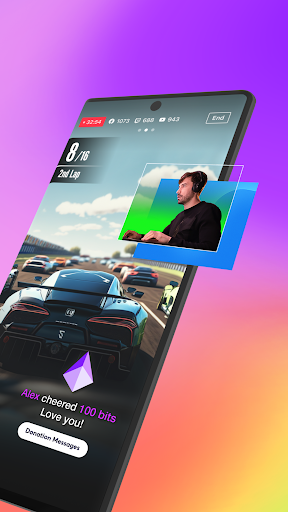
Share your mobile screen or gameplay with your viewers in real-time. We offer various options tailored for screen broadcasting.
• VTuber Broadcasts
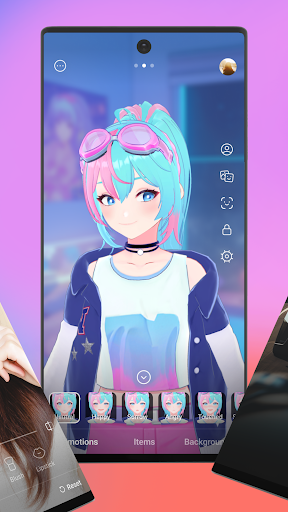
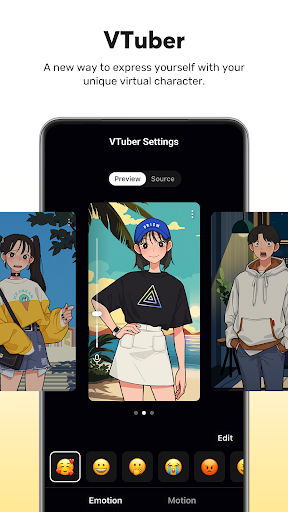
Begin your VTubing journey with just your smartphone! Use custom avatars or the 2D and 3D VRM avatars provided by the PRISM app.
• Login-Based Account Integration
Easily link your accounts to YouTube, Facebook, Twitch, and BAND with just a login.
• Real-Time Interaction with Viewers
Use the PRISM chat widget to seamlessly view and share viewer chats on your streaming screen. Highlight key messages to display them prominently.
• Media Overlay
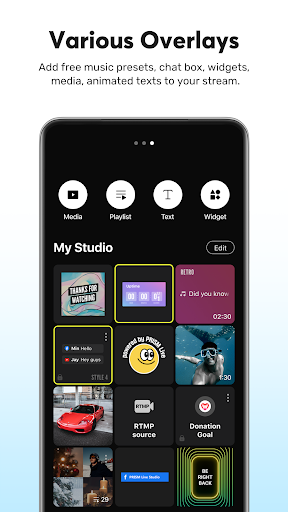
Enhance your broadcast with photos, videos, music, and playlists via My Studio, and share them with your audience.
• Web Widgets
Overlay web pages onto your live stream simply by entering a URL. Perfect for integrating support widgets.
• Beauty Effects
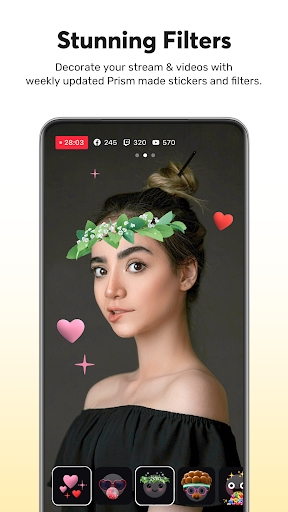
Our advanced beauty features automatically enhance your appearance for a natural, polished look.
• Animated Text Effects
Elevate your live streams with animated text themes including Title, Social, Caption, and Element for dynamic overlays.
• Camera Effects
Add personality to your stream with fun masks, background filters, touch reactions, and emotion filters for more engaging broadcasts.
• Background Music
Choose from five unique music themes—Playful, Sentimental, Action, Beatdrop, and Retro—provided by the PRISM app.
• High-Quality Live Streaming in 1080p 60fps
Stream in high resolution with 1080p at 60fps. (Availability depends on your device and environment.)
• Multi-Channel Simulcasting
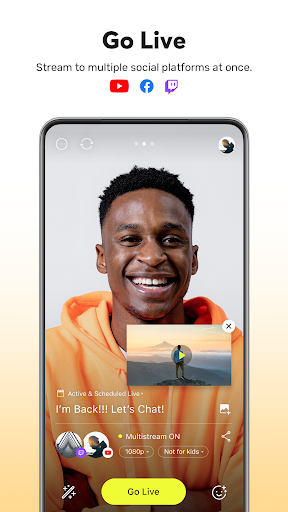
Stream your broadcast to multiple platforms simultaneously without extra network usage.
• CONNECT Mode with PRISM PC App
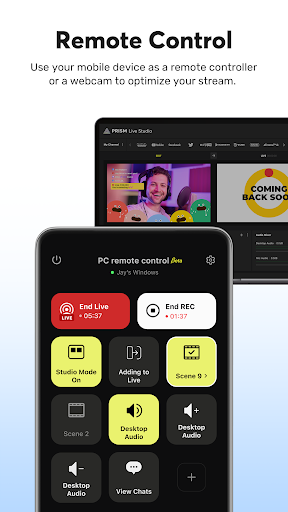
Seamlessly integrate PRISM mobile as a video and audio source for the PRISM PC app using a QR code scan.
• Camera Pro Features
Fine-tune your live stream with advanced camera settings like focus, exposure, ISO, white balance, and shutter speed.
• Camera Chroma Key
Unleash your creativity with the exclusive chroma key feature for more dynamic mobile broadcasts.
• AI Scripts
Leverage on-device AI to extract live broadcast scripts in various file formats.
• Background Streaming
Keep your live broadcast running smoothly, even during incoming calls or messages.
• Edit and Share Live Info in Real-Time
Update your live title and share your live link even while broadcasting.
• My Page
Review and share the history and video links of your past broadcasts directly from the PRISM app.
[Required permissions]
• Camera: Shoot a live stream or record for VOD.
• Mic: Record audio while shooting a video.
• Storage: Device storage may be used to save recorded videos and live streams, or to load stored videos.
• Notification: Permission required for the indication of information related to Live Streaming.
[Support]
• Website: https://prismlive.com
• Contact: [email protected]
• Medium: https://medium.com/prismlivestudio
• Discord: https://discord.com/invite/e2HsWnf48R
• Terms of Use: http://prismlive.com/en_us/policy/terms_content.html
• Privacy Policy: http://prismlive.com/en_us/policy/privacy_content.html
[Main features]
• Choose Your Live Mode
Start your live broadcast with Camera, Screen, or VTuber modes. Stream using your smartphone camera, share your gameplay, or dive into VTubing.
• Screencast Broadcasts
Share your mobile screen or gameplay with your viewers in real-time. We offer various options tailored for screen broadcasting.
• VTuber Broadcasts
Begin your VTubing journey with just your smartphone! Use custom avatars or the 2D and 3D VRM avatars provided by the PRISM app.
• Login-Based Account Integration
Easily link your accounts to YouTube, Facebook, Twitch, and BAND with just a login.
• Real-Time Interaction with Viewers
Use the PRISM chat widget to seamlessly view and share viewer chats on your streaming screen. Highlight key messages to display them prominently.
• Media Overlay
Enhance your broadcast with photos, videos, music, and playlists via My Studio, and share them with your audience.
• Web Widgets
Overlay web pages onto your live stream simply by entering a URL. Perfect for integrating support widgets.
• Beauty Effects
Our advanced beauty features automatically enhance your appearance for a natural, polished look.
• Animated Text Effects
Elevate your live streams with animated text themes including Title, Social, Caption, and Element for dynamic overlays.
• Camera Effects
Add personality to your stream with fun masks, background filters, touch reactions, and emotion filters for more engaging broadcasts.
• Background Music
Choose from five unique music themes—Playful, Sentimental, Action, Beatdrop, and Retro—provided by the PRISM app.
• High-Quality Live Streaming in 1080p 60fps
Stream in high resolution with 1080p at 60fps. (Availability depends on your device and environment.)
• Multi-Channel Simulcasting
Stream your broadcast to multiple platforms simultaneously without extra network usage.
• CONNECT Mode with PRISM PC App
Seamlessly integrate PRISM mobile as a video and audio source for the PRISM PC app using a QR code scan.
• Camera Pro Features
Fine-tune your live stream with advanced camera settings like focus, exposure, ISO, white balance, and shutter speed.
• Camera Chroma Key
Unleash your creativity with the exclusive chroma key feature for more dynamic mobile broadcasts.
• AI Scripts
Leverage on-device AI to extract live broadcast scripts in various file formats.
• Background Streaming
Keep your live broadcast running smoothly, even during incoming calls or messages.
• Edit and Share Live Info in Real-Time
Update your live title and share your live link even while broadcasting.
• My Page
Review and share the history and video links of your past broadcasts directly from the PRISM app.
[Required permissions]
• Camera: Shoot a live stream or record for VOD.
• Mic: Record audio while shooting a video.
• Storage: Device storage may be used to save recorded videos and live streams, or to load stored videos.
• Notification: Permission required for the indication of information related to Live Streaming.
[Support]
• Website: https://prismlive.com
• Contact: [email protected]
• Medium: https://medium.com/prismlivestudio
• Discord: https://discord.com/invite/e2HsWnf48R
• Terms of Use: http://prismlive.com/en_us/policy/terms_content.html
• Privacy Policy: http://prismlive.com/en_us/policy/privacy_content.html
What's New
- Added support for 3D VTuber motion templates
- Added support for ScreenCast text effects
- Added support for locking overlay sources
- Added support for immediate playback when applying media sources
- Added support for using user files as backgrounds for ScreenSaver effects
- Added support for moving the PIP area during background streaming
- Changed Camera/Microphone On/Off policy when exiting the ScreenSaver effect
- Added support for ScreenCast text effects
- Added support for locking overlay sources
- Added support for immediate playback when applying media sources
- Added support for using user files as backgrounds for ScreenSaver effects
- Added support for moving the PIP area during background streaming
- Changed Camera/Microphone On/Off policy when exiting the ScreenSaver effect
App Information
Version Name
4.2.4
Version Code
24051003
File Size
132.5 MB
Minimum OS
Android 10+
Target SDK
Android 33
Developer
NAVER Corp.
Contact
Website
Content Rating
Teen
Package Name
com.prism.livePermissions Required
This app may request the following permissions:
Recent Reviews

Andrei Stoica
3.0★
This app worked most of the time but not worth $. I recently saw the message about introducing paid plans for previously free features. It's pretty disappointing since their whole past marketing is that it's a free app and don't worry about paying. It had issues dropping streams, especially when on multi platforms but was usable. Asking a subscription for "useable" is not going to get me to sign up.

Josh Nelson
3.0★
I like this app, and I think it's headed in the right direction, but it's missing some critical features. First, it doesn't allow scheduling a YouTube Live Stream for a later time and then streaming that event. Secondly, it doesn't have a pause stream feature which is really helpful when trying to get the stream to reconnect or when you need a quick break to fix something. Thirdly, it needs a confirmation menu when ending the stream.

One and Only Nita Rosedale
3.0★
I'll say it's friendly to anyone on beginner level. I tested it out a few times, I have mine likes and dislikes about it. I found a few studios app which suits me better. Yes, it is free, meaning they have free features, but like any other editor app to get the best features or remove watermarks. You'll have to start a trial, My biggest deal breaker is Watermarks, which is why I won't be using this editor. Also I feel limited on what I can do, other then that, it's not to bad, its all up to you

Replaisment Replaisment
5.0★
In my opinion, this is currently the best app for livestreaming to Twitch from a phone. You can hide the watermark (I really hope this never changes) and it offers a lot of great features that are way easier to use than competing apps. Some features I'd like to see in the future: the ability to turn off viewer count, USB camera (action cam) support, and an import/export option for the "My Studio" elements to make switching between phones easier.

B A
3.0★
I have less than 1000 subscribers but wanted to go live on YouTube. I have tried various apps but this has been the easiest and I have never been forced to wait to go live like I have with Streamlabs. So far, the only down side is that there seems to be some sort of time limit on a streaming session. After about 30 minutes I get dropped from the live stream but am able to restart right away. If not for that, this would be a 5 star app.

Sidharth Barua
3.0★
why does my live stream keep ending automatically every 5hrs 15mins. it has been happening since the new update. because of this I lost 1 week of data summary collection. Even my friend uses the same damn app for streaming but his doesn't seem to end automatically. My device- Vivo V27 Pro. my friend's device- Poco X5 Pro. Yet my app seems to be glitching on me every single time. This is seriously frustrating.
Ad slot: In-Content