

Qustodio Parental Control App
com.qustodio.family.parental.control.app.screentime
by Qustodio LLC
Screenshots
Ad slot: Top Leaderboard
About this app
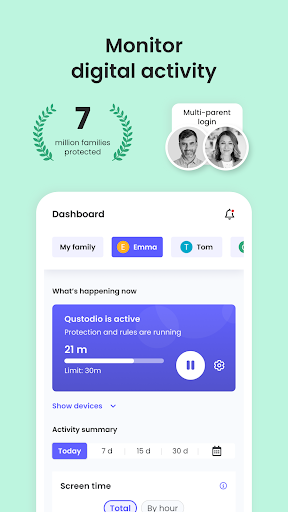
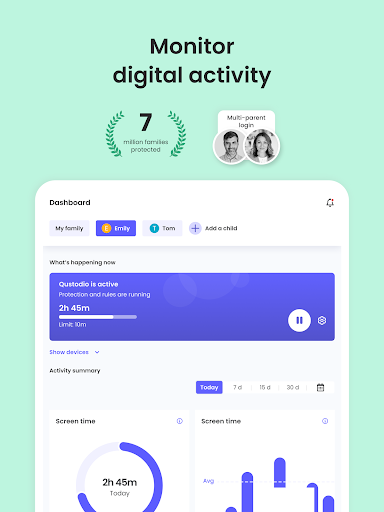
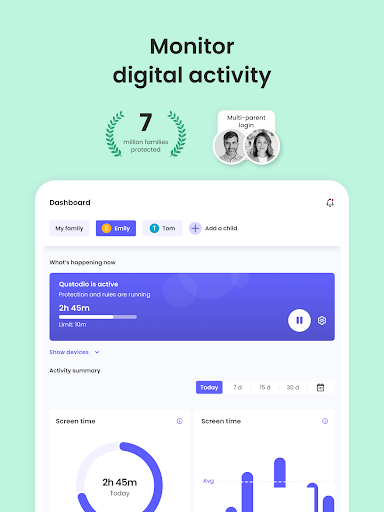
Awarded PC Mag’s Editors’ Choice, Qustodio Parental Control App makes parenting easier with daily screen time limits, app blocking, kid tracking, AI powered search and message alerts, social media monitoring, porn blocking and more.
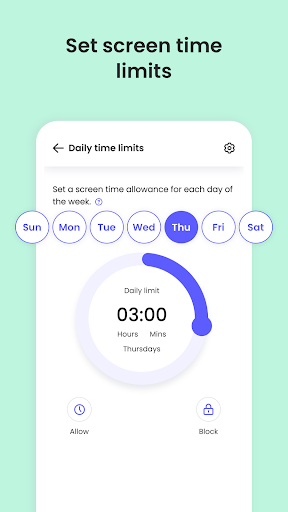
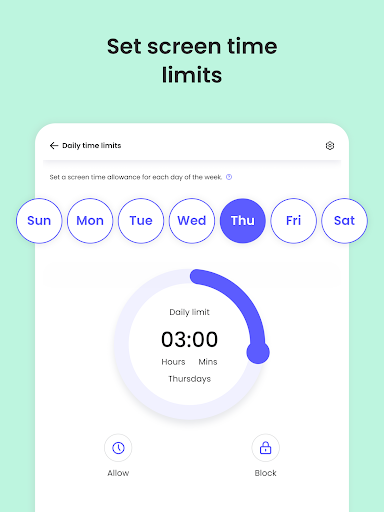
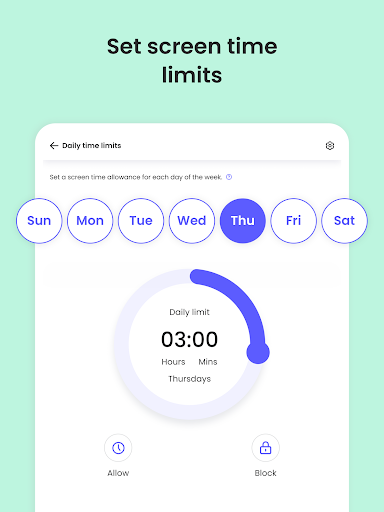
- Screen time limits: Automatically blocks the device after the set time has passed.
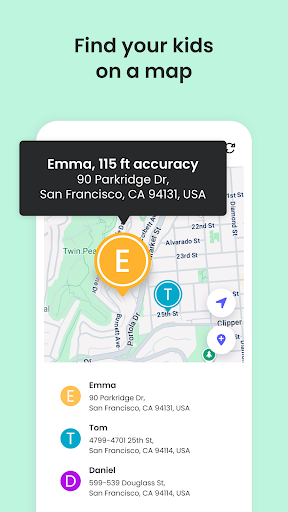
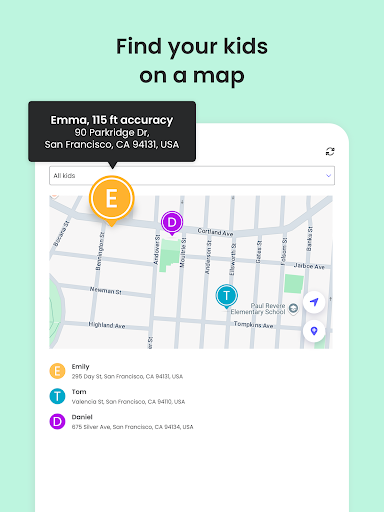
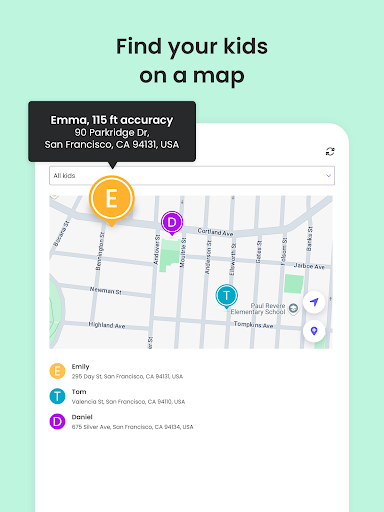
- Family locator & GPS family tracker: Tracks your kid's phone and sends you the GPS location
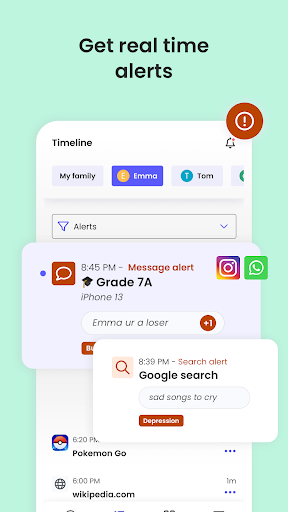
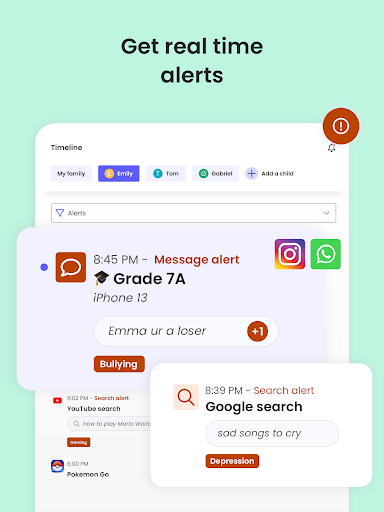
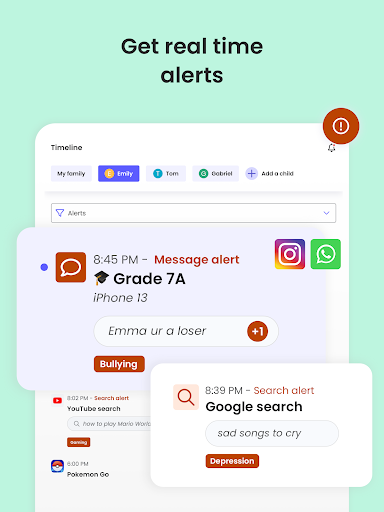
- AI-powered message and search alerts: Monitors and alerts for any suspicious browsing activity, or harmful SMS and social messages.
Start by downloading this Qustodio Parental Control App onto your device. Then download the Kids App Qustodio companion app onto your child’s devices. Together, the apps allow you to seamlessly manage your child’s daily screen time allowance on linked mobile, tablet or desktop devices across platforms including Android, iOS and other major operating systems.
Protect your child’s online safety
✓ Filter content (block games, websites, porn, gambling)
✓ Receive alerts about web activity and blocked websites
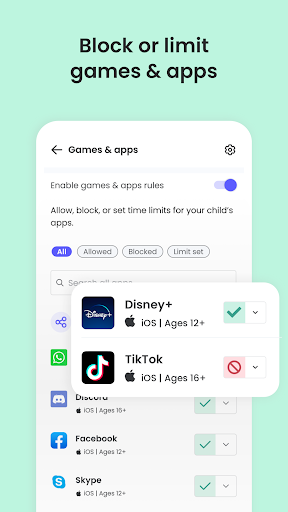
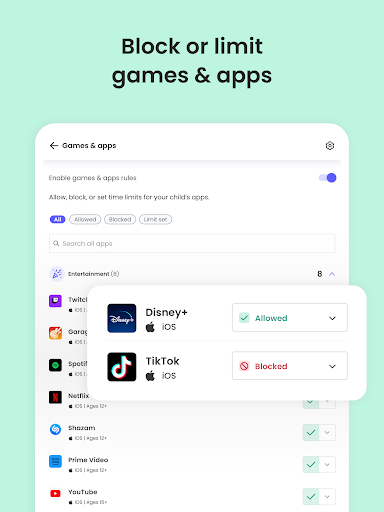
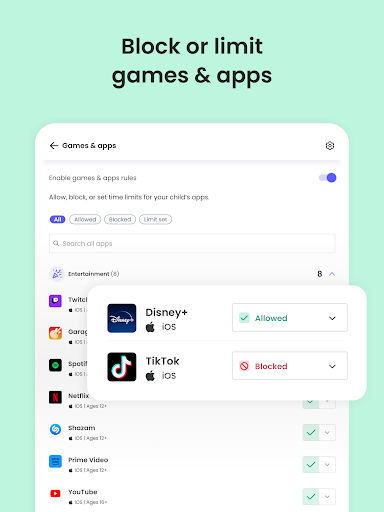
✓ Block games & apps
✓ Enforce safe search
Nurture healthy habits
✓ Set daily screen time limits on all content
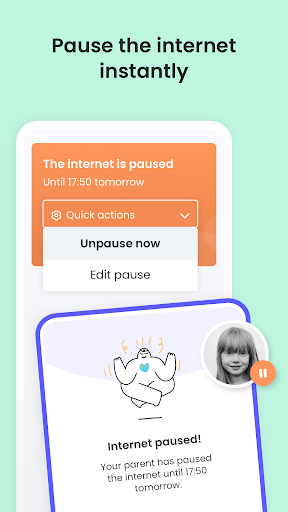
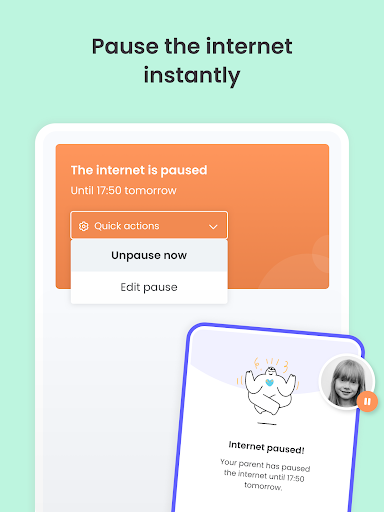
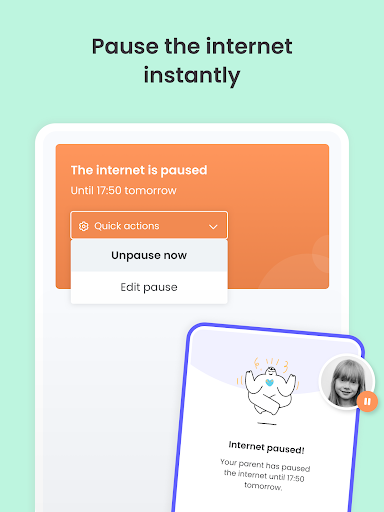
✓ Pause the internet at the touch of a button
✓ Set limits on games & apps
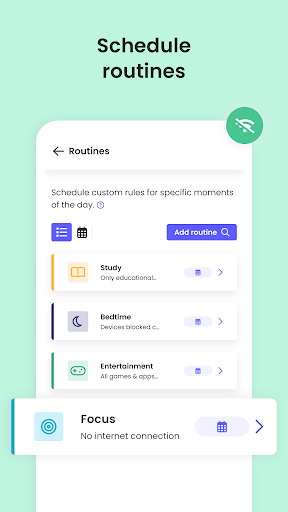
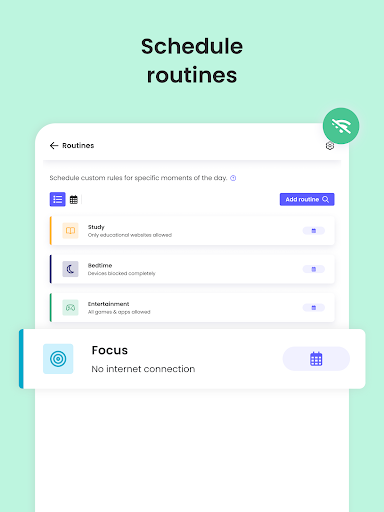
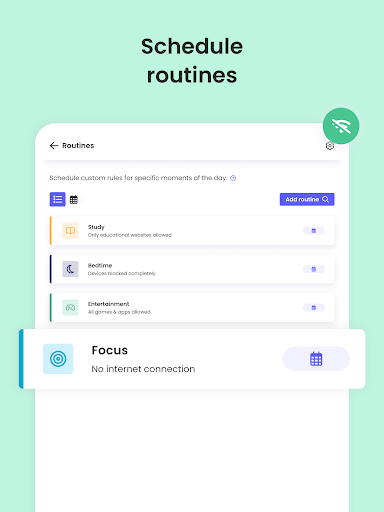
✓ Custom routines for apps and websites
Have full visibility
✓ Receive search alerts
✓ Receive SMS message alerts.
✓ Receive social monitoring alerts. (available WhatsApp, Instagram, and Line)
✓ 30-day online activity reports, as well as daily and weekly reports straight to your inbox
✓Receive app download alerts
✓ Monitor their Youtube activity
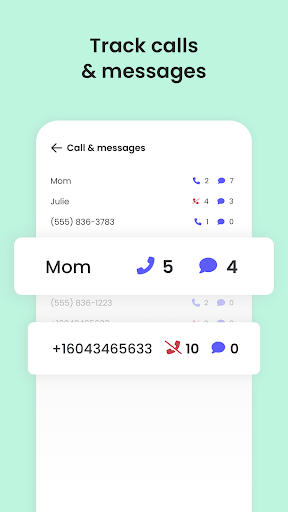
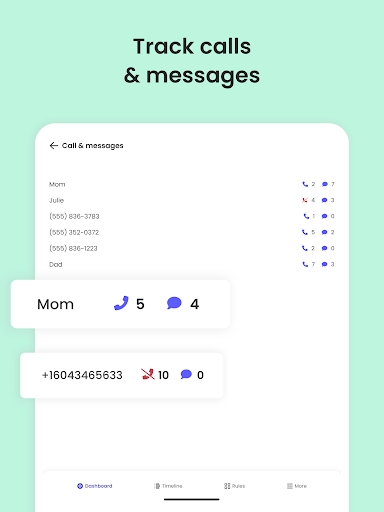
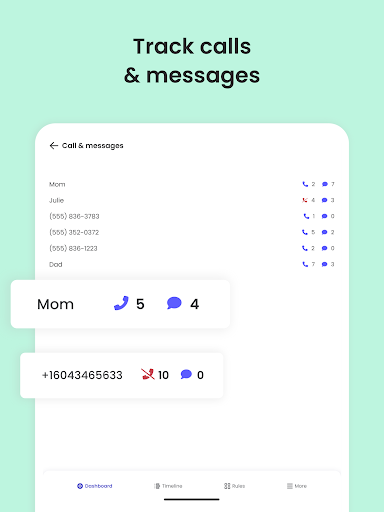
✓ Track and block unwanted calls and SMS messaging
✓ Supervise together: Invite another parent/guardian to monitor and set rules for your child (co-parent)
✓ Monitor on any iOS, Windows, Mac, Android or Kindle device
✓ Get up-to-date app insights
Locate your family
✓ GPS location monitoring (geolocation kid tracker)
✓ Find your child’s phone
✓ Locate kids on the move
✓ Share your location
✓ Save your favourite places
✓ Panic button for your child that can be installed on your child's device
Choose Qustodio’s basic parental control plan to access some of these features, or upgrade to the premium plan for full access to all features
How to protect, block, & monitor screen time with Qustodio Parental Control Apps:
1 – First download Qustodio Parental Control App onto your device (usually your mobile phone or laptop), create an account or log in
2 – Then install Kids App Qustodio on the device you want to supervise
3 – Log in and follow the quick setup instructions
4 – Once done, inappropriate websites will be blocked automatically
5 – To monitor activity and screen time use this Qustodio Parental Control App on a Parent’s device or log in to your online Qustodio Family Screen Time dashboard (https://family.qustodio.com)
Our FAQ:
• Does Qustodio Parental Control family screen time blocker app support Android 8 (Oreo): Yes.
• Does Qustodio family screen time blocker app work on other platforms besides Android? Qustodio can protect Windows, Mac, iOS, Kindle and Android.
• What languages do you support? Qustodio is available in English, Spanish, French, Italian, Portuguese, Dutch, German, Japanese and Chinese.
For support. Contact us here: https://www.qustodio.com/help and [email protected]
Notes:
This app uses the Device Administrator permission. This will prevent a user from uninstalling Qustodio Family Screen Time App without your knowledge.
This app uses Accessibility services to build an excellent device experience that helps users with behavioral disabilities set appropriate levels of access and monitoring of screen time, web content and apps, in order to limit their risks and enjoy life normally.
Troubleshooting notes:
Huawei devices owners: Battery-saving mode needs to be disabled for Qustodio.
- Screen time limits: Automatically blocks the device after the set time has passed.
- Family locator & GPS family tracker: Tracks your kid's phone and sends you the GPS location
- AI-powered message and search alerts: Monitors and alerts for any suspicious browsing activity, or harmful SMS and social messages.
Start by downloading this Qustodio Parental Control App onto your device. Then download the Kids App Qustodio companion app onto your child’s devices. Together, the apps allow you to seamlessly manage your child’s daily screen time allowance on linked mobile, tablet or desktop devices across platforms including Android, iOS and other major operating systems.
Protect your child’s online safety
✓ Filter content (block games, websites, porn, gambling)
✓ Receive alerts about web activity and blocked websites
✓ Block games & apps
✓ Enforce safe search
Nurture healthy habits
✓ Set daily screen time limits on all content
✓ Pause the internet at the touch of a button
✓ Set limits on games & apps
✓ Custom routines for apps and websites
Have full visibility
✓ Receive search alerts
✓ Receive SMS message alerts.
✓ Receive social monitoring alerts. (available WhatsApp, Instagram, and Line)
✓ 30-day online activity reports, as well as daily and weekly reports straight to your inbox
✓Receive app download alerts
✓ Monitor their Youtube activity
✓ Track and block unwanted calls and SMS messaging
✓ Supervise together: Invite another parent/guardian to monitor and set rules for your child (co-parent)
✓ Monitor on any iOS, Windows, Mac, Android or Kindle device
✓ Get up-to-date app insights
Locate your family
✓ GPS location monitoring (geolocation kid tracker)
✓ Find your child’s phone
✓ Locate kids on the move
✓ Share your location
✓ Save your favourite places
✓ Panic button for your child that can be installed on your child's device
Choose Qustodio’s basic parental control plan to access some of these features, or upgrade to the premium plan for full access to all features
How to protect, block, & monitor screen time with Qustodio Parental Control Apps:
1 – First download Qustodio Parental Control App onto your device (usually your mobile phone or laptop), create an account or log in
2 – Then install Kids App Qustodio on the device you want to supervise
3 – Log in and follow the quick setup instructions
4 – Once done, inappropriate websites will be blocked automatically
5 – To monitor activity and screen time use this Qustodio Parental Control App on a Parent’s device or log in to your online Qustodio Family Screen Time dashboard (https://family.qustodio.com)
Our FAQ:
• Does Qustodio Parental Control family screen time blocker app support Android 8 (Oreo): Yes.
• Does Qustodio family screen time blocker app work on other platforms besides Android? Qustodio can protect Windows, Mac, iOS, Kindle and Android.
• What languages do you support? Qustodio is available in English, Spanish, French, Italian, Portuguese, Dutch, German, Japanese and Chinese.
For support. Contact us here: https://www.qustodio.com/help and [email protected]
Notes:
This app uses the Device Administrator permission. This will prevent a user from uninstalling Qustodio Family Screen Time App without your knowledge.
This app uses Accessibility services to build an excellent device experience that helps users with behavioral disabilities set appropriate levels of access and monitoring of screen time, web content and apps, in order to limit their risks and enjoy life normally.
Troubleshooting notes:
Huawei devices owners: Battery-saving mode needs to be disabled for Qustodio.
What's New
Hi Parents!
We've made more improvements and fixed some minor bugs to make your Qustodio experience even better. As always, we recommend that you enable auto-updating in the Play Store so both your and your kids' apps are always up-to-date.
The Qustodio Team
We've made more improvements and fixed some minor bugs to make your Qustodio experience even better. As always, we recommend that you enable auto-updating in the Play Store so both your and your kids' apps are always up-to-date.
The Qustodio Team
App Information
Version Name
182.23.2
Version Code
1822302
File Size
38.2 MB
Minimum OS
Android 7.0+
Target SDK
Android 33
Developer
Qustodio LLC
Contact
Website
Content Rating
Everyone
Package Name
com.qustodio.family.parental.control.app.screentimePermissions Required
This app may request the following permissions:
Recent Reviews

Telisa Moeckli-Hunt
1.0★
Glitchy! This app is awful! We have spent 3 days trying to get around all the glitches. I have two kids, and the app will only allow me to track one kids device saying the others need to be installed (despite it already being installed). If I uninstall both my app and the missing phones app, which is a loong and glitchy process with pop-ups that won't allow you to get around them, then I can track that kids phone but not the other! So many other problems, I can't write them all!!

Angela Urquhart
2.0★
Very disappointed. Not very user friendly, too complicated to set up or change restrictions. Inconsistent with when the features work, not working at all, or blocking things I have not restricted. In my case it is not worth it to pay for an app that can not function as intended. The app was used on an older Samsung phone, I'm not sure if that added to the technical problems but I'm not going to buy a new phone just to restrict my child's time on his device.

c K
1.0★
Useless 2 day trial I followed the directions for each device and couldn't get it to go from signing me up to actually setting the devices up for monitoring. It also defaults the very first device you sign up in as the control device. I came across the app while checking the new apps the school sent across his device. When I signed in on my phone, it wanted his device to monitor mine. No option to fix it. the help center is only available if you buy app but the sample never worked!

Bekki Guthrie
1.0★
Absolutely worthless! I've paid the $55/yr for 4 yrs, and none of the issues have been fixed. Even with safeguards in place, my kids can still use locked devices, watch porn, play restricted games, download anything, etc. You get a notification that child x used it for the first time, but it doesn't auto-block. To block/limit apps, it's 1 at a time. There's no option check/uncheck all. There's no way to delete any apps that are not on the kid devices anymore, so the list gets stupidly long.

Sean Purcell
2.0★
So frustrating. We (struggle to) use Q to keep our child from distracting websites during school and homework on Mac. But Q's website logging & blocking is very unreliable. Ex: today it just stopped logging or blocking twitch.tv. And sometimes it just stops altogether for days without alerting me. Support's typical answer is to reinstall Q to make sure it's on the latest version, but there's no way to see if it's already on the latest version. (And we're on the max subscription fee!)

Michael Bisceglia
1.0★
Had it for over a year. Had issues throughout the whole time. Customer service tried to be helpful but you can't help a poor quality app. Location tracking was spotty and very inaccurate. Doesn't work in conjunction with screen time for Apple. My kid figured out regularly how to bypass its settings. I even purchased a laptop and installed an extra program of theirs to supposedly stop that issue. Didn't work. Absolutely terrible and a complete waste of time. I put in A LOT of effort too.
Ad slot: In-Content