

FXCalc Scientific Calculator
com.razorscript.FXCalc
by RazorScript
Screenshots
Ad slot: Top Leaderboard
About this app
UPDATE: As I have not been maintaining this app for years, I've decided to make it open source under the GNU General Public License v3.0. If someone is interesting to become a maintainer or a contributor, send me an email.
The full source code is now available on GitLab: https://gitlab.com/razorscript/fxcalc
The app was built with Adobe AIR SDK and the Feathers UI library. Both are now quite outdated. It would probably take not too much effort to update the app to use a recent version of AIR SDK from HARMAN (the current maintainer of AIR).
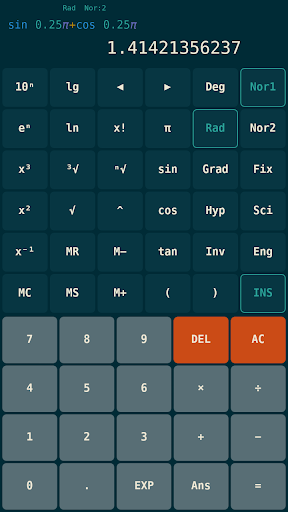
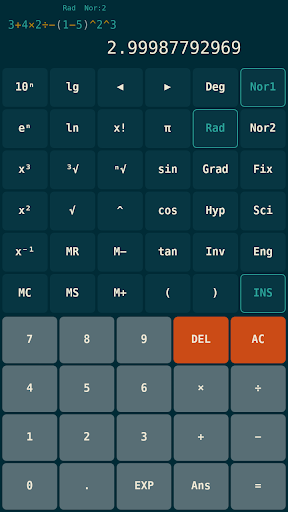
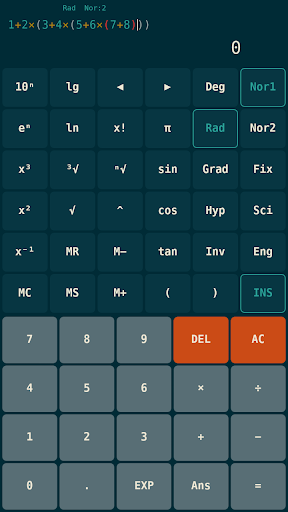
FXCalc is an accurate formula scientific calculator with a modern look.
Enter a mathematical expression and use the equals button to evaluate it, carrying out calculations in sequence determined by common mathematics order of operations.
Note: The app is fully free and doesn't have any ads.
The expressions and their results are stored in the calculation history. To go back and forward in history, use the up and down arrow buttons.
To start editing the displayed formula, use the left or right arrow button. When editing a formula, use these buttons or tap anywhere within the formula to move the caret.
To clear the current formula, use the AC button. When viewing a formula, you can also just start entering a new expression without clearing the old one.
To switch between the insert and replace modes, use the INS toggle button.
The calculation results can be displayed in different formats.
To display results in normal (fixed point) notation, use either Nor1, Nor2, or Fix buttons.
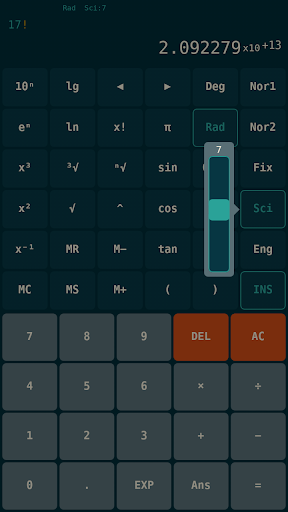
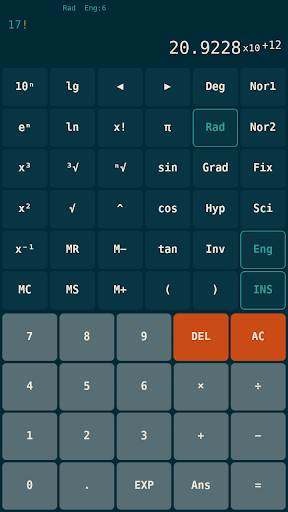
To display results in scientific (exponential) notation, use either Sci or Eng buttons.
To adjust the number of digits to display, long-press the button (except Nor2) then use the slider.
The angles (e.g. for trigonometric functions) can be expressed in either Degrees, Radians or Grads. To cycle between angle units, use the DRG button.
To access the hyperbolic and inverse trigonometric functions, use the hyp and inv toggle buttons.
Currently, two variables are available to use, additional variables will be added later.
The answer variable (Ans) is a special variable that contains the result of the last successful calculation. To recall it's value, use the Ans button.
The memory variable (M) is a general purpose variable with dedicated buttons
To set, recall and clear (set to zero) the memory variable, use the MS, MR and MC buttons.
To increase or decrease the value of the memory variable by the current value, use the M+ and M- buttons.
The display precision is limited to at most 12 decimal digits, the decimal exponent range is limited to [-99; 99].
Internally, the calculator uses IEEE 754 double precision floating point arithmetic, allowing representation of numbers with a decimal exponent range of [-308; 308] with 15–17 decimal digits precision.
Bug reports, feature requests and other suggestions are welcome. Don't hesitate to contact me.
If you'd like to test the latest features early, join the beta program:
https://play.google.com/apps/testing/com.razorscript.FXCalc
What's New
Minor bugfix release
Bug fixes:
• Fixed issue with formula error callout not disappearing.
Please e-mail us if you find any issues with this release.
Bug fixes:
• Fixed issue with formula error callout not disappearing.
Please e-mail us if you find any issues with this release.
App Information
Version Name
0.2.1
Version Code
2001
File Size
12.6 MB
Minimum OS
Android 2.2+
Target SDK
Android 17
Developer
RazorScript
Contact
Website
Content Rating
Everyone
Package Name
com.razorscript.FXCalcPermissions Required
This app may request the following permissions:
Recent Reviews

A Google user
5.0★
This app is so underrated. This is the best scientific calculator app I had ever seen. A free app with clean UI, no ads at all and providing most of the real scientific calculator's functions. It would be awesome if the developers also include other functions like converter, solving equations, matrix mode etc.
A Google user
5.0★
Love this calculator! Beutiful design! I'd love to have haptic feedback on the buttons though. Also a conversion into this format of degrees: 90° 00' 00" would be super nice.
A Google user
4.0★
Great calculator so far. Lost my casio fx 991ex. I was wondering is there any way you guys could add a function fir radian mode. It's huge part of alevel maths. Also any customers who have used it, do you think it's a suitable alternative of Casio fx 991ex calc.

Alan Squire
4.0★
Simple, clear layout. No need for a shift/FN button. But it takes up 40 MB of internal storage! Any way it could be slimmed down a bit?
A Google user
3.0★
It was a great app but, I don't know how to put a formula like the Hypergeomteric Formula from Statistics and Probability Textbook.
A Google user
5.0★
One of the best app in play store i personally believe its best and must for every engineering student.. Thank you developers
Ad slot: In-Content