
Universal remote control
com.remote.universal.view
by AppAgency Labs
Screenshots




Ad slot: Top Leaderboard
About this app
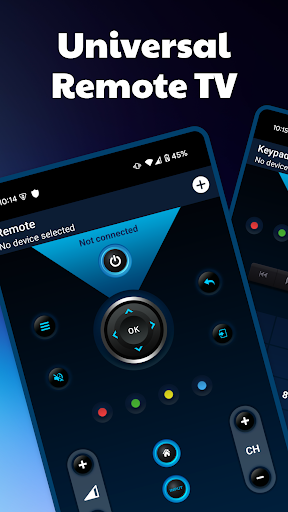
This application is a virtual remote control that allows you to control your connected TV (Smart TV) from your smartphone. The app is completely free and can replace your standard TV remote control.
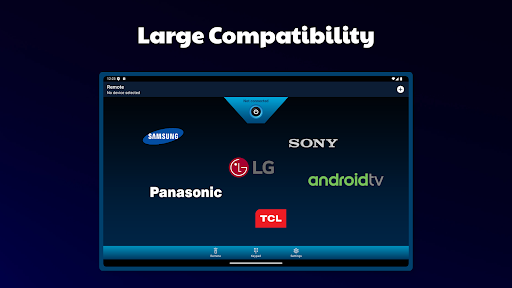
The app supports the biggest TV brands like Samsung Smart TV (2014 H series, 2015 J series, 2016 K series, 2017 Q M series, 2018 N series, 2019+), LG WebOs, Sony Bravia (XBR, KD, KDL), Philips (xxPFL5xx6 - xxPFL9xx6), Panasonic, Telefunken and Grundig.
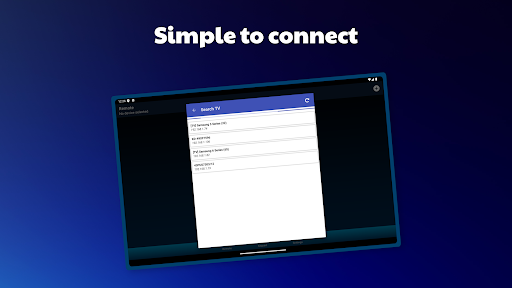
To use your remote control, your smartphone/tablet must be on the same Wi-Fi network as your TV. Detection of your TV will be automatic and, depending on the model of your TV, you will have to accept the message that will appear on your TV screen. Since the app works on your home network, you do not have to be close to the TV.
In addition to the faithful visual representation of the remote control, you can use all the functions of the remote control very simply.
Here is a list of the available functions:
- Increase/decrease the volume
- Change the channel
- Use the navigation pad
- Use the functions of the media player
- Smart TV, info, guide, return functions
- And more ...
If you have any comments or questions, please write to us!
Warning:
This application is not an official app of Samsung, LG, Sony, Philips, Panasonic, Telefunken or Grundig. We are in no way connected with these companies.
The app supports the biggest TV brands like Samsung Smart TV (2014 H series, 2015 J series, 2016 K series, 2017 Q M series, 2018 N series, 2019+), LG WebOs, Sony Bravia (XBR, KD, KDL), Philips (xxPFL5xx6 - xxPFL9xx6), Panasonic, Telefunken and Grundig.
To use your remote control, your smartphone/tablet must be on the same Wi-Fi network as your TV. Detection of your TV will be automatic and, depending on the model of your TV, you will have to accept the message that will appear on your TV screen. Since the app works on your home network, you do not have to be close to the TV.
In addition to the faithful visual representation of the remote control, you can use all the functions of the remote control very simply.
Here is a list of the available functions:
- Increase/decrease the volume
- Change the channel
- Use the navigation pad
- Use the functions of the media player
- Smart TV, info, guide, return functions
- And more ...
If you have any comments or questions, please write to us!
Warning:
This application is not an official app of Samsung, LG, Sony, Philips, Panasonic, Telefunken or Grundig. We are in no way connected with these companies.
What's New
Updated SDKs for security, performance and stability improvements.
App Information
Version Name
2.5.0
Version Code
250
File Size
10.4 MB
Minimum OS
Android 6.0+
Target SDK
Android 33
Developer
AppAgency Labs
Contact
Website
Content Rating
Everyone
Package Name
com.remote.universal.viewPermissions Required
This app may request the following permissions:
Recent Reviews

A Google user
5.0★
After 2 days of searching I find this app and it's the best all I had to do is download it then it searched for a connection to a device and it actually found my TV unlike the 20+ other apps that can't and when it connected to my LG SMART TV WEBOS it was god sent help thank you very much
A Google user
5.0★
Amongst all the "TV REMOTE" apps on the play store. I found this was the only one that worked. Great UI and simple. Should be higher rated.

mezo shokair
4.0★
Very good app but the navigation buttons (up/down/left/right) is very small, Hope you fix it or just add button customization

Sonic T. Hedgehog
5.0★
A perfect Universal Remote that works flawlessly. Lose the remote? Perfect alternative.

Georgia
5.0★
ONLY game in the play store that will work, connects so quickly, definitely worth it!!
Han 1970
5.0★
Brilliant app the only one that connected to my smart tv out of 5 others i ended up uninstalling.
Ad slot: In-Content