

Text Fairy (OCR Text Scanner)
com.renard.ocr
by Renard Wellnitz
Screenshots


Ad slot: Top Leaderboard
About this app
• Free
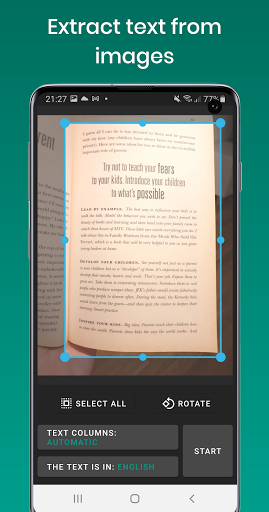
• Extract text from images.
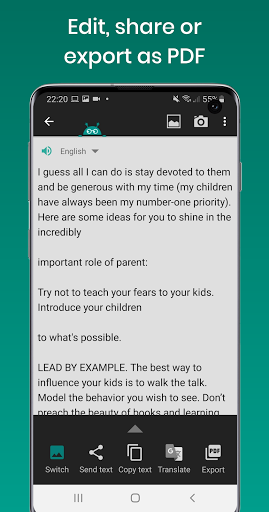
• Edit, share, or export as PDF
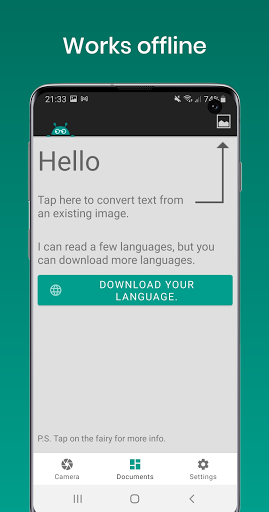
• Works offline to protect your privacy.
• Reads text out loud. (Text-to-speech, TTS)
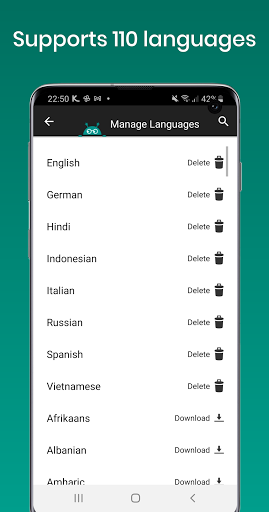
• Recognizes printed text from more than 110 languages.
• Scan documents with text in multiple languages.
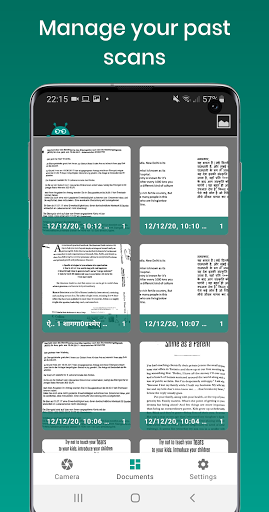
• Manage your scanned files (edit, join, delete)
• Automatically cleans up the image, corrects the viewpoint and straightens text lines
• Automatically detects text columns in complex documents.
Please bear in mind that Text Fairy cannot read handwriting.
We’d love to hear your feedback: [email protected]
Follow us on social media for news & updates.
www.facebook.com/textfairy
www.instagram.com/text_fairy
• Extract text from images.
• Edit, share, or export as PDF
• Works offline to protect your privacy.
• Reads text out loud. (Text-to-speech, TTS)
• Recognizes printed text from more than 110 languages.
• Scan documents with text in multiple languages.
• Manage your scanned files (edit, join, delete)
• Automatically cleans up the image, corrects the viewpoint and straightens text lines
• Automatically detects text columns in complex documents.
Please bear in mind that Text Fairy cannot read handwriting.
We’d love to hear your feedback: [email protected]
Follow us on social media for news & updates.
www.facebook.com/textfairy
www.instagram.com/text_fairy
App Information
Version Name
5.4.1
Version Code
1060
File Size
51.6 MB
Minimum OS
Android 5.0+
Target SDK
Android 34
Developer
Renard Wellnitz
Contact
Website
Content Rating
Everyone
Package Name
com.renard.ocrPermissions Required
This app may request the following permissions:
Recent Reviews

Faraday Sage
5.0★
previous review in 2018 had an error. just tried the most recent version today and used it on a string of binary. I had a problem until I enlarged the binary as much as I could and filled my phone screen with it, this is how I have to do this lol. 1 mm more made all the difference. I can manually select the text from the app and copy it but the app doesn't recognize the numbers after it converts them, it says there's no text (because it's just numbers?). thank you sir, five stars from one!

A Google user
5.0★
a few mistakes here and there. I'm using it to convert an entire textbook so I can make it an audiobook. best app ever, so easy. I would love to contribute $5 for this. I just wanted to add, other apps seem to do better in getting the correct text but this one has the best options to select what text you want on a page and to retain the formatting. It's kind of a trade-off.

James
5.0★
Absolutely perfect! It's FREE, DOES WHAT IT SAYS, no muss no fuss, quickly, and without making you jump through hoops! And it's less than 10 megabytes! AND it presents its results in a simple text box that can easily be edited, cut and pasted into anything you want! No bloat, no unnecessary and unneeded "features"! Just a simple but excellent app! Just like the good old-fashioned shareware model! How did Google let this on its web store? Must be some kind of mistake! HIGHLY RECOMMENDED!
A Google user
5.0★
I needd to capture text and copy it into notes. This app is very user friendly (I tried another app first and couldn't figure it out) and it did exactly what I needed it to do. It could not read italicized words within normal text and had some difficulty with text marked by hand (it tries to read stars, for instance, as part of the text ) but overall it is a huge time saver and very easy/quick to use.

David Rensberger
5.0★
A superb little app that does one thing and does it very well. Point your camera at a book or magazine or other printed text, snap a pic, crop it to the part you want, and the text is captured and available to share, copy, or export to PDF. It can also capture text from existing images. V. 5 updates the interface and makes other small improvements. Perfect for students and researchers.
A Google user
5.0★
Very easy and effective. Need to correct 5 to 10 words per page. When using 10 point font. Errors stand out so it is not hard to address them. Use natural lighting, flashes and placing document directly under a lay can increase the number of errors. Can capture screen by taking a picture of the screen but less effective than capturing a paper document.
Ad slot: In-Content