

Password Safe and Manager
com.reneph.passwordsafe
by Robert Ehrhardt
Screenshots

Ad slot: Top Leaderboard
About this app
Annoyed of forgetting your access data for hundreds of services, apps and co.?
Do you want a secure way of storing and organizing all your passwords instead of writing them down on a sheet of paper?
Password Safe and Manager is the best solution for you!
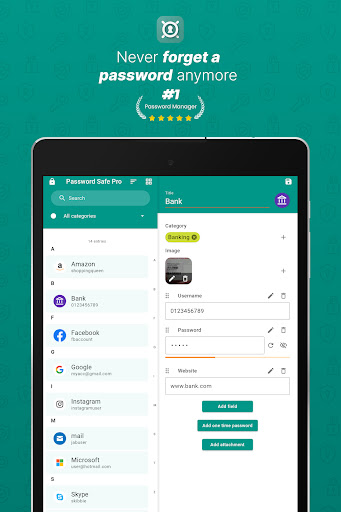
Password Safe and Manager stores and manages all your entered data in an encrypted way, so you have a secure storage of your access data and you only have to remember your master-password. This password manager allows you to manage and keep track about all your sensitive data, which are stored completely encrypted and safe by using one password. The encryption which is used for protecting your data vault in this Password Manager is based on the strong Advanced Encryption Standard (AES) 256bit.
You can trust Password Safe 100% as it does not have any access to the internet.
Note, the password manager is totally offline for security and privacy reasons, so it has NO automatic sync-feature, because of the missing internet-permissions.
To share the vault, upload/backup the database to any cloud service like Dropbox or similar and import it from there on another device, which is super easy yet, you can use the inbuilt export/import functionality to transfer the secure database.
Essential functions of the Password Manager at a glance
🔐 secure storage and management of your passwords, pins, accounts, access data, etc.
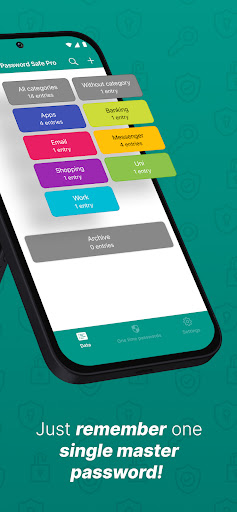
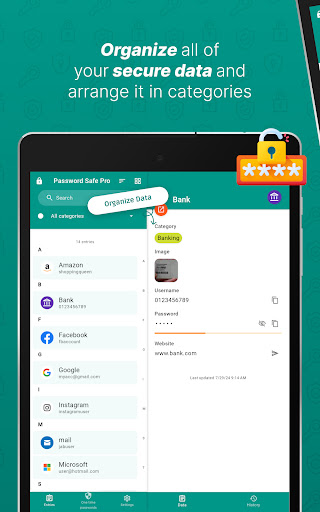
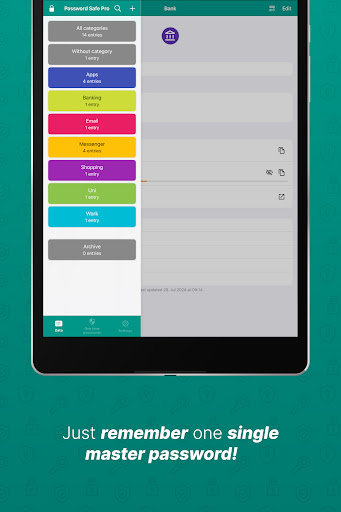
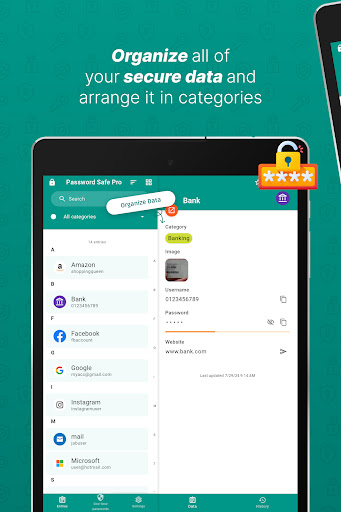
🔖 categorize your entries in the Password Safe
🔑 access via one single master-password
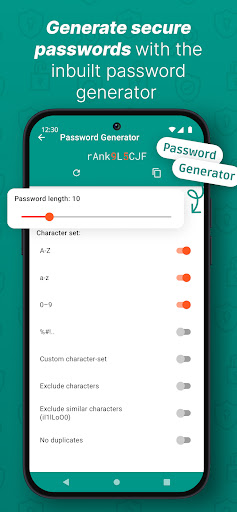
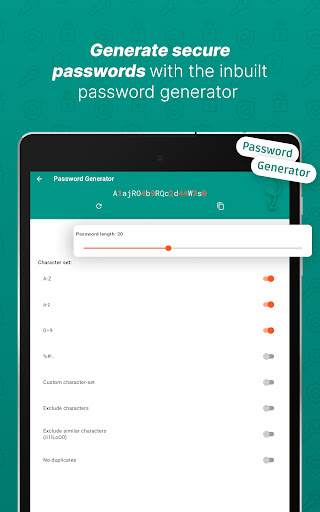
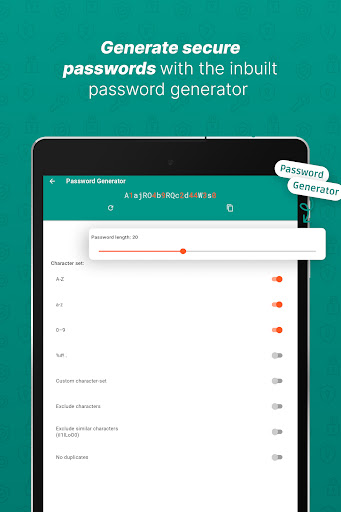
🛡️ Password Generator for creating secure passwords
💾 backup and restore the encrypted database
🎭 customizability of the user interface of the password manager
📊 statistics
⭐ Favor most used entries
🗑️ automatic clearing of the clipboard (some restriction on some devices)
🗝️ Password Generator-widgets
💽 local auto-backup
📄 csv-import/export
💪 password strength indicator
⚙️ no unnecessary Android rights
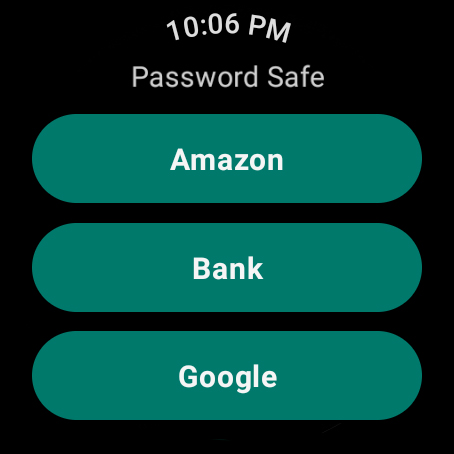
⌚ Wear OS App
Further features of the pro version
👁️ biometric login (e.g. fingerprint, face unlock etc.)
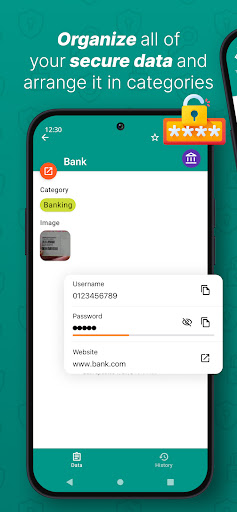
🖼️ attach images to entries
📎 Add attachments to entries
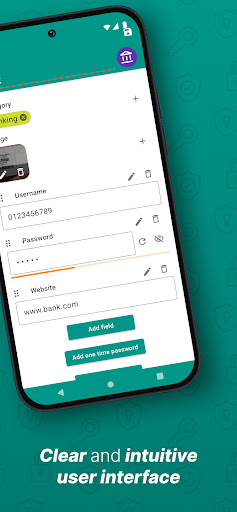
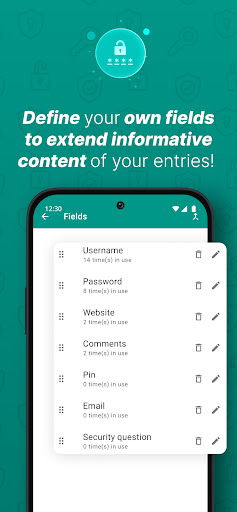
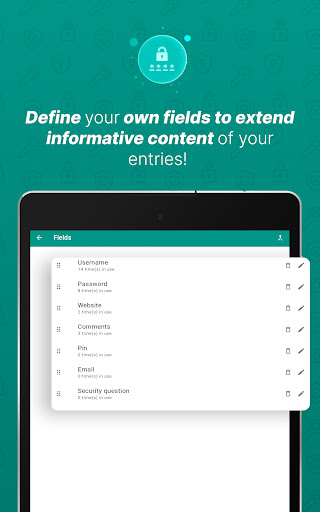
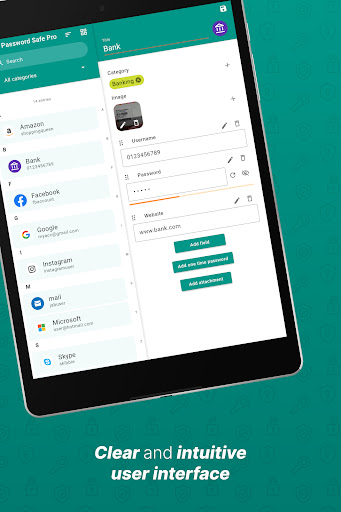
🗃️ own entry-fields can be defined, reordered and used more than once
📦 archive entries
🗄️ define multiple categories for an entry
🧾 see password history
🏷️ mass assign entries to category
🗒️ import/export from/to excel table
🖨️ export to pdf / print
⏳ automatic logout after specific time and when screen turned off
🎨 further designs
💣 self-destruction
EASE OF USE
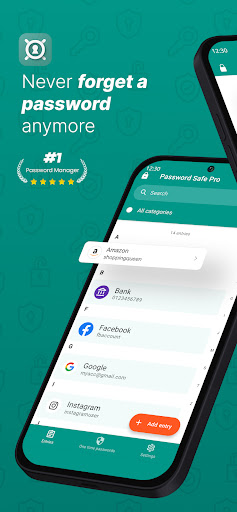
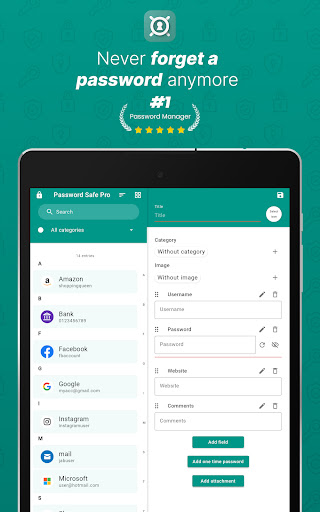
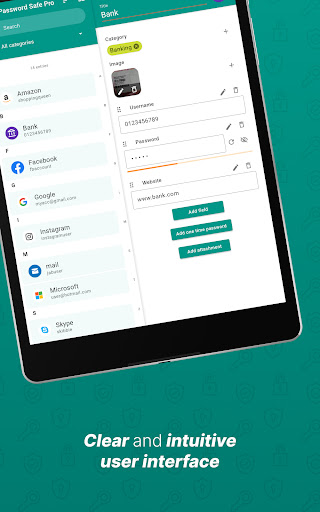
Just remember only one single password and get access to all of yours! Its intuitive design helps you to manage your data easily and efficiently.
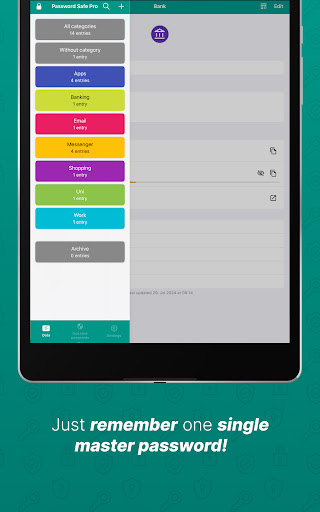
Use categories to organize your entries, which makes it super easy to arrange and to find specific content.
Use your fingerprint to comfortably login to the app and get to your credentials fast and secure.
SECURITY
Security is guaranteed by the used 256bit strong Advanced Encryption Standard.
No idea about a new strong password? Simply create a new and secure one within the app.
CUSTOMIZATION
Bored of standard user interface settings? Password Safe and Manager offers you several options to customize the user interface to your needs.
INSIGHTS
Want to get some insights? What passwords are used most often? Which are too short? Check the statistics within this Password Manager!
DATA SOVEREIGNTY
Just you are handling your data.
There is no reason to fear any data leak, hacked server data or similar as the Password Manager is totally offline. You nonetheless have the opportunity to backup your data and restore them easily.
Note that the data in this password manager are completely encrypted, so a recovery of any data or reset of master password is not possible if the original master password has been lost.
Do not hesitate to contact me if you found bugs, want to help me translate Password Safe into other languages, have any feature requests, problems or something like that :)
Do you want a secure way of storing and organizing all your passwords instead of writing them down on a sheet of paper?
Password Safe and Manager is the best solution for you!
Password Safe and Manager stores and manages all your entered data in an encrypted way, so you have a secure storage of your access data and you only have to remember your master-password. This password manager allows you to manage and keep track about all your sensitive data, which are stored completely encrypted and safe by using one password. The encryption which is used for protecting your data vault in this Password Manager is based on the strong Advanced Encryption Standard (AES) 256bit.
You can trust Password Safe 100% as it does not have any access to the internet.
Note, the password manager is totally offline for security and privacy reasons, so it has NO automatic sync-feature, because of the missing internet-permissions.
To share the vault, upload/backup the database to any cloud service like Dropbox or similar and import it from there on another device, which is super easy yet, you can use the inbuilt export/import functionality to transfer the secure database.
Essential functions of the Password Manager at a glance
🔐 secure storage and management of your passwords, pins, accounts, access data, etc.
🔖 categorize your entries in the Password Safe
🔑 access via one single master-password
🛡️ Password Generator for creating secure passwords
💾 backup and restore the encrypted database
🎭 customizability of the user interface of the password manager
📊 statistics
⭐ Favor most used entries
🗑️ automatic clearing of the clipboard (some restriction on some devices)
🗝️ Password Generator-widgets
💽 local auto-backup
📄 csv-import/export
💪 password strength indicator
⚙️ no unnecessary Android rights
⌚ Wear OS App
Further features of the pro version
👁️ biometric login (e.g. fingerprint, face unlock etc.)
🖼️ attach images to entries
📎 Add attachments to entries
🗃️ own entry-fields can be defined, reordered and used more than once
📦 archive entries
🗄️ define multiple categories for an entry
🧾 see password history
🏷️ mass assign entries to category
🗒️ import/export from/to excel table
🖨️ export to pdf / print
⏳ automatic logout after specific time and when screen turned off
🎨 further designs
💣 self-destruction
EASE OF USE
Just remember only one single password and get access to all of yours! Its intuitive design helps you to manage your data easily and efficiently.
Use categories to organize your entries, which makes it super easy to arrange and to find specific content.
Use your fingerprint to comfortably login to the app and get to your credentials fast and secure.
SECURITY
Security is guaranteed by the used 256bit strong Advanced Encryption Standard.
No idea about a new strong password? Simply create a new and secure one within the app.
CUSTOMIZATION
Bored of standard user interface settings? Password Safe and Manager offers you several options to customize the user interface to your needs.
INSIGHTS
Want to get some insights? What passwords are used most often? Which are too short? Check the statistics within this Password Manager!
DATA SOVEREIGNTY
Just you are handling your data.
There is no reason to fear any data leak, hacked server data or similar as the Password Manager is totally offline. You nonetheless have the opportunity to backup your data and restore them easily.
Note that the data in this password manager are completely encrypted, so a recovery of any data or reset of master password is not possible if the original master password has been lost.
Do not hesitate to contact me if you found bugs, want to help me translate Password Safe into other languages, have any feature requests, problems or something like that :)
What's New
- add possibility to share entries
- add possibility to share otp qr code
- updates used encryption algorithms for more security.
IMPORTANT: A database used with this and later versions is not backward compatible and needs app version >= v8.3.0
- fixes rare crashes
- Android 16 adjustments
The app is an offline product. It is not possible to do an automatic sync or backup/restore. Don't forget to make proper backups regularly! We will not be responsible for any data loss!
- add possibility to share otp qr code
- updates used encryption algorithms for more security.
IMPORTANT: A database used with this and later versions is not backward compatible and needs app version >= v8.3.0
- fixes rare crashes
- Android 16 adjustments
The app is an offline product. It is not possible to do an automatic sync or backup/restore. Don't forget to make proper backups regularly! We will not be responsible for any data loss!
App Information
Version Name
4.3.2
Version Code
43200
File Size
11.5 MB
Min SDK
Android 15+
Target SDK
Android 23
Developer
Robert Ehrhardt
Contact
Website
Content Rating
Everyone
Package Name
com.reneph.passwordsafePermissions Required
This app may request the following permissions:
Recent Reviews

Meghan Smith
5.0★
I've been using this app for I don't even know how many years now. It has no internet access, which for me is a big plus. Just be sure to make a backup every now and then. I plan to upgrade to the pro version soon cause I want to support the devs, and pro adds some QOL features. However, everything you'll need is in the free app including categories, a password generator, and the free version seems to let you add unlimited passwords. If there is a limit I haven't hit it yet and I have around 150

Craig Metzger
3.0★
Excellent product, BUT! (Update) I am dropping my evaluation to e stars(because there isn't a 3.5 star rating. Bottom line, I have a paid version (pro) but every time I open the app, a message displays telling me to turn on notifications. I DON'T WANT NOTIFICATIONS FROM THIS APP!! But I have to see a banner telling me to turn them on! (NO!) If this persists, I will drop my rating to a 2 and find a new app. I didn't pay money to be told how to set up my phone! 😡

Clyde Suggs
5.0★
This app is what I was searching for. Not only is a password manager, but you can also import screenshots and photos in the entries. That is great for taking photos of membership cards, credit cards, cards with bar codes or anything you have that you need to keep. Data is encrypted and stays on your phone. (I send a copy of my data file to a cloud drive now and then as a precaution for my phone in case something should happen to my phone).

B
5.0★
I like this app because I'm in control. I used free version, then paid one time fee for pro because I wanted biometric login. I like that I can take screen shots, I can import and export with either their encrypted files or I can import export with plain unencrypted files (because it's my data and I'll decide how to manage, store, copy, etc). The tech support responds to my emails, which I appreciated too.

Trevor Strahan
5.0★
I love this app! It is easy and simple to use. Of course I spent the few bucks to upgrade! I work in an industry that requires constant and uncoordinated password updates. I also have my personal passwords to manage as well. This app lets me group my passwords, logins and site locations into easily managable groups. I definitely suggest getting the pro version! A couple of bucks and you have backup, biometric logins and more. Save your IT team a call and get it. Don't be a headache for nothing

Gary Bittner
4.0★
I'm giving this 4* for now, as I've just started using it. It's mirroring my written password book as I judge it. For work, I need multiple different passwords for different systems. This app has a 'custom' character option for generating passwords, but you have to enter ALL the characters. In my case, I can typically use all upper and lower letters, and numbers, but only a handful of special characters. It would be helpful to have an option to specify a handful of specials with the others.
Ad slot: In-Content