

Installer Pro - Install APK
com.rhythm.hexise.inst.pro
by Rhythm Software
Screenshots



Ad slot: Top Leaderboard
About this app
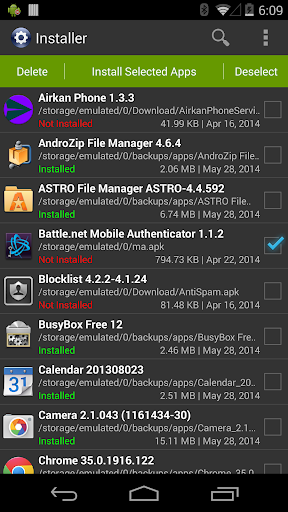
Full featured installer with tiny size, user friendly design and high performance. Scan and install market and non-market apps easily from your SD card.
Features:
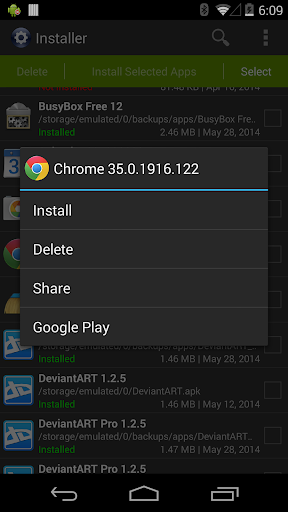
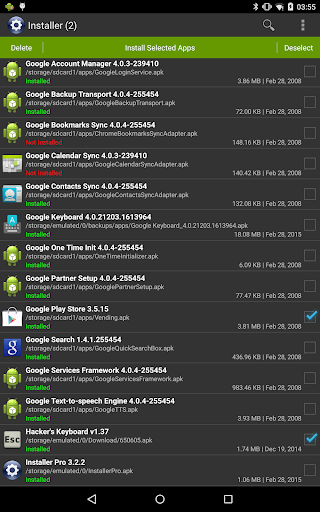
* Install and delete applications from SD card.
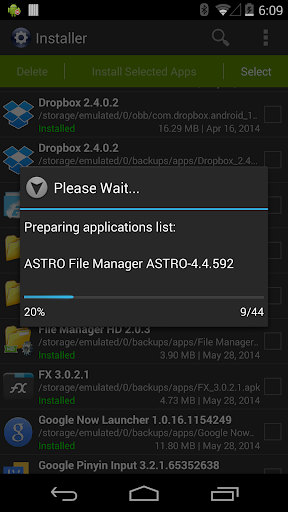
* Auto-scan all APK files from SD card. Use built-in cache mechanism to improve performance, avoid scan over and over again.
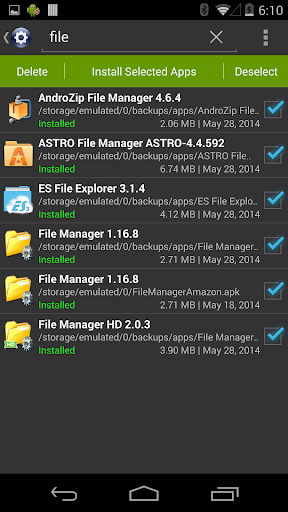
* Support batch mode for multiple APK install and delete.
* Show full application information including name, version, path, size and date.
* Instantly search applications by name.
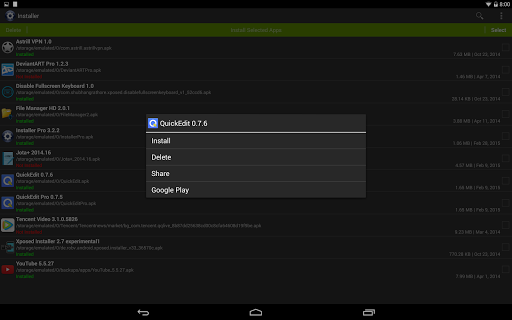
* Share application to friends through multiple ways such as Gmail, Bluetooth, etc.
* Search application information directly from Google Play.
* Show installation status of each APK file:
- Installed: This APK application has been installed on your device.
- Update: This APK application version is newer than current one on your device.
- Not Installed: This APK application has not been installed on your device.
* Ad-free version.
Usage Guide:
This application is very straight forward. For first launch it will search all APK files which stored on your SD card and display them for you to install. For other launches it will load application information automatically from cache to save plenty of time. Click refresh button in option menu to rebuild the cache if SD card content changed when necessary.
Any comment is welcomed and appreciated, please send to [email protected].
Enjoy it.
Features:
* Install and delete applications from SD card.
* Auto-scan all APK files from SD card. Use built-in cache mechanism to improve performance, avoid scan over and over again.
* Support batch mode for multiple APK install and delete.
* Show full application information including name, version, path, size and date.
* Instantly search applications by name.
* Share application to friends through multiple ways such as Gmail, Bluetooth, etc.
* Search application information directly from Google Play.
* Show installation status of each APK file:
- Installed: This APK application has been installed on your device.
- Update: This APK application version is newer than current one on your device.
- Not Installed: This APK application has not been installed on your device.
* Ad-free version.
Usage Guide:
This application is very straight forward. For first launch it will search all APK files which stored on your SD card and display them for you to install. For other launches it will load application information automatically from cache to save plenty of time. Click refresh button in option menu to rebuild the cache if SD card content changed when necessary.
Any comment is welcomed and appreciated, please send to [email protected].
Enjoy it.
What's New
* Updated to target Android 14.
App Information
Version Name
3.2.2
Version Code
28
File Size
1.0 MB
Minimum OS
Android 5.0+
Target SDK
Android 21
Developer
Rhythm Software
Contact
Website
Content Rating
Everyone
Package Name
com.rhythm.hexise.inst.proPermissions Required
This app may request the following permissions:
Recent Reviews

Barry Foxworth
5.0★
The BEST! Does everything it says it does and more! Hold down on a file to see more options. Worth the money! The only improvement to earn 10 stars, would be to let us choose a background color, like a dark background, in their next update. Yes?

A Google user
5.0★
I would really appreciate the ability to rename files on the long press menu... Other than that it's exactly what I was looking for and use it frequently

bill thomas
1.0★
I downloaded this app with great anticipation. I open the app but it will not let me navigate to my SD card. I guess this can only install apps from the internal phone memory.
A Google user
5.0★
I just bought app, until today i used free version but decided to buy it because developer updated app to support Android 10. Thank you so much, the best apk installer on play store! Keep up the good work! ❤️

Prosper V Mwambene
4.0★
The App works Fine but can we have the option to campare the installed version information with the update. If the Signature is the same or what have been added or decreased.
A Google user
1.0★
The software won't access the download folder in phone storage. The phone has no sd card. I'll be glad to change my review if this can be corrected.
Ad slot: In-Content