

MobileSupport - RemoteCall
com.rsupport.rs.activity.rsupport
by RSUPPORT Co., Ltd.
Screenshots




Ad slot: Top Leaderboard
About this app
Rsupport’s ‘MobileSupport – RemoteCall’ application allows support representatives to remotely access customers’ mobile devices to identify and resolve issues in real-time. With ‘MobileSupport – RemoteCall’, support representatives are able to provide secure and reliable support without having to have the customer visit a support center.
[Key Features]
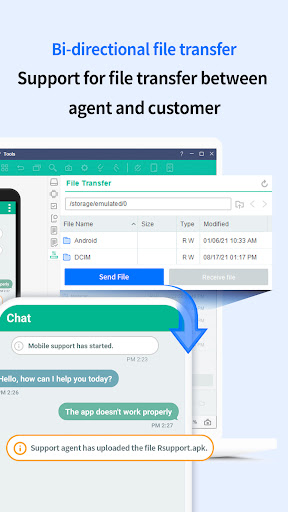
1. Send and receive files
Customer can send local files to the agent.
2. Screen Control
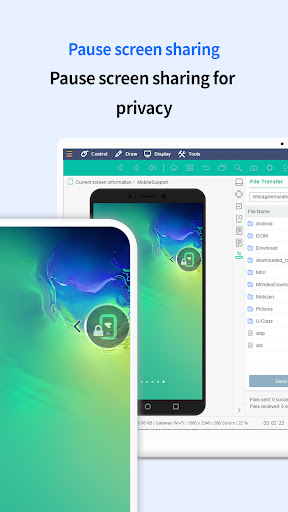
View and control customers' mobile devices in real-time to collaboratively identify and resolve issues.
3. On-screen Drawing
Mark important areas for the customer to see to communicate certain points more clearly.
4. Text Chat
MobileSupport – RemoteCall’s in-app chat feature allows customers and support representatives to conveniently communicate with each other during support sessions.
5. Simple Connection
Getting connected is easy. All the customer needs to do is enter the 6-digit connection code provided by the support representative.
6. Check the app list
Support agent can review the application installed on the customer's device and request to uninstall it in order to solve the problem.
[Receiving Mobile Device Support - Customers]
1. Download, install, and then launch the ‘MobileSupport’ application.
2. Enter the 6-digit connection code provided by the support representative, then click ‘OK’.
3. Engage in real-time video support.
4. Close the application once video support session has ended.
* It is compatible with Android OS 4.0 or later. Using the latest version is recommended.
[Key Features]
1. Send and receive files
Customer can send local files to the agent.
2. Screen Control
View and control customers' mobile devices in real-time to collaboratively identify and resolve issues.
3. On-screen Drawing
Mark important areas for the customer to see to communicate certain points more clearly.
4. Text Chat
MobileSupport – RemoteCall’s in-app chat feature allows customers and support representatives to conveniently communicate with each other during support sessions.
5. Simple Connection
Getting connected is easy. All the customer needs to do is enter the 6-digit connection code provided by the support representative.
6. Check the app list
Support agent can review the application installed on the customer's device and request to uninstall it in order to solve the problem.
[Receiving Mobile Device Support - Customers]
1. Download, install, and then launch the ‘MobileSupport’ application.
2. Enter the 6-digit connection code provided by the support representative, then click ‘OK’.
3. Engage in real-time video support.
4. Close the application once video support session has ended.
* It is compatible with Android OS 4.0 or later. Using the latest version is recommended.
App Information
Version Name
1.2.12.8 (Build 286)
Version Code
286
File Size
10.5 MB
Minimum OS
Android 4.4+
Developer
RSUPPORT Co., Ltd.
Contact
Website
Content Rating
Everyone
Package Name
com.rsupport.rs.activity.rsupportPermissions Required
This app may request the following permissions:
Recent Reviews

Brandon Dean,Burnett Adams
1.0★
app don't work they keep controlling my devices it keep installing on its on get rid of this out wish I could give you know Stars

A Google user
1.0★
Requires too too too much space

Ruthann Dolunger
5.0★
I have been with great call for about 7 yrs ...no problems...

monique davenport
3.0★
No not noe busy
A Google user
3.0★
Useful when needed.
A Google user
3.0★
Have not used this app so I am unsure
Ad slot: In-Content