

Smart Tutor for SAMSUNG Mobile
com.rsupport.rs.activity.rsupport.aas2
by Samsung Electronics Co., Ltd.
Screenshots
Ad slot: Top Leaderboard
About this app
Description
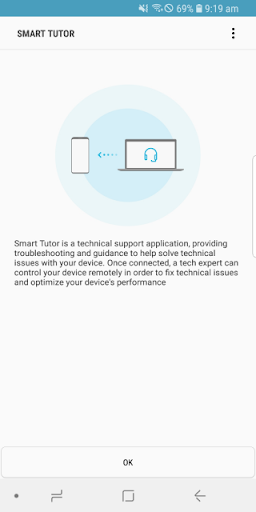
Smart Tutor is an easy, quick and safe means of consulting for Android™ smart phone and tablet series. It can be used to diagnose your device remotely in order to optimize device performance and give functional advice.
Diagnoses can be requested for the following:
• Menu and feature inquiries
• New features advice
• Display settings and errors
• S/W upgrade and app update-related inquiries
• Device status diagnosis
How to get started
1. Download the "Smart Tutor" from Google play store and install on our Android device.
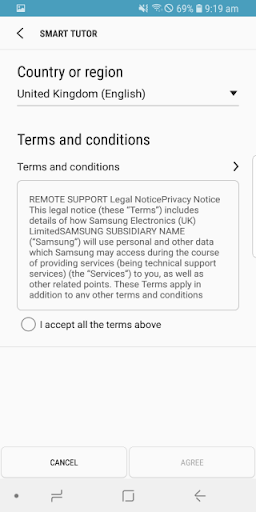
2. Make a phone call to the SAMSUNG Contact center. After agreeing "Terms and Conditions",
the phone number of contact center will be displayed.(Because it is depending on country)
3. Enter the 6 digits connection code given by a tech expert.
4. Once connected, a tech expert will diagnose your mobile.
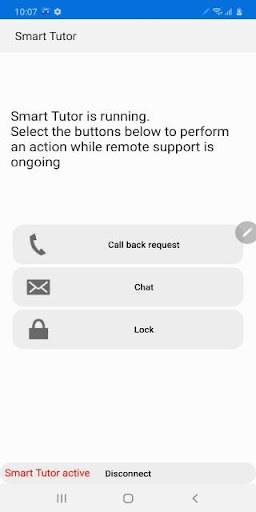
5. If you want to terminate "Smart Tutor", please tap "Disconnect" menu.
Benefit
• Safety & Reliable
Don't worry about exposing our private information."Smart Tutor" restricts a tech expert
from accessing applications with customer's private information such as Gallery, Message,
e-mail and other throughout special features.
• Convenient & Easy
Provide remote support from our Android device quickly and easily if we can use 3G/4G or Wi-Fi.
• Features
Screen Share / Chat / Screen Lock / Application Lock
Requirement & Note
1. "Smart Tutor" works with Android OS(Above Android 6)
2. "Google Experience Device" is not supported such as "Galaxy Nexus"
3. Connection in 3G/4G Network will be chargeable according to your network data fee agreement with
your operator/Telecom. Before the connection, ensure to check Wi-Fi availability for free support
Smart Tutor is an easy, quick and safe means of consulting for Android™ smart phone and tablet series. It can be used to diagnose your device remotely in order to optimize device performance and give functional advice.
Diagnoses can be requested for the following:
• Menu and feature inquiries
• New features advice
• Display settings and errors
• S/W upgrade and app update-related inquiries
• Device status diagnosis
How to get started
1. Download the "Smart Tutor" from Google play store and install on our Android device.
2. Make a phone call to the SAMSUNG Contact center. After agreeing "Terms and Conditions",
the phone number of contact center will be displayed.(Because it is depending on country)
3. Enter the 6 digits connection code given by a tech expert.
4. Once connected, a tech expert will diagnose your mobile.
5. If you want to terminate "Smart Tutor", please tap "Disconnect" menu.
Benefit
• Safety & Reliable
Don't worry about exposing our private information."Smart Tutor" restricts a tech expert
from accessing applications with customer's private information such as Gallery, Message,
e-mail and other throughout special features.
• Convenient & Easy
Provide remote support from our Android device quickly and easily if we can use 3G/4G or Wi-Fi.
• Features
Screen Share / Chat / Screen Lock / Application Lock
Requirement & Note
1. "Smart Tutor" works with Android OS(Above Android 6)
2. "Google Experience Device" is not supported such as "Galaxy Nexus"
3. Connection in 3G/4G Network will be chargeable according to your network data fee agreement with
your operator/Telecom. Before the connection, ensure to check Wi-Fi availability for free support
App Information
Version Name
1.5 (build 382)
Version Code
382
File Size
16.8 MB
Minimum OS
Android 4.3+
Target SDK
Android 33
Developer
Samsung Electronics Co., Ltd.
Contact
Website
Content Rating
Everyone
Package Name
com.rsupport.rs.activity.rsupport.aas2Permissions Required
This app may request the following permissions:
Recent Reviews

Debbie Land
5.0★
I had been having major issues with my phone, that I was ready to throw it in front of a speeding bus! every time I touched the keyboard, or an app, all sorts of popups starting showing up, one after another, layering on top of each other! I couldn't do anything. I called Samsung Support and spoke with 2 different representatives, Eric and Anwar, and with the help of Smart Tutor, they were able to locate and delete all of my apps that were infecting my phone. It's working fine now!

Brent Petty
5.0★
I have used Samsung products for a number of years because to me they are the Android version of an iPhone. Which is saying quality. For the past week or so my phone was out of control with ads. I couldn't respond to 1 text or email without being interrupted by ads a couple of times. So I call Samsung. They have me DL Smart Tutor for Samsung app. Ran through a few things and phone is good as new. So everything Samsung is top of line to me. Fixing to get new tablet, Chromebook or whatever.

Jeff Guice
5.0★
I absolutely love this service and how easy and stress free it is to use whenever I buy a new Galaxy Fold phone annually. I have used it a few times now when I need help setting up a new phone. Thanks so much Samsung for having a great technical support team for your mobile devices, and making my life a little easier.

Andrea W
1.0★
the app seems to work but when allowed remote control to support, the person didn't follow my instructions to not removed one of my email accounts, instead removed two accounts and when reloaded much of my email history is missing on phone and won't fully sync. Won't likely use this app again.

dean garcia
5.0★
The very efficient Technical Customer Assistant was exceptionately nice, patient, and pleasant. I was amazed at how I was instructed to go from one Setting to another without confusion. This Technical Customer Assistant definately deserves recognition from Supervisors for making Samsung customers appreciate the Samsung Company.

Lisa Lorenzi
5.0★
Rodel was efficient, extremely tech-savvy, and all-around excellent at his skill set!!! My phone is in its best operating mode in a very long time... I'll be following his directives in a continued effort to uninstall unused apps to further build on the progress he made on my Samsung Galaxy A53 (2 years young). Many, many thanks ,Rode!!
Ad slot: In-Content