

MobileSupport for SAMSUNG
com.rsupport.rs.activity.rsupport.sec
by RSUPPORT Co., Ltd.
Screenshots

Ad slot: Top Leaderboard
About this app
Rsupport’s ‘MobileSupport – RemoteCall’ application allows support representatives to remotely access customers’ mobile devices to identify and resolve issues in real-time. With ‘MobileSupport – RemoteCall’, support representatives are able to provide secure and reliable support without having to have the customer visit a support center.
[Key Features]
1. Screen Control
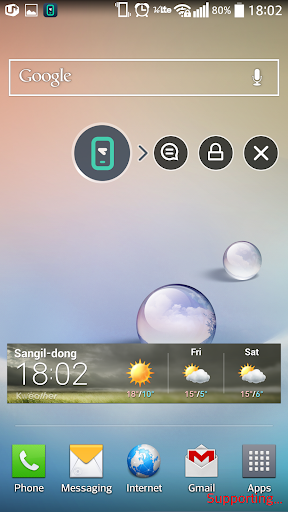
View and control customers' mobile devices in real-time to collaboratively identify and resolve issues.
2. On-screen Drawing
Mark important areas for the customer to see to communicate certain points more clearly.
3. Text Chat
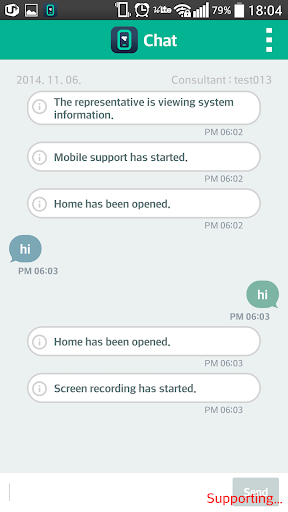
MobileSupport – RemoteCall’s in-app chat feature allows customers and support representatives to conveniently communicate with each other during support sessions.
4. Simple Connection
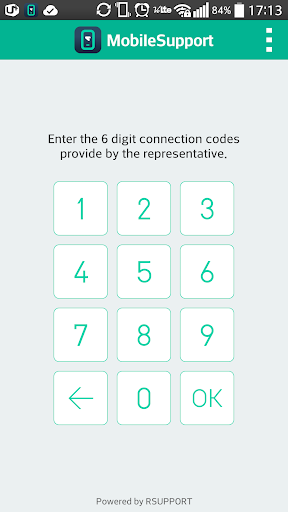
Getting connected is easy. All the customer needs to do is enter the 6-digit connection code provided by the support representative.
[Receiving Mobile Device Support - Customers]
1. Download, install, and then launch the ‘MobileSupport’ application.
2. Enter the 6-digit connection code provided by the support representative, then click ‘OK’.
3. Engage in real-time video support.
4. Close the application once video support session has ended.
* Recommended OS : 4.0 ~ 4.1
[Key Features]
1. Screen Control
View and control customers' mobile devices in real-time to collaboratively identify and resolve issues.
2. On-screen Drawing
Mark important areas for the customer to see to communicate certain points more clearly.
3. Text Chat
MobileSupport – RemoteCall’s in-app chat feature allows customers and support representatives to conveniently communicate with each other during support sessions.
4. Simple Connection
Getting connected is easy. All the customer needs to do is enter the 6-digit connection code provided by the support representative.
[Receiving Mobile Device Support - Customers]
1. Download, install, and then launch the ‘MobileSupport’ application.
2. Enter the 6-digit connection code provided by the support representative, then click ‘OK’.
3. Engage in real-time video support.
4. Close the application once video support session has ended.
* Recommended OS : 4.0 ~ 4.1
App Information
Version Name
1.2.15.3 (Build 297)
Version Code
297
File Size
10.7 MB
Min SDK
Android 7+
Developer
RSUPPORT Co., Ltd.
Contact
Website
Content Rating
Everyone
Package Name
com.rsupport.rs.activity.rsupport.secPermissions Required
This app may request the following permissions:
Recent Reviews

A Google user
5.0★
You need to buy the program via their website
A Google user
5.0★
What is six digit coade
A Google user
2.0★
I don't know how I get 6 digits from where?
A Google user
5.0★
tell me what is the six disit code
A Google user
3.0★
Please tell me the code i will rate 5 stars
A Google user
5.0★
What is the 6 digits code?
Ad slot: In-Content