

Super S10 Launcher, Galaxy S10
com.s10launcher.galaxy.launcher
by Super Launcher Serie
Screenshots
Ad slot: Top Leaderboard
About this app
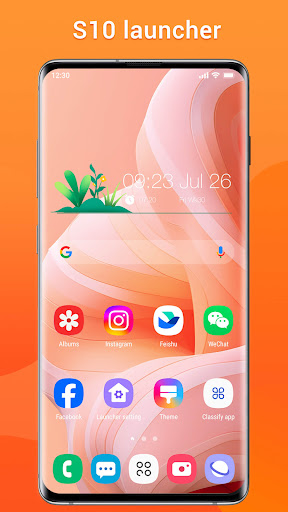
S10 Launcher is Galaxy S10, S10+, S10e style launcher, provide you latest Galaxy S10 launcher experience; Easy, modern, powerful launcher!
S10 Launcher is built base on well-known high quality Super S9 Launcher which is liked by many users, and what is more, this launcher is an upgraded version of Super S9 launcher.
S10 Launcher is available for ALL Android 4.1+ devices!
✔ Who will get value from Super S10 Launcher?
1. Users who have old Galaxy S, Galaxy J, Galaxy A etc phones and want to use latest Galaxy S10 launcher experience, this launcher will make your phone look like modern Galaxy S10 phone.
2. Users who own all other Android 4.1+ devices and want to use latest modern Galaxy S10 one ui launcher experience.
✔ Notice:
1. Android™ is a registered trademark of Google, Inc.
2. Samsung™ is a registered trademark of Samsung Electronics Co., Ltd.
This is NOT official Samsung TouchWiz launcher, Samsung One UI launcher or Samsung Experience launcher product.
✔ Super S10 Launcher main features:
* Built in Galaxy S10 launcher theme, and all app icons are unified to Galaxy S10's icon shape, nice-looking
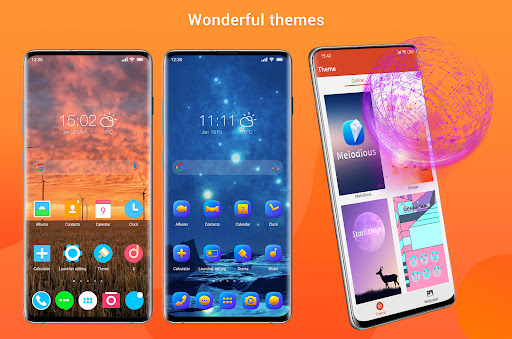
* There are many cool launcher themes in Super S10 Launcher theme store
* Super Galaxy S10 launcher also support almost all third-party launchers icon pack which are published in Play Store
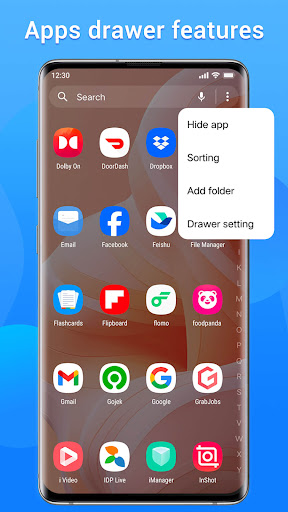
* You get Galaxy S10 style launcher drawer, there are horizontal style or vertical style for your choice
* You can sort all apps by A-Z, by latest installed first, by mostly used, or by customized sorting
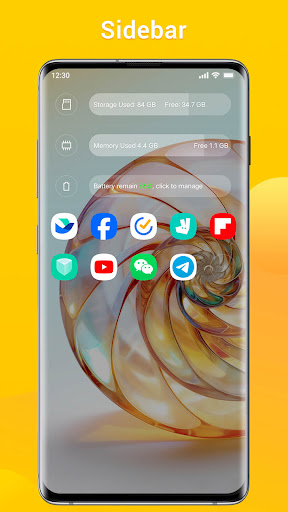
* You have handy tools in launcher sidebar
* Various gestures action support:swipe up/down, pinch in/out, two fingers gestures, dock icon gestures, let you operate laucher handily
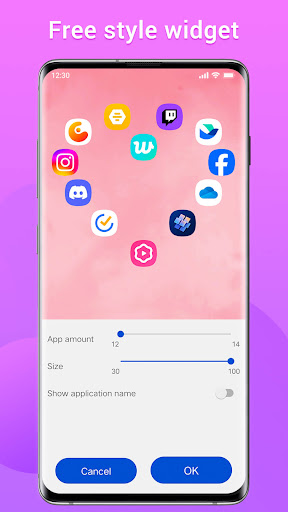
* Many built in widgets: analog/digital clock widget, free style widget, weather widget, photo frame widget, etc
* Super S10 Launcher has notification badges for missed call, unread message and all apps
* Super S10 Launcher support lock desktop layout to avoid s10 launcher desktop being messed up by kids
* Super S10 Launcher has rounded corner screen feature, make your phone's screen look like Galaxy S10
* You can hide app and lock app from launcher, protect your privacy
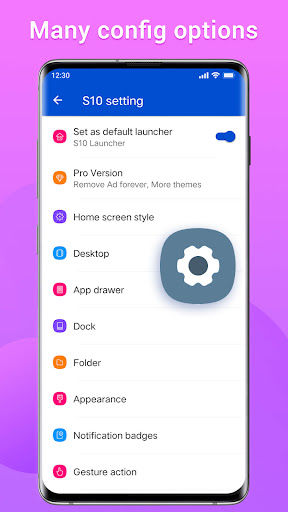
* You have many options to customize launcher: launcher grid size, icon size, color, font etc
* You have A-Z little bar in launcher all apps drawer for app quick location/finding
* Super S10 Launcher support multi dock pages, changing dock background
* Many online beautiful wallpapers, galaxy s10 wallpapers
* Various launcher desktop transition effect
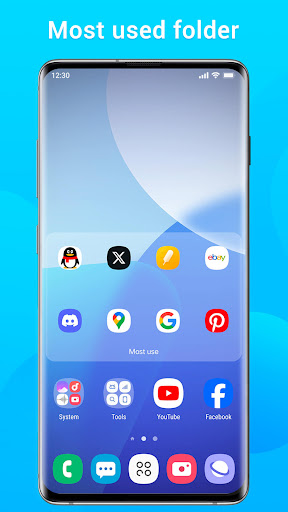
* There are four folder style: normal folder, super folder, private folder, most used folder
* Super S10 Launcher support create folder in launcher drawer
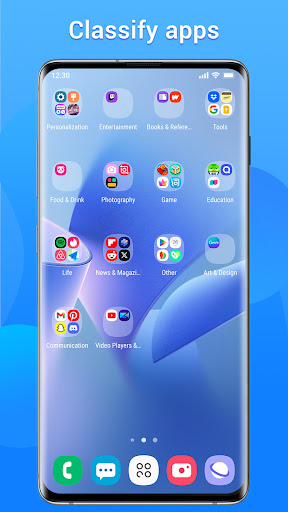
* Super S10 Launcher support auto classify apps to luncher desktop folders
* Super S10 Launcher has T9 search feature
✔ If you like this S10 Launcher(Galaxy S10 launcher style), please rate us and leave comments, thanks a lot for your support!
S10 Launcher is built base on well-known high quality Super S9 Launcher which is liked by many users, and what is more, this launcher is an upgraded version of Super S9 launcher.
S10 Launcher is available for ALL Android 4.1+ devices!
✔ Who will get value from Super S10 Launcher?
1. Users who have old Galaxy S, Galaxy J, Galaxy A etc phones and want to use latest Galaxy S10 launcher experience, this launcher will make your phone look like modern Galaxy S10 phone.
2. Users who own all other Android 4.1+ devices and want to use latest modern Galaxy S10 one ui launcher experience.
✔ Notice:
1. Android™ is a registered trademark of Google, Inc.
2. Samsung™ is a registered trademark of Samsung Electronics Co., Ltd.
This is NOT official Samsung TouchWiz launcher, Samsung One UI launcher or Samsung Experience launcher product.
✔ Super S10 Launcher main features:
* Built in Galaxy S10 launcher theme, and all app icons are unified to Galaxy S10's icon shape, nice-looking
* There are many cool launcher themes in Super S10 Launcher theme store
* Super Galaxy S10 launcher also support almost all third-party launchers icon pack which are published in Play Store
* You get Galaxy S10 style launcher drawer, there are horizontal style or vertical style for your choice
* You can sort all apps by A-Z, by latest installed first, by mostly used, or by customized sorting
* You have handy tools in launcher sidebar
* Various gestures action support:swipe up/down, pinch in/out, two fingers gestures, dock icon gestures, let you operate laucher handily
* Many built in widgets: analog/digital clock widget, free style widget, weather widget, photo frame widget, etc
* Super S10 Launcher has notification badges for missed call, unread message and all apps
* Super S10 Launcher support lock desktop layout to avoid s10 launcher desktop being messed up by kids
* Super S10 Launcher has rounded corner screen feature, make your phone's screen look like Galaxy S10
* You can hide app and lock app from launcher, protect your privacy
* You have many options to customize launcher: launcher grid size, icon size, color, font etc
* You have A-Z little bar in launcher all apps drawer for app quick location/finding
* Super S10 Launcher support multi dock pages, changing dock background
* Many online beautiful wallpapers, galaxy s10 wallpapers
* Various launcher desktop transition effect
* There are four folder style: normal folder, super folder, private folder, most used folder
* Super S10 Launcher support create folder in launcher drawer
* Super S10 Launcher support auto classify apps to luncher desktop folders
* Super S10 Launcher has T9 search feature
✔ If you like this S10 Launcher(Galaxy S10 launcher style), please rate us and leave comments, thanks a lot for your support!
What's New
v5.5
1. Optimized the design of the drawer.
2. Fixed the issue where the recently used icons are not displayed in the sidebar.
3. Fixed some display issues in dark mode
4. Sorted the drawer folder is supported
5. Upgraded target API level
1. Optimized the design of the drawer.
2. Fixed the issue where the recently used icons are not displayed in the sidebar.
3. Fixed some display issues in dark mode
4. Sorted the drawer folder is supported
5. Upgraded target API level
App Information
Version Name
5.2
Version Code
59
File Size
16.1 MB
Minimum OS
Android 6.0+
Target SDK
Android 33
Developer
Super Launcher Serie
Contact
Website
Content Rating
Everyone
Package Name
com.s10launcher.galaxy.launcherPermissions Required
This app may request the following permissions:
Recent Reviews

Ana Claudia Vale Cavalcante
5.0★
Kudos 👏🏻 to the folks who built this app... the layout’s clean, smooth, and easy to use. Gotta say, I highly recommend it, y’all!

Mukaramshah M shah
5.0★
great job I have use this from many years helpful very easy to use first lancher siting many more just use if we want but now the icon size are vip that are not good pleas icon size long then 160 thanks

A Google user
3.0★
Lots of customization- all the standard stuff (change dock size/color/type; apply icon packs & edit icon stuff individually too; pick out the look, color & opacity of the app drawer; change font & pick its size & colors, etc) + all kinds of extra little tweaks not typically found in other launchers! It is, however, a tad buggy & lags slightly- ie not nearly as crisp & swift as some of the other Launchers I tried. Biggest gripe- theme shop doesn't load?! Just spins & spins & spins?!

Daniel Bassey
1.0★
Nice app, but It refuses to set as default on my home screen

Chika
1.0★
I really HATE how ads pop up when you are through with doing something 😠

Harris Muhammad
4.0★
Very nice launcher! But why am not giving you 5⭐ Is that the issue of recent app showing in the Menu that they're not staying for long, instead of replace each other when the space is full, But it's just disappearing for like 10min. pls do that then i will give you 5⭐
Ad slot: In-Content