

Safe Lagoon Parental Control
com.safelagoon.parenting
by Safe Lagoon
Screenshots











Ad slot: Top Leaderboard
About this app
Safe Lagoon - AI-Powered Parental Control & Block Apps on Android
Protect your children from online threats with Safe Lagoon, the award-winning AI-powered parental control app for Android.
Whether it's setting parental blocks, managing screen time, or monitoring social media, Safe Lagoon helps safeguard your family from cyberbullying, online predators, and inappropriate content.
Why Choose Safe Lagoon?
Safe Lagoon combines advanced AI technology with robust parental controls, including Google parental controls, parental lock settings, and content filtering.
Create a secure environment on your child’s Android device, so they can develop healthy digital habits while you enjoy peace of mind.
With Safe Lagoon:
🔒 AI-Enhanced Content Filtering: Automatically block harmful websites and unblocked games to ensure your child’s protection from online dangers. Safe Lagoon's parental filters provide a comprehensive block against unwanted content.
📵 Remote Monitoring: Manage your child’s device settings, block sites, and monitor apps like Kik, Telegram, and more—even when you're not present. You’ll stay in control with parental restrictions for Android.
📱 App Usage Control:Set limits on games like Candy Crush and Talking Tom to help your child balance screen time with other activities, promoting healthier habits.
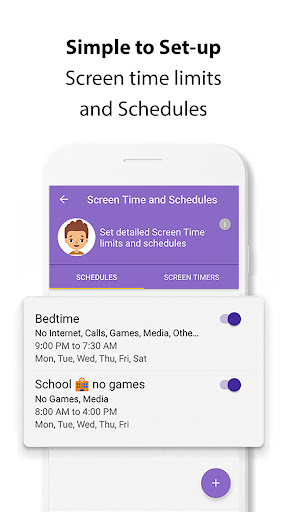
🗓️ Screen Time Scheduling: Establish screen time schedules to enforce limits and block access to specific apps or unblocked games during study or sleep time.
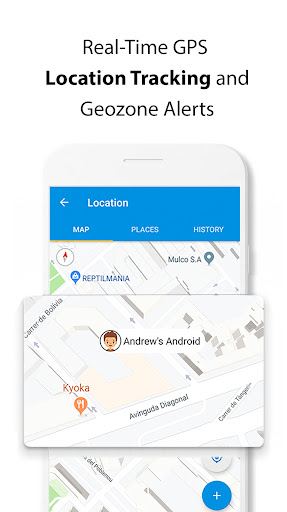
📍 Family Locator (Geofencing): Use GPS tracking to monitor your child's location and receive instant alerts if they leave safe zones, perfect for busy parents needing a family locator.
🚨 Real-Time Alerts:Get notifications about potential risks, breaches of parental settings, or attempts to bypass the parental block apps, keeping you informed at all times.
🔐 Secure Browsing:Ensure a safe browsing experience with parental control on Google Chrome, blocking unwanted sites and applying strong parental protection against online threats.
Advanced Social Media Monitoring:
Stay ahead of potential dangers by monitoring your child’s activity on popular social media platforms:
📱 TikTok, YouTube, and Instagram Monitoring: Understand what your child is watching on TikTok and YouTube, and track interactions on Instagram. This helps protect them from harmful content, cyberbullying, and risky behavior.
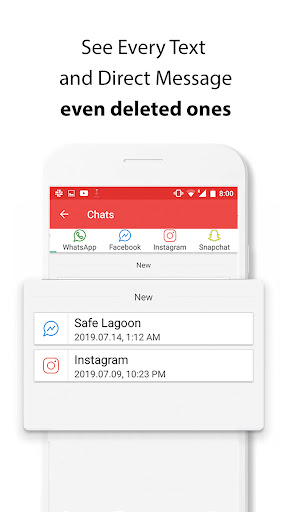
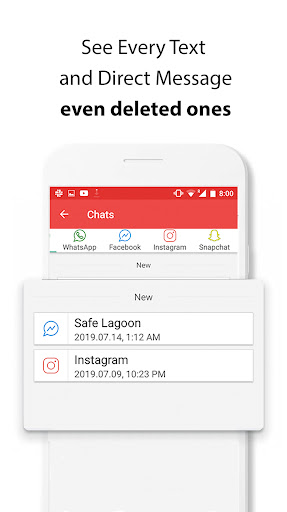
📋 Screen Mirror: With Safe Lagoon's Screen Mirror feature, view 100% of your child’s texts and direct messages, even if deleted. This includes monitoring on apps like Kik, Telegram, and others—ensuring nothing slips through the cracks.
How to Set Up Safe Lagoon:
1. Download the Safe Lagoon (Orange app) on your Android device and register your account.
2. Install the Safe Lagoon companion app (Blue app) on your child’s Android device.
3. Follow the simple setup instructions to start managing kid's phone
Compatibility:
Safe Lagoon is fully compatible with Samsung Galaxy tablets and Android devices, providing comprehensive parental controls on Google platforms and more.
AI-Driven Monitoring:
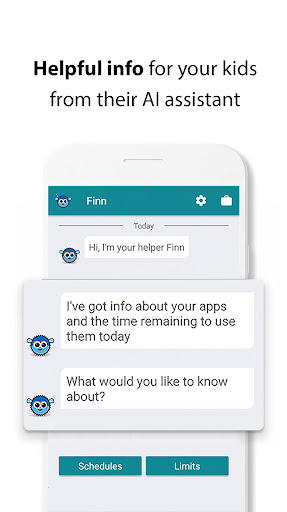
With AI, Safe Lagoon offers smarter monitoring that adapts to new online threats.
Stay informed with alerts about potential risks, and intervene before problems arise. From YouTube parental controls to managing online sexting risks on Kik or Telegram, Safe Lagoon provides you with all the tools you need.
Note: Safe Lagoon requires Device Administrator and Accessibility permissions to enable parental controls on Android, including blocking apps, setting parental locks, and applying Google parental controls. Location data is collected to help parents track their child’s device, even when the app is not in use. Safe Lagoon uploads Image information from the device to enable the remote Photo Gallery viewing feature for parents.
For more information, visit: https://safelagoon.com
Protect your children from online threats with Safe Lagoon, the award-winning AI-powered parental control app for Android.
Whether it's setting parental blocks, managing screen time, or monitoring social media, Safe Lagoon helps safeguard your family from cyberbullying, online predators, and inappropriate content.
Why Choose Safe Lagoon?
Safe Lagoon combines advanced AI technology with robust parental controls, including Google parental controls, parental lock settings, and content filtering.
Create a secure environment on your child’s Android device, so they can develop healthy digital habits while you enjoy peace of mind.
With Safe Lagoon:
🔒 AI-Enhanced Content Filtering: Automatically block harmful websites and unblocked games to ensure your child’s protection from online dangers. Safe Lagoon's parental filters provide a comprehensive block against unwanted content.
📵 Remote Monitoring: Manage your child’s device settings, block sites, and monitor apps like Kik, Telegram, and more—even when you're not present. You’ll stay in control with parental restrictions for Android.
📱 App Usage Control:Set limits on games like Candy Crush and Talking Tom to help your child balance screen time with other activities, promoting healthier habits.
🗓️ Screen Time Scheduling: Establish screen time schedules to enforce limits and block access to specific apps or unblocked games during study or sleep time.
📍 Family Locator (Geofencing): Use GPS tracking to monitor your child's location and receive instant alerts if they leave safe zones, perfect for busy parents needing a family locator.
🚨 Real-Time Alerts:Get notifications about potential risks, breaches of parental settings, or attempts to bypass the parental block apps, keeping you informed at all times.
🔐 Secure Browsing:Ensure a safe browsing experience with parental control on Google Chrome, blocking unwanted sites and applying strong parental protection against online threats.
Advanced Social Media Monitoring:
Stay ahead of potential dangers by monitoring your child’s activity on popular social media platforms:
📱 TikTok, YouTube, and Instagram Monitoring: Understand what your child is watching on TikTok and YouTube, and track interactions on Instagram. This helps protect them from harmful content, cyberbullying, and risky behavior.
📋 Screen Mirror: With Safe Lagoon's Screen Mirror feature, view 100% of your child’s texts and direct messages, even if deleted. This includes monitoring on apps like Kik, Telegram, and others—ensuring nothing slips through the cracks.
How to Set Up Safe Lagoon:
1. Download the Safe Lagoon (Orange app) on your Android device and register your account.
2. Install the Safe Lagoon companion app (Blue app) on your child’s Android device.
3. Follow the simple setup instructions to start managing kid's phone
Compatibility:
Safe Lagoon is fully compatible with Samsung Galaxy tablets and Android devices, providing comprehensive parental controls on Google platforms and more.
AI-Driven Monitoring:
With AI, Safe Lagoon offers smarter monitoring that adapts to new online threats.
Stay informed with alerts about potential risks, and intervene before problems arise. From YouTube parental controls to managing online sexting risks on Kik or Telegram, Safe Lagoon provides you with all the tools you need.
Note: Safe Lagoon requires Device Administrator and Accessibility permissions to enable parental controls on Android, including blocking apps, setting parental locks, and applying Google parental controls. Location data is collected to help parents track their child’s device, even when the app is not in use. Safe Lagoon uploads Image information from the device to enable the remote Photo Gallery viewing feature for parents.
For more information, visit: https://safelagoon.com
What's New
👨🏼 Invite another Adult: you can now invite another parent or caregiver to your account, they login with their own email and password.
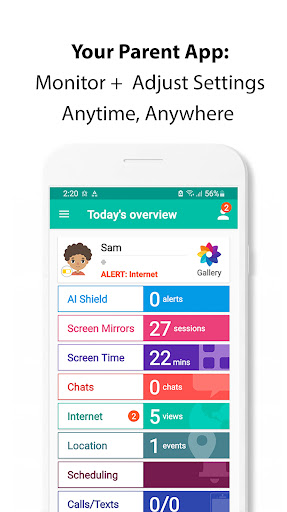
🛡 Enhanced Monitoring: AI Shield analyzes texts, social media, and app usage in real-time, ensuring your child's digital environment is safe
🧠 Intelligent Alerts: Receive precise alerts about potential risks, thanks to our AI's ability to understand context and prioritize real threats
🛡 Enhanced Monitoring: AI Shield analyzes texts, social media, and app usage in real-time, ensuring your child's digital environment is safe
🧠 Intelligent Alerts: Receive precise alerts about potential risks, thanks to our AI's ability to understand context and prioritize real threats
App Information
Version Name
4.6.104p
Version Code
46104
File Size
14.1 MB
Minimum OS
Android 7.0+
Target SDK
Android 33
Developer
Safe Lagoon
Contact
Website
Content Rating
Everyone
Package Name
com.safelagoon.parentingPermissions Required
This app may request the following permissions:
Recent Reviews

A Google user
3.0★
User Friendly but inconsistent . For the most part this app is great for monitoring your child's phone usage. You can see their texts, calls and app usage. The inconsistent part is not seeing texts on a regular basis and the time limit on specific app usage doesn't work. I've had trouble getting assistance from their customer service. I'm disappointed because I am subscribed for a year.

Taylor
4.0★
App is great for the most part. Hopefully there will be an update soon for the location tracking, doesn't locate well most of the time, as well as every single time my child turns their screen off I get a notification that "the location tracking has been deactivated". Other than that this App does everything I need it too! Will update stars when this is fixed. 🌟
A Google user
1.0★
*Update: 9 days with no response to email they told me to send to 'fix' the issues.* Wasn't able to upgrade, no response to message, trial ran out along with the discount, was supposed to get a free month for leaving a review but didn't, and the kids had no access to phones because I had no control anymore, wouldn't let me uninstall the app from anywhere on any device, guess I'll be looking for something else and a program to remove what has practically turned into a virus! Very disappointed.
A Google user
1.0★
Don't do it! After downloading this app, not even two days later, I've stopped receiving any kind of notifications from all of my other apps...email, text messages, etc. I had to call my phone carrier, who then connected me to LG support. After trying to figure out what was wrong with my phone, they figured out the cause of my problems was downloading this 3rd party app. After uninstalling the app, my phone instantly started working properly again.
A Google user
3.0★
The app is great how it lets you lock each app individually, instead of the whole phone, on a schedule for each app. However, it wasn't clear to me that it was a free trial, and when the trial was up I had a lot of trouble figuring out how to remove the app from my child's phone. It would not allow me to uninstall it even with my parent code. Finally I figured out that you have to log into to your account online and remove the child's device from the account.
A Google user
1.0★
Ideally it should have everything I want, but it just doesn't always work right. For example when a kid requests a certain app that is allowed and has no schedule or time limit block, it still sends me a request, I click permit, and it still doesn't work. It's very disappointing Update: I now cannot get anyone to answer my help chat. Don't waste your money
Ad slot: In-Content