
Samsung Accessory Service
com.samsung.accessory
by Samsung Electronics Co., Ltd.
Screenshots
Ad slot: Top Leaderboard
About this app
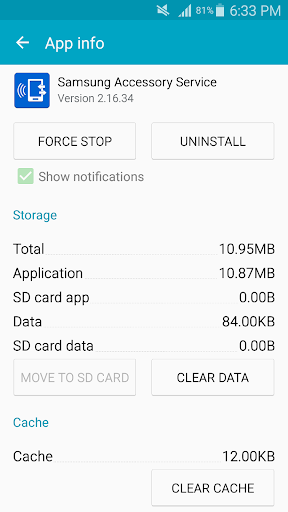
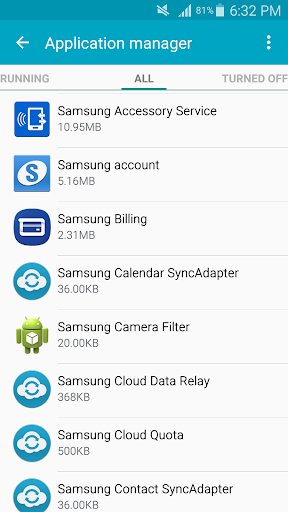
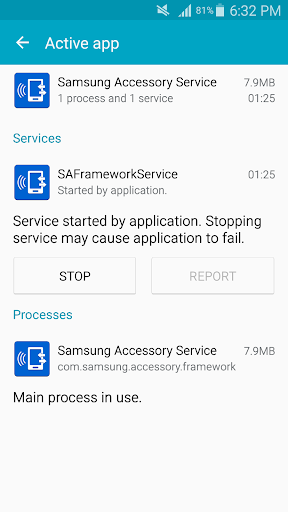
Samsung Accessory Service provides a stable environment in which you can use a variety features by connecting accessories to your mobile device.
This service is compatible with various connectivity environments, and it makes using accessories with your mobile device efficient and convenient via manager applications.
(e.g. Galaxy Wearable, Samsung Camera Manager Inst.)
Samsung Accessory Service can be used with the following accessories when connected with a mobile device.
- GALAXY Gear, Gear 2, Gear S Series, Galaxy Watch Series
- Samsung Gear Fit 2
- Samsung NX-1
Samsung Accessory Service provides the following features for accessories and a mobile device.
- Connection and sending/receiving data
- File transfer
The following permission is required for the app service.
[Required permissions]
- Storage : It is required to transfer media files to accessory device.
If your system software version is lower than Android 6.0, please update the software to configure App permissions.
Previously allowed permissions can be reset on Apps menu in device settings after software update.
If you install or move this application to external storage, it may not work properly.
This service is compatible with various connectivity environments, and it makes using accessories with your mobile device efficient and convenient via manager applications.
(e.g. Galaxy Wearable, Samsung Camera Manager Inst.)
Samsung Accessory Service can be used with the following accessories when connected with a mobile device.
- GALAXY Gear, Gear 2, Gear S Series, Galaxy Watch Series
- Samsung Gear Fit 2
- Samsung NX-1
Samsung Accessory Service provides the following features for accessories and a mobile device.
- Connection and sending/receiving data
- File transfer
The following permission is required for the app service.
[Required permissions]
- Storage : It is required to transfer media files to accessory device.
If your system software version is lower than Android 6.0, please update the software to configure App permissions.
Previously allowed permissions can be reset on Apps menu in device settings after software update.
If you install or move this application to external storage, it may not work properly.
What's New
Fixed some minor bugs
App Information
Version Name
3.1.96.50315
Version Code
319650315
File Size
12.1 MB
Minimum OS
Android 4.0.3+
Target SDK
Android 33
Developer
Samsung Electronics Co., Ltd.
Contact
Website
Content Rating
Everyone
Package Name
com.samsung.accessoryPermissions Required
This app may request the following permissions:
Recent Reviews

A Google user
5.0★
No issues on my OnePlus 7 Pro. I did see a few reviews complaining about battery drain, but I haven't experienced that. Shortly after installing this app and setting up my watch, there was a prompt to turn on some sort of "increased data sharing" between the watch and phone. I declined because it did warn of excessive phone battery drain. I'm guessing some people turned it on and that's why they're having issues.

Lindsey Putnam
1.0★
Too many permissions, way too clunky. I was given a Galaxy watch by a family member. I only wanted to use it for health data, definitely not calling, texting, it notifications. Setting it up was full of bugs and roadblocks, including with this app download. Once I finally got it connected to my phone, it wanted permission for EVERYTHING to function at any level. Absolutely not.
A Google user
5.0★
I wouldn't have noticed except my "Pushbullet" app shows the notification, on my MSi laptop, when something is being transferred. It doesn't show anything on my mobile, at least not that I have been able to determine. I'm also running a Samsung Galaxy Watch, Samsung Note Book and Samsung Note 9 and haven't had any problems at all, nor have I noticed any battery issues which seem to be the main problem for other commentators.

Remus Chirilă
1.0★
Disconnects randomly from Fit3. It can last a week, or it can lose connection several times per day, even after phone restart. Was marked "unrestricted" but even so it disconnects. Sometimes it loses this setting,too, sometimes not. Poor Android 16 design and/or implementation for Fit3 compared with other brands.

Denis Sredin
1.0★
On my new phone, Galaxy Wearable and Samsung Accessory Service crash in a tight loop, causing the companion connection to restart over and over. My Galaxy Watch pops up the “Disconnected from phone” toast every minute, notifications never sync, and both devices overheat and burn battery. Logcat repeats: “Unable to create service com.samsung.android.companionservice.service.WRCompanionService – IllegalStateException: Requesting properties of uninitialized SDK”. Totally unusable.

Mark Fahey
1.0★
Keeps crashing. Always crashes. Crashing for over a year. I am always on latest version. Junks my watch from my Pixel 7😂 Tried resetting watch to default. Rebooting everything. Used to work as Galaxy watch plugin app. Freaking USELESS LOL crashed as I was typing this. When is this going to be fixed Samsung???!
Ad slot: In-Content