

Samsung Email
com.samsung.android.email.provider
by Samsung Electronics Co., Ltd.
Screenshots
Ad slot: Top Leaderboard
About this app
This update is available for Samsung Mobile with Android OS.
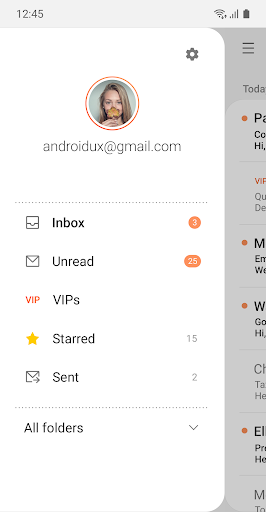
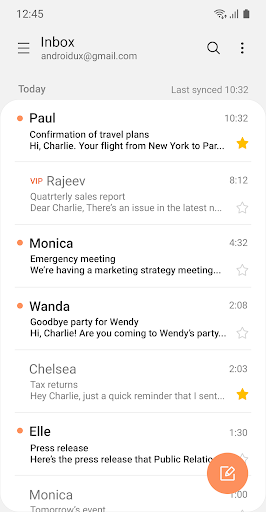
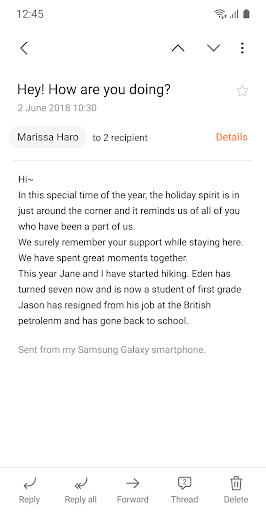
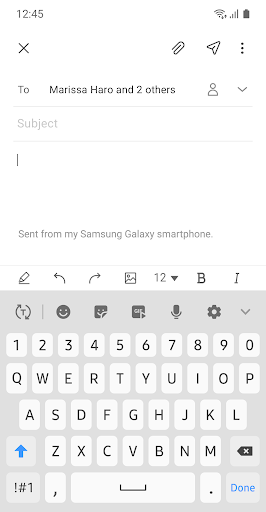
Samsung Email enables users to manage multiple personal and business email accounts seamlessly. Samsung Email also offers EAS integration for business, encryption using S/MIME to safeguard data and ease-of-use features such as insightful notifications, SPAM management. Furthermore, organizations can administer various policies as needed.
Key features
· POP3 and IMAP support for managing personal email accounts
· Exchange ActiveSync (EAS) integration for synchronizing Exchange Server based business email, calendars, contacts and tasks
· Encryption using S/MIME for secure email communication
Additional features
· Customizable user experience with notifications, schedule synchronization, SPAM management, and combined mailboxes
· Policy administration with comprehensive, built-in EAS support
· Conversation and thread view to read related mail
--- Regarding the App Access Permission ---
The following permissions are required for the app service. For optional permissions, the default functionality of the service is turned on, but not allowed.
[Required permissions]
- None
[Optional permissions]
- Camera: Used to attach photos to email
- Location: Used to attach current location information to email
- Contacts: Used to link email recipients/senders with contacts and synchronize contact information when using Microsoft Exchange account
- Calendar: Used to synchronize calendar infomation when using Microsoft Exchange account
- Notification : Used to display notification when sending or receiving emails
- Music and audio (Android 13 or higher) : Used to attach or save files such as music and audio
- File and Media (Android 12) : Used to attach(insert) or save files and media.
- Storage (Android 11 or less) : Used to attach(insert) or save files
[Privacy Policy]
https://eula.secb2b.com/EULA/EMAIL/GLOBAL_en_rUS_Privacy_Policy.html
[Supported E-mail]
[email protected]
Samsung Email enables users to manage multiple personal and business email accounts seamlessly. Samsung Email also offers EAS integration for business, encryption using S/MIME to safeguard data and ease-of-use features such as insightful notifications, SPAM management. Furthermore, organizations can administer various policies as needed.
Key features
· POP3 and IMAP support for managing personal email accounts
· Exchange ActiveSync (EAS) integration for synchronizing Exchange Server based business email, calendars, contacts and tasks
· Encryption using S/MIME for secure email communication
Additional features
· Customizable user experience with notifications, schedule synchronization, SPAM management, and combined mailboxes
· Policy administration with comprehensive, built-in EAS support
· Conversation and thread view to read related mail
--- Regarding the App Access Permission ---
The following permissions are required for the app service. For optional permissions, the default functionality of the service is turned on, but not allowed.
[Required permissions]
- None
[Optional permissions]
- Camera: Used to attach photos to email
- Location: Used to attach current location information to email
- Contacts: Used to link email recipients/senders with contacts and synchronize contact information when using Microsoft Exchange account
- Calendar: Used to synchronize calendar infomation when using Microsoft Exchange account
- Notification : Used to display notification when sending or receiving emails
- Music and audio (Android 13 or higher) : Used to attach or save files such as music and audio
- File and Media (Android 12) : Used to attach(insert) or save files and media.
- Storage (Android 11 or less) : Used to attach(insert) or save files
[Privacy Policy]
https://eula.secb2b.com/EULA/EMAIL/GLOBAL_en_rUS_Privacy_Policy.html
[Supported E-mail]
[email protected]
What's New
. Support OneUI 8.x, Large Screen UX
. Improve LDAP Distribution List function
. Extension of MC items for B2B
. Improve LDAP Distribution List function
. Extension of MC items for B2B
App Information
Version Name
6.1.90.16
Version Code
619000016
File Size
42.3 MB
Minimum OS
Android 9+
Target SDK
Android 33
Developer
Samsung Electronics Co., Ltd.
Contact
Content Rating
Everyone
Package Name
com.samsung.android.email.providerPermissions Required
This app may request the following permissions:
Recent Reviews

Terrie Arnold
3.0★
I've used this app for, I don't know, 12 years? It's been mostly reliable, but in the last few months there have been multiple crashes. Sometimes it won't sync any of my email accounts for days. I try force syncing, uninstall/reinstall - nothing works until it's ready. If you're relying on this app on your mobile device, this can be devastating! I was traveling recently and had flight changes by an airline, worked with them for hours to get new flights, then couldn't access the emailed documents

Patrick Hollenbeck
3.0★
I've been using Samsung email since the Note 7, and actually like it better overall than any other Android email app I've tried, mostly because it allows me to sort by sender to delete batches of emails easily. However, I just tried to download a 12MB Word document to review on the S25 Ultra, and it says the file is too large even with no limit set on the retrieval settings. This is apparently a long-standing issue with Samsung email, it'd be great if it could be resolved at some point...

Drake Sackrider
3.0★
Doubt this review will do much good, but this application's recall is very small. at best, I can usually go back about a week. Any further and I have to go online to the email portal to find older emails. currently, anything older than 29 June is unavailable. If there is a way to change this via setting, that would be greatly appreciated. Until then, three star.

Janet Jaramillo
1.0★
Won't sync my emails even after closing app and opening it again. I have to shut off my phone and turn back on to get all my emails. Very annoying when I need to see an email I received in that moment. Edit:keeps doing the same thing every now and then and sometimes I have to shut my phone off more than once to get my emails. Truly annoying. Deserves 0 stars and not 1.

Shawn Horner
1.0★
I've used this app for years and never had any issues, until this latest update. I now have 2 emails that I successfully sent over a month ago, that are non-stop trying to send again. I ALWAYS have the "sending email..." icon on my phone. I cannot get rid of the emails that are trying to send and I cannot get rid of the notification.

Drew Berry
1.0★
Super buggy app. The search feature is horrible (but so is Microsofts..). The app also does not do well in sending emails - I'll have full service and yet emails constantly get stuck in the outbox. It takes anywhere between 10-50 tries just to send a simple email...which is annoying in and of itself, but even more so when you get back to your computer, send it from your desktop, and THEN it sends from your phone, creating duplicate communication cycles. This app is hot garbage. Zero stars.
Ad slot: In-Content