
Device Care
com.samsung.android.lool
by Samsung Electronics Co., Ltd.
Screenshots
Ad slot: Top Leaderboard
About this app
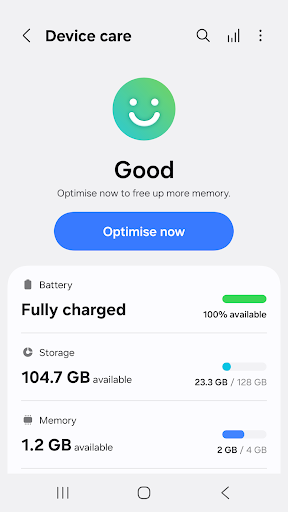
For a more pleasant experience while using your Galaxy smartphone, try the "Device Care" app by Samsung Electronics. With the "Device Care" app, anyone can easily keep their smartphone in good condition. The intuitive screen layout and interactions help the user check the condition of their device at a single glance and maintain their smartphone easily without expert knowledge, as it enables them to take prompt actions if problems, such as malware (viruses, spyware), arise.
Some Galaxy devices may not support some of the features outlined below.
App updates via the Google Play store are only available on some devices.
[Main features]
- Reports the current condition of a customer's smartphone on a 100-point scale;
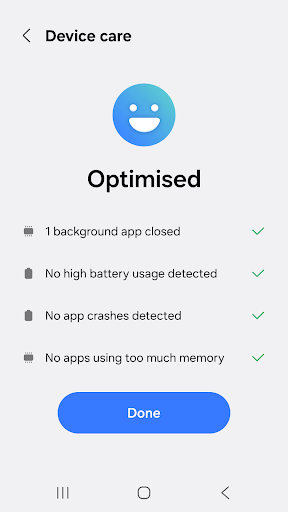
- Optimizes a smartphone in one simple click;
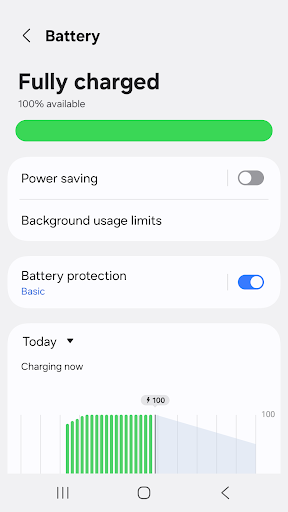
- Analyzes battery usage on a per-app basis and saves battery power by checking unused apps via App power monitor;
- Identifies battery-draining apps;
- Provides Power saving mode and Maximum power saving mode to ensure that the user can enjoy their smartphone for an extended period of time;
- Manages and frees up Memory efficiently;
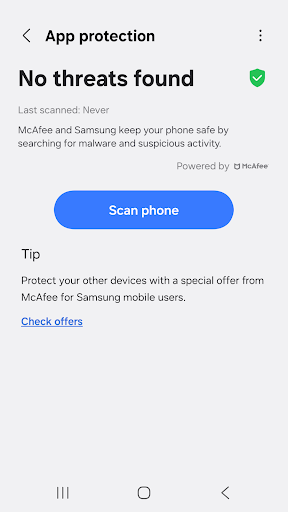
- Detects malware (viruses, spyware) and provides real-time protection for smartphones;
- Offers two widget types for customer convenience.
This app requires the following permissions:
You can still use the app's basic functions without allowing the optional permissions.
[Required permissions]
• Notifications: Used to notify you about updates and events
Some Galaxy devices may not support some of the features outlined below.
App updates via the Google Play store are only available on some devices.
[Main features]
- Reports the current condition of a customer's smartphone on a 100-point scale;
- Optimizes a smartphone in one simple click;
- Analyzes battery usage on a per-app basis and saves battery power by checking unused apps via App power monitor;
- Identifies battery-draining apps;
- Provides Power saving mode and Maximum power saving mode to ensure that the user can enjoy their smartphone for an extended period of time;
- Manages and frees up Memory efficiently;
- Detects malware (viruses, spyware) and provides real-time protection for smartphones;
- Offers two widget types for customer convenience.
This app requires the following permissions:
You can still use the app's basic functions without allowing the optional permissions.
[Required permissions]
• Notifications: Used to notify you about updates and events
What's New
- Minor bug fixes
App Information
Version Name
13.8.06.11
Version Code
1380611100
File Size
18.1 MB
Min SDK
Android 30+
Target SDK
Android 34
Developer
Samsung Electronics Co., Ltd.
Contact
Content Rating
Everyone
Package Name
com.samsung.android.loolPermissions Required
This app may request the following permissions:
Recent Reviews

Mari Evans
1.0★
Everything was fine up until this past May. Suddenly one of my tools is being put into deep sleep every few hours. I have it set to unrestricted, to not remove permissions, and never sleep, but device care is ignoring all of those. This app is not using much battery at all, and the reason listed says "for sending too many notifications", but it sends none at all. I've done every bit of troubleshooting on it to no avail. Honestly it's infuriating.

A Google user
2.0★
If you work on files within the phone, creat folders, etc, do not trust this app's recommendations for "unnecessary files." It will delete data files that you don't want deleted. I've had to do this: Take a "full backup" first, let it rip, and see what you lost. Then manually copy back in what you need. Not very useful. Easier to manage the files myself in the first place.
A Google user
1.0★
Can't turn off notifications! This is highly annoying. Every day, several times a day, the app will keep pestering you with notifications about apps using battery power or data in the background, despite certain apps having been given explicit permission allowing that. When you click on the gear to the right of the notification, the option is grayed out, stating "notifications for this app cannot be turned off". Why not?? I'm perfectly aware of those apps running in the background. Fix this!
A Google user
1.0★
The app keeps sending a notification when the battery is low, but it pauses the wireless charge to tell me that it's low! I cannot force stop or turn off the notification, so it keeps pausing the charge and increasing the amount of time it takes to get my phone battery charged up. This is very frustrating, and I would uninstall it if I wasn't sure it wouldn't cause a phone issue.
A Google user
1.0★
I try to go into my phone Settings but then it automatically goes into the Device Maintenance app. I have all notifications turned off. If I press the back button on the phone to go back to Settings, it automatically goes back into Device Maintenance. Constantly looping back. Getting Very frustrating. Have removed battery, didn't help. Fixing to see how far I can throw this damn thing!

DR TERRY
1.0★
This is the app that reminded me that since my photos were backed up I could make more room on my phone. I agreed and it proceeded to delete the contents of all my albums. The titles are there, but, many of the photos that I refer to daily are gone. I had about 20 albums each with about 20 pics. It's horrifying to think that, I believe, that those pics were really only a location description so, the pics are likely redistributed back into the locations they came from up to 10 years ago!!!
Ad slot: In-Content