
Artecture Draw, Sketch, Paint
com.samsung.android.sdrawing
by Samsung R&D Institute Bangladesh
Screenshots



Ad slot: Top Leaderboard
About this app
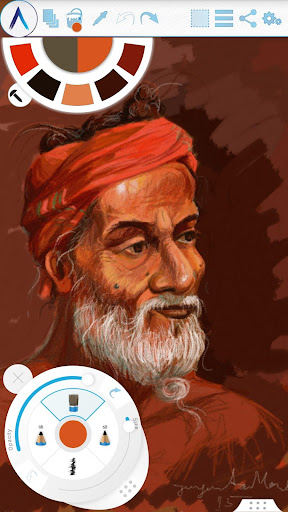
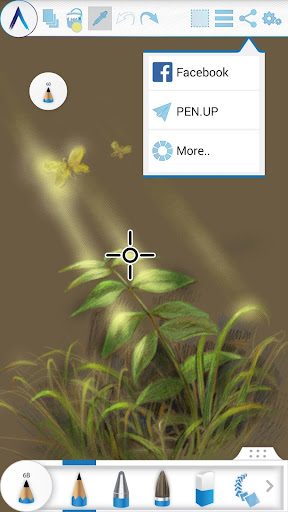
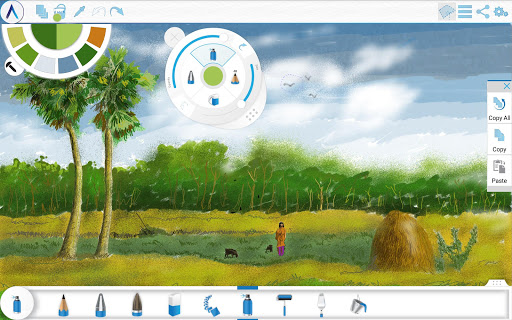
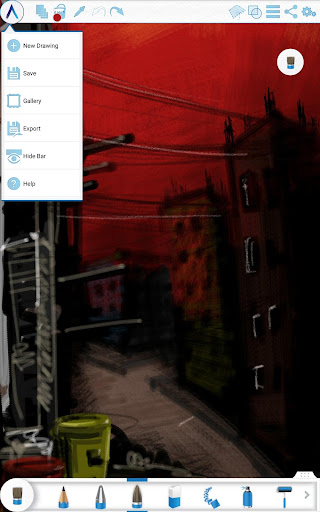
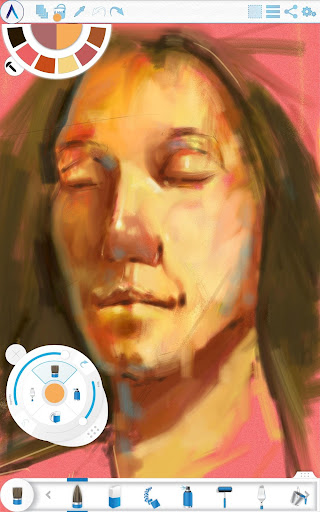
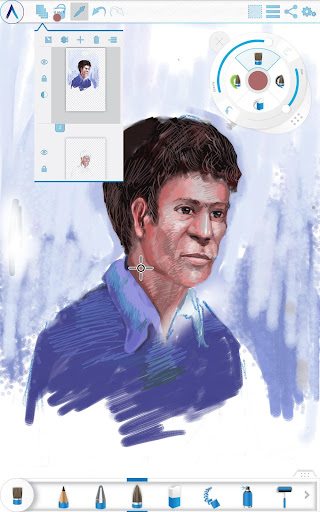
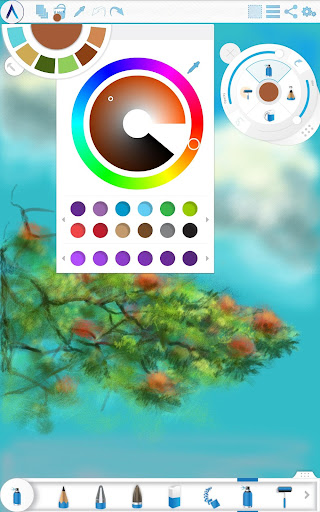
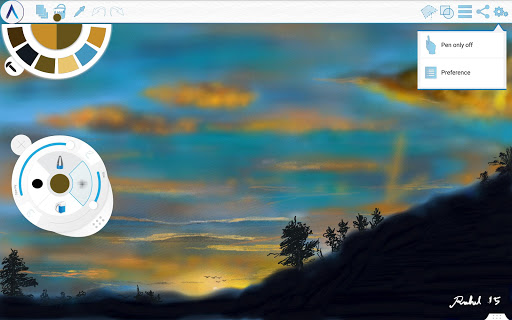
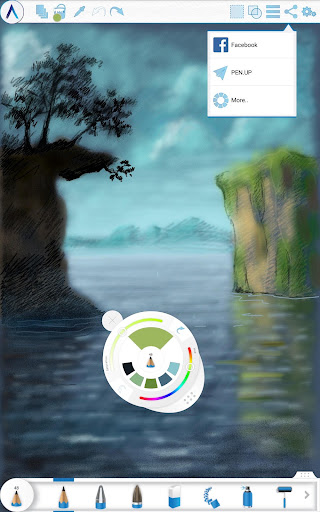
Artecture enables you to sketch, draw and paint like never before. If you love to draw, regardless you are an amateur or a pro, Artecture provides all the tools that you’d love. Enjoy over 30 unique high quality realistic tools. Tune them to match your own taste. You will love it. It’s made by art lovers for art lovers like you. It is simple, beautiful and fun, all together. You can do everything from taking notes to fast architectural sketches, cartoons, illustrations, water color and oil paintings. It feels so real. The best part: it’s all free. No ads.. no download request.
Get it and discover a natural and authentic experience of drawing, painting & sketching on canvas.
Join the Artecture artist community on facebook and learn and share more about it!
Facebook:
Page Name: Artecture Digital Art Community
Link: https://www.facebook.com/artecture.digiart
Main Features:
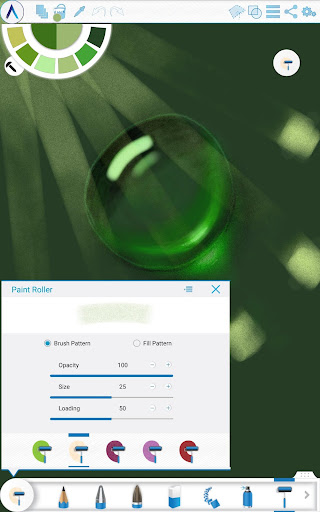
• All the drawing tools that you love to draw and paint with, including Pencil (for realistic sketches), Marker Pen, Oil Brush, Oil Blend brush, Oil real brush, Water Color, Airbrush, Palette Knife (with color mixing), Paint Roller, Paint Tube, Eraser, Flood Fill, Glitter Tube, Far brush, Gradient Brush, Fill Pattern for Every Tool and more.
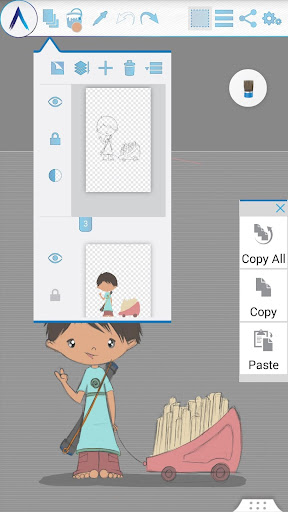
• Multi-Layers with create, remove, lock, visibility, opacity, re-ordering, merge etc.
• Different Image effects on selected layer like Sepia, Inverse, Blur , Gray, Bright, Colorize etc.
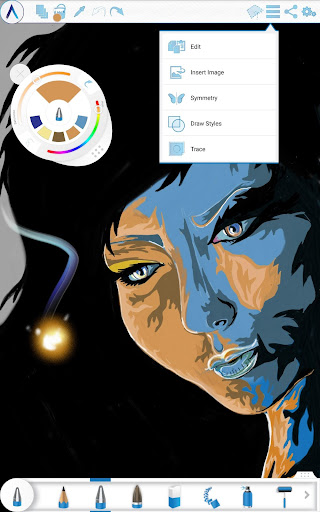
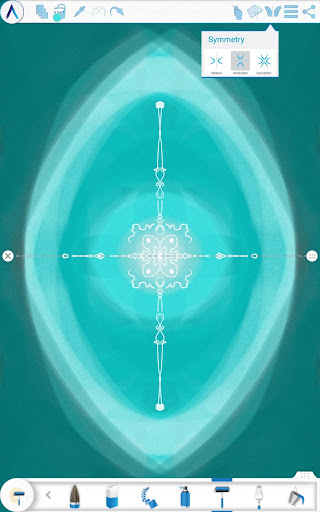
• Symmetry: Vertical, Horizontal, Concentric with changeable center of symmetry.
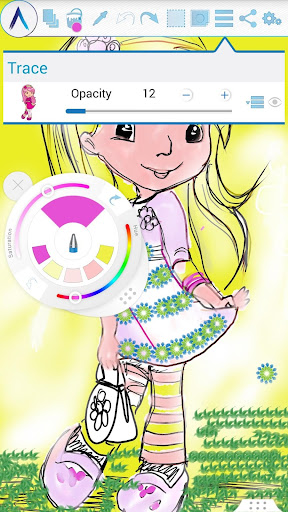
• Tracing with automatic color pick, Template Coloring, Import/Export Image.
• Geometric Shape (Free, Line, Rectangle, Circle) drawing.
• Pen-Only mode (Palm rejection).
• Canvas rotation
• Multi-Touch shortcuts.
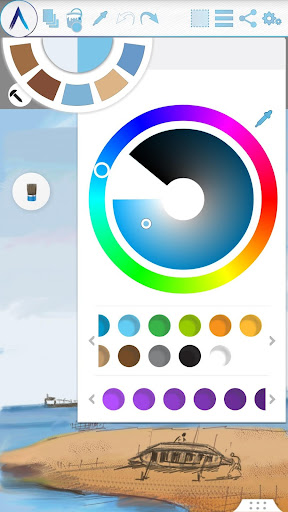
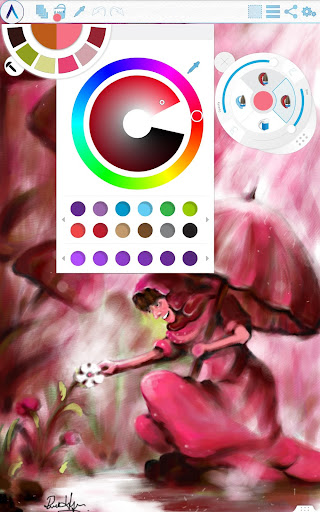
• Color Palette with favorite color defaults and color picker.
• Floating favorite Color and Tool Palette.
• Rectangular and Free hand selection.
• Copy, Paste Rotation and mirroring of selected area.
• Text Insertion (Insert, resize, rotate and mirror).
• Export artworks to standard image formats (.jpeg, .png, .bmp).
• Auto save of artworks.
• Open last drawing with tool preferences.
• Static background (Texture, Color, Image)
• Tool presets
Storage:
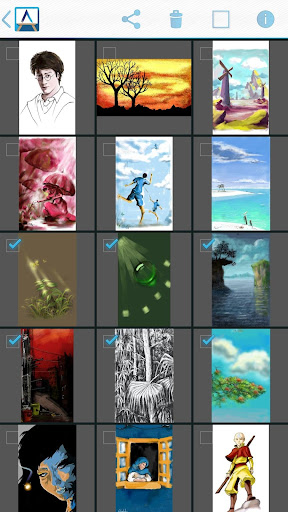
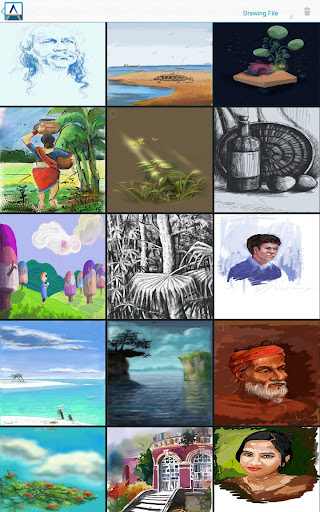
• By default, it saves artworks in “Artecture” folder on device storage, with .bme file format. Only Artecture Gallery can open/view this file format. However, you may export to .bmp image file format also. To reuse a .bmp file, you can simply insert it using the insert option.
• It gives option to change the storage location. Gallery can detect .bme artworks from all the changed locations on device storage.
Sharing:
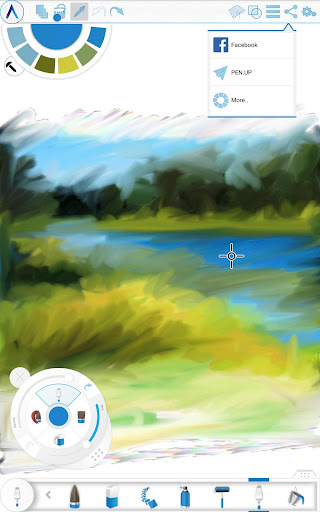
• Upload artworks on Facebook & PenUp both from canvas and gallery.
• Share artworks via Bluetooth, WI-FI Direct.
• Mail, send or save artworks and exported images via MMS, email, shareit and other applications installed in the device.
Help & Support:
Quick reference guide covers the basics of the app.
Need help? Feel free to email us: [email protected]
Specialty:
• This Digital painting tool is free of cost, but advanced in performance.
• You will not be bothered with any advertisement, because we made it ads free.
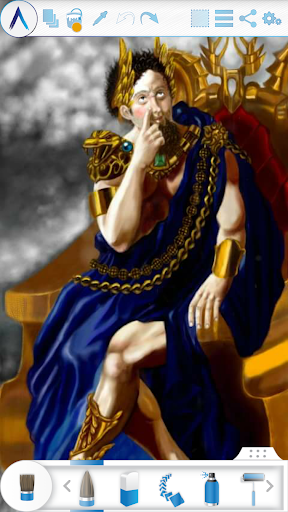
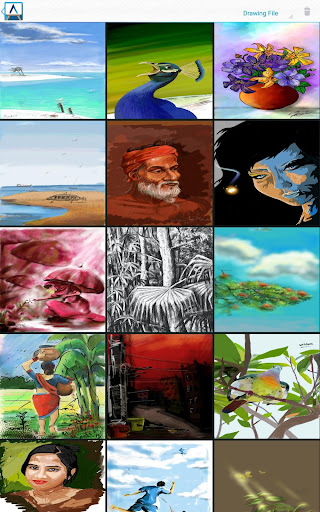
The Artecture screenshots are artworks of students and professors of Fine Art department, Dhaka University. We thank them for allowing us to share.
Special thanks to Mr. Gar Cia for allowing us to include his artwork as a screenshot.
Permissions:
The following permissions are required for the app service.
Required permissions
Storage: Used to save the drawing files
Optional permissions
None
Get it and discover a natural and authentic experience of drawing, painting & sketching on canvas.
Join the Artecture artist community on facebook and learn and share more about it!
Facebook:
Page Name: Artecture Digital Art Community
Link: https://www.facebook.com/artecture.digiart
Main Features:
• All the drawing tools that you love to draw and paint with, including Pencil (for realistic sketches), Marker Pen, Oil Brush, Oil Blend brush, Oil real brush, Water Color, Airbrush, Palette Knife (with color mixing), Paint Roller, Paint Tube, Eraser, Flood Fill, Glitter Tube, Far brush, Gradient Brush, Fill Pattern for Every Tool and more.
• Multi-Layers with create, remove, lock, visibility, opacity, re-ordering, merge etc.
• Different Image effects on selected layer like Sepia, Inverse, Blur , Gray, Bright, Colorize etc.
• Symmetry: Vertical, Horizontal, Concentric with changeable center of symmetry.
• Tracing with automatic color pick, Template Coloring, Import/Export Image.
• Geometric Shape (Free, Line, Rectangle, Circle) drawing.
• Pen-Only mode (Palm rejection).
• Canvas rotation
• Multi-Touch shortcuts.
• Color Palette with favorite color defaults and color picker.
• Floating favorite Color and Tool Palette.
• Rectangular and Free hand selection.
• Copy, Paste Rotation and mirroring of selected area.
• Text Insertion (Insert, resize, rotate and mirror).
• Export artworks to standard image formats (.jpeg, .png, .bmp).
• Auto save of artworks.
• Open last drawing with tool preferences.
• Static background (Texture, Color, Image)
• Tool presets
Storage:
• By default, it saves artworks in “Artecture” folder on device storage, with .bme file format. Only Artecture Gallery can open/view this file format. However, you may export to .bmp image file format also. To reuse a .bmp file, you can simply insert it using the insert option.
• It gives option to change the storage location. Gallery can detect .bme artworks from all the changed locations on device storage.
Sharing:
• Upload artworks on Facebook & PenUp both from canvas and gallery.
• Share artworks via Bluetooth, WI-FI Direct.
• Mail, send or save artworks and exported images via MMS, email, shareit and other applications installed in the device.
Help & Support:
Quick reference guide covers the basics of the app.
Need help? Feel free to email us: [email protected]
Specialty:
• This Digital painting tool is free of cost, but advanced in performance.
• You will not be bothered with any advertisement, because we made it ads free.
The Artecture screenshots are artworks of students and professors of Fine Art department, Dhaka University. We thank them for allowing us to share.
Special thanks to Mr. Gar Cia for allowing us to include his artwork as a screenshot.
Permissions:
The following permissions are required for the app service.
Required permissions
Storage: Used to save the drawing files
Optional permissions
None
What's New
Version Number: 5.2.0.4
• Fixed the issue of “Permission required” for non Samsung devices
• Fixed crashes/can’t save issues
Version Number: 5.2.0.2
• Added dynamic permission handling
• Some Bug fixes
Version Number: 5.1.2.0
• Auto Save: Progress will be automatically saved periodically
• Bug Fix: Minor Bug Fixes
• Fixed the issue of “Permission required” for non Samsung devices
• Fixed crashes/can’t save issues
Version Number: 5.2.0.2
• Added dynamic permission handling
• Some Bug fixes
Version Number: 5.1.2.0
• Auto Save: Progress will be automatically saved periodically
• Bug Fix: Minor Bug Fixes
App Information
Version Name
5.2.0.4
Version Code
1900205
File Size
25.9 MB
Minimum OS
Android 4.1+
Target SDK
Android 26
Developer
Samsung R&D Institute Bangladesh
Contact
Website
Content Rating
Everyone
Package Name
com.samsung.android.sdrawingPermissions Required
This app may request the following permissions:
Recent Reviews

A Google user
2.0★
No ads, no in app purchases, no log in required. Most of this app seems good. The smear tool is pretty clumsy when you try to do something zoomed in. The worst thing is the saving. Most of the time it works. But sometimes it will block out the bottom of the image with white. Layers make this much worse. Also it freezes a lot, I've waited maybe 30 seconds before closing it out. So save often! Seems to freeze less after a phone restart.
A Google user
4.0★
Not a bad art program at all, but ever since i switched to Medibang i realized how featureless this was. No layer modes, clipping, magic wand, free transform, correction, etc. It's better for those who want a simpler, more traditional feel without tons of fancy features, it just isnt for me and it took a while for me to figure that out-
A Google user
4.0★
if play store allowed half stars, I'd give 4 1/2 but since they don't... only just downloaded and played around for a bit. UI seems alright, but wish there were an easier, clearer way to manipulate the image, such as resizing, shifting, etc., without needing to "copy" and "paste" to another layer. otherwise seems like a pretty nice art app!
Amanda Cooper
4.0★
What a superb app. I have been using it for a couple weeks now because I do a sketching app and submit drawings. The only thing I don't like is when I'm drawing something with quick taps and motions it always zooms in huge and it never resizes the way it started. It's become quite the issue and I hope they put a locking feature on that issue, or I'll have to find another app with similar tools and layout. Ads are not overwhelming. Otherwise, it's a super great app.
Just David
5.0★
I am quite impressed with my test drive. I needed an image editor which could work on images larger than my phone screen. It does that no problem and has so much basic functionality that I'm already thinking of replacing other apps with it. My one word of advice is to go into settings shortly after you start and reset the tool tips and read them again. Tool and palette controls are a bit unusual to me, but very handy once understood.

Michael Rubin
3.0★
I reinstalled and resumed using. I appreciate that there are enough brushes and tools to select including new ones, and I can select offline, unlike Ibis. But lately I have a small problem. I can paint in landscape mode but the tool menus do not correspond. This is common with other painting apps I had downloaded. I will appreciate if you can help me with this issue. I searched the Google and Galaxy app stores but many of the apps there got less than four stars. Users agreed with me.
Ad slot: In-Content