

YONO SBI: Banking & Lifestyle
com.sbi.lotusintouch
by State Bank of India
Screenshots


Ad slot: Top Leaderboard
About this app
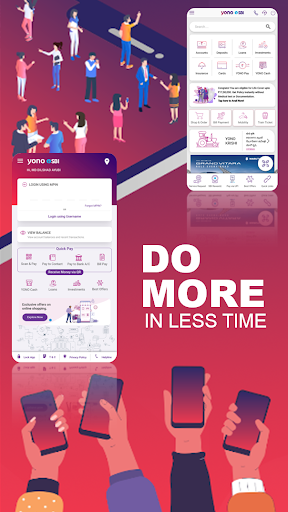
YONO SBI lets you Bank, Shop, Travel, Pay Bills, Recharge, Invest, avail IRCTC ticket booking, use UPI to transfer money, book movie tickets. With YONO SBI, convenience has a new name.
Download YONO SBI, our mobile banking and lifestyle application from Google Play Store Only and experience its best-in-class features. Do not use any other websites.
Registration process:
YONO is supported on Android 12 and above from 01-03-2025.
Please read the OS version as "12 and above" in What's new content as well as under details in "Required OS" field at "More Info" and "Compatibility for your active devices".
The OS version under these sections will be updated 12 and above shortly.
•Install/update new version of App from Play Store and open.
•Allow all required permission (location, make/ manage phone calls).
•Select SIM of CBS Registered Mobile Number (RMN) and allow for SMS permission and submit NEXT
•An encrypted SMS with a unique code will be sent from the device to Bank’s VMN (Virtual Mobile Number) to verify the customer. Kindly note that for sending the SMS standard SMS charges are applicable as per your telecom plan. The SIM should have active outgoing SMS facility. In some devices, the user may have to allow sending the SMS from the outbox.
•If there are multiple CIF's attached with same mobile number, system will prompt for the account number and DOB for finding out a unique customer by the mobile number.
•If the customer is already having online banking facility of SBI, App will automatically prompt to proceed to register on YONO SBI app with existing user credentials (Online Banking User ID and Password). After entering User ID and Password, customer will receive an OTP on Registered Mobile Number. User has to enter the OTP in the app to complete registration with an optional setting of MPIN.
•If the existing SBI customer is not having Online banking credentials, App will prompt to proceed to create INB credential using "Account Details" and "ATM Card" based registration process.
•If Non RMN SIM is selected, user will land on account opening screen. If customer claims that selected SIM is already registered with bank, user needs to visit nearest branch with KYC for validating the mobile number in bank account.
What YONO SBI offers you
YONO SBI, SBI's latest mobile banking offering is an extension of our trusted banking legacy which gave India secure digital products such as YONO Lite and SBI Net Banking. YONO SBI puts India's largest range of products and services at your fingertips.
•India's largest shopping marketplace -Exclusive discounts and offers for SBI customers across merchants who offer shopping, vacation bookings, flight and bus ticket bookings, train ticket bookings through IRCTC, food delivery and much more
•Quick Transfer-Immediate fund transfer to new beneficiary up to Rs.50,000/- per day
•One view- Link and view your relationships with all State Bank entities (Credit Cards, Life Insurance, General Insurance, Travel Insurance, Accident Insurance, SIP, Mutual Funds or investments) in one app
•Your friend in need-Get Pre-approved personal loans on the go within 2 minutes, with no documentation at branches.
•Liquidity on the go-Use this one click facility to avail overdraft against Fixed Deposit
•Experience convenience: Request Cheque Books, ATM Cards/Debit Cards or use the emergency services to change ATM PIN, block ATM cards/Debit cards or stop cheques, through YONO SBI
Other pre log in features:
• ATM/Branch Locator
• Forgot MPIN? - To reset Login MPIN
• View Balance - View account balance & recent transactions
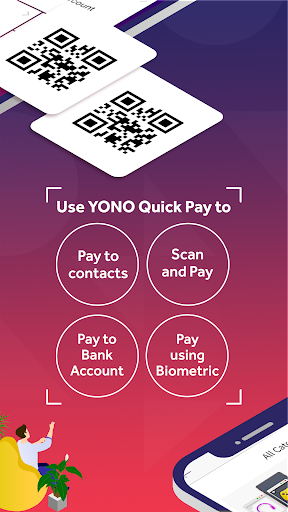
• Quick Pay - Make quick & simple payments.
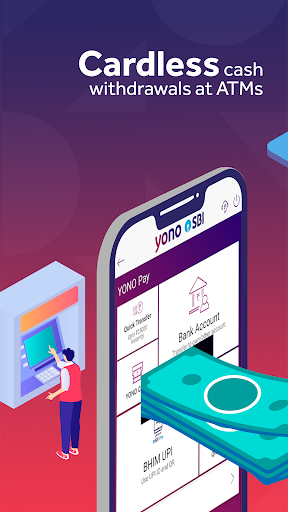
• YONO Cash- Cardless Cash Withdrawal
•Loans - Apply for Home, Car, Education & Personal Loans
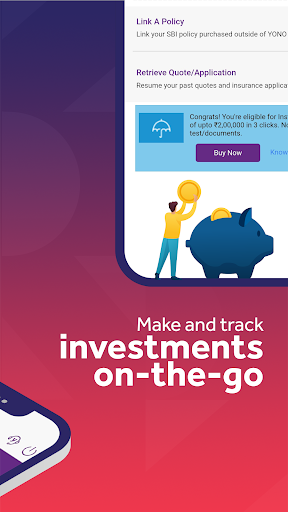
•Investments - Open Investment account and make investments
•Best Offers - Best Online Shopping offers
•Lock App - To lock app access
•T&C-Terms & Conditions
•Privacy Policy
•Helpline - Call on Helpline No.
Download YONO SBI, our mobile banking and lifestyle application from Google Play Store Only and experience its best-in-class features. Do not use any other websites.
Registration process:
YONO is supported on Android 12 and above from 01-03-2025.
Please read the OS version as "12 and above" in What's new content as well as under details in "Required OS" field at "More Info" and "Compatibility for your active devices".
The OS version under these sections will be updated 12 and above shortly.
•Install/update new version of App from Play Store and open.
•Allow all required permission (location, make/ manage phone calls).
•Select SIM of CBS Registered Mobile Number (RMN) and allow for SMS permission and submit NEXT
•An encrypted SMS with a unique code will be sent from the device to Bank’s VMN (Virtual Mobile Number) to verify the customer. Kindly note that for sending the SMS standard SMS charges are applicable as per your telecom plan. The SIM should have active outgoing SMS facility. In some devices, the user may have to allow sending the SMS from the outbox.
•If there are multiple CIF's attached with same mobile number, system will prompt for the account number and DOB for finding out a unique customer by the mobile number.
•If the customer is already having online banking facility of SBI, App will automatically prompt to proceed to register on YONO SBI app with existing user credentials (Online Banking User ID and Password). After entering User ID and Password, customer will receive an OTP on Registered Mobile Number. User has to enter the OTP in the app to complete registration with an optional setting of MPIN.
•If the existing SBI customer is not having Online banking credentials, App will prompt to proceed to create INB credential using "Account Details" and "ATM Card" based registration process.
•If Non RMN SIM is selected, user will land on account opening screen. If customer claims that selected SIM is already registered with bank, user needs to visit nearest branch with KYC for validating the mobile number in bank account.
What YONO SBI offers you
YONO SBI, SBI's latest mobile banking offering is an extension of our trusted banking legacy which gave India secure digital products such as YONO Lite and SBI Net Banking. YONO SBI puts India's largest range of products and services at your fingertips.
•India's largest shopping marketplace -Exclusive discounts and offers for SBI customers across merchants who offer shopping, vacation bookings, flight and bus ticket bookings, train ticket bookings through IRCTC, food delivery and much more
•Quick Transfer-Immediate fund transfer to new beneficiary up to Rs.50,000/- per day
•One view- Link and view your relationships with all State Bank entities (Credit Cards, Life Insurance, General Insurance, Travel Insurance, Accident Insurance, SIP, Mutual Funds or investments) in one app
•Your friend in need-Get Pre-approved personal loans on the go within 2 minutes, with no documentation at branches.
•Liquidity on the go-Use this one click facility to avail overdraft against Fixed Deposit
•Experience convenience: Request Cheque Books, ATM Cards/Debit Cards or use the emergency services to change ATM PIN, block ATM cards/Debit cards or stop cheques, through YONO SBI
Other pre log in features:
• ATM/Branch Locator
• Forgot MPIN? - To reset Login MPIN
• View Balance - View account balance & recent transactions
• Quick Pay - Make quick & simple payments.
• YONO Cash- Cardless Cash Withdrawal
•Loans - Apply for Home, Car, Education & Personal Loans
•Investments - Open Investment account and make investments
•Best Offers - Best Online Shopping offers
•Lock App - To lock app access
•T&C-Terms & Conditions
•Privacy Policy
•Helpline - Call on Helpline No.
What's New
Enhancements and UI changes
App Information
Version Name
1.23.94
Version Code
1239408
File Size
91.3 MB
Minimum OS
Android 12+
Target SDK
Android 33
Developer
State Bank of India
Contact
Website
Content Rating
Everyone
Package Name
com.sbi.lotusintouchPermissions Required
This app may request the following permissions:
Recent Reviews

zinnia D'souza
1.0★
Not user friendly. Gives you problems at every turn. It takes half an hour to load the app just for something that takes one minute. The app will suddenly stop working. I don't want to spending hours or redoing the same thing again and again just because this app can work efficiently.

Vivek Kumar Batra
1.0★
The app's layout makes it unusable. Buttons are off the screen to enter MPIN, the button to enter the OTP on many sections is off the screen not letting a user continue, it asks for OTP for every single thing even though you have already authenticated using an OTP in the same session earlier. It is just a little easier than using their website but lately there have been many bugs and issues with the app.

Puja M
3.0★
Scan doesn't work properly. Add beneficiary seems nightmare since- You have to fill the entire segment of bank details, (I know for security reasons precaution is a must but typing banking password again while logged in already !) Secondly it crashes in between which means repeating the same steps again and again . Hence, leaving user in frustration .

Prasanna Laxmi
3.0★
Earlier the app was good showing transaction history with balance after every transaction.. so I can view my last week's balance or last month's balence... But now, it is showing only 10 transactions with balance... On command it is showing upto 6 months transactions but not showing balance after every transaction.... It is difficult to see the balance from previous days... Please make this change....

shivam dwivedi
3.0★
Yono App has all the features that you are looking for banking on a daily basis. Couple of issues that I found, 1. while it shows credits,debits in the transaction but doesn't shows the running balance in each transaction. 2. FD maturity cannot be modified. if they cannot be done online, instead of erroring out there should be a msg pop up for visiting the near branch. there are few others issues too.

Rahul Kumar
1.0★
Very disappointed with this app. Every time I try to log in, it shows "Unable to process your request at this time. Please try later!" I’ve tried everything — reinstalled the app, cleared cache and data, but nothing works. It’s been like this for days. Please fix this issue urgently, as it’s impossible to access banking services through the app.
Ad slot: In-Content