

Samsung One UI Home
com.sec.android.app.launcher
by Samsung Electronics Co., Ltd.
Screenshots
Ad slot: Top Leaderboard
About this app
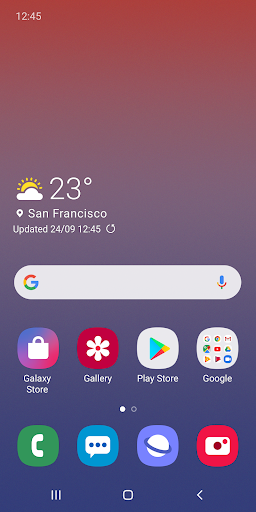
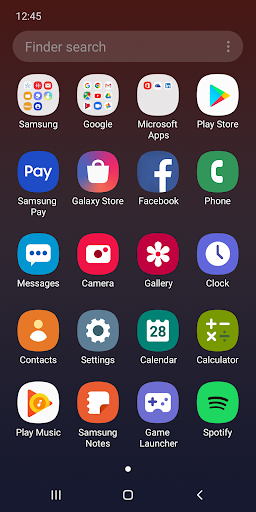
Samsung Experience Home starts fresh with a new face and name: One UI Home. It comes with a simple screen layout, neatly arranged icons, as well as Home and Apps screens that perfectly fit Galaxy devices. Meet the better-looking One UI Home that blends familiarity with newness.
[New features available from Android Pie]
• Use Full screen gestures on the Home screen.
- You can hide the Navigation buttons at the bottom of the Home screen, and quickly switch between apps using gestures. Now, enjoy an even bigger Home screen.
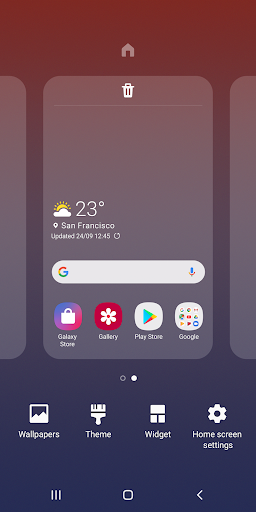
• Lock the Home screen layout after rearranging app icons.
- This can prevent pages from being added and app icons from being repositioned or removed by accident. To lock the Home screen layout, go to Home screen settings, then turn on Lock Home screen layout.
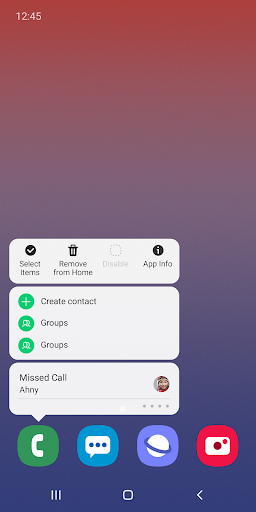
• Touch and hold an app icon or widget.
- You can quickly access the App info or Widget settings screen without going through multiple menus.
※ The features described above require an update to Android 9.0 Pie or a later version.
※ Available features may differ depending on the device or OS version.
If you have any questions or experience any issues while using One UI Home, contact us through the Samsung Members app.
※ App permissions
The following permissions are required for the app service. For optional permissions, the default functionality of the service is turned on, but not allowed.
[Required permissions]
• None
[Optional permissions]
• Storage : Used to restore the home screen layout data
• Contacts : Used to restore the contact widget information
If your system software version is lower than Android 6.0, please update the software to configure App permissions.
Previously allowed permissions can be reset on Apps menu in device settings after software update.
[New features available from Android Pie]
• Use Full screen gestures on the Home screen.
- You can hide the Navigation buttons at the bottom of the Home screen, and quickly switch between apps using gestures. Now, enjoy an even bigger Home screen.
• Lock the Home screen layout after rearranging app icons.
- This can prevent pages from being added and app icons from being repositioned or removed by accident. To lock the Home screen layout, go to Home screen settings, then turn on Lock Home screen layout.
• Touch and hold an app icon or widget.
- You can quickly access the App info or Widget settings screen without going through multiple menus.
※ The features described above require an update to Android 9.0 Pie or a later version.
※ Available features may differ depending on the device or OS version.
If you have any questions or experience any issues while using One UI Home, contact us through the Samsung Members app.
※ App permissions
The following permissions are required for the app service. For optional permissions, the default functionality of the service is turned on, but not allowed.
[Required permissions]
• None
[Optional permissions]
• Storage : Used to restore the home screen layout data
• Contacts : Used to restore the contact widget information
If your system software version is lower than Android 6.0, please update the software to configure App permissions.
Previously allowed permissions can be reset on Apps menu in device settings after software update.
App Information
Version Name
15.1.03.55
Version Code
1510305055
File Size
24.1 MB
Min SDK
Android 33+
Target SDK
Android 34
Developer
Samsung Electronics Co., Ltd.
Contact
Content Rating
Everyone
Package Name
com.sec.android.app.launcherPermissions Required
This app may request the following permissions:
Recent Reviews

A Google user
1.0★
I spent a whole day on my phone without notification panel. The software got updated without me allowing it to, and did not explain anything. So now I have some stupid "gestures" i had set up to swipe my finger on the left side, and still have the panel come from the top. I googled notification panel not working, and did everything I could possibly find to try and fix the problem... turns out I had an app that got installed while I was sleeping so make it work. Really dissatisfied.
A Google user
1.0★
Constant pop up ads. When I go to check recently used apps, it's always this one that was used last. Will update if I ever find away to make it stop completely. *Update - You should be able to uninstall the updates from Settings/Apps. Find Samsung One UI, click the gear icon in the top right corner and click uninstall updates. After that you can go to Google Play, find the app again & uncheck the box for automatic updates. Ads have stopped showing up on my phone now.
A Google user
2.0★
I haven't really understood this app from the beginning. I haven't noticed any additional ad problems but its changed my keyboard. It drains my battery quickly all the time even when I have not been using the phone. It will be 100% charged when i go to bed and be at 80% or less when i awake! It is ridiculous! Maybe if everyone who has complained about this same problem dropped Samsung phones you'd fix it. We just get our phones the way it works best for us and you change it! I'm over it!
A Google user
1.0★
Battery drainer. I am really upset. I have a Samsung Note 8. This is the second time that an install occured without my approval. All my apps were rearranged. Folders were deleted and the apps contained in the folders were scattered all over the phone. The app runs constantly in the background. I have to charge my phone 2-3 times a day. I'm done. How can you force updates without the owner's consent? I feel violated. I won't buy another Samsung phone. I'm done.

Thelma Scharer
1.0★
Exactly what everyone else is saying, it crashes, it takes over your phone, it hides apps, it will change your font, and it makes you do the updates. I had 4 GBs of other apps and info that it wiped out, yet when I look in my library it shows them still there but no longer on my phone. How are you allowed to do this!! Samsung you go too far!! Its my phone, bought and paid for so you have no right!

Legoboss 6500
1.0★
This is absurd! Like so many others, since the update a few days back I am getting bombarded with full screen popup ads. They have prevented me from answering calls or turning off alarms until I close them out. Not to mention you can't Uninstaller the app. So inconvenience and annoying. Sure hoping Samsung figures it out or I may have to finally get a different brand phone.
Ad slot: In-Content