

PENUP – Drawing-sharing SNS
com.sec.penup
by Samsung Electronics Co., Ltd.
Screenshots






Ad slot: Top Leaderboard
About this app
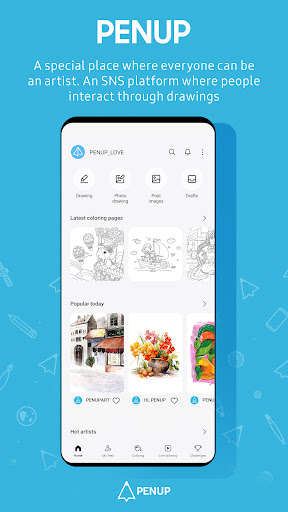
Enjoy a variety of pen-drawn content on PENUP. Share drawings of your thoughts and everyday life with friends all over the world.
• A variety of drawing features
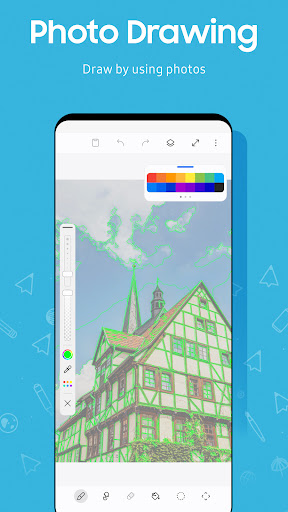
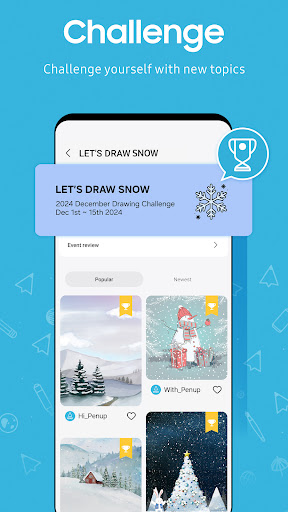
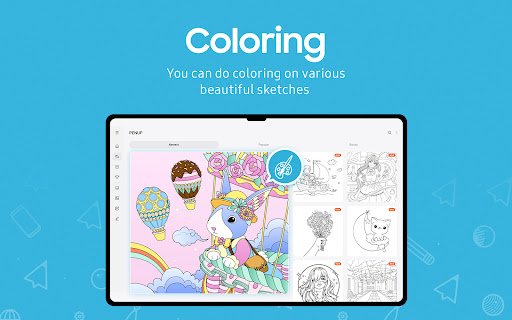
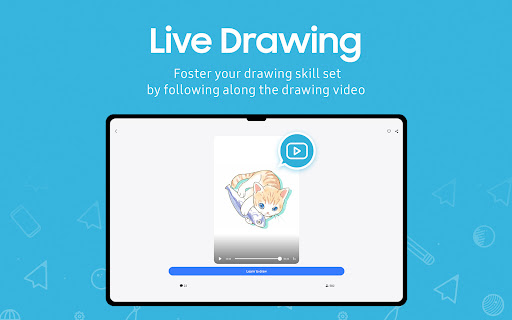
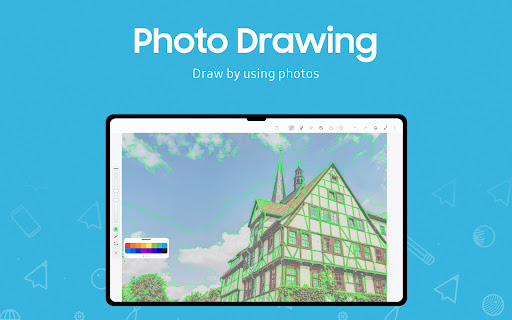
Drawing made easy and fun for everyone. Enjoy coloring in a variety of coloring book pages. Choose from a range of great templates. Improve your drawing skills with Live Drawing (video drawing follow-along) and Photo Drawing (drawing with a photo aid). Test your skills through various drawing challenges.
• Enjoy drawing with friends
Share your drawings or appreciate other users’ creations on Trending Works. Comment on other users’ drawings and communicate on your creations.
-------------------------------------------------Regarding the App Access Privilege--------------------------------------
The following permissions are required for the app service. For optional permissions, the default functionality of the service is turned on, but not allowed.
[Optional Access Privilege]
- Storage : To upload a drawing to PENUP or download a drawing from PENUP (Android 9 or lower)
- Notifications : To notify about activities related to your drawing, followers, and people you're following (Android 13 or above)
If your system software version is lower than Android 6.0, please update the software to configure App permissions.
Previously allowed permissions can be reset on Apps menu in device settings after software update.
• A variety of drawing features
Drawing made easy and fun for everyone. Enjoy coloring in a variety of coloring book pages. Choose from a range of great templates. Improve your drawing skills with Live Drawing (video drawing follow-along) and Photo Drawing (drawing with a photo aid). Test your skills through various drawing challenges.
• Enjoy drawing with friends
Share your drawings or appreciate other users’ creations on Trending Works. Comment on other users’ drawings and communicate on your creations.
-------------------------------------------------Regarding the App Access Privilege--------------------------------------
The following permissions are required for the app service. For optional permissions, the default functionality of the service is turned on, but not allowed.
[Optional Access Privilege]
- Storage : To upload a drawing to PENUP or download a drawing from PENUP (Android 9 or lower)
- Notifications : To notify about activities related to your drawing, followers, and people you're following (Android 13 or above)
If your system software version is lower than Android 6.0, please update the software to configure App permissions.
Previously allowed permissions can be reset on Apps menu in device settings after software update.
What's New
• One UI 8 has been applied
• New brush added as drawing tool
• New brush added as drawing tool
App Information
Version Name
3.9.15.31
Version Code
391531000
File Size
111.7 MB
Min SDK
Android 28+
Target SDK
Android 34
Developer
Samsung Electronics Co., Ltd.
Contact
Website
Content Rating
Teen
Package Name
com.sec.penupPermissions Required
This app may request the following permissions:
Recent Reviews

W. M.
2.0★
App spends an inordinate amount of screen space and interface promoting other people's artwork and profiles. Latest drawings, hot artists, staff picks, popular today... where is the actual drawing and lessons this thing claims to have? It's more like a gallery and marketplace for already completed artwork from people who know what they're doing. Recommended to me as a good starting point for beginners, but I just don't see it.

Jacklyn Gutierrez
5.0★
it's nice 👍 I'm very happy that this one thing where the ink in the pen would be untextured black pen no matter what pen type and colors you'd use didn't happen. It might've been that one factory reset I did. My phone was funky before the factory resetting I put on it, but now it's okay. I think it was the factory reset. Not the app related. If you fix or already fixed it, ty! Great app. A lot of good artists out there. I even have my own art. Recommended.

A Google user
3.0★
This is a good app with so much potnetial. I personally would like to raise the score more if the options weren't too simple. I think it would be perfect if you could add layers, zoom in/out where ever, and a select tool so it's easy to fix a sketch. Not to mention, when I start to draw, there are code bars that form where I draw. Is that an astetic/there a way to turn it off? This app is functional and easy to use so I will keep it. Please update so I can love it more! Got something good here!

Sarah Gibson
5.0★
I love this app! It was automatically on my tablet and now I use it so much. It is so useful for beginners that are trying to learn how to draw digitally. It has coloring pages, challenges, and more! Although it us a great app, it does have it faults. One of the ones that I found annoying is that if you have slow internet, it will sometimes exit the app. If you happen to be drawing while this happens, everything that you drew since your last save will be gone. To prevent this, save more often.

Audra Ragland
3.0★
22GB!!!! I was really enjoying the app lately. I used it in the past but picked it up again recently and have been coloring a good bit. Then it began to freeze on me. Then it crashed with a notice saying, "Not enough storage." I then realized this app was taking up 22gb. I cleared the cache and data, and it went back to low mb numbers. I only had maybe 10 pages colored, I guess that was too much. If I keep using it, I guess I'll just save my pages and clear the data after a few.

T A
2.0★
Can't customize the interface aside from moving the brushes to the right or left side. The eraser button is up at the top for some reason and it's a pain to move halfway across the screen every time I want to erase, then move halfway across again to switch back to a brush. You can't move any of the tools to be in a different spot or combine them into a single menu, which is insane to me. In fact, the options are really barebones. There's like 10 options in total, and zero for customization.
Ad slot: In-Content