

Verizon Protect
com.securityandprivacy.android.verizon.vms
by Verizon Consumer Group
Screenshots

Ad slot: Top Leaderboard
About this app
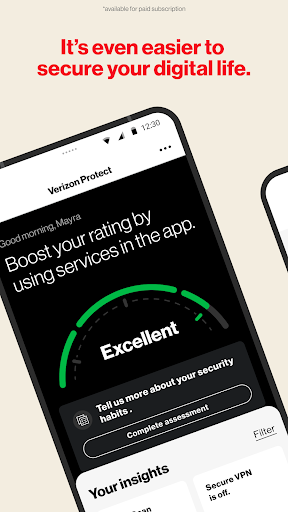
Verizon Protect is a comprehensive security app designed to enhance your mobile security and privacy protection. Whether browsing online, connecting to public Wi-Fi, or simply wanting an extra layer of device and identity security, Verizon Protect has you covered.
Here’s how Verizon Protect, the Verizon security app, keeps you protected:
• Safe Browsing: Avoid risky websites and potential online threats with our antivirus app features. Verizon Protect uses the AccessibilityService API to run in the background to read URLs of websites entered into third-party browsers, to help notify you of potential threats.
• Malware Scan: Identify and remove viruses, malware and other suspicious software in photos, media and other files on your device.
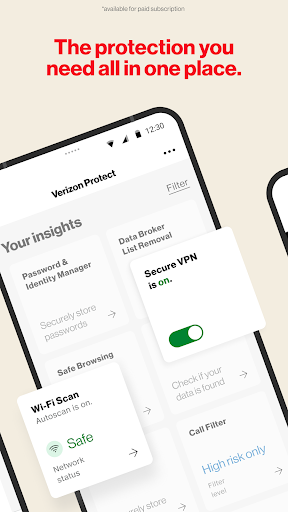
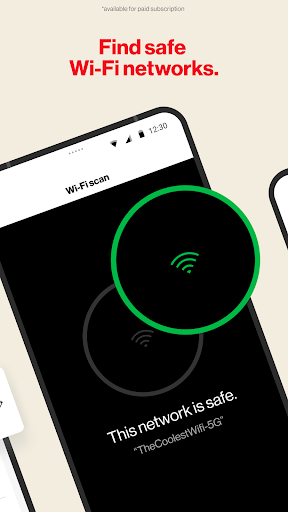
• Wi-Fi Scan: Scan any network with our built-in Wi-Fi scanner to ensure it’s encrypted and safe.
• Identity theft protection: Proactively safeguard your identity with dark web monitoring, data broker removal, and more.
With Digital Secure Premium*, you’ll get end-point security for your mobile devices, including:
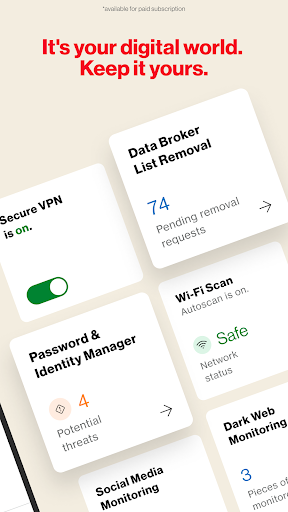
• Secure VPN: Ensure your Wi-Fi connection is secure, your location is disguised and your personal information stays private.
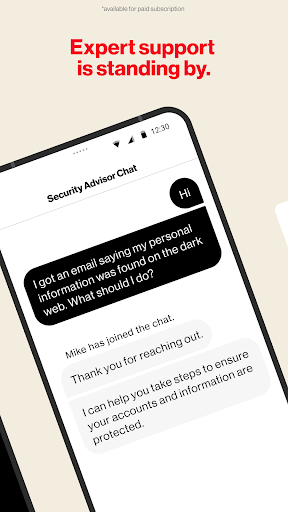
• Dark Web Monitoring: Get alerted if your personal information is found on the dark web.
• Security Advisor: Chat with an expert 24/7 to get guidance and security tips.
• Protect More Devices: Stay protected with comprehensive digital security for Mac and Windows desktop computers.
With Identity Secure*, you’ll get tools and services to help reduce the likelihood of identity theft, including:
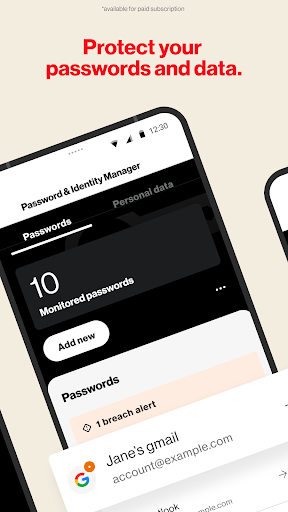
• Password and Identity Manager: Securely create and autofill your passwords across devices and operating systems.
• Data Broker List Removal: Scan and request removal of your personal info from online databases that sell and trade data.
• Social Media Monitoring: Monitor and get alerted of potential account takeover or reputation risks.
• Locked Folder: Securely store your most important files with a 6-digit pin.
• Identity Restoration Services: 24/7 access to restoration experts in case of identity theft.
It’s your digital world. Keep it yours. Download Verizon Protect today!
*Digital Secure Premium services and Identity Secure services require paid subscriptions, which can be added via this app or My Verizon Online.
Here’s how Verizon Protect, the Verizon security app, keeps you protected:
• Safe Browsing: Avoid risky websites and potential online threats with our antivirus app features. Verizon Protect uses the AccessibilityService API to run in the background to read URLs of websites entered into third-party browsers, to help notify you of potential threats.
• Malware Scan: Identify and remove viruses, malware and other suspicious software in photos, media and other files on your device.
• Wi-Fi Scan: Scan any network with our built-in Wi-Fi scanner to ensure it’s encrypted and safe.
• Identity theft protection: Proactively safeguard your identity with dark web monitoring, data broker removal, and more.
With Digital Secure Premium*, you’ll get end-point security for your mobile devices, including:
• Secure VPN: Ensure your Wi-Fi connection is secure, your location is disguised and your personal information stays private.
• Dark Web Monitoring: Get alerted if your personal information is found on the dark web.
• Security Advisor: Chat with an expert 24/7 to get guidance and security tips.
• Protect More Devices: Stay protected with comprehensive digital security for Mac and Windows desktop computers.
With Identity Secure*, you’ll get tools and services to help reduce the likelihood of identity theft, including:
• Password and Identity Manager: Securely create and autofill your passwords across devices and operating systems.
• Data Broker List Removal: Scan and request removal of your personal info from online databases that sell and trade data.
• Social Media Monitoring: Monitor and get alerted of potential account takeover or reputation risks.
• Locked Folder: Securely store your most important files with a 6-digit pin.
• Identity Restoration Services: 24/7 access to restoration experts in case of identity theft.
It’s your digital world. Keep it yours. Download Verizon Protect today!
*Digital Secure Premium services and Identity Secure services require paid subscriptions, which can be added via this app or My Verizon Online.
App Information
Version Name
6.11.0.815
Version Code
611000815
File Size
135.6 MB
Minimum OS
Android 10+
Target SDK
Android 34
Developer
Verizon Consumer Group
Contact
Website
Content Rating
Everyone
Package Name
com.securityandprivacy.android.verizon.vmsPermissions Required
This app may request the following permissions:
Recent Reviews

Boone B
5.0★
I like it super cool. I like how it has a scan to check your wifi and a scan for viruses.But but I feel it needs like a a scan for like spyware and all different stuff that the hackers do and a scan for when your phone starts acting funny. Cuza apps or whatever it may be, so you don't have to factory reset it all the time cuz. You know, if you can have food in a Safe mode and check for individual apps and stuff, you're screwed. When it happens, so I hope to see something like that in the future

Cassie M
2.0★
Repeatedly signing back in. I don't get why now for the past couple of months its doing that. I sign-in and then it could be seconds or minutes or hours later it pops up and I'm asked to sign-in again. either I have to sign-in again or it keeps popping up and am unable to open/use apps because it keeps popping up. Otherwise I have to disable it.

K Apl3ft
1.0★
I'm using the free version, and I'm about to remove the app as it's constantly running and draining my battery down. It's back to scanning screenshots as well. If the free version is this bad, why would I purchase the other plan? It's a very confusing app with all the ads that pop up. I'm afraid to press anything as I'm afraid it will sign me up for something I don't want.

Jen
1.0★
useless! when it does scan- it takes like 2 seconds, if that. meanwhile my web searches are getting rerouted non stop, files missing and more. sounds a bit like I was highjacked!! ya think? yet "verizon "security picks up nothing. never had alerts although I've encountered more problems than not. I tried to uninstall and reinstall RE: contact you? i've been for months and nobody believes me there.And i'm still struggling with it, nobody takes believes a customer

Jim LeSueur
1.0★
I am usually happy with this app. However, after the last update it's basically nonfunctional. Safe browsing doesn't stay on, the app never fully loads so it's difficult to manage most settings, VPN turns on all the time even though I have the automatic option set to "off," malware scans happen frequently and sometimes hang up. I've forced stop and cleared the cache multiple times to no avail.

Derika Lena
1.0★
This app has become useless for me. Every time I try to open the app, it freezes. Every time I take a picture with my phone, it scans. When I run my updates from the Google Play Store, it sends me a notification after that update installs. It either runs multiple malware scans randomly or not at all, even when I have the schedule set to run once daily at midnight. I've already contacted support for this, and I see other people have the very same issues as I do, and nothing is being fixed !!
Ad slot: In-Content