

Securus Mobile
com.securus.videoclient
by Securus Technologies, LLC
Screenshots




Ad slot: Top Leaderboard
About this app
The Securus Mobile app now requires Android 10.0 or higher. Please update to the latest version.
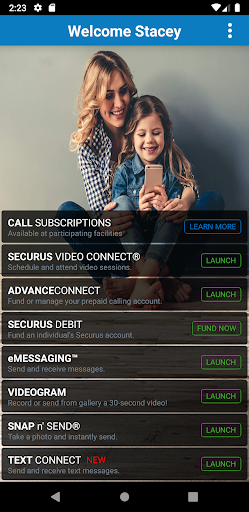
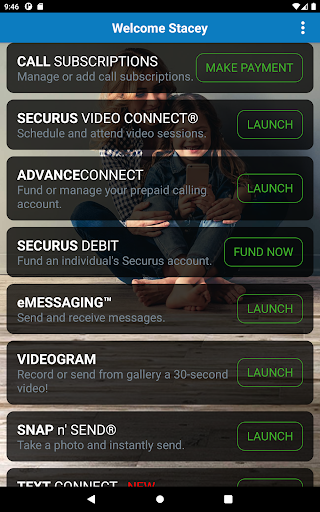
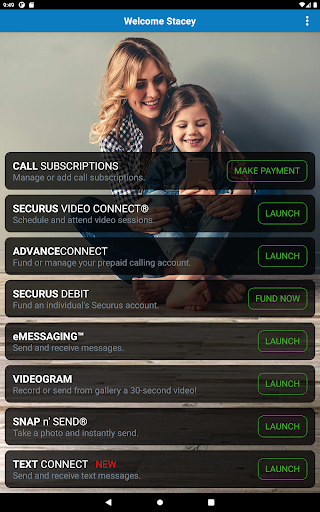
The app provides the following features to easily setup and manage our incarcerated connection services:
• Create a Securus Online account (required for app and website access)
• Change password and 4 digit PIN
• Setup security questions for easy password reset
Video Connect®
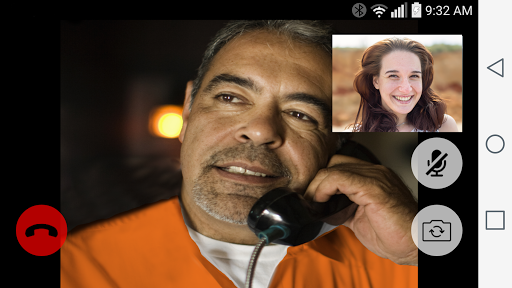
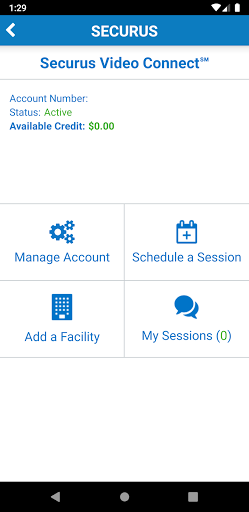
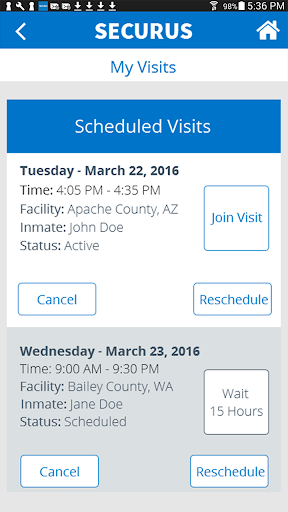
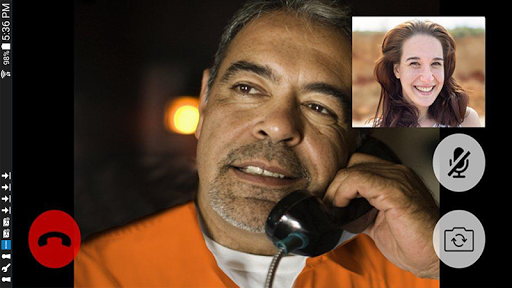
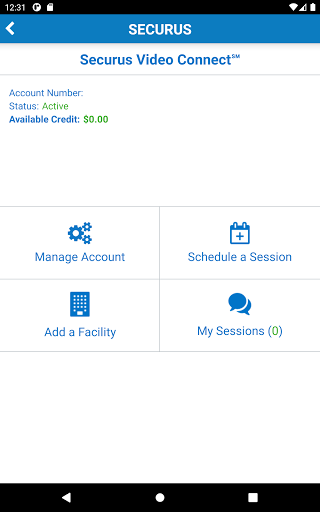
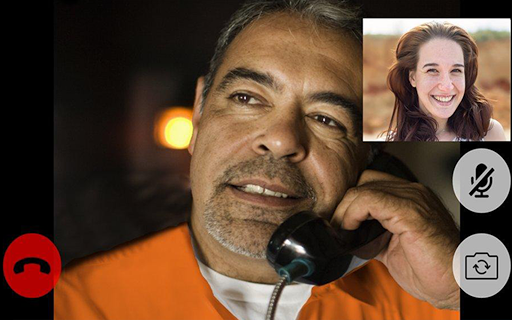
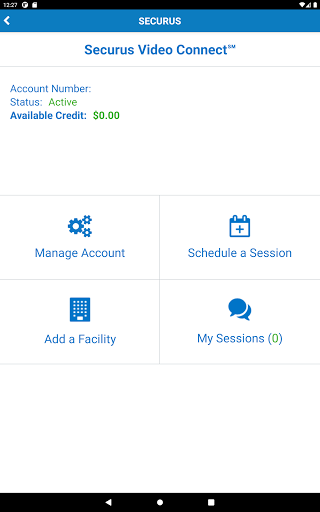
• Enroll in Video Connect, schedule a video session with an incarcerated individual remotely from anywhere in the world where you have Wi-Fi or cellular data service at all Securus sites that offer Video Connect.
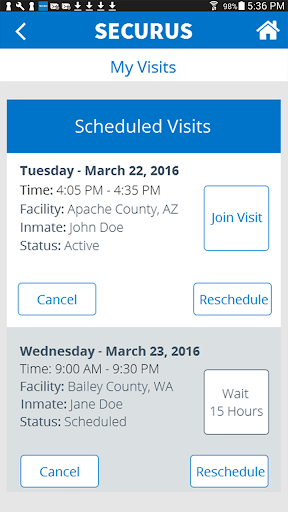
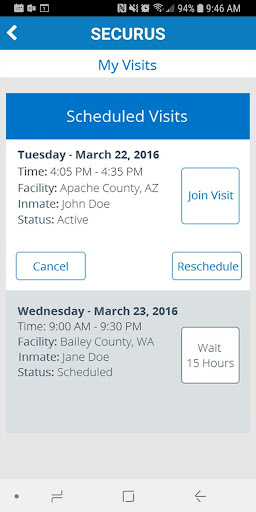
• Access and view your upcoming scheduled video sessions
• Sync details of upcoming video sessions with your calendar
• Receive notifications for upcoming video sessions
• Manage photos for identification, view transaction history and manage credit/debit cards
• Test Wi-Fi/cellular connection to determine quality of Video Connect
*For best results and to reduce echo, use a headset or ear buds with microphone for Video Connect
Prepaid Calling Account Management for You
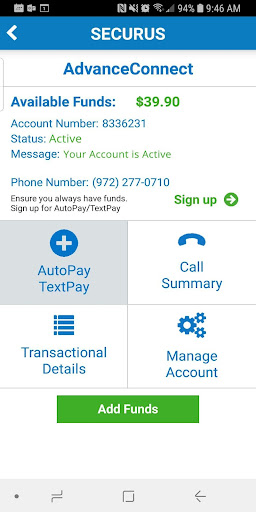
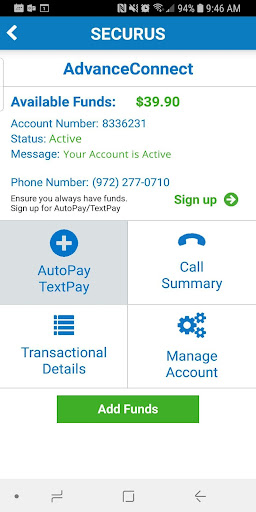
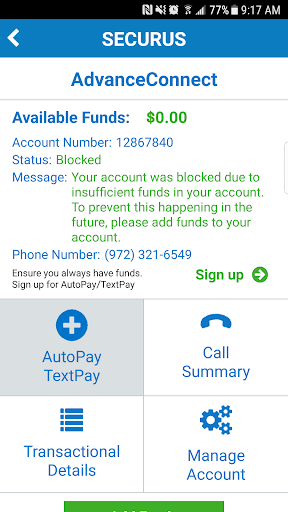
AdvanceConnect – fund this account to receive calls to the phone numbers you choose from your contact. You can:
• Enroll and add funds to AdvanceConnect account to always be ready for a call
• See available funds
• Add or change phone numbers that can receive calls
• View call details and transaction summary
• View the last call attempt to a number
• Block or unblock calls
• Enroll in AutoPay or TextPay
• Update or change credit/debit card information
Securus Debit – deposit funds to this account for your contact to use for:
• Calling any number they choose
• Purchase music, games and movies for their tablet
• Schedule and pay for a Video Connect session
• Purchase stamps to send eMessages and eCards
Feature availability varies by facility
Messaging Services
eMessaging™
• Sign up, purchase ‘stamps’
• Send and receive messages
• Send and receive eCards - digital greeting cards to encourage and uplift
• Attach photos to messages
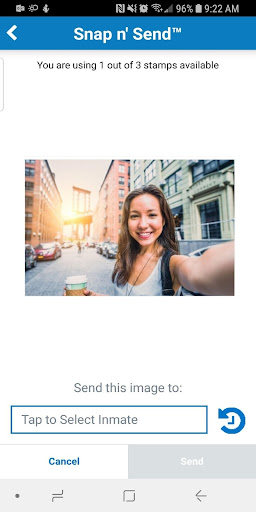
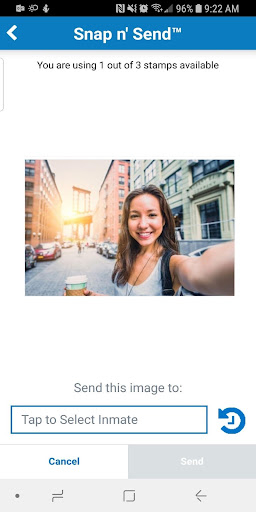
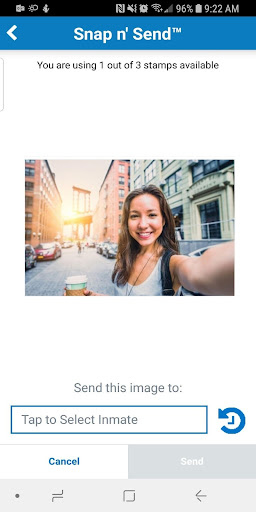
• Snap n’ Send™ - Snap a selfie or choose from your gallery to send a photo to your contact
• Multiple attachments – attach up to 5 eCards and photos to your message
• Transfer stamps to your contact or prepay for them to reply
• Send a 30 second VideoGram
Feature availability varies by facility
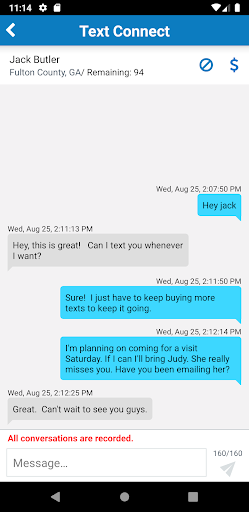
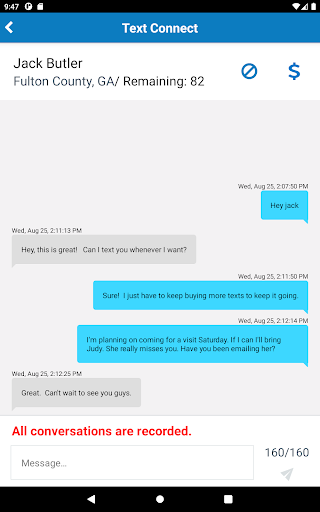
Securus Text Connect - allows real-time two-way short message communication between you and an incarcerated individual using the Securus app.
• You purchase a package of ‘Connects’ at an incarcerated’s facility and begin sending text messages through the Securus app
• The incarcerated can reply using your Connects and you will receive an app notification of incoming texts
• You can setup an automatic re-purchase of your Connects package when your balance gets low (called Recharge)
• Connects are purchased on a per-facility basis and can be used to text only incarcerated individuals located at that facility
• Digital greeting cards, called ‘eCards’, can be sent to an incarcerated individual with a text message
• Low balance alerts via email can be setup by you to always have funds to continue text messaging
The app provides the following features to easily setup and manage our incarcerated connection services:
• Create a Securus Online account (required for app and website access)
• Change password and 4 digit PIN
• Setup security questions for easy password reset
Video Connect®
• Enroll in Video Connect, schedule a video session with an incarcerated individual remotely from anywhere in the world where you have Wi-Fi or cellular data service at all Securus sites that offer Video Connect.
• Access and view your upcoming scheduled video sessions
• Sync details of upcoming video sessions with your calendar
• Receive notifications for upcoming video sessions
• Manage photos for identification, view transaction history and manage credit/debit cards
• Test Wi-Fi/cellular connection to determine quality of Video Connect
*For best results and to reduce echo, use a headset or ear buds with microphone for Video Connect
Prepaid Calling Account Management for You
AdvanceConnect – fund this account to receive calls to the phone numbers you choose from your contact. You can:
• Enroll and add funds to AdvanceConnect account to always be ready for a call
• See available funds
• Add or change phone numbers that can receive calls
• View call details and transaction summary
• View the last call attempt to a number
• Block or unblock calls
• Enroll in AutoPay or TextPay
• Update or change credit/debit card information
Securus Debit – deposit funds to this account for your contact to use for:
• Calling any number they choose
• Purchase music, games and movies for their tablet
• Schedule and pay for a Video Connect session
• Purchase stamps to send eMessages and eCards
Feature availability varies by facility
Messaging Services
eMessaging™
• Sign up, purchase ‘stamps’
• Send and receive messages
• Send and receive eCards - digital greeting cards to encourage and uplift
• Attach photos to messages
• Snap n’ Send™ - Snap a selfie or choose from your gallery to send a photo to your contact
• Multiple attachments – attach up to 5 eCards and photos to your message
• Transfer stamps to your contact or prepay for them to reply
• Send a 30 second VideoGram
Feature availability varies by facility
Securus Text Connect - allows real-time two-way short message communication between you and an incarcerated individual using the Securus app.
• You purchase a package of ‘Connects’ at an incarcerated’s facility and begin sending text messages through the Securus app
• The incarcerated can reply using your Connects and you will receive an app notification of incoming texts
• You can setup an automatic re-purchase of your Connects package when your balance gets low (called Recharge)
• Connects are purchased on a per-facility basis and can be used to text only incarcerated individuals located at that facility
• Digital greeting cards, called ‘eCards’, can be sent to an incarcerated individual with a text message
• Low balance alerts via email can be setup by you to always have funds to continue text messaging
What's New
Fixed payment card expiration bug
App Information
Version Name
1.0.3
Version Code
4
File Size
20.4 MB
Minimum OS
Android 10+
Target SDK
Android 15
Developer
Securus Technologies, LLC
Contact
Website
Content Rating
Everyone
Package Name
com.securus.videoclientPermissions Required
This app may request the following permissions:
Recent Reviews

Lois Grasso-Barrett
1.0★
Why can't a government funded company manage to create a simple messaging app that's at least as good as the WORST privately funded app. It crashes often, sometimes deletng complete messages. There's no "sent date", but the worst is that I often can't see ANY text below the keyboard when it's up, so can't see what I'm typing! And why can't the app stay open or at least logged in, when I have to pick up a call or use another app for a few minutes? Argghhh! Terrible app.

Denise Hansen
1.0★
So far? I am very disappointed. This has to be the hardest app I've used. Or should I say attempted to use! I cannot even get an account set up to use!! So frustrating! Hubby thinks I'm doing something wrong and just not trying and is livid. I have tried setting up a new account. Says my email/phone number already exist on an account. So I try to sign in using email and forgotten password. Get a technical error message or an error saying that there is no web browser located on device.

Kaiti Vibes
1.0★
Other facilities: DONT USE! Worst app! They don't care tho because you have no option but to use it if you wanna talk to your loved one. App crashes almost DAILY. Randomly says you're blocked when you're not. Calls break up constantly or person sounds underwater. You only get 160 characters per text which is NOTHING & at 10cents each it's VERY expensive. Plus the fees are insane/lie. Claims "just a $3 fee", then adds more fees at the end! WORST APP EVER! Do not get this app if you're a facility

Samantha Luken
1.0★
Poor, poor quality app. It's always popping up with error messages and technical difficulties. It only allows one phone call every 15 minutes so if for some reason, we get disconnected, my loved one has to call back since we can't return the call for another 15 minutes. Then it kicks me out when I try to connect with my loved one. I log back in, hit connect, and it kicks me out again. Get it together, Securus.

Trenten Stanley
1.0★
I've never had an app crash before. This app will crash three times before I finish typing out one message. Most of the time, the autosave draft feature doesn't work, so all I've written is deleted and I have to restart. It is so frequent that I've gotten in the habit of copying my message and pasting it to my notes so I have a copy before it crashes. On top of that, autocorrect hardly works.

Tim Stover
1.0★
worst app on my phone, but a necessity because it's the only way in my context to communicate. I serve as a chaplain at the jail, and I use the app a lot to communicate with inmates. this app is very unreliable. sometimes it works out ok, but I gave it 1 star because of how often it just shuts down, sound doesn't work on video chat, camera might not work, and it is not very user friendly. I wish there was an alternative.
Ad slot: In-Content