
Shell: Fuel, Charge & More
com.shell.sitibv.motorist.america
by Shell Information Technology International B.V.
Screenshots

Ad slot: Top Leaderboard
About this app
The Shell App is designed to help you make the most of your stop!
FUELS DRIVERS
This mobile payment application provides a secure and convenient way to pay for fuel at the comfort of your car, as well as purchasing any items inside the store at participating Shell stations in the United States.
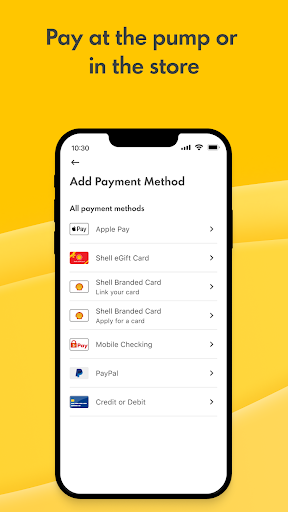
• You can link your Shell branded credit cards, checking account (via Mobile Checking), PayPal, Apple Pay, Google Pay, Samsung Pay, or directly add your credit/debit card: Visa, Mastercard, American Express or Discover.
• There is a NEW way to pay with Shell eGift card. Add or purchase Shell eGift cards from your app!
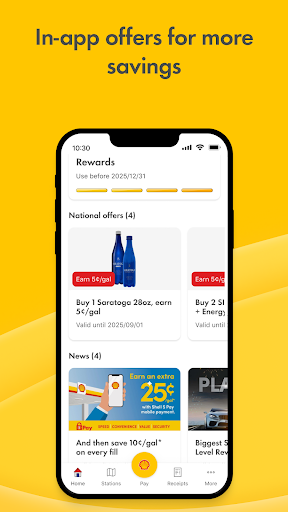
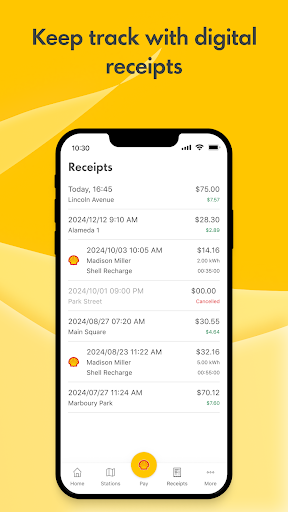
• To pay for fuel outdoors, simply unlock the pump using the app. Or to pay inside the c-store, present the app QR code to the cashier. Either way, you are back on the road in no time. Everything you need is in the app, including loyalty program integration, receipts, offers, and station locator.
ELECTRIC VEHICLE DRIVERS
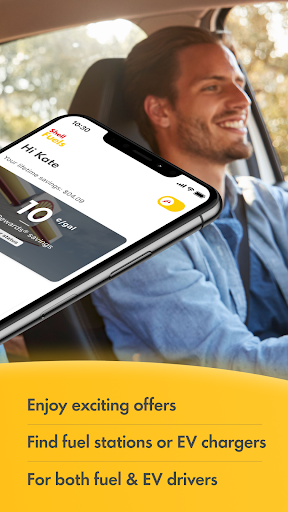
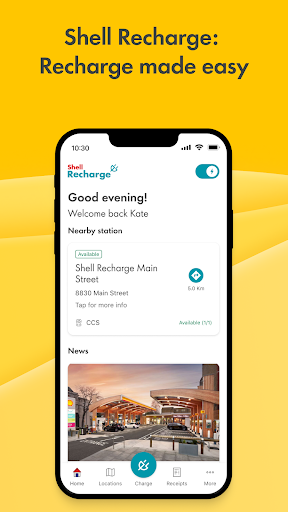
By selecting the EV option, drivers can use the Shell App to access the convenient and reliable Shell Recharge network of over 4,000 charging stations across the US. The Shell App allows EV drivers to locate the nearest charger, check the station’s charging status, start and stop charging, and easily make in-app payments.
FUEL REWARDS® PROGRAM
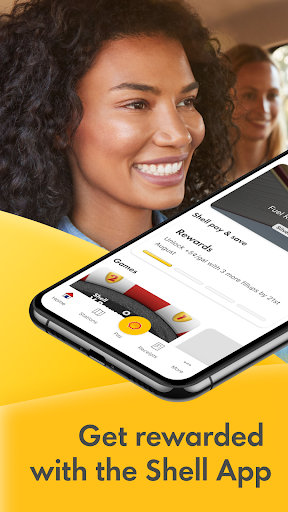
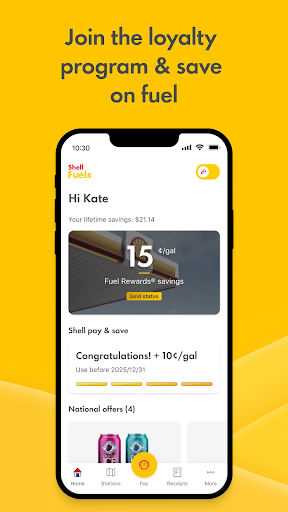
Shell Pay & Save eliminates the need to carry multiple cards, reduces the number of prompts you have to answer, and is integrated with the Fuel Rewards® program so you can save automatically on every fill up, every day!
• All Shell App users earn additional savings for continued use of Shell Pay & Save. You can now customize your savings by choosing to redeem only everyday savings or to use your full rewards balance with Fuel Rewards choice in the Shell App.
• New loyalty status added, see potential new rewards to gain with Platinum status.
Participation in the Fuel Rewards program through the Shell App requires you to link a new or existing Fuel Rewards account in the app. See Terms & Conditions for complete details.
STATION LOCATOR
Find your nearest Shell station and a list of services quickly and easily, including which stations accept Shell Pay & Save mobile payment
FUELS DRIVERS
This mobile payment application provides a secure and convenient way to pay for fuel at the comfort of your car, as well as purchasing any items inside the store at participating Shell stations in the United States.
• You can link your Shell branded credit cards, checking account (via Mobile Checking), PayPal, Apple Pay, Google Pay, Samsung Pay, or directly add your credit/debit card: Visa, Mastercard, American Express or Discover.
• There is a NEW way to pay with Shell eGift card. Add or purchase Shell eGift cards from your app!
• To pay for fuel outdoors, simply unlock the pump using the app. Or to pay inside the c-store, present the app QR code to the cashier. Either way, you are back on the road in no time. Everything you need is in the app, including loyalty program integration, receipts, offers, and station locator.
ELECTRIC VEHICLE DRIVERS
By selecting the EV option, drivers can use the Shell App to access the convenient and reliable Shell Recharge network of over 4,000 charging stations across the US. The Shell App allows EV drivers to locate the nearest charger, check the station’s charging status, start and stop charging, and easily make in-app payments.
FUEL REWARDS® PROGRAM
Shell Pay & Save eliminates the need to carry multiple cards, reduces the number of prompts you have to answer, and is integrated with the Fuel Rewards® program so you can save automatically on every fill up, every day!
• All Shell App users earn additional savings for continued use of Shell Pay & Save. You can now customize your savings by choosing to redeem only everyday savings or to use your full rewards balance with Fuel Rewards choice in the Shell App.
• New loyalty status added, see potential new rewards to gain with Platinum status.
Participation in the Fuel Rewards program through the Shell App requires you to link a new or existing Fuel Rewards account in the app. See Terms & Conditions for complete details.
STATION LOCATOR
Find your nearest Shell station and a list of services quickly and easily, including which stations accept Shell Pay & Save mobile payment
What's New
We update the app regularly to provide new features, bug fixes and performance improvements.
App Information
Version Name
7.3.0
Version Code
703016
File Size
42.5 MB
Minimum OS
Android 7.0+
Target SDK
Android 33
Developer
Shell Information Technology International B.V.
Contact
Website
Content Rating
Everyone
Package Name
com.shell.sitibv.motorist.americaPermissions Required
This app may request the following permissions:
Recent Reviews

Travis Nobles
1.0★
Doesn't even work about half the time. It will let me fill up using the app but then it doesn't give me credit for about half of the full-ups, including premium fill-ups which are supposed to count as 2... Even when I spend $70 on a fill-up. The past three times I have filled up using the app, it didn't give me credit for it. I never spend less than $30 on a fill up either, so it should be counting them, but it doesn't. I go back into the app after filling up and it just says "ready to fill up".

Jimmy DeCoster
1.0★
Doesn't work for Shell, formerly Volta, stations. It says they are occupied. Chargepoint correctly shows them available. Too bad I didn't realize this until I had to leave without getting any charge on what was a free station which used to be plug and play under Volta. They also don't recognize + in email which I use for filtering. Absolute garbage.

James Harris
1.0★
The app simply does not work! I signed on from home in the US to make sure when I got to London, ON that the app would be working. When I got to the station the app would not allow me to sign in. Gave a cryptic error with zero explanation. Thank God the operator on the toll free number was able to reset the station and allow me to pay over the phone. I would have been stranded. Once arriving at my destination, the app still won't allow me to sign in with the same cryptic error message! No more!

Ralph CarolM
2.0★
At first it's not obvious the app has two main modes: fuel or recharge. If you go directly to the stations map, you will not see fuel stations if the app is in the 'recharge mode'. There is a switch to choose the modes in the home screen, upper right corner. It has a tiny fuel filler tube graphic on it when in the 'fuel' mode. The user should also be able to choose the currently desired mode in the settings. Super bonus would be the ability to switch modes while viewing the map!

Chad O'keefe
1.0★
Horrible! It's the only app I could add gas on immediately. What a mistake. I should have refined the stuff myself. Plus there's only 3 or 4 shells around here. Two didn't take them, one is unmanned. I tried to add another 100, and it wouldn't add it.. I had to call for a refund.. That was 2days ago. It's October 13th. No refund.

Daniel Alarcon
1.0★
I'm giving this app a one. there's no way to get help at the charging stations . I've had multiple issues where the stations do not charge are unavailable are blocked and nowhere are nothing I can do. I've tried calling the number on the stations and there's usually a long whole time without a conclusion. Volta was so much better on its own. I'm very upset after the shell changes.
Ad slot: In-Content