

RoboForm Password Manager
com.siber.roboform
by Siber Systems Inc
Screenshots









Ad slot: Top Leaderboard
About this app
Award winning password manager and form filler. Access your passwords on all your devices. Secure one tap logins for websites and apps. Reduce your passwords to a single Master Password that only you know.
PASSWORD MANAGER
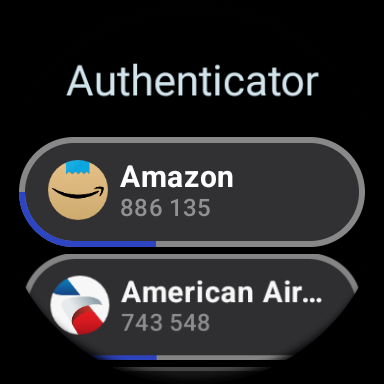
• Wear OS version available (needs companion Android app to access data).
• Tile surface for quick access is included for Wear OS version.
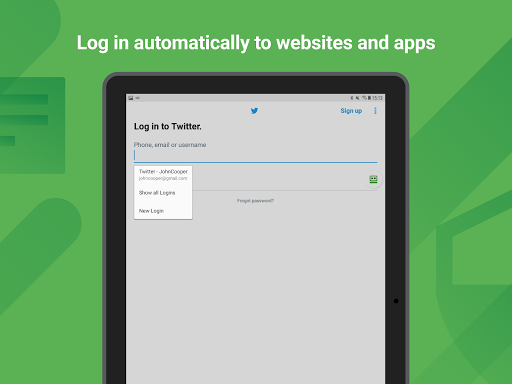
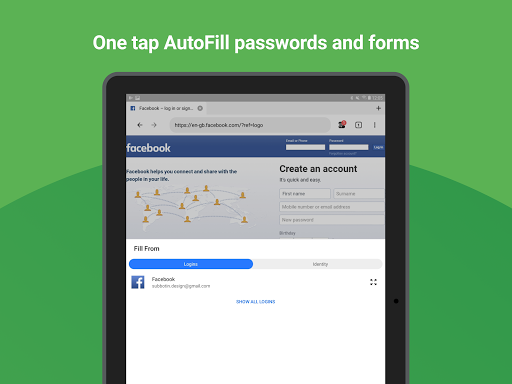
• The embedded RoboForm browser logs in to websites with one tap and offers to AutoSave new passwords.
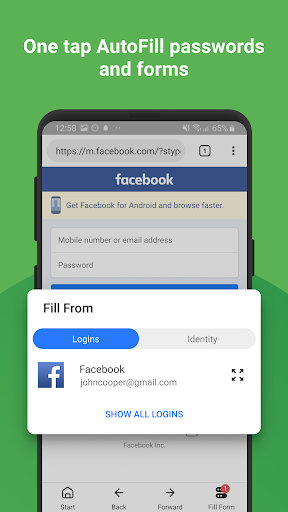
• Automatically fill in passwords in apps and sites visited using Chrome or other browsers.
• AutoSave passwords directly within Chrome and supported apps, starting with Android 8.
• Keep all your passwords in one secure location.
• Arrange your go-to passwords in any order you wish using Pinned view.
• Stay organized with folders and sub-folders.
• RoboForm's password generator creates unique and hard to guess passwords for each site.
• Support for multi-step logins.
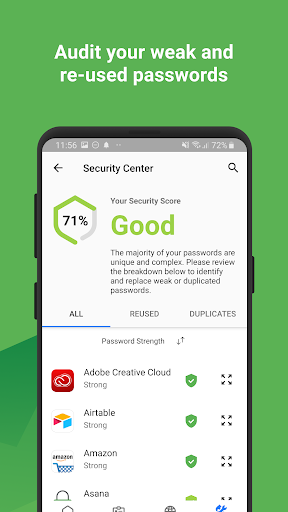
• Security Center finds your weak, re-used, or duplicate passwords.
ULTIMATE CONVENIENCE
• Your passwords are always with you. Add, view, and edit your Logins, Identities, and Safenotes from any device.
• Keep your passwords in sync across all devices and computers. Robust clients and extensions for Windows, Mac, iOS, Linux, and Chrome OS. (Premium feature).
• Import easily from all major password managers and browsers using the Windows or Mac client. CSV import and export available.
• Import passwords from Chrome on android.
• Securely share and sync changes to individual items (Premium feature).
• Appoint a trusted contact to access your data in case of Emergency (Premium feature).
• Purchase a Family plan and get up to 5 Premium accounts for one low price.
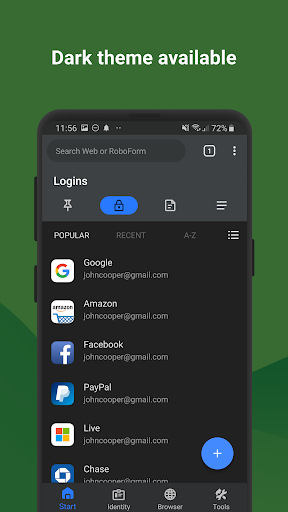
• Light and dark color themes available.
NOT JUST FOR PASSWORDS
• Securely store and edit credit cards, bank accounts, or any other personal information.
• AutoFill long checkout forms with one tap.
• Store license keys, wi-fi passwords, or any other important information using Safenotes.
• Sync Bookmarks for your favorite websites.
• Store contact information for your friends and colleagues.
SECURITY
• Your data is protected with AES 256 encryption.
• You are the only one who knows your Master Password. We don’t save or store that information anywhere, giving you complete protection.
• Two factor authentication (2FA).
• App locks after inactivity. Only you can access your data even if your device is misplaced.
• Unlock using Touch ID or PIN.
RELIABILITY
• We’ve been mastering password management for 15+ years.
• Expert reviews include the Wall Street Journal, New York Times, ZDNet, Bloomberg, Financial Times, NBC TV, ABC News and more.
• 24/7/365 email support.
• Live chat support available during US business hours.
• Loved and used by millions.
IN-APP PURCHASE TERMS
• RoboForm is free for unlimited Logins and web form fill on a single device.
• RoboForm Premium and RoboForm Family are available as one year renewable subscriptions.
• RoboForm Premium adds automatic sync across all devices and browsers, secure cloud backup, two factor authentication, secure sharing, web access, and priority 24/7 support.
• RoboForm Family: Up to 5 RoboForm Premium accounts under a single subscription.
Accessibility Services Disclosure: RoboForm offers the ability to use the Accessibility Service to augment AutoFill on older devices or in cases when AutoFill is not working correctly. When enabled, the Accessibility Service is used to look for login fields in apps and web sites. This establishes the appropriate field IDs and captions when a match for the app or web site is found and fills credentials. When the Accessibility Service is active RoboForm does not store information and it does not control any on-screen elements beyond filling credentials.
PASSWORD MANAGER
• Wear OS version available (needs companion Android app to access data).
• Tile surface for quick access is included for Wear OS version.
• The embedded RoboForm browser logs in to websites with one tap and offers to AutoSave new passwords.
• Automatically fill in passwords in apps and sites visited using Chrome or other browsers.
• AutoSave passwords directly within Chrome and supported apps, starting with Android 8.
• Keep all your passwords in one secure location.
• Arrange your go-to passwords in any order you wish using Pinned view.
• Stay organized with folders and sub-folders.
• RoboForm's password generator creates unique and hard to guess passwords for each site.
• Support for multi-step logins.
• Security Center finds your weak, re-used, or duplicate passwords.
ULTIMATE CONVENIENCE
• Your passwords are always with you. Add, view, and edit your Logins, Identities, and Safenotes from any device.
• Keep your passwords in sync across all devices and computers. Robust clients and extensions for Windows, Mac, iOS, Linux, and Chrome OS. (Premium feature).
• Import easily from all major password managers and browsers using the Windows or Mac client. CSV import and export available.
• Import passwords from Chrome on android.
• Securely share and sync changes to individual items (Premium feature).
• Appoint a trusted contact to access your data in case of Emergency (Premium feature).
• Purchase a Family plan and get up to 5 Premium accounts for one low price.
• Light and dark color themes available.
NOT JUST FOR PASSWORDS
• Securely store and edit credit cards, bank accounts, or any other personal information.
• AutoFill long checkout forms with one tap.
• Store license keys, wi-fi passwords, or any other important information using Safenotes.
• Sync Bookmarks for your favorite websites.
• Store contact information for your friends and colleagues.
SECURITY
• Your data is protected with AES 256 encryption.
• You are the only one who knows your Master Password. We don’t save or store that information anywhere, giving you complete protection.
• Two factor authentication (2FA).
• App locks after inactivity. Only you can access your data even if your device is misplaced.
• Unlock using Touch ID or PIN.
RELIABILITY
• We’ve been mastering password management for 15+ years.
• Expert reviews include the Wall Street Journal, New York Times, ZDNet, Bloomberg, Financial Times, NBC TV, ABC News and more.
• 24/7/365 email support.
• Live chat support available during US business hours.
• Loved and used by millions.
IN-APP PURCHASE TERMS
• RoboForm is free for unlimited Logins and web form fill on a single device.
• RoboForm Premium and RoboForm Family are available as one year renewable subscriptions.
• RoboForm Premium adds automatic sync across all devices and browsers, secure cloud backup, two factor authentication, secure sharing, web access, and priority 24/7 support.
• RoboForm Family: Up to 5 RoboForm Premium accounts under a single subscription.
Accessibility Services Disclosure: RoboForm offers the ability to use the Accessibility Service to augment AutoFill on older devices or in cases when AutoFill is not working correctly. When enabled, the Accessibility Service is used to look for login fields in apps and web sites. This establishes the appropriate field IDs and captions when a match for the app or web site is found and fills credentials. When the Accessibility Service is active RoboForm does not store information and it does not control any on-screen elements beyond filling credentials.
What's New
- App now targets Android SDK 35, ensuring compatibility with the latest Android features and improvements.
- Fixed several known bugs.
- Fixed several known bugs.
App Information
Version Name
4.3.6
Version Code
119
File Size
12.6 MB
Minimum OS
Android 9+
Target SDK
Android 23
Developer
Siber Systems Inc
Contact
Website
Content Rating
Everyone
Package Name
com.siber.roboformPermissions Required
This app may request the following permissions:
Recent Reviews

Tammy M
5.0★
I use to use this program years ago and I can say it is extremely better than it was then. I just lost all my passwords and account name info due to the new edge browser update and luckily I had a paper copy of at least the names etc. So I could go reset all of them. You don't have to think about it, just let the program do it's job. I also signed up for the family plan so I can put it on my 3 computers and 2 other computers that are not mine. Add the extension to your browser to use it.

Karen Engell
3.0★
It's nice to have all my passwords in one place but the app does not work without flaws. The latest app added a confirmation of filling your password that takes up half or more of the screen when it used to be a simple pop up window. Also if it doesn't match a password to the login screen that I'm on and I choose to "browse all logins" when I try to search my logins it closes and goes back to the webpage that I'm trying to login to.

Nunaya Bidnez
1.0★
RoboForm is very buggy and complicated. I wanted to like it, & I bought a 1-year subscription. I hoped it would work well. But what it actually did was complicate my life to the point of frustration. It is very oriented towards laptop or computer and NOT WELL DESIGNED FOR ANDROID. They need to have clear tutorials re setttings. They replied to my review saying I could get the beta version, to fix it. I'm not paying a year subscription to use a beta version! I'm canceling my sub!

iCam
2.0★
Its a shame i've loved this app for so long but now i have to say that If you have an android phone FORGET IT!!!! i dont know what they did with this most recent update but they really messed up. ESPECIALLY with this new found stupid floating bubble and drop down menu they came up with. I just cant get it to go away. and m not wasting any more time or frustration messing with the settings trying to figure it out. OR MONEY. it sucks but cancelling my annual subscription

Alan Cantos
5.0★
Update 9-3-25. They fixed the battery problem in version 9.8.2.8. make sure u have at least this version. A feature upgrade would be great if we can have more than a 4-digit password for better security. Great pw manager. Except it uses a lot of resources (battery) on phone and tablet. It uses 16% of my battery. it works on all my devices, phone, laptop, desktop, tablet. I'm gonna keep it. the one fix I have is I put it in the accessibility mode so I can turn it on and off as needed.

Bryant Young
3.0★
Pros: It is very affordable. The Chrome browser extension for computers works well. The Windows app is good. Cons: This app... It has a dated UI and experience. The app constantly wants to act like a browser when all I want is a password manager. Syncing is manual most of the time. It has been KILLING my battery and ignoring the background setting being set to not allow. (The battery thing is as of 2 weeks ago and is still an issue.)
Ad slot: In-Content