
GlassesOn | Pupils & Lenses
com.sixoversix.copyglass
by 6over6 Vision LTD
Screenshots
Ad slot: Top Leaderboard
About this app
#1 Ranked App for obtaining Pupillary Distance.
The only medical grade app for PD (Pupillary Distance) and extracting your glasses parameters!
Getting your glasses parameters has never been easier!
Get everything you need to buy new glasses or AR / VR headset from the comfort of your home.
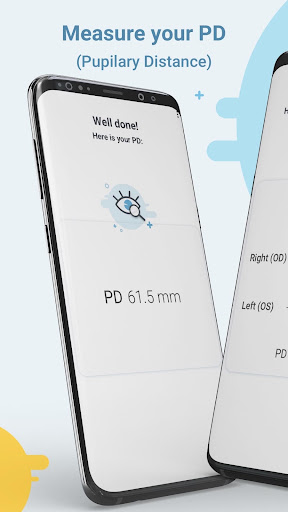
Get your PD (Pupillary Distance) in less than a minute and get your glasses parameters in less than 10 minutes!!!
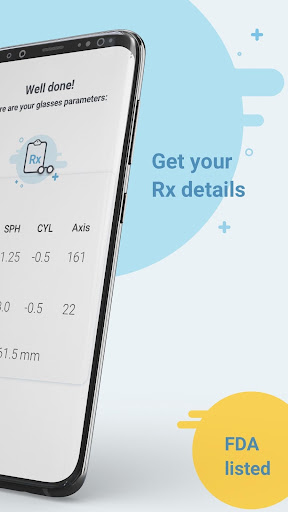
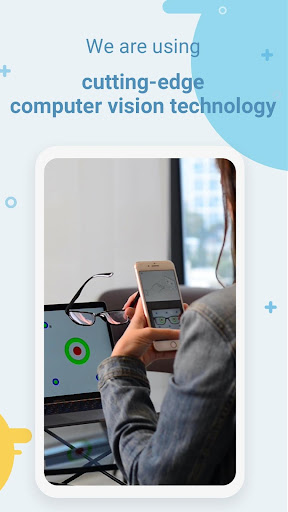
GlassesOn uses cutting-edge computer vision to scan glasses for their optical parameters to provide you with the glasses parameters including sphere (power), cylinder (astigmatism), axis, and PD (Pupillary Distance).
Key features:
* Free PD (Pupillary Distance) information
* Unlimited glasses scans
* Fast and easy to use
* Meets the industry guidelines for accuracy (ANSI Z80.17) within 0.25D, PD within 2mm.
* FDA, CE, Health Canada and TGA listed
How it works:
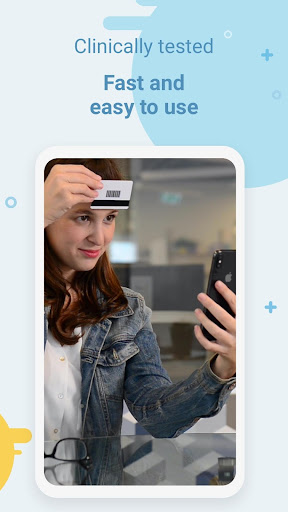
To use GlassesOn to get your PD you will need any standard magnetic card (e.g. a library card), light colored cards work best
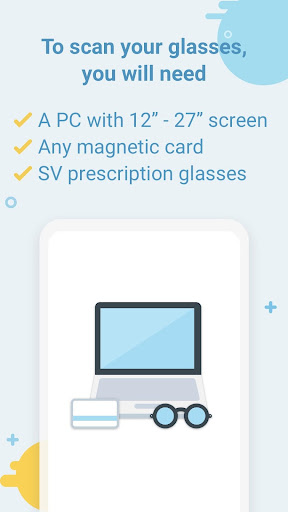
To use GlassesOn for extract your glasses parameters you will need:
* A 12"-27" computer screen
* Your current glasses
* Any standard magnetic card (e.g. a library card)
How to obtain your PD (pupillary distance)?
Tap “Start PD” on the home page and follow the voice instructions. GlassesOn will do the rest, it’s that easy :) No ruler, no mirrors and no manual adjustments needed.
Who can use GlassesOn?
Anyone can use GlassesOn for PD information for FREE!
Use our premium GlassesOn to extract your glasses details if you:
* Are a healthy individual, 18 or older
* Have stable vision, and are happy with your current prescription
* Use GlassesOn for Single Vision prescription glasses between -6.00 and +3.00
* Use GlassesOn for glasses with cylinder measurement up to -2.50
You should not use GlassesOn for:
* Multifocal/bifocal/progressives eyeglasses
* Glasses that include a prism measurement
You should not use GlassesOn if you:
* Take any medication that affects your vision
* Have any illness or condition that affects eye health (ask your doctor)
This app is not a substitute for an in-person visit to your eye doctor or any kind of eye exam. The parameters extracted from the scanned glasses are not a prescription.
* We respect your privacy.
Our privacy policy clearly states what information we collect when you visit our website and/or use our app. See our full privacy policy here:
https://luna.io/trust/privacy/
** Note - GlassesOn is a Medical Device listed in the FDA Medical Device Listings, CE (EU) self-declared Class 1, Health Canada and a TGA Medical Device Listings. However, GlassesOn does not provide medical advice and does not replace a full eye health exam. We encourage you to visit your eye doctor periodically.
Manufactured by 6over6 Vision Ltd.
For more details go to https://6over6.com/
The only medical grade app for PD (Pupillary Distance) and extracting your glasses parameters!
Getting your glasses parameters has never been easier!
Get everything you need to buy new glasses or AR / VR headset from the comfort of your home.
Get your PD (Pupillary Distance) in less than a minute and get your glasses parameters in less than 10 minutes!!!
GlassesOn uses cutting-edge computer vision to scan glasses for their optical parameters to provide you with the glasses parameters including sphere (power), cylinder (astigmatism), axis, and PD (Pupillary Distance).
Key features:
* Free PD (Pupillary Distance) information
* Unlimited glasses scans
* Fast and easy to use
* Meets the industry guidelines for accuracy (ANSI Z80.17) within 0.25D, PD within 2mm.
* FDA, CE, Health Canada and TGA listed
How it works:
To use GlassesOn to get your PD you will need any standard magnetic card (e.g. a library card), light colored cards work best
To use GlassesOn for extract your glasses parameters you will need:
* A 12"-27" computer screen
* Your current glasses
* Any standard magnetic card (e.g. a library card)
How to obtain your PD (pupillary distance)?
Tap “Start PD” on the home page and follow the voice instructions. GlassesOn will do the rest, it’s that easy :) No ruler, no mirrors and no manual adjustments needed.
Who can use GlassesOn?
Anyone can use GlassesOn for PD information for FREE!
Use our premium GlassesOn to extract your glasses details if you:
* Are a healthy individual, 18 or older
* Have stable vision, and are happy with your current prescription
* Use GlassesOn for Single Vision prescription glasses between -6.00 and +3.00
* Use GlassesOn for glasses with cylinder measurement up to -2.50
You should not use GlassesOn for:
* Multifocal/bifocal/progressives eyeglasses
* Glasses that include a prism measurement
You should not use GlassesOn if you:
* Take any medication that affects your vision
* Have any illness or condition that affects eye health (ask your doctor)
This app is not a substitute for an in-person visit to your eye doctor or any kind of eye exam. The parameters extracted from the scanned glasses are not a prescription.
* We respect your privacy.
Our privacy policy clearly states what information we collect when you visit our website and/or use our app. See our full privacy policy here:
https://luna.io/trust/privacy/
** Note - GlassesOn is a Medical Device listed in the FDA Medical Device Listings, CE (EU) self-declared Class 1, Health Canada and a TGA Medical Device Listings. However, GlassesOn does not provide medical advice and does not replace a full eye health exam. We encourage you to visit your eye doctor periodically.
Manufactured by 6over6 Vision Ltd.
For more details go to https://6over6.com/
App Information
Version Name
5.25.1381
Version Code
1381
File Size
39.6 MB
Minimum OS
Android 9+
Target SDK
Android 34
Developer
6over6 Vision LTD
Contact
Website
Content Rating
Everyone
Package Name
com.sixoversix.copyglassPermissions Required
This app may request the following permissions:
Recent Reviews

Kenneth Wong
1.0★
I really wanted to try this and compare how accurate it is to what I got from my optometrist before I purchased a nee pair of glasses. The app can scan everything fine with my camera lenses, but as soon as I put it through my glasses, it tells me my camera is too blurry. I spent half an hour cleaning the lense and trying different lighting but could never get it to work. Perhaps i could have gotten it to work with a different pair of glasses, but then I wouldn't need this app.

Asia Crush
5.0★
10/10 - I couldn't find a mm ruler on hand, and I was actually having a hard time measuring to begin with. I almost gave up til I saw this app. I scanned three separate times, and two were the same, and the other was extremely close. Not sure if I would've figured it out without this. It is super easy and doesn't even take 5 minutes. For those worried about using your credit card, I just used my license and it worked fine. Will be back to this app for sure!

Jack Wozniak
1.0★
Doesn't work. On laptop it is unable to recognize the dots on the screen and keeps prompting. *Edit - this was attempted in various lighting conditions with no backlighting and repeatedly cleaned lenses. If the app gave some indication of what it could recognize and what it couldn't, the usability would greatly improve. At one point the app told me I was too close, immediately followed by I was too far away without me having moved

Stacey N Barrett
2.0★
No matter what I did, even switched from my large monitor to my laptop, it kept telling me I was too fsr or too close to the screen or kept repeating to make sure I could see all the dots on my mobile screen, which I could. If it did finally taken all the readings, if just get the message that it was too blurry and I needed to clean my camera, cut down on reflections (I had pulled my blinds down) and that my lenses needed cleaned. My arms and hands got too tired and cramps to keep it up.

Di P.
5.0★
this was SO fast and easy! I was hesitant but I tried after reading reviews. as to the concern about cards and security, with things like this, I use a used gift card, or a sample card that came in the mail. back to the app... the process is really fast, with no data entry required. the only hard part was I have short arms so it wasn't easy to get a selfie but the voice helps you out by directing. fwiw I spent longer on this review than getting my PD. Accurate. My new glasses are spot on.

Mark Hubbard
3.0★
Seems to work really well. The only thing that made me a little suspicious is that it says to use a striped card as a reference. Striped cards are usually credit cards. It makes me think there might be a potential for identity theft. I used a rewards card from a gas station but in hindsight it would still be possible for someone to get some of my personal information. I'm assuming this is a legitimate app, but I would recommend an alternative to using a striped card because it seems suspicious.
Ad slot: In-Content