
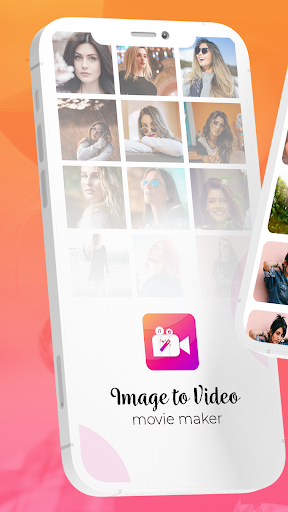
Image To Video Movie Maker
com.slideshowsolution.imagetovideomoviemaker
by Slideshow Solution
Screenshots


Ad slot: Top Leaderboard
About this app
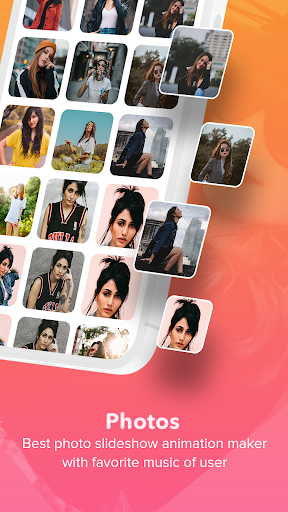
Image to Video Maker is Best Photo Slideshow Animation Maker With Favorite Music of User
Share your Video On India's Social Media Platform easily like WhatsApp, Sharechat, Roposo and More After creating Unique Video Status
Create Different Movies and Slides of Images To present Any Celebration or Occasion Like Valentine's day & Holi Dhuleti or Diwali also
App with Most Popular Features for Photo Editing and Video Making Function
Now Its Very Simple To Make Your Own Photo Slideshow Movie With Music With Your All Time Best & Favorite Festival Pictures.
Special Features :
Image To Video Movie Makes Takes User To The Next Level Photo Slideshow Experience.
There Are Many Movie Maker & Slideshow Maker Applications Available In Market , But this App Has Some Special features.
User Allows To Select Number Of Photos To Make Slideshow And Edit Each of Them Separately With Best Supporting Image Editing Tools Offers By This App
Amazing User Interface, Graphic Design & Movie Making Flow With Attractive User Experience
In-App Editing Tool :
One Of The Core & Special Part of Application That Makes User Experience For Photo Video Slideshow Much Batter.
Because this Part is A Surprise For The User Who Visiting the Application First time, Because User Simply Looks For Simple Image Slideshow theme.
User Can Re-Arrange Photos In Their Own Sequence.
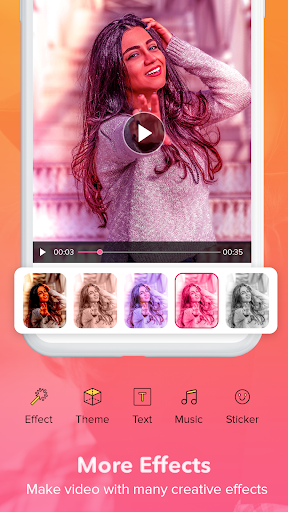
Allows Different Filters , Effect On Image , Change Backgrounds.
Control Brightness , Resize & Rotate Image , Add Stickers & Text.
Other Tools :
Image To Video Maker Also Allows User To Add their Favorite Music Track in Background of Video Slideshow.
User Have To Choose Favorite Song & Also trim The Special Part of That Song if they Like
User Having Full Control On Image Slideshow Duration To Set Proper Sliding Images One by One
There Are Lots Of Frames For Video According to Event of Your Video, Apply Different Frame style over Your Video
Get Instant Preview :
Everyone Like To Demonstrate Any Product Before Finalize & Use of it, So We Provide Live Theme & All Video Preview Within App With Your Different Style Slideshow Theme
Try Many Of Available Themes & frames & Choose Your Favourite One Of them While Making Your Final Slideshow Video
How To Use APP :
- Start With Create New Video
- Select Your favorite Photos
- Arrange & Edit Each of Your Photos
- Add Your favorite Music For Background
- Select Time Duration For Photo Sliding
- Apply Different Frame Style & Various Themes
- See Preview & Choose Final Movie Making Theme
- Create Your Video & Share it With Social App without our permission
Image Source :
Created by Prostooleh - Freepik.com
Created by Freepik
Created by Pressfoto - Freepik.com
Created by Tirachard - Freepik.com
Created by Nensuria - Freepik.com
Share your Video On India's Social Media Platform easily like WhatsApp, Sharechat, Roposo and More After creating Unique Video Status
Create Different Movies and Slides of Images To present Any Celebration or Occasion Like Valentine's day & Holi Dhuleti or Diwali also
App with Most Popular Features for Photo Editing and Video Making Function
Now Its Very Simple To Make Your Own Photo Slideshow Movie With Music With Your All Time Best & Favorite Festival Pictures.
Special Features :
Image To Video Movie Makes Takes User To The Next Level Photo Slideshow Experience.
There Are Many Movie Maker & Slideshow Maker Applications Available In Market , But this App Has Some Special features.
User Allows To Select Number Of Photos To Make Slideshow And Edit Each of Them Separately With Best Supporting Image Editing Tools Offers By This App
Amazing User Interface, Graphic Design & Movie Making Flow With Attractive User Experience
In-App Editing Tool :
One Of The Core & Special Part of Application That Makes User Experience For Photo Video Slideshow Much Batter.
Because this Part is A Surprise For The User Who Visiting the Application First time, Because User Simply Looks For Simple Image Slideshow theme.
User Can Re-Arrange Photos In Their Own Sequence.
Allows Different Filters , Effect On Image , Change Backgrounds.
Control Brightness , Resize & Rotate Image , Add Stickers & Text.
Other Tools :
Image To Video Maker Also Allows User To Add their Favorite Music Track in Background of Video Slideshow.
User Have To Choose Favorite Song & Also trim The Special Part of That Song if they Like
User Having Full Control On Image Slideshow Duration To Set Proper Sliding Images One by One
There Are Lots Of Frames For Video According to Event of Your Video, Apply Different Frame style over Your Video
Get Instant Preview :
Everyone Like To Demonstrate Any Product Before Finalize & Use of it, So We Provide Live Theme & All Video Preview Within App With Your Different Style Slideshow Theme
Try Many Of Available Themes & frames & Choose Your Favourite One Of them While Making Your Final Slideshow Video
How To Use APP :
- Start With Create New Video
- Select Your favorite Photos
- Arrange & Edit Each of Your Photos
- Add Your favorite Music For Background
- Select Time Duration For Photo Sliding
- Apply Different Frame Style & Various Themes
- See Preview & Choose Final Movie Making Theme
- Create Your Video & Share it With Social App without our permission
Image Source :
Created by Prostooleh - Freepik.com
Created by Freepik
Created by Pressfoto - Freepik.com
Created by Tirachard - Freepik.com
Created by Nensuria - Freepik.com
What's New
- Fast video processing
- Music Video Added
- New Video Theme
- Create Photo Slideshow Effect
- 3D Video Making Tool
- Bug Fixing
- Video Slideshow Added
- Video Editor Model
- Music Video Added
- New Video Theme
- Create Photo Slideshow Effect
- 3D Video Making Tool
- Bug Fixing
- Video Slideshow Added
- Video Editor Model
App Information
Version Name
4.0
Version Code
40
File Size
19.0 MB
Minimum OS
Android 7.0+
Target SDK
Android 33
Developer
Slideshow Solution
Contact
Website
Content Rating
Everyone
Package Name
com.slideshowsolution.imagetovideomoviemakerPermissions Required
This app may request the following permissions:
Recent Reviews

A Google user
2.0★
looks good operates poorly. I would love to say i tried it and it did not live up to expectations, but i could not get past the choose photos step. Apparently you cannot choose the folders that this app looks for photos in. it randomly picked a few folders but there is no way to choose folders that are not shown in the banner type list. keep working maybe a few more revs are needed.
A Google user
2.0★
It's an overall nicely planned app. That's besides the fact that you HAVE to use some type of fancy transition from picture to picture, and for what I'm making it has to just change the picture, which isnt an option on this app. To add on to that, the last step, processing the video, is extremely slow. The app I had before was perfect, but it changed and now you have to pay to use it. I'd sayit's fine, but because of these two flaws, I had to leave a low rating.
A Google user
4.0★
I loved the app but there's one problem if your trying to make a slide show you cant do it without a transition and I didn't want to have transitions on my slide show and and a reminder the transition plays on every slide...4 star rating but only if the app could have an option to have no transitions....

Cheryl Schultz
1.0★
I spent hours trying to get specific pictures to match up with the songs words. And when I had it perfect I saved it and just like the other apps it just goes at its own space and the pictures always end before the song is over with. Another three hours wasted

Jyoti Shah
5.0★
Excellent, I love it the way it created pictures profile to put in, and all pictures to put in profile as story and arranged as you want it,with side design, but only problem unable to keep more than 4 seconds if allow to keep up to 8 seconds will be better also music if we can put on voice recorded or our own music from out side is more convenient. Will let our freind circles be know howusefull to me.Up to now I made already more than 50 movies.

Abhimanyu Singh
1.0★
Worst app I ever seen..... After completing edition.. Setting song... Then photo pass very fast and song will become slow, while u r editing it seems that everthink is correct but once u save video and then save it.. It can be seen that photo passes very fast that hole photo seems to be over in just 2 to 3 seconds.... That's worst thing
Ad slot: In-Content