

Automatic Call Recorder Pro
com.smsrobot.callu
by SMSROBOT LTD
Screenshots
Ad slot: Top Leaderboard
About this app
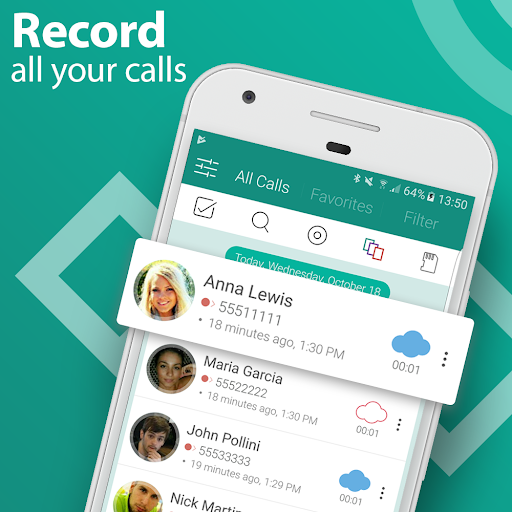
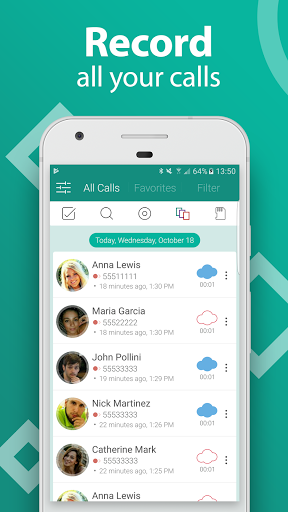
Call Recorder Automatic is the complete solution for phone call recording.
How to record a phone call on your Android? The easiest way is to choose Automatic Call Recorder Pro - best phone call recording app with a beautiful redesign in 2021!
Auto call recorder is your new choice for phone call recording.
Functions:
- Caller id identifies unknown phone numbers
- Record calls per phone number or contact name
- Exclude recording per phone number or contact name
- Samsung Galaxy S9 and S9 plus optimized
- Record your calls automatically while calling
- Automatic Call Recorder
- Advanced File Manager
- You can play back, or save your call to mp3 files on your SD card
- Record all outgoing calls
- Record all incoming calls
- Record all phone call conversations
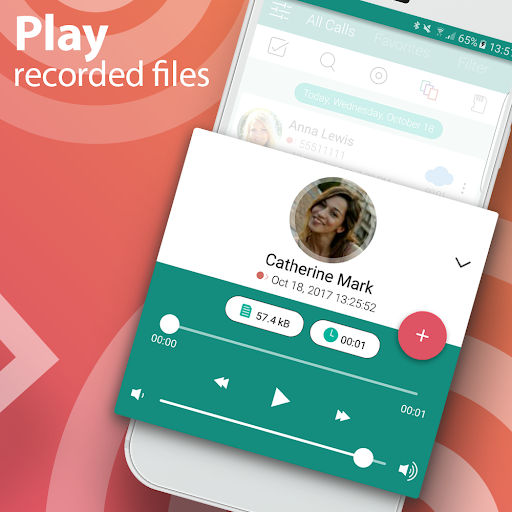
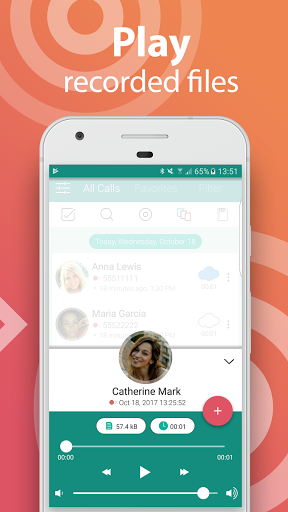
- Play audio recorded conversations
- Delete recorded conversations
- Send calls to email
- After Call confirmation dialog for saving the recorded call
- Set Audio Quality
Auto call recorder is a the best free call recorder application with these features:
- Record incoming and Outgoing call
- Favorite
- Search
- Marking recordings as important
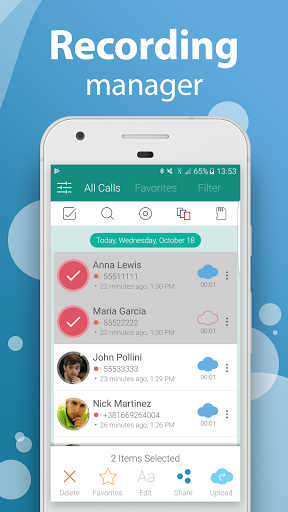
- Multi select, delete, send
- Excluded numbers
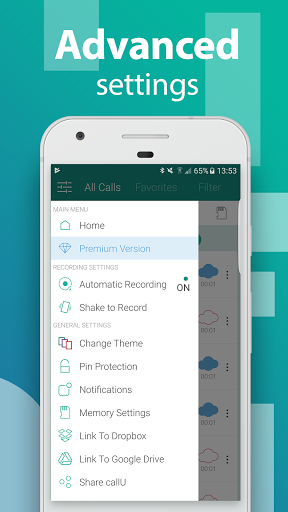
- Set password to protect privacy
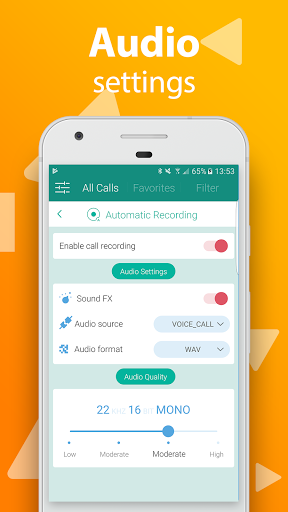
- Set different audio format (MP3, WAV)
- Different recording modes by number, contact, non-contact or just selected contacts
- Enable/Disable call recording
- Play recorded audio
- Share recorded items
- Playback through speaker or earpiece on your phone
Share files:
- Dropbox
- Google Drive
- SMS
- Whatsapp
- Viber
- Skype
Thank you for using Automatic Call Recorder Pro
How to record a phone call on your Android? The easiest way is to choose Automatic Call Recorder Pro - best phone call recording app with a beautiful redesign in 2021!
Auto call recorder is your new choice for phone call recording.
Functions:
- Caller id identifies unknown phone numbers
- Record calls per phone number or contact name
- Exclude recording per phone number or contact name
- Samsung Galaxy S9 and S9 plus optimized
- Record your calls automatically while calling
- Automatic Call Recorder
- Advanced File Manager
- You can play back, or save your call to mp3 files on your SD card
- Record all outgoing calls
- Record all incoming calls
- Record all phone call conversations
- Play audio recorded conversations
- Delete recorded conversations
- Send calls to email
- After Call confirmation dialog for saving the recorded call
- Set Audio Quality
Auto call recorder is a the best free call recorder application with these features:
- Record incoming and Outgoing call
- Favorite
- Search
- Marking recordings as important
- Multi select, delete, send
- Excluded numbers
- Set password to protect privacy
- Set different audio format (MP3, WAV)
- Different recording modes by number, contact, non-contact or just selected contacts
- Enable/Disable call recording
- Play recorded audio
- Share recorded items
- Playback through speaker or earpiece on your phone
Share files:
- Dropbox
- Google Drive
- SMS
- Viber
- Skype
Thank you for using Automatic Call Recorder Pro
What's New
We have added manual recording feature. You can start recording by tapping on the floating widget.
App Information
Version Name
12.8
Version Code
119
File Size
16.9 MB
Minimum OS
Android 4.4+
Target SDK
Android 30
Developer
SMSROBOT LTD
Contact
Website
Content Rating
Everyone
Package Name
com.smsrobot.calluPermissions Required
This app may request the following permissions:
Recent Reviews

J_M_B
1.0★
App will not record audio. I've been playing with the settings for the last hour. trying all the different audio formats and recording formats. I've turned the call volume audio all the way up like other reviews have said. after trying every single setting and calling myself on a second phone, literally like 40 times I cannot get this app to record audio.

Steve Gaines
1.0★
This is bad. The free version of this app works perfectly. But the second I paid for the pro version, just to eliminate the ads, it stopped working! It won't record anything anymore. To get this app to work, in the morning when I get up, if I uninstall the paid version, and go to Google Play store and download the free version again, it will work for a day. It will record everything on my phone. But the next day after the app automatically updates I am back to the pro version that does not work!

Alex Odom
3.0★
Extremely useful app, especially when I forgot something that was said on a call. The only gripes that I have is the quality is terrible whenever the call is turned over to Bluetooth, my contacts do not auto populate after a phone call, I am unable to change any of the settings as it always says, "Qe have used your app preference to give you a better experience," and, " Missing permissions," although I have given this app the permissions that it is asking for.

A Google user
3.0★
Great app that records calls well. I've been trying to figure out what the pro version is though. I can't find any information as to what the pro version offers (if anything). Also, the app will not record the other person speaking if I'm on a call using my headset. It will only record mine, but it will record both voices just fine without it if I'm talking into the phone instead.

Gregory M
3.0★
Needs some help. Many calls simply not recorded. Seems to work for a few days, then just not. No indication it is not saving call just call doesn't show up in the list. I don't know if it is actually recording the call then deleting it when I hang up, of if it is not recording at all. Also, selected "don't popup notifications after call" but still does. There is a panel on top of my call allowing me to change things during the call, but no where is a button to stop/pause recording or restart.

T Howell
5.0★
I've now used the app for several months and I find it's exactly what I needed. Records BOTH sides of every call (that's the whole point, isn't it?), has the option of saving or deleting call at hangup, & you can go into your call list & delete any you don't want. Automatic, works in the background with minimal user hassle. Great job, developers!
Ad slot: In-Content