

3D Floor Plan | smart3Dplanner
com.SofwareentwicklungKemper.smart3Dplanner
by Sebastian Kemper
Screenshots



Ad slot: Top Leaderboard
About this app
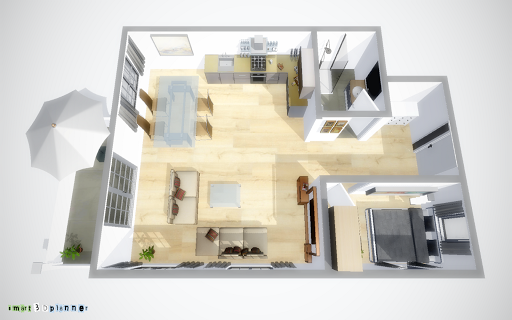
smart3Dplanner allows you to quickly and easily create 3D floor plans and set up your rooms to your taste. Create high-resolution images with smart3Dplanner from your project. Convince your customers and business partners with 3D images. Plan your construction project or set up your own home. smart3Dplanner will help you.
Features:
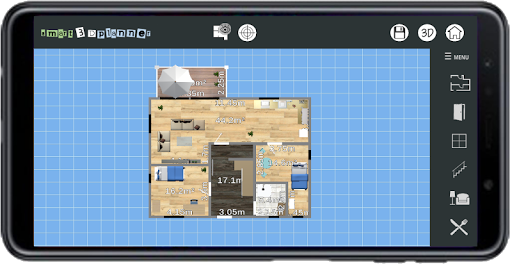
* Floor plans can be uploaded as an image file and used as a template
* Extensive furniture libraries for interior decoration
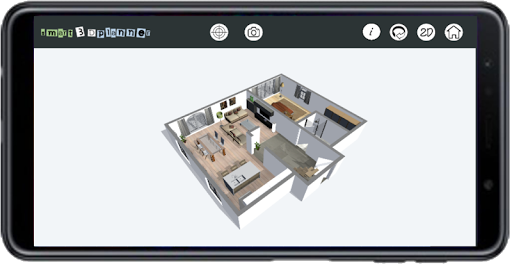
* 3D viewer
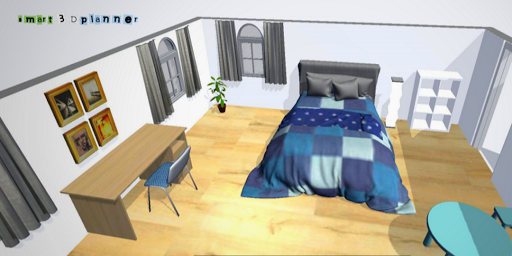
* Photo function for creating high-resolution images
Have fun!
Features:
* Floor plans can be uploaded as an image file and used as a template
* Extensive furniture libraries for interior decoration
* 3D viewer
* Photo function for creating high-resolution images
Have fun!
App Information
Version Name
9.2
Version Code
92
File Size
94.4 MB
Min SDK
Android 24+
Target SDK
Android 34
Developer
Sebastian Kemper
Contact
Website
Content Rating
Everyone
Package Name
com.SofwareentwicklungKemper.smart3DplannerPermissions Required
This app may request the following permissions:
Recent Reviews

M J (MJ2Nic)
3.0★
Has amazing features, however you cant access them or even get a real feel of how well the features will mesh together because EVERYTHING beyond the basic outline of your space is behind a paywall. If simply the basics were included, ie. basic wood, brick, perhaps very basic furniture, anything to give us a sense of how fluid it all works together, then I"d probably rate it 5 stars, but as is, being pushed to purchase within the first 20 seconds of use, it only gets 3. But thats the only reason

Shailee Christensen
2.0★
I had high hopes for this app as an interior designer(not decorator), it had the basics I was really looking for and so I took a chance and purchased the full version. I was hoping the kitchen, bathroom and other selection details you don't get to see without purchasing would be able to serve me for what I wanted. It didn't. You can't create anything custom except for the floorplan. More like a game than what i needed.

issametanis
3.0★
The app is fine i paid for the extra options, i enjoyed it for few hours , and then , i ran out of options . The options for interior decorations are limited , also for the sports equipment . There is nothing to add for outside gardening , swimming pool , balconies , 2nd floor option , garage door . I really wish the developers to add some more options and fix the lag , sometimes it was hard to put windows and doors .

NIKKI LUND
3.0★
it is difficult to use this app as a left handed person. However when you finally get your walls in place and get them to stay in place, you can create wonderful things if you have the patience. It's really hard to get your walls in place because the lines start out so tiny W/ tiny boxes you have to grab the corners then redirect them to where you want on the page. I think they could have done a lot better jobs than they did. it's worth mentioning to people but I wouldn't recommend it.

Lucy Guilfoyle
1.0★
You can only add a room, door and window. To make this an actual plan with furniture and things, you have to pay for pro. Its cheap, but the least they could do is give us a few options for furnishing the place. The ad for pro pops up every 2 seconds and its really annoying. I wouldnt reccomend this.

R. Chant
1.0★
I couldn't use the basic tools to create walls/a room on my android phone. It said to drag across the screen, but that just moves the canvas. I think maybe this app shouldn't show up in the app store for smartphone-users; you can only use it in landscape position (i.e. with your phone turned horizontally) so I think maybe it's supposed to be for tablets.
Ad slot: In-Content