

Imaging Edge Mobile
com.sony.playmemories.mobile
by Sony Corporation
Screenshots
Ad slot: Top Leaderboard
About this app
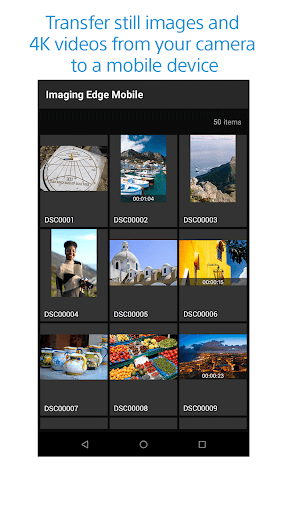
Imaging Edge Mobile allows images/videos to be transferred to a smartphone/tablet, enables remote shooting, and provides location information to images captured by a camera.
■ Transfer images from a camera to a smartphone
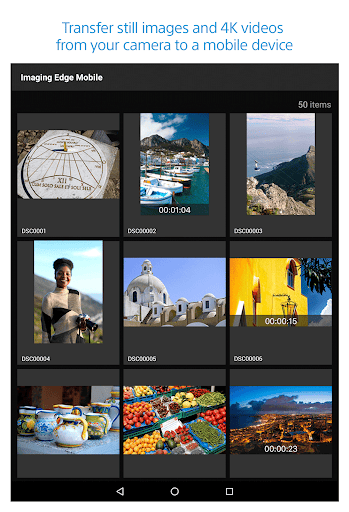
- You can transfer images/videos.
- The selection and transfer of images after shooting are no longer needed as the automatic background transfer function allows images to be transferred to a smartphone as they are captured. *1
- High bit rate video files including 4K can be transferred. *2
- You can view and transfer images in your camera from your smartphone even when the camera is turned off. *2
- After transferring, you can immediately share your high quality images on social networks or through email.
*1 See here for supported cameras. Files are imported in 2MP size when using this function.
https://www.sony.net/dics/iem12/
*2 See here for supported cameras. Availability of video transfer and playback varies depending on smartphone in use.
https://www.sony.net/dics/iem12/
■ Remote shooting of a camera using a smartphone
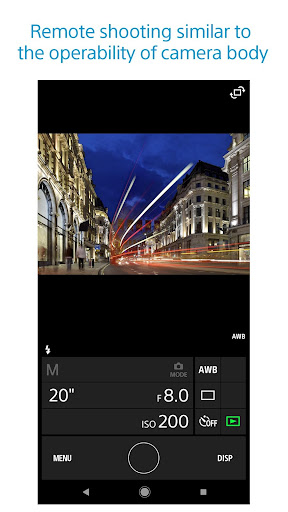
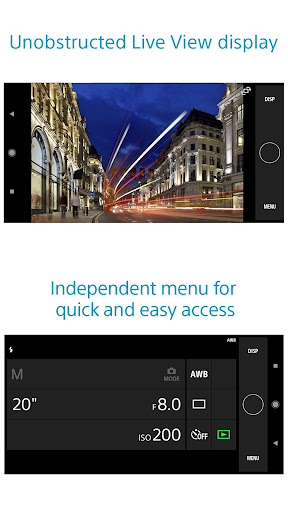
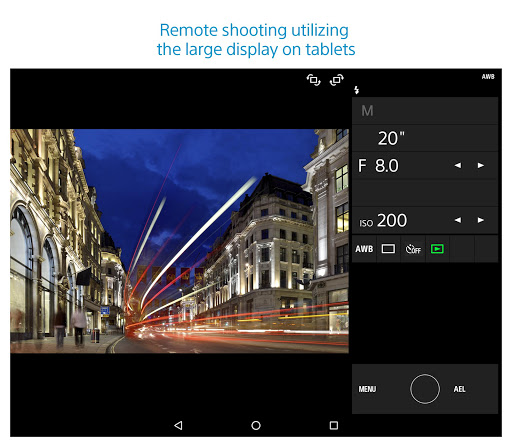
- You can capture photos/videos remotely while checking the live view of a camera on a smartphone. *3
This is convenient for capturing night views or water flowing scenes which need long-exposure, or macro shooting in which you need to avoid to directly touch the camera.
*3 Models that support PlayMemories Camera Apps can use this feature by installing "Smart Remote Control" (in-camera app) on your camera in advance.
http://www.sony.net/pmca/
■ Record location information
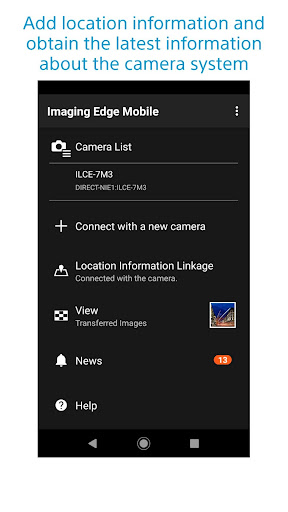
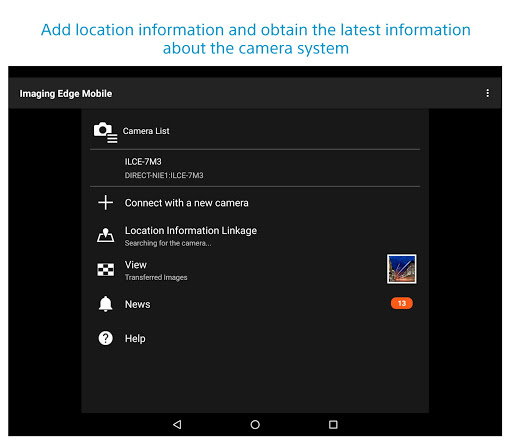
- With cameras that have a location information linkage function, the location information acquired by the smartphone can be added to the captured image in your camera.
For supported models and detailed operation methods, see the support page below.
https://www.sony.net/dics/iem12/
- Even with cameras that do not have a location information linkage function, it is possible to add location information acquired by your smartphone to the photos saved on your smartphone during remote shooting.
■Save and Apply Settings
- You can save up to 20 camera settings in Imaging Edge Mobile.
You can also apply a saved setting to a camera. *4
*4 See here for supported cameras. Save and Apply Settings are supported only for cameras with the same model name.
https://www.sony.net/dics/iem12/
■ Notes
- Supported operating systems: Android 9.0 to 14.0
- This app is not guaranteed to work with all smartphones/tablets.
- Features/Functions available for this app vary depending on the camera you are using.
- For supported models and information on features/functions, see the support page below.
https://sony.net/iem/
■ Transfer images from a camera to a smartphone
- You can transfer images/videos.
- The selection and transfer of images after shooting are no longer needed as the automatic background transfer function allows images to be transferred to a smartphone as they are captured. *1
- High bit rate video files including 4K can be transferred. *2
- You can view and transfer images in your camera from your smartphone even when the camera is turned off. *2
- After transferring, you can immediately share your high quality images on social networks or through email.
*1 See here for supported cameras. Files are imported in 2MP size when using this function.
https://www.sony.net/dics/iem12/
*2 See here for supported cameras. Availability of video transfer and playback varies depending on smartphone in use.
https://www.sony.net/dics/iem12/
■ Remote shooting of a camera using a smartphone
- You can capture photos/videos remotely while checking the live view of a camera on a smartphone. *3
This is convenient for capturing night views or water flowing scenes which need long-exposure, or macro shooting in which you need to avoid to directly touch the camera.
*3 Models that support PlayMemories Camera Apps can use this feature by installing "Smart Remote Control" (in-camera app) on your camera in advance.
http://www.sony.net/pmca/
■ Record location information
- With cameras that have a location information linkage function, the location information acquired by the smartphone can be added to the captured image in your camera.
For supported models and detailed operation methods, see the support page below.
https://www.sony.net/dics/iem12/
- Even with cameras that do not have a location information linkage function, it is possible to add location information acquired by your smartphone to the photos saved on your smartphone during remote shooting.
■Save and Apply Settings
- You can save up to 20 camera settings in Imaging Edge Mobile.
You can also apply a saved setting to a camera. *4
*4 See here for supported cameras. Save and Apply Settings are supported only for cameras with the same model name.
https://www.sony.net/dics/iem12/
■ Notes
- Supported operating systems: Android 9.0 to 14.0
- This app is not guaranteed to work with all smartphones/tablets.
- Features/Functions available for this app vary depending on the camera you are using.
- For supported models and information on features/functions, see the support page below.
https://sony.net/iem/
What's New
- Improved the issue where the app would terminate abnormally on certain smartphones.
App Information
Version Name
7.8.2
Version Code
782240422
File Size
7.9 MB
Minimum OS
Android 9+
Target SDK
Android 33
Developer
Sony Corporation
Contact
Website
Content Rating
Everyone
Package Name
com.sony.playmemories.mobilePermissions Required
This app may request the following permissions:
Recent Reviews

Gregory Dearth
1.0★
Sony! Do something with this app. it is nearly useless. I can only import 2mb jpg images? What is the point of a 42 mp sensor if the only photos I can easily grab are so low quality? At least let me grab minimally compressed jpgs. And why NOT let me transfer RAW files wirelessly? Why would you want that limitation? It is 2025 and this app hasn't changed at all. Wake up the developers and take their bongs away.

Sathya Vasudeva
1.0★
App constantly runs in the background hours after use, and also doesn't connect automatically when the camera is turned on! You can use Microsoft 'Link to Windows' app as an example. When the PC is turned on it connects and when PC is turned off it disconnects and stops running in the background. For a company like Sony, lazy programming is a shame

A Google user
1.0★
I have used the app mainly for GPS location tagging on a6400. Since an update a while ago they added a license agreement screen that starts when you launch the app and if you're not connected to the Internet you cannot continue and use any functionality of the app. So if I am out of range of any data service I cannot use the GPS functions which really sucks since most of my photography takes place in the wilderness where no service is available.

Curtis Callaway
1.0★
Camera remote functions are ok, but it takes forever to get the app to connect to your phone. Forget transferring images to your phone. Files are too small even for social media. I am adding to this review and dropping it down to one star. It is a POS! I have been trying to get it to work for the last hour and it will not work! I'm done! It SUCKS!
A Google user
1.0★
This app is terrible. Every time you open it, you need to agree to the terms & conditions. And you must be connected to the internet to do so. So if you just wanted to transfer pictures, restart Bluetooth or use the app as a remote trigger where you don't have cell reception, you can't get past the initial screen. The picture transfer itself is buggy and I can't get it to do more than 10-15 pictures at a time without stopping. Overall, this feels like an app for an off brand camera.

Samuel Davenport
1.0★
This app for the most part just does not work. One moment it works as intended, and then it just stops working for the entire photo shoot. I do real estate photography and being able to take composite shots remotely is extremely important to my workflow. When I cant view and change camera settings away from the camera, it takes me 3 times as long to shoot a listing. Depending on this app and having it just die in the middle of a shoot and being unable to reconnect for the rest of the session just kills my productivity. Its embarrassingly bad when on client jobs, I lose time and valuable daylight, this app just does not work.
Ad slot: In-Content