

Sophos Intercept X for Mobile
com.sophos.smsec
by Sophos Limited
Screenshots

Ad slot: Top Leaderboard
About this app
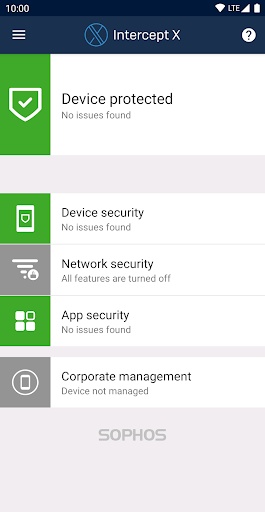
Sophos Intercept X for Mobile delivers industry leading protection against malware and other mobile threats. The app has consistently achieved a 100% protection score in AV-TEST’s comparison of the top Android security and antivirus apps.
Full features, no advertising, all free
Sophos is an IT security leader for companies and governments worldwide. This app comprehensively protects your Android device and your privacy without impacting performance or battery life.
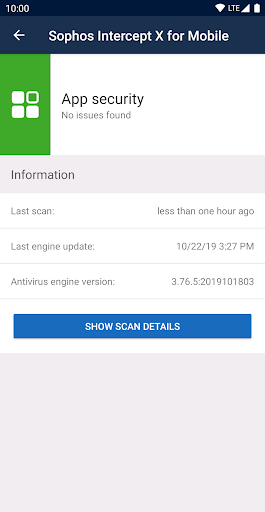
Malware protection
• Scan apps and storage media for malicious or inappropriate content.
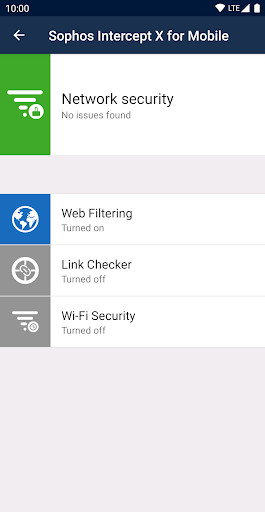
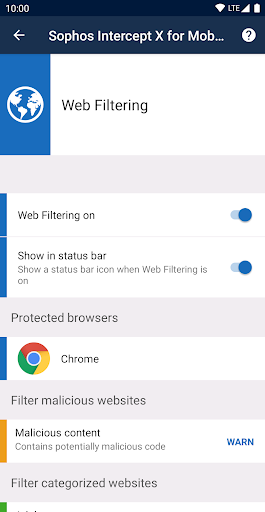
Web Filtering
• Block web pages with malicious, undesirable or illegal content.
Link Checker
• Check links you tap in non-browser apps for malicious or inappropriate content.
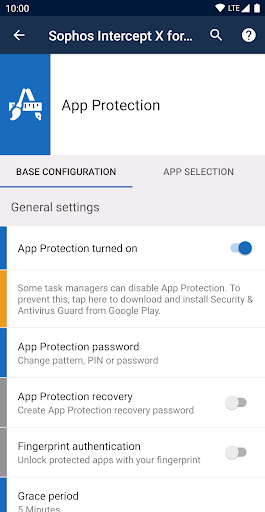
App Protection
• Protect apps with a password.
Wi-Fi Security
• Check your connection for man-in-the-middle attacks.
Privacy Advisor
• List apps that access your personal data or that could create costs.
Security Advisor
• Get advice on how to improve device security.
Secure QR Code Scanner
• Perform security checks when scanning QR codes that include URLs, contacts, or Wi-Fi connection data.
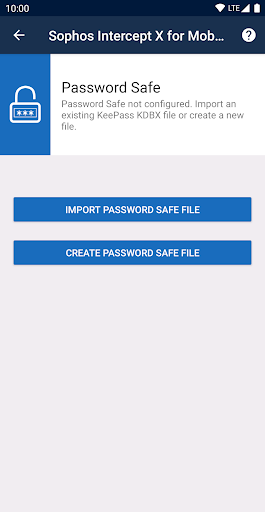
Password Safe
• Store all your account data in a KeePass-compatible password database.
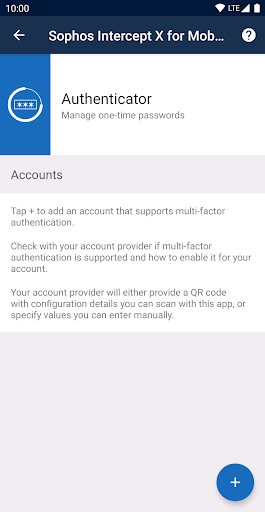
Authenticator
• Generate time-based (TOTP, RFC 6238) and counter-based (HOTP, RFC 4226) one-time passwords for multi-factor authentication.
Managed mode
• Connect the app to Sophos Mobile to enable your organization to manage your device.
Permissions
• Permissions are required to monitor incoming data, and to detect and stop threats. More info: https://sophos.com/kb/117499
• When you turn on App Protection, the app uses the Device Administrator permission.
• The Wi-Fi Security feature needs the location permission to get the name of the Wi-Fi network you’re connected to, even when the app is running in the background. The app doesn’t actually access or track your location.
• When you turn on Web Filtering, the app uses the Android Accessibility Service API to check links you open in supported web browsers. The app sends link addresses to SophosLabs to check for malicious, undesirable, or illegal content. Depending on the app settings, such content is blocked. No personal information is collected.
Battery and data usage
• Malware definitions update once a day to keep you protected. This uses a small amount of data.
• The initial full scan of every installed app causes a one-time increase in battery usage.
Data safety
• The app doesn't store your web browsing history.
• When the app is managed by Sophos Mobile, your organization can see details about web pages the app has blocked or warned about.
Support information
• Knowledge base: https://community.sophos.com/kb?TopicId=1294
• Support forum: https://community.sophos.com/products/mobile-device-protection/f/18
Full features, no advertising, all free
Sophos is an IT security leader for companies and governments worldwide. This app comprehensively protects your Android device and your privacy without impacting performance or battery life.
Malware protection
• Scan apps and storage media for malicious or inappropriate content.
Web Filtering
• Block web pages with malicious, undesirable or illegal content.
Link Checker
• Check links you tap in non-browser apps for malicious or inappropriate content.
App Protection
• Protect apps with a password.
Wi-Fi Security
• Check your connection for man-in-the-middle attacks.
Privacy Advisor
• List apps that access your personal data or that could create costs.
Security Advisor
• Get advice on how to improve device security.
Secure QR Code Scanner
• Perform security checks when scanning QR codes that include URLs, contacts, or Wi-Fi connection data.
Password Safe
• Store all your account data in a KeePass-compatible password database.
Authenticator
• Generate time-based (TOTP, RFC 6238) and counter-based (HOTP, RFC 4226) one-time passwords for multi-factor authentication.
Managed mode
• Connect the app to Sophos Mobile to enable your organization to manage your device.
Permissions
• Permissions are required to monitor incoming data, and to detect and stop threats. More info: https://sophos.com/kb/117499
• When you turn on App Protection, the app uses the Device Administrator permission.
• The Wi-Fi Security feature needs the location permission to get the name of the Wi-Fi network you’re connected to, even when the app is running in the background. The app doesn’t actually access or track your location.
• When you turn on Web Filtering, the app uses the Android Accessibility Service API to check links you open in supported web browsers. The app sends link addresses to SophosLabs to check for malicious, undesirable, or illegal content. Depending on the app settings, such content is blocked. No personal information is collected.
Battery and data usage
• Malware definitions update once a day to keep you protected. This uses a small amount of data.
• The initial full scan of every installed app causes a one-time increase in battery usage.
Data safety
• The app doesn't store your web browsing history.
• When the app is managed by Sophos Mobile, your organization can see details about web pages the app has blocked or warned about.
Support information
• Knowledge base: https://community.sophos.com/kb?TopicId=1294
• Support forum: https://community.sophos.com/products/mobile-device-protection/f/18
What's New
Bug fixes
App Information
Version Name
6.1.1962
Version Code
1962
File Size
9.3 MB
Min SDK
Android 15+
Target SDK
Android 23
Developer
Sophos Limited
Contact
Website
Content Rating
Everyone
Package Name
com.sophos.smsecPermissions Required
This app may request the following permissions:
Recent Reviews

Goody2shz
2.0★
UPDATE: I downloaded again and will give it another try. It looks like a slightly different version than what I had. Constant intrusive notifications that just sit in your notification panel and can't be removed. If you turn all notifications off, you get repeated pop-ups so you have to stop whatever you're doing to get rid of the pop-up. Uninstalled to stop the pop-ups. I don't need to know what the app is doing in the background. Get rid of the notifications and popups and I'll reinstall.

A Google user
4.0★
Great app that is effective, efficient and unobtrusive. Works quietly and you can forget that it is there, unlike many other apps I have used in the past. I highly recommend this app. Update: I have also noticed that Sophos is using 16% or more of my battery for about the past month. When I use the battery saver function it uses around 4% but the app keeps asking to be exempt from the battery save feature.
A Google user
4.0★
If as the description states, "Full features, no advertising, all free," app seems too good to be true so wonder how the developer profits from offering this and how much data is being mined. Never heard back. Hasn't been updated in over a year. Web filter's intrusive. Incorrectly warns device start isn't secured by a PIN. Requires battery deoptimization and can't greenify. Requests internet access. Worked before so will give it another try because my former security app's subscription ended.
A Google user
5.0★
great app I could not believe how fast my Android started running after I did a thorough cleaning the first time I ran it. It got rid of apps that were some part of my phone provider installed appa. I had never figured out what they did but they were always running. The app doesn't do anything without asking first. It doesn't just start deleting without clearing it with you. Anyway, I am a big fan of this program now. I get the 'low rated app" warning and wondered how to white list them.

Clint Robison
5.0★
So much more than antivirus when installed on Android! I especially like the app protection features so I can prevent access to apps on an individual basis which is great if you ever need to let someone else use your device to make a phone call, for example, and not have to worry about them snooping around. My only complaint is with the app security function. It flags apps as low reputation/risks based on permissions the user could grant versus what has actually been granted to the app.

Robert Tyrone jr
4.0★
Would give 5 star's but for some reason when you check permission granted for all apps some of them shows not granted when they are granted and others show granted when they're not. I wish this problem would be fixed. Example,Shows storage permission not granted for the gallery and it's definitely granted . Another thing is whenever i get a notification saying google, Gboard, Gmail and 3 others were scanned, you can't find out what 3 others, if you tape that notification it takes you to scan
Ad slot: In-Content