
Weather forecast: Live Radar
com.weather.weatherforcast.accurateweather.aleartwidget
by Diavostar PTE. LTD
Screenshots

Ad slot: Top Leaderboard
About this app
Weather Forecast: Live Radar
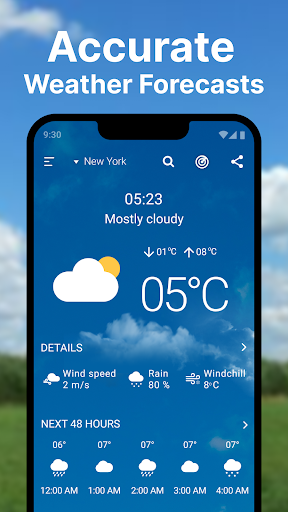
Stay ahead of the weather with our comprehensive Weather & Temperature App.
- Hourly Updates
- Get hourly updates on hourly weather conditions.
- Plan your day with precise hourly hour-to-hour forecasts.
- Stay prepared for changing hourly weather throughout the day.
- Air Quality
- Monitor the air quality index (AQI) in your area.
- Receive alerts for poor air quality conditions.
- Take necessary precautions for your health based on air quality information.
- UV Index
- Track UV radiation levels throughout the day.
- Protect yourself from harmful UV exposure with real-time UV index data.
- Plan outdoor activities according to UV index forecasts.
- Temperature App
- Check current temperature app and weather conditions.
- Get accurate temperature app forecasts for your location.
- Plan your day based on temperature app trends.
- Predict Wind
- View predict wind speed and direction forecasts.
- Stay informed about predict wind changes.
- Plan outdoor activities with predict wind conditions.
Additional Features:
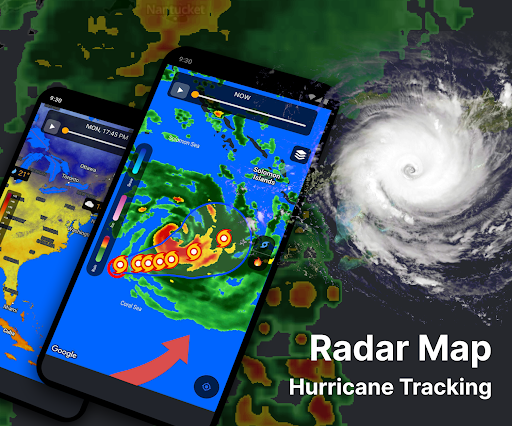
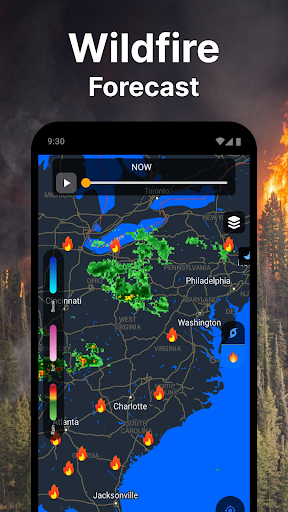
- Live Radar: Real-time live radar images.
- Rain: Receive predictions on rain intensity and duration.
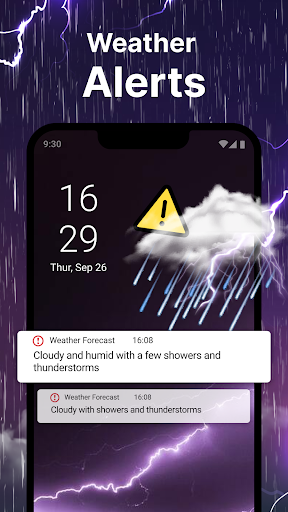
- Weather Alerts: Receive severe weather alerts for your location.
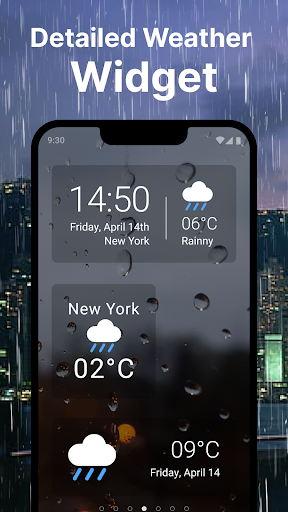
- Weather Widget: Access weather information directly from your home screen.
With ""Weather Forecast: Live Radar"", you can make sure to stay informed and prepared for the weather. Displaying ads supports the Weather Forecast team's ongoing enhancements. For an ad-free experience, consider upgrading to support further development!
For questions or feedback about the Weather Forecast app, please contact [email protected].
Stay ahead of the weather with our comprehensive Weather & Temperature App.
- Hourly Updates
- Get hourly updates on hourly weather conditions.
- Plan your day with precise hourly hour-to-hour forecasts.
- Stay prepared for changing hourly weather throughout the day.
- Air Quality
- Monitor the air quality index (AQI) in your area.
- Receive alerts for poor air quality conditions.
- Take necessary precautions for your health based on air quality information.
- UV Index
- Track UV radiation levels throughout the day.
- Protect yourself from harmful UV exposure with real-time UV index data.
- Plan outdoor activities according to UV index forecasts.
- Temperature App
- Check current temperature app and weather conditions.
- Get accurate temperature app forecasts for your location.
- Plan your day based on temperature app trends.
- Predict Wind
- View predict wind speed and direction forecasts.
- Stay informed about predict wind changes.
- Plan outdoor activities with predict wind conditions.
Additional Features:
- Live Radar: Real-time live radar images.
- Rain: Receive predictions on rain intensity and duration.
- Weather Alerts: Receive severe weather alerts for your location.
- Weather Widget: Access weather information directly from your home screen.
With ""Weather Forecast: Live Radar"", you can make sure to stay informed and prepared for the weather. Displaying ads supports the Weather Forecast team's ongoing enhancements. For an ad-free experience, consider upgrading to support further development!
For questions or feedback about the Weather Forecast app, please contact [email protected].
What's New
In version 3.2.9:
- Application performance improvements
- Optimize user experience.
- Fix crashes.
- Application performance improvements
- Optimize user experience.
- Fix crashes.
App Information
Version Name
2.8.6
Version Code
144
File Size
29.1 MB
Minimum OS
Android 5.0+
Target SDK
Android 33
Developer
Diavostar PTE. LTD
Contact
Website
Content Rating
Everyone
Package Name
com.weather.weatherforcast.accurateweather.aleartwidgetPermissions Required
This app may request the following permissions:
Recent Reviews

Sylvester Minutola
5.0★
This Is REALLY well done. I am a Field Engineer, DBMS(Database Management Systems). I only mention this because My Photo Shop Classes were many years ago. The GRAPICS are Beautiful. The information is professional, and easy to interpret. I don't mind the adds. A great app.

Jukka Saario
3.0★
Generally an ok app, with some weird quirks. When selecting the precipitation quick view, it doesn't show the predicted amount of precipitation. To see this you need to go to the general hourly weather view and select each hour in turn to see the predicted precipitation amount. Also when the precipitation alerts are on, it keeps alerting multiple times... If it already alerted me once, don't need to know again. Set all the units I can to metric, precipitation is still in inches.

Thomas Lawton
1.0★
Terrible! I understand some apps have ads, but this is bordering on insulting. Cannot use the app for more than a few seconds without being over run by ads. This morning I tried to check the forecast for the week. Would have taken 60 seconds top. In that time I had to close down five ads. It's unusable.

Robert Warren
1.0★
The forecast does not update, it's still showing the weather from last week. When you look at hurricane data, it shows the local satellite map instead of showing the hurricane. It picked my location to show on the opening screen, but though it might be the closest location it is on the other side of the mountain and not accurate weather for where I am, and though I can add new locations, I can't change this one on startup. Because of this I feel it was a waste of money.

Angela Joyce
2.0★
I'm guessing this isn't a bad app, and I don't usually stop to correct typos.. but the first window that popped up with a list of four options had the word storm misspelled as strom. This isn't even a new app, so I find it hard to believe I'm the only person to care. How can you be a precise weather app if you aren't precise in your setup? Fix it and update. I'll be back 8)

Kingstone Chirau Musarurwa
5.0★
This weather forecast app is the most understandable and accurate weather app I might have come accross. It accurately detects weather patterns to the nearest one square kilometer of your surroundings which makes me count it among the best. I hope you will love it too.
Ad slot: In-Content