Reminder Pro icon

Phone

Reminder Pro

Productivity made easy ⭐ 4.10 500,000+
Version 5.0.8 Everyone

Screenshots

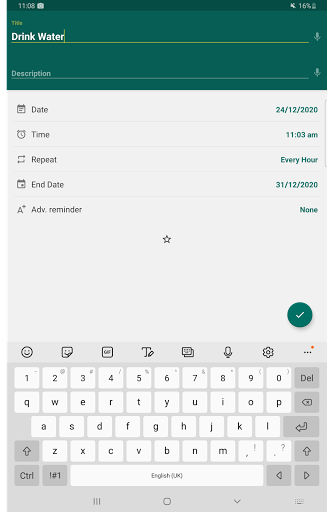
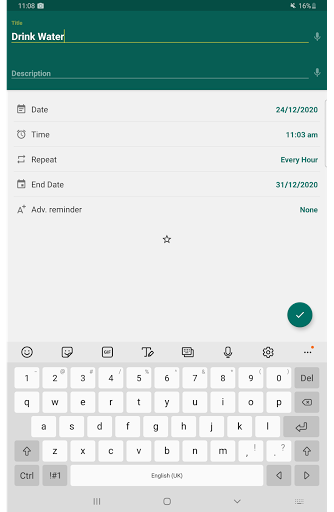
Reminder Pro screenshot
Permissions Explained 6 permissions requested View details

This app requests 6 permissions. The table below explains what each permission may allow and what users should review before installing.

Status Permission What it means Why it may be used User safety note
ℹ️ Review View Network Connections view network connections This is an Android permission or app-specific permission requested by the app. The app may use this permission for features related to its category, device support, background behavior, storage, connectivity, or system integration. Review this permission before installing, especially if it does not match the app’s expected purpose.
ℹ️ Review Full Network Access full network access This is an Android permission or app-specific permission requested by the app. The app may use this permission for features related to its category, device support, background behavior, storage, connectivity, or system integration. Review this permission before installing, especially if it does not match the app’s expected purpose.
ℹ️ Review Run At Startup run at startup This is an Android permission or app-specific permission requested by the app. The app may use this permission for features related to its category, device support, background behavior, storage, connectivity, or system integration. Review this permission before installing, especially if it does not match the app’s expected purpose.
ℹ️ Review Control Vibration control vibration This is an Android permission or app-specific permission requested by the app. The app may use this permission for features related to its category, device support, background behavior, storage, connectivity, or system integration. Review this permission before installing, especially if it does not match the app’s expected purpose.
ℹ️ Review Prevent Device From Sleeping prevent device from sleeping This is an Android permission or app-specific permission requested by the app. The app may use this permission for features related to its category, device support, background behavior, storage, connectivity, or system integration. Review this permission before installing, especially if it does not match the app’s expected purpose.
ℹ️ Review Google Play License Check Google Play license check This is an Android permission or app-specific permission requested by the app. The app may use this permission for features related to its category, device support, background behavior, storage, connectivity, or system integration. Review this permission before installing, especially if it does not match the app’s expected purpose.

About Reminder Pro

Reminder app without advertisements. Are you looking for a simple pop up reminder app? Do you want to create reminders for one-time and recurring tasks? Get Reminder and skyrocket your productivity. 📈 Never forget an important task again! Finally a simple and easy way to set a reminder or deadline notification. This hourly reminder app gets straight to the point. Set notifications to remind you of all the tasks, errands, and to-do list items and sit back and put your mind at ease. No unnecessary or complicated features. Reminders can be set in a matter of seconds. Add reminder or deadline notification for anything! The Reminder App is a simple but versatile productivity tool to organize your life! From using it as a med reminder, important week reminder, pill reminder alarm, to appointment reminder, deadline reminder, meal reminder and recurring reminder, you can truly benefit from adding Reminder in your daily life. 📅CHECK OUT HOW THOUSANDS OF USERS ARE ALREADY USING REMINDER: ★ Deadline Notification Stay on track with school, work, or personal deadlines by entering them into the do Reminder app. ★ Homework and Assignments Create pop up reminders for when homework or other school assignments are due. ★ Meetings Work schedules can get busy. Set reminders for all your meetings each week and sit back and let Reminder notify you when you need to attend. ★ Daily Tasks All those daily tasks can stack up. Assign a date and time to all your tasks and be on your way to organizing your life! Also, use it as a recurring task reminder to never forget doing those routine tasks that improve your life such as water consumption. ★ Birthdays It can be difficult to remember all the birthdays of your friends and family members. With do Reminder you can set a deadline notification for each birthday so you never forget to say happy birthday. ★ Anniversaries Use Reminder to notify you of that special date. You can even add remember me notes for plans, dinner reservations or gift ideas ★ Errands Set up a schedule to take care of all your errands with ease using our task reminder with alarm. Set date, time and detailed notes so you can remember to do all the errands in your to-do list. ★ Important Calls Reminder can also be your day planner with reminders. Add reminder alarm so you don’t forget that important call or plan multiple calls during the day and add notes to your reminder like names, phone numbers, etc. ★ Paying Bills Never get charged for a late fee again! Use our list reminder to set an alarm to remind you to pay a bill. ★ Taking Medication Set a daily reminder to take your medication and use Reminder as your pill reminder. Set once and you’ll never have to remember again! ★ Event planner Plan your events in advance with our to-do reminder. ★ And so much more! 🔔OTHER GREAT FEATURES AVAILABLE: ★ Custom recurring reminders ★ Popup Notifications ★ Snooze option ★ Widget ★ Daily summary reminder ★ Quiet hours settings for hourly reminders ★ Advance reminders ★…

What Reminder Pro Is Used For

Reminder Pro appears to be a productivity app for setting simple pop-up reminders on a phone. Based on the metadata, it is commonly used for one-time and recurring alerts tied to tasks, deadlines, errands, meetings, and other dated events. The app title and description suggest it is meant to help users keep track of everyday responsibilities without needing a more complex planner.

It may be especially useful for people who want quick reminder creation for school, work, or personal routines. The metadata mentions examples like homework, appointments, birthdays, anniversaries, meal reminders, and habit-style recurring tasks. Permissions such as running at startup, preventing sleep, and controlling vibration suggest the app is designed to keep notifications visible and active when reminders are due. Because it is a phone app, it appears intended for on-the-go scheduling and alerting rather than large-screen or desktop-style planning.

Common uses

  • Set one-time reminders for appointments, deadlines, and errands
  • Create recurring reminders for routine tasks or habits
  • Use it as a simple to-do and notification helper on a phone
  • Track school items like homework and assignment due dates
  • Store personal events such as birthdays and anniversaries
  • Receive vibration-based alerts when reminder times are reached
  • Keep reminders active after restart with startup support
Best for:
Quick reminders Recurring tasks Phone users Daily planning Task alerts

App Details

Package:
alarm.clock.calendar.reminder.pro
Category:
Productivity
Developer:
made easy
Version:
5.0.8
Updated:
Mar 29, 2026
Min Android:
10
Age Rating:
Everyone
Contains Ads:
No
In-App Purchases:
Yes

Official Listing

  • Official listing available on Google Play
  • Package name: alarm.clock.calendar.reminder.pro
  • Age rating: Everyone

Explore More

Browse more apps in Productivity or explore the Phone hub .

Related Productivity Apps

Tasks: To Do List & Reminders icon

Tasks: To Do List & Reminders

Productivity Pocket Brilliance Limited

Stay on top of your to-dos with Google Tasks, part of Google Workspace.

Version 3.30.4 11.2 MB ⭐ 4.80 5,000,000+ installs

How to Download Reminder Pro

If this app is not hosted directly on APKApps official link, then for the safest and most up-to-date version, install it from its official Google Play listing.