About Smart Printer App & Scanner
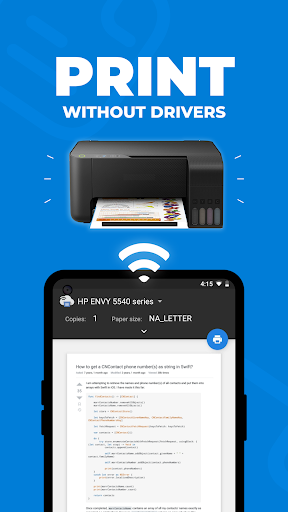
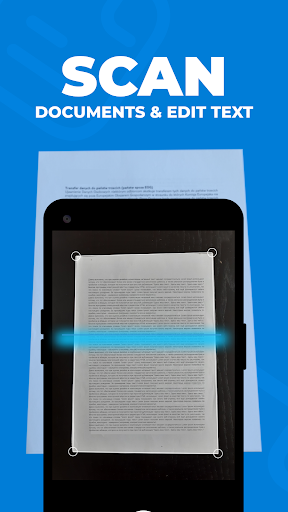
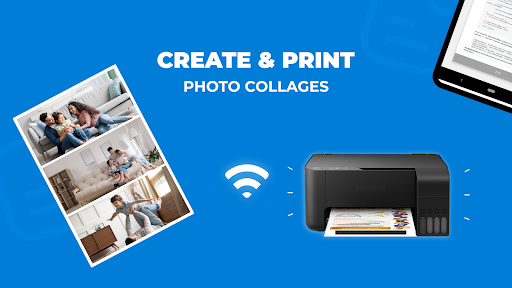
Experience seamless mobile printing and scanning with the Smart Printer App & Scanner. Connect your mobile device to any Wi-Fi-enabled printer—no drivers needed—and handle all your document needs effortlessly, whether you’re at home or on the go. Key Features: • Universal Wi-Fi Printing: Print documents and photos from any Wi-Fi-enabled printer without the hassle of installing drivers. • Multiple Source Printing: Easily print from your photo gallery, cloud storage, contacts, web pages, and more. • Wide Format Support: Print in various formats including PDF, JPG, PNG, and others. • AI-Powered Scanning: Automatically transform your document photos into professional-quality scans. • Built-in OCR Technology: Recognize and extract text from scanned documents for easy editing and sharing. • Advanced Editing Tools: Remove stains, marks, or unwanted elements from your documents with a simple touch. • Combine Scanned Pages: Merge multiple scanned pages into a single PDF effortlessly. • Photo Collage Printing: Create and print collages by placing multiple photos on a single page. • Secure Local Storage: All your printed and scanned files are stored securely on your device for instant access and privacy. • Easy Connectivity: Simply connect to the same Wi-Fi network as your printer to unlock full functionality. Streamline your printing and scanning tasks with a user-friendly interface and powerful features designed to save you time and effort. Download the Smart Printer App today and enjoy hassle-free printing and scanning with any Wi-Fi printer!
What Smart Printer App & Scanner Is Used For
Smart Printer App & Scanner appears to be a phone app for handling common printing and document-scanning tasks from an Android device. Based on the metadata, it is meant for users who want to print files, photos, and web content to a Wi‑Fi-enabled printer without dealing with separate driver installs. It may be most useful in home, office, or school settings where quick printing from a phone is more convenient than moving files to a computer.
The app also appears to support scanning paper documents with the phone camera, then turning those images into cleaner digital files. Its OCR feature suggests it may help extract text from scans for editing or sharing, while document-cleanup and page-combining tools point to use cases like preparing PDFs, organizing receipts, or saving multi-page documents in one file. The listed permissions, such as network access and contacts access, are consistent with connecting to printers and possibly printing contact information, while startup and sleep-related permissions may support background operation.
Common uses
- Print documents and photos to Wi‑Fi printers from an Android phone
- Scan paper pages into digital files using the device camera
- Convert scanned images into editable text with OCR
- Combine multiple scanned pages into a single PDF
- Edit scans by removing marks or other unwanted elements
- Print content from gallery, cloud storage, contacts, or web pages
- Create photo collages for single-page printing
App Details
Package:
app.androld.printer
Developer:
Appers Ltd
Version:
Varies with device
Min Android:
Varies with device
Age Rating:
Everyone
Contains Ads:
No
In-App Purchases:
Yes
Official Listing
-
Official listing available on
Google Play
-
Package name:
app.androld.printer
-
Age rating:
Everyone
Related Tools Apps
Tools
•
Seiko Epson Corporation
Print anytime, anywhere to Epson printers from your Android phone or tablet.
Version 7.12.2
75.5 MB
⭐ 4.61
50,000,000+ installs
Productivity
•
HP Inc.
Set up, print, and get support—in one place
Version 17.10.1.4636
209.7 MB
⭐ 4.25
100,000,000+ installs
Productivity
•
HP Inc.
The plugin enables printing from your apps to HP printers.
Version 23.2.3.3165
60.9 MB
⭐ 4.13
500,000,000+ installs
Productivity
•
HP Inc.
Print from your favorite apps to any printer brand.
Version 3.09.230727
45.6 MB
⭐ 3.71
1,000,000,000+ installs
How to Download Smart Printer App & Scanner
If this app is not hosted directly on APKApps official link,
then for the safest and most up-to-date version, install it from its official Google Play listing.