About Mandala Maker 360
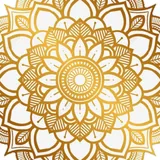
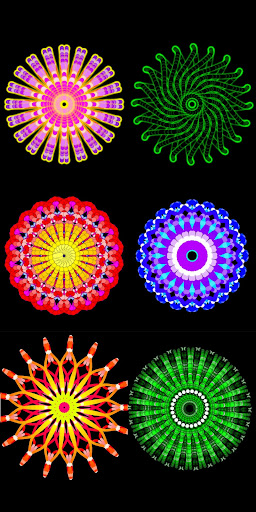
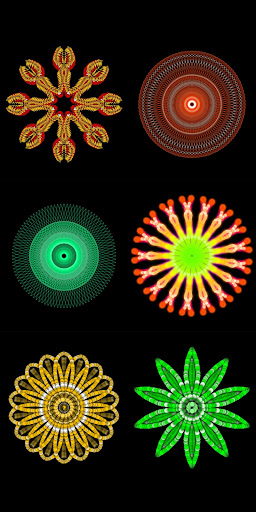
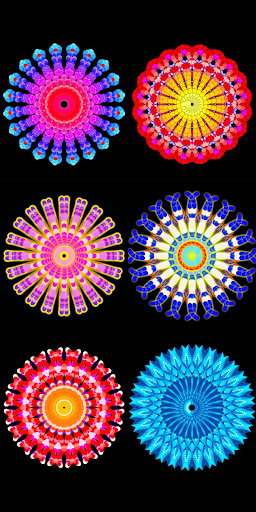
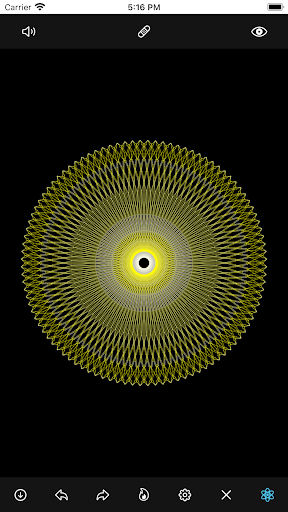
● Make beautiful and intricate mandala drawings with few easy steps. ● It has a lot of customization options, where you can change the canvas symmetry, background color, brush settings, apply shadows, and much more. ● It even has some predefined patterns which you can use to draw. ● You can also use images to draw a mandala and there are more than 50+ images to draw with. ★ Features ★ 📍 Canvas Customization - you can change the background color - can change the canvas center - apply center at the touch - canvas mirroring 📍 Brush Customization - multiple brushes styles - different color types - random color selection - change brush sizes and type 📍 Image Customization - 50+ images to draw with - change image size and dimensions 📍 Shadow Properties - apply random shadow - select different shadow sizes and color 📍 Patterns - select from predefined patterns - multiple patterns to draw with App Icon from qawi_arts : https://bit.ly/3nZCsfC
What Mandala Maker 360 Is Used For
Mandala Maker 360 appears to be a drawing app focused on creating mandala-style artwork on Android phones. Based on the metadata, people would commonly use it to sketch symmetrical patterns, experiment with decorative designs, and build circular art compositions with minimal setup. The app category and feature list suggest it is aimed at creative editing rather than general photo tools or document work.
The app may be especially useful for users who want hands-on control over the look of their drawings. Its customization options include canvas symmetry, background color, brush styles, brush size, shadow settings, and predefined patterns. The metadata also mentions image-based drawing with 50+ images, so it may support tracing or building mandalas from included templates. Permissions for USB storage and network access suggest the app can likely save or manage artwork files locally and may load content or related resources over the internet.
Common uses
- Create mandala-style drawings with symmetry-based canvas settings.
- Adjust background color, brush style, brush size, and color options.
- Use predefined patterns as a starting point for decorative designs.
- Draw from included images or templates when you do not want to start from scratch.
- Add shadow effects and other visual details to change the final look.
- Save or manage artwork files on device storage.
App Details
Package:
app.bhupesh.mandalamaker360
Developer:
Humble Kid Creation
Version:
29.0
Updated:
Sep 28, 2025
Min Android:
5.0
Age Rating:
Everyone
Contains Ads:
No
In-App Purchases:
Yes
Official Listing
-
Official listing available on
Google Play
-
Package name:
app.bhupesh.mandalamaker360
-
Age rating:
Everyone
Related Art & Design Apps
Beauty
•
colorwise.me
Shop Smarter, Dress Better, and Shine Brighter!
Version 10.8.0
27.4 MB
⭐ 4.10
1,000,000+ installs
Art & Design
•
Eyewind
Sketchbook imitating the brush, simple to painting
Version 2.9.10
49.2 MB
⭐ 4.43
10,000,000+ installs
Art & Design
•
Recolor
5000 coloring pages. Unlock all with complimentary 7 day trial. Color & Publish
Version 5.7.5
65.6 MB
⭐ 3.55
10,000,000+ installs
How to Download Mandala Maker 360
If this app is not hosted directly on APKApps official link,
then for the safest and most up-to-date version, install it from its official Google Play listing.