Kids360: Parental Control App icon

Phone

Kids360: Parental Control App

Parenting ANKO Solutions LLC ⭐ 4.40 10,000,000+

Parental control: child monitoring app, screen time control, GPS child tracker

Version 2.76.1 26.9 MB Everyone

Screenshots

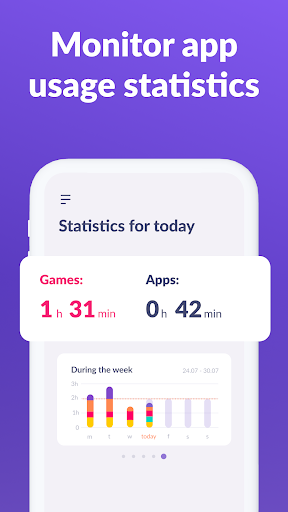
Kids360: Parental Control App screenshot
Permissions Explained 16 permissions requested View details

This app requests 16 permissions. The table below explains what each permission may allow and what users should review before installing.

Status Permission What it means Why it may be used User safety note
Common Internet access android.permission.INTERNET Allows the app to open network connections and communicate with online services. Commonly used for streaming, syncing, login, ads, analytics, downloads, cloud features, and app updates. Common permission. Review the app’s behavior if it does not appear to need online access.
Common View network status android.permission.ACCESS_NETWORK_STATE Allows the app to check whether the device is connected to Wi-Fi, mobile data, or another network. Often used to avoid loading content when offline or to adjust loading based on connection quality. Generally low risk by itself.
ℹ️ Review Foreground Service android.permission.FOREGROUND_SERVICE This is an Android permission or app-specific permission requested by the app. The app may use this permission for features related to its category, device support, background behavior, storage, connectivity, or system integration. Review this permission before installing, especially if it does not match the app’s expected purpose.
ℹ️ Review Access Wifi State android.permission.ACCESS_WIFI_STATE This is an Android permission or app-specific permission requested by the app. The app may use this permission for features related to its category, device support, background behavior, storage, connectivity, or system integration. Review this permission before installing, especially if it does not match the app’s expected purpose.
⚠️ Sensitive Read external storage android.permission.READ_EXTERNAL_STORAGE Allows the app to read files from shared device storage. Used by media players, file managers, backup apps, editors, upload tools, and document apps. Sensitive permission. Review carefully if the app does not need access to files or media.
ℹ️ Review Gms Permission Ad Id com.google.android.gms.permission.AD_ID This is an Android permission or app-specific permission requested by the app. The app may use this permission for features related to its category, device support, background behavior, storage, connectivity, or system integration. Review this permission before installing, especially if it does not match the app’s expected purpose.
ℹ️ Review System Alert Window android.permission.SYSTEM_ALERT_WINDOW This is an Android permission or app-specific permission requested by the app. The app may use this permission for features related to its category, device support, background behavior, storage, connectivity, or system integration. Review this permission before installing, especially if it does not match the app’s expected purpose.
ℹ️ Review Keep device awake android.permission.WAKE_LOCK Allows the app to prevent the device from sleeping while a task is running. Used for media playback, downloads, navigation, alarms, calls, or long-running background tasks. Review battery usage if the app keeps the device awake too often.
ℹ️ Review Send notifications android.permission.POST_NOTIFICATIONS Allows the app to send notifications to the device. Used for alerts, reminders, messages, account activity, updates, or media controls. Review notification settings if the app sends too many alerts.
ℹ️ Review Package Usage Stats android.permission.PACKAGE_USAGE_STATS This is an Android permission or app-specific permission requested by the app. The app may use this permission for features related to its category, device support, background behavior, storage, connectivity, or system integration. Review this permission before installing, especially if it does not match the app’s expected purpose.
ℹ️ Review Query All Packages android.permission.QUERY_ALL_PACKAGES This is an Android permission or app-specific permission requested by the app. The app may use this permission for features related to its category, device support, background behavior, storage, connectivity, or system integration. Review this permission before installing, especially if it does not match the app’s expected purpose.
ℹ️ Review C2dm Permission Receive com.google.android.c2dm.permission.RECEIVE This is an Android permission or app-specific permission requested by the app. The app may use this permission for features related to its category, device support, background behavior, storage, connectivity, or system integration. Review this permission before installing, especially if it does not match the app’s expected purpose.
ℹ️ Review Finsky Permission Bind Get Install Referrer Service com.google.android.finsky.permission.BIND_GET_INSTALL_REFERRER_SERVICE This is an Android permission or app-specific permission requested by the app. The app may use this permission for features related to its category, device support, background behavior, storage, connectivity, or system integration. Review this permission before installing, especially if it does not match the app’s expected purpose.
ℹ️ Review Receive Boot Completed android.permission.RECEIVE_BOOT_COMPLETED This is an Android permission or app-specific permission requested by the app. The app may use this permission for features related to its category, device support, background behavior, storage, connectivity, or system integration. Review this permission before installing, especially if it does not match the app’s expected purpose.
ℹ️ Review App Kids360 Parent Dynamic Receiver Not Exported Permission app.kids360.parent.DYNAMIC_RECEIVER_NOT_EXPORTED_PERMISSION This is an Android permission or app-specific permission requested by the app. The app may use this permission for features related to its category, device support, background behavior, storage, connectivity, or system integration. Review this permission before installing, especially if it does not match the app’s expected purpose.
ℹ️ Review Vending Billing com.android.vending.BILLING This is an Android permission or app-specific permission requested by the app. The app may use this permission for features related to its category, device support, background behavior, storage, connectivity, or system integration. Review this permission before installing, especially if it does not match the app’s expected purpose.

About Kids360: Parental Control App

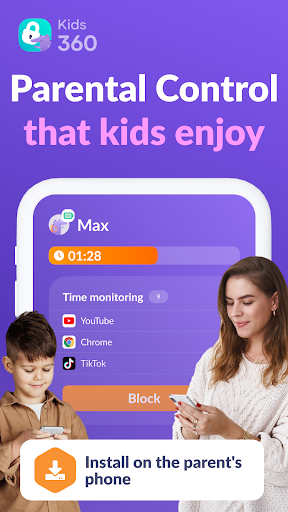
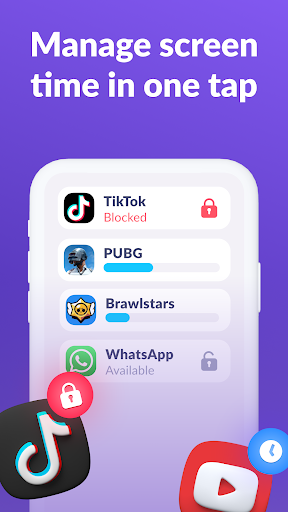
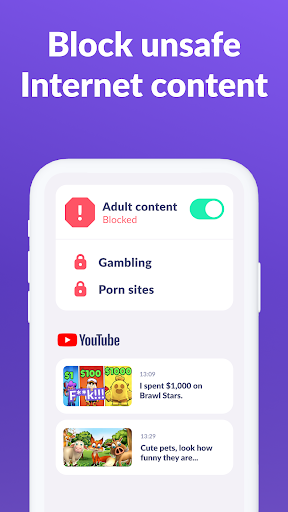
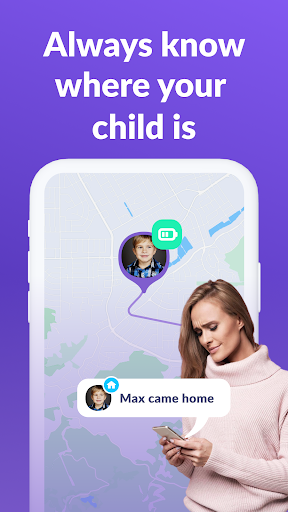
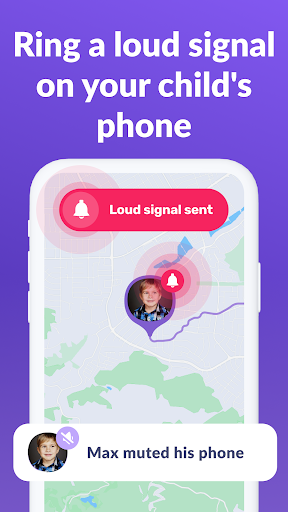
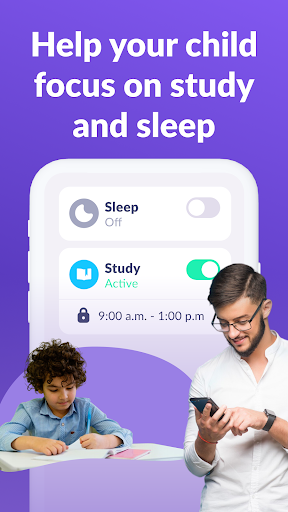
Kids360: Parental control helps limit screen time, offers an app lock, tracks usage time, and provides educational games. Ensure family safety, manage device usage, and enjoy happy kids. Set time limits, block apps, track GPS, monitor app activity, and keep children safe online with parental control functions. The Kids360 and Alli360 parental control apps work together and have the following features: App usage limiter - Set a screen time limit on your child's phone for distracting apps, games and social media, the app will behave like a child lock app. It also enables child lock, kids mode. Usage schedule - Select the child's schedule for productive schooltime and a recovering sleep during bedtime. The child monitoring app & child lock will take into account the time your child spends on games, social media and entertainment apps and will limit their usage as well as limit phone usage Apps statistics - Find out what apps and your child is using and for how long, see if they play during class instead of studying. Screen time - Our child monitoring app shows how much time your child spends on their phone and helps identify the apps that occupy your child the most, enable kid control. Stay in touch - Essential apps for calls, texts, taxis and other non-gaming and social networking apps are always available so you won't lose contact with your child Kids360 is a child monitoring app & child lock designed for their safety and helps parents monitor screen time on their child's phone. With our mobile app tracker, you will always know how much time your child spends on their phone, what games they play and what apps they use most often. The app cannot be installed secretly, use is permissible only with the child’s consent. Personal data is stored in strict compliance with the law and the GDPR policy. Install the Alli360 on your child's smartphone. The app will run on your child's phone in app tracker mode, plus your child can't just delete it. You will only be able to see what apps your child is using when both apps are fully set and all permissions are given. After setting up the parental control app, you will be able to adjust the screen time on your child's phone. How to start using Kids360: install Kids360 on your phone install Alli360 on your child’s phone and enter the code you see in Kids360 allow monitoring of your child's smartphone in the Kids360 app You can see your child's screen time on your smartphone for free once your child's device is connected. Time management features in apps (scheduling, blocking apps) are available both in a trial period and with a paid subscription. The Kids360: parental control app asks for the following permissions: 1. Display over other apps - to block applications when time has run out 2. Special access- to limit screen time 3. Access to usage data - to collect statistics about the apps' running time 4. Autorun - to keep the app tracker running on your child's device at all times 5. Device administrator - to…

What Kids360: Parental Control App Is Used For

Kids360: Parental Control App appears to be a parental control and child monitoring app for Android phones. Based on the metadata, it is commonly used by parents to set screen time limits, restrict access to selected apps, and review how a child spends time on the device. The app category and permissions such as usage stats, package access, notifications, and boot completion suggest it is designed to monitor app activity and help manage device use over time.

It may also be used for schedule-based limits, such as allowing more flexible use after school and tighter controls during bedtime or study hours. The GPS tracking mentioned in the description suggests it can support location monitoring, while the app lock and child lock features point to broader device access control. Because it is a phone app, it seems intended for setup on a parent’s device and coordinated use with a child’s Android phone, rather than for tablet or TV environments.

Common uses

  • Set daily or hourly screen time limits for a child’s phone
  • Block or limit specific apps, including games and social apps
  • Review app usage activity and time spent in each app
  • Use schedule-based controls for school time or bedtime
  • Keep essential communication apps available while restricting others
  • Track device activity over time through parental monitoring tools
  • Potentially monitor location if GPS tracking is enabled in setup
Best for:
parents child device control screen time management phone app family supervision

App Details

Package:
app.kids360.parent
Category:
Parenting
Developer:
ANKO Solutions LLC
Version:
2.76.1
Updated:
Mar 30, 2026
Min Android:
7.0
Age Rating:
Everyone
Contains Ads:
No
In-App Purchases:
Yes

Official Listing

  • Official listing available on Google Play
  • Package name: app.kids360.parent
  • Age rating: Everyone

Explore More

Browse more apps in Parenting or explore the Phone hub .

Related Parenting Apps

Findmykids: Kids GPS Tracker icon

Findmykids: Kids GPS Tracker

Parenting LETEM LTD

GPS tracker app: Simple GPS phone tracker for fast family location tracking

Version 2.11.1-google 85.9 MB ⭐ 4.60 50,000,000+ installs
Qustodio Parental Control App icon

Qustodio Parental Control App

Parenting Qustodio LLC

Screen Time, App and Web Block & Monitoring, Location Tracker

Version 182.34.0 38.2 MB ⭐ 3.60 5,000,000+ installs
Parental Control App Blocker icon

Parental Control App Blocker

Parenting Kid security LLP

Track your child's location by GPS and manage screen time with Kid Security

Version 1.484 70.7 MB ⭐ 4.40 1,000,000+ installs

How to Download Kids360: Parental Control App

If this app is not hosted directly on APKApps official link, then for the safest and most up-to-date version, install it from its official Google Play listing.