Cartoonify AI Caricature Maker icon

Phone

Cartoonify AI Caricature Maker

Photography Lyrebird Studio Teknoloji Limited Şirketi ⭐ 4.50 1,000,000+
Version 1.0.4.1 Everyone

Screenshots

Cartoonify AI Caricature Maker screenshot
Permissions Explained 9 permissions requested View details

This app requests 9 permissions. The table below explains what each permission may allow and what users should review before installing.

Status Permission What it means Why it may be used User safety note
ℹ️ Review Read The Contents Of Your Usb Storage read the contents of your USB storage This is an Android permission or app-specific permission requested by the app. The app may use this permission for features related to its category, device support, background behavior, storage, connectivity, or system integration. Review this permission before installing, especially if it does not match the app’s expected purpose.
ℹ️ Review Modify Or Delete The Contents Of Your Usb Storage modify or delete the contents of your USB storage This is an Android permission or app-specific permission requested by the app. The app may use this permission for features related to its category, device support, background behavior, storage, connectivity, or system integration. Review this permission before installing, especially if it does not match the app’s expected purpose.
ℹ️ Review View Wi Fi Connections view Wi-Fi connections This is an Android permission or app-specific permission requested by the app. The app may use this permission for features related to its category, device support, background behavior, storage, connectivity, or system integration. Review this permission before installing, especially if it does not match the app’s expected purpose.
ℹ️ Review View Network Connections view network connections This is an Android permission or app-specific permission requested by the app. The app may use this permission for features related to its category, device support, background behavior, storage, connectivity, or system integration. Review this permission before installing, especially if it does not match the app’s expected purpose.
ℹ️ Review Full Network Access full network access This is an Android permission or app-specific permission requested by the app. The app may use this permission for features related to its category, device support, background behavior, storage, connectivity, or system integration. Review this permission before installing, especially if it does not match the app’s expected purpose.
ℹ️ Review Control Vibration control vibration This is an Android permission or app-specific permission requested by the app. The app may use this permission for features related to its category, device support, background behavior, storage, connectivity, or system integration. Review this permission before installing, especially if it does not match the app’s expected purpose.
ℹ️ Review Prevent Device From Sleeping prevent device from sleeping This is an Android permission or app-specific permission requested by the app. The app may use this permission for features related to its category, device support, background behavior, storage, connectivity, or system integration. Review this permission before installing, especially if it does not match the app’s expected purpose.
ℹ️ Review Google Play License Check Google Play license check This is an Android permission or app-specific permission requested by the app. The app may use this permission for features related to its category, device support, background behavior, storage, connectivity, or system integration. Review this permission before installing, especially if it does not match the app’s expected purpose.
ℹ️ Review Receive Data From Internet receive data from Internet This is an Android permission or app-specific permission requested by the app. The app may use this permission for features related to its category, device support, background behavior, storage, connectivity, or system integration. Review this permission before installing, especially if it does not match the app’s expected purpose.

About Cartoonify AI Caricature Maker

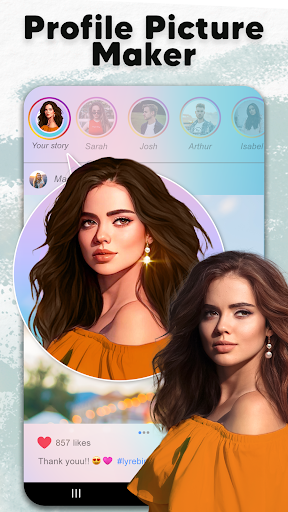
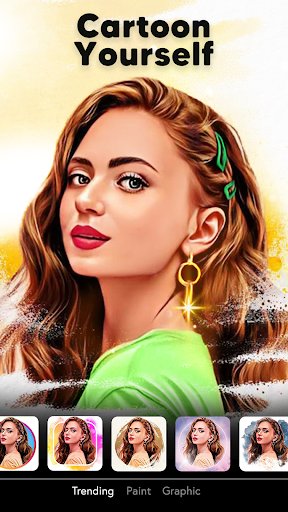
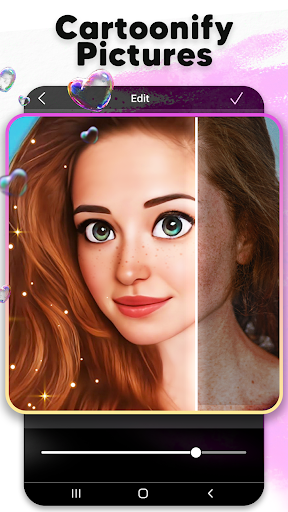
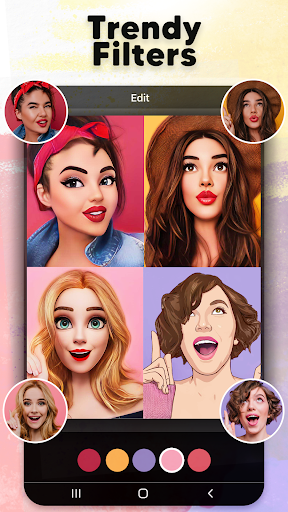
Hello from the incredible universe of Cartoonify: AI Caricature Maker App in trend anime style cartoon and starter pack filters! Here is caricature maker app, toonify cartoon photo editor and trendy AI cartoon picture app! Caricature app makes toonify cartoon photo! Fun caricature maker app, toon picture app! This AI cartoon photo editor, photo to cartoon yourself app promise a fun experience as your face cartoon yourself effortlessly! As a 3D caricature maker and a trendy 3D cartoon yourself app, it transforms your own photo lab into a avatar maker for ai action figure generator photos with just one tap to achieve captivating funny cartoon face photo filters, creating style cartoon photo and starter pack filter! Try this marvelous AI cartoon photo editor, fun caricature maker app and 3D cartoonize app for photo to cartoon anime to have fun and share moments! Save and share your avatar cartoon face on Instagram and Facebook with this Cartoonify: 3D Cartoon Photo Editor app! Don't forget to create toonify me caricature for Whatsapp, Snapchat and TikTok! Fueled by toonify me AI cartoon filter technology, our caricature maker and toon picture app is one of the funniest caricature apps that can create your favorite 3D cartoon me anime filter! Turn pictures into cartoons with this AI caricature maker! Easily enhance your photos using toon photo lab ai action figure generator, turn pictures into cartoons, AI caricature face toon picture app or an 3D cartoon avatar caricature maker! Unleash your creativity by Cartoonify: AI Cartoon Photo Editor & Caricature Maker App, then share your cute cartoon yourself pics! Create your cartoon picture as a caricature princess or a 3D cartoon animation character using the amazing cartoon yourself caricature filter and turn pictures into cartoons ai superhero with this cool cap cut for caricature maker! AI Cartoon Photo Generator Photo to cartoon picture app encompasses all the tools you need to create stunning cartoon me pics with the entartaining selfie PFP maker! Select a fantastic image from your toon photo lab! Transform your pics into cartoon me animation as princess or prince, make toon me anime in style and create videos with 3D cartoon photo editor! AI Cartoon Me Filters & Toonify Cartoon Photo Cartoonify: AI Cartoon Yourself App effortlessly turns pictures into cartoons pics likewise studio anime and artistic paintings with ai action figure generator, doll maker and cartoon pictures! Explore the perfect AI pet cartoon filters, cartoon baby dance and edit caricature pictures from the toon app! Turn Pictures Into Cartoons For an exceptional cartoon picture app experience, Cartoonify: Cartoon Photo Editor to toon art is your go-to choice! No need for other caricature photo edit apps for avatar and anime cartoon picture app! This starter pack profile picture and cartoon avatar maker app presents special caricature filters! Caricaturize a cartoon portrait effortlessly and craft fun "Cartoon Me" with the studio…

What Cartoonify AI Caricature Maker Is Used For

Cartoonify AI Caricature Maker appears to be a photo-editing app focused on turning selfies and other pictures into cartoon, caricature, anime-style, or 3D-style images. Based on the metadata, people may use it to create stylized profile pictures, playful portrait edits, or shareable social posts from a single photo. The app category and description suggest it is mainly aimed at casual photo transformation rather than general-purpose editing.

Because it is a phone app in the Photography category, it may be used on a mobile device for quick portrait edits and image sharing. The listed storage permissions suggest it likely needs access to photos on the device so users can select images and save edited results. Network access permissions indicate it may also connect to online services, possibly for AI-based processing, ads, licensing, or content retrieval. It also mentions sharing to social platforms, so it may fit users who want to make cartoon avatars for messaging or social profiles.

Common uses

  • Turn selfies or portraits into cartoon-style images
  • Create caricature or anime-inspired profile pictures
  • Make 3D cartoon avatar edits from existing photos
  • Save edited images to the phone’s storage
  • Share cartoon portraits on social apps and messaging platforms
  • Use quick one-tap photo-to-cartoon effects for casual editing
  • Edit personal photos for fun profile or post images
Best for:
selfie edits cartoon avatars casual photo editing social profile images phone users

App Details

Package:
cartoon.picture.photo.editor.caricature.maker.yourself.caricaturas.fotos.ai
Category:
Photography
Developer:
Lyrebird Studio Teknoloji Limited Şirketi
Version:
1.0.4.1
Updated:
Jun 26, 2025
Min Android:
7.0
Age Rating:
Everyone
Contains Ads:
Yes
In-App Purchases:
Yes

Official Listing

  • Official listing available on Google Play
  • Package name: cartoon.picture.photo.editor.caricature.maker.yourself.caricaturas.fotos.ai
  • Age rating: Everyone

Explore More

Browse more apps in Photography or explore the Phone hub .

Related Photography Apps

ToonMe photo cartoon maker icon

ToonMe photo cartoon maker

Photography PHOTO LAB DMCC

Toon up your photos with hundreds of styles and art lens in ToonMe.

Version 0.7.19 44.2 MB ⭐ 4.50 100,000,000+ installs
Toonapp: Cartoon Photo Editor icon

Toonapp: Cartoon Photo Editor

Photography Lyrebird Studio

Cartoon Yourself with ai Cartoon Photo Editor, ghibli anime filter and toon app!

Version 3.1.58 63.8 MB ⭐ 4.60 100,000,000+ installs
AnimeAI icon

AnimeAI

Art & Design 新天地數碼科技有限公司

Unlocking the Power of AI Photo Enhancement,Artificial Intelligence

Version 1.3.4 87.9 MB ⭐ 3.46 5,000,000+ installs

How to Download Cartoonify AI Caricature Maker

If this app is not hosted directly on APKApps official link, then for the safest and most up-to-date version, install it from its official Google Play listing.