About Typewise Custom Keyboard
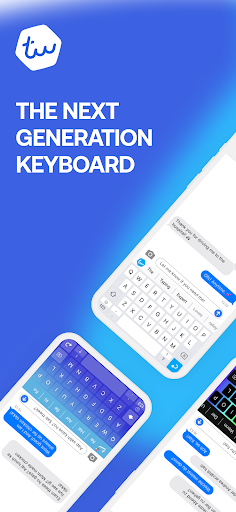
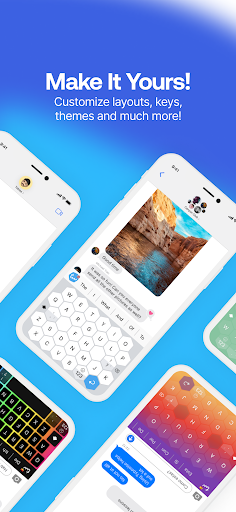
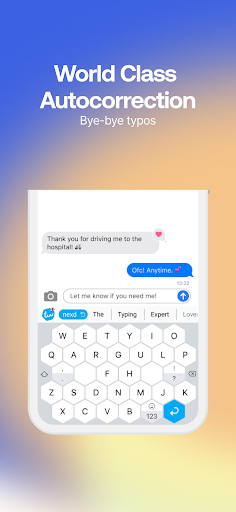
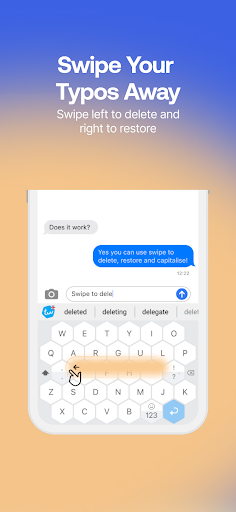
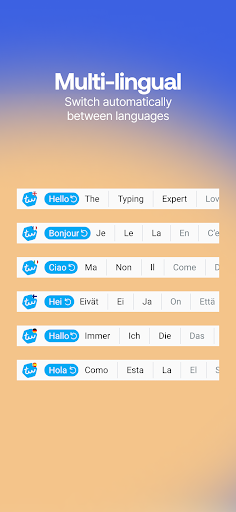
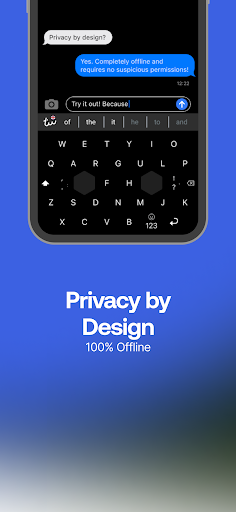
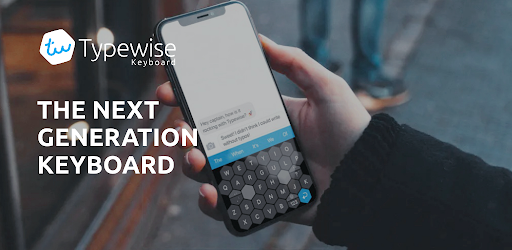
Custom large keyboard with 4X fewer typos! Typewise is an Android & iPhone keyboard app that helps you to make fewer typos, improve typing speed, customize the keyboard the way you want (different keyboard themes, keyboard fonts, emoji keyboard) while enjoying 100% privacy. Featured on: TechCrunch, Wired, Esquire, The Telegraph, Tech Radar, Mac Observer 💡 Did you know? Current keyboards are based on the 140-year-old mechanical typewriter layout (QWERTY). Typewise is different. It’s the first font app that is specifically designed for smartphones. It’s revolutionary yet easy to use, and after a couple of messages you’ll love it. Typewise provides you with a wide range of keyboard background options, emojis, text fonts, and other features, such as auto paste keyboard and emoji keyboard that will make its use fun and easy. Change fonts to any font you want to maximize your fonts keyboard experience. Our patented honeycomb layout is superior to the QWERTY layout used by most keyboards such as Gboard, Swiftkey, Kika Keyboard, Go Keyboard, Grammarly, Fleksy, Paste keyboard, Chrooma, and Cheetah Keyboard that ensure a wide range of fonts and paste keyboard simplicity. 🤩 4X fewer typos A recent study with 37,000 participants showed that on current keyboards 1 out of 5 words contains typos. With Typewise you finally get rid of these ARRGGHH-moments. Thanks to the hexagon layout, keys are 70% larger and much easier to hit. It helps you to make 4 times fewer typos. Typewise is great for people looking for big keys keyboard (large keys keyboard). 👋 Intuitive gestures Swipe up to capitalize a letter, swipe left to delete or swipe right to restore. It's as simple as that. ✨ Smart autocorrect Stop getting annoyed by wrong autocorrections or senseless predictions. Typewise learns what you type and helps you write that perfect sentence. This makes it truly your custom keyboard. 🔒 100% privacy What you write is personal. That's why the keyboard runs locally on your device and none of your typing data is transmitted to the cloud. Other keyboards require dozens of permissions to access your calendar, contacts, files, GPS location and much more. 🗣️ Speaks your languages With Typewise you can write in all your languages at once. Typewise fonts switch automatically. Typewise supports: - English keyboard (US, UK, AU, Canada) - Afrikaans - Albanian - Basque - Breton - Catalan - Croatian - Czech - Danish - Dutch (Belgium, Netherlands) - Estonian - Filipino - Finnish - French (France, Canada, Switzerland) - Galician - German keyboard (Austria, Germany, Switzerland) - Hungarian - Hinglish - Icelandic - Indonesian - Irish - Italian - Latvian - Lithuanian - Malaysian - Norwegian - Polish - Portuguese keyboard (teclado) (Portugal, Brazil) - Romanian - Serbian - Slovak - Slovene - Spanish keyboard (Spain, Latin, USA teclados) - Swedish - Turkish Typewise supports our honeycomb layout (especially for fans of Dvorak and Colemak keyboard layouts), traditional QWERTY, QWERTZ…
What Typewise Custom Keyboard Is Used For
Typewise Custom Keyboard appears to be a replacement keyboard app for Android phones, designed for people who want a different typing layout and more control over how the keyboard looks and behaves. Based on the metadata, it focuses on reducing typos, making keys easier to hit, and offering customization such as themes, fonts, and emoji support. Because it is a phone app, it is mainly used wherever you type on the device, such as messaging, email, social apps, and search fields.
The app may be especially relevant for users who type a lot on mobile and prefer larger keys or a nonstandard layout. The metadata also mentions gesture-based typing actions, autocorrect features, and local processing, which suggests it is meant to function as a daily input tool rather than a one-time utility. Permissions like network access, vibration control, and run at startup are consistent with a keyboard app that needs to stay active, sync certain components, or provide typing feedback. Since the app category is Personalization, it may also appeal to people who want to change the visual style of their keyboard without changing their phone itself.
Common uses
- Used as the primary keyboard for typing on an Android phone
- May help reduce typing mistakes with larger keys and an alternate layout
- Can be used to customize keyboard themes, fonts, and emoji options
- Supports gesture actions such as capitalizing, deleting, or restoring text
- May be useful for frequent messaging, email, and everyday mobile typing
- Runs as a keyboard utility, so it may stay active in the background
App Details
Package:
ch.icoaching.typewise
Developer:
Typewise
Version:
4.4.42
Updated:
Jan 29, 2026
Min Android:
6.0
Age Rating:
Everyone
Contains Ads:
No
In-App Purchases:
Yes
Official Listing
-
Official listing available on
Google Play
-
Package name:
ch.icoaching.typewise
-
Age rating:
Everyone
Related Personalization Apps
Tools
•
Instabridge Sweden AB
Your home screen, just the way you like it.
Version 81039 (8.4.7)
11.0 MB
⭐ 3.00
100,000,000+ installs
Personalization
•
DictionaryAndTranslator
Version 8.1.0
⭐ 4.40
5,000,000+ installs
Personalization
•
SwiftKey
AI-powered Copilot. Personalized keyboard with gifs, stickers & themes
Version 9.10.36.21
64.1 MB
⭐ 4.44
1,000,000,000+ installs
How to Download Typewise Custom Keyboard
If this app is not hosted directly on APKApps official link,
then for the safest and most up-to-date version, install it from its official Google Play listing.